Adds a floating animated pet to the DSH Web interface: 51 transparent animations
Install
$ dsh plugin --profile web add github:PC2005-cloud/dsh-petRun the command above in your terminal to install this plugin via the dsh CLI. You can switch Profile in the top-right corner. New to dsh? Read the beginner tutorial
One-Line Description
Raise a desktop pet that moves on its own in DeepSeek Harness's Web interface. It stays in the bottom right corner, breathing on its own, making random small movements, occasionally looking around at you or walking across the screen. You can also click or drag it to any position.
Core Features
- A hand-drawn style transparent animated pet stays in the bottom right corner of the Web interface, no configuration required
- 51 animations automatically chain by probability: idle breathing, random actions (like humming, playing with a Rubik's cube, getting ruffled, violin performance, eating plain rice, seasonal actions, etc.), occasional turning
- Screen roaming: walks in the current facing direction, automatically checks boundaries to stay on screen, roaming distance 60~240px per session
- Click interaction: clicking on the character randomly triggers "happy jump / shy surprise / tsundere anger" response animations
- Dragging: pick up and drag to any position on screen, pet stops at the new location and follows when window scales
- Left/right facing: animations are CSS-mirrored based on facing direction, pet always faces you or turns away
- Dual-buffer playback: cross-fade between two video segments when switching animations, never any blank frames
- Accessibility: responds to system's "reduce motion" setting, automatically disables transition animations
Technical Implementation
- Language: JavaScript (ESM host-side + official CJS bundle browser-side), with TypeScript type declarations
- Key Dependencies:
@deepseek-ai/cordis(plugin framework),@deepseek-ai/dsh-home-paths(parse DSH home directory),@deepseek-ai/dsh-host-webserver(register /pet routes),@deepseek-ai/dsh-client-runtime(browser-side runtime container), React 18 (injected by DSH shell) - Architecture Pattern: Dual-bundle —— host-side registers
/pet/{thumb|full}/<file>routes in Node process to serve WebM resources; browser-side registers toshell.overlaylist slot viawindow.__ModuleLoader__.load({id,factory}), mounted as floating layer (click-through, doesn't block UI operations) - Entry Files: host-side
dsh-pet/lib/index.js, browser-sidedsh-pet/lib/cordis.patch.yml
Use Cases
For users who want the DSH Web interface to feel more personable but don't want plugins to interrupt their workflow. The pet is purely decorative: no business functions like weather, monitoring, or Agent status awareness, zero LLM calls, no model quota consumption. Suitable for people who want a bit of companionship but worry about plugins affecting experience.
Prerequisites & Compatibility
| Dependency | Minimum Version | Description |
|---|---|---|
| DeepSeek Harness | 0.1.0-rc.6+ | peerDependencies declares cordis, home-paths, host-webserver, client-runtime, client-ui-slots all ^0.1.0-rc.6 |
| Node Runtime | Not declared | Package doesn't declare engines; host-side uses ESM with node:fs/node:url, needs Node ≥ 14 LTS supporting import.meta.url |
| Platform | web | dsh.client.platform = "web"; no desktop/terminal adaptation |
| Native Modules | None | Pure Node standard library + browser standard API |
Installation
dsh plugin --profile web add github:PC2005-cloud/dsh-pet
Configuration Options
| Config | Type | Description | Default |
|---|---|---|---|
size | Number (px) | Pet display height. Currently uses code default on browser side, changes require source code modification; declared in patch but not yet passed to browser | 260 |
position | String | Default corner: bottom-right or bottom-left. Same as above, not effective on browser side | bottom-right |
fullRoot | Path String | High-res original asset directory (1200×1200 master). Requires downloading assets-videos from GitHub Releases before it takes effect, otherwise /pet/full/ route returns 404 | $DSH_HOME/pet-assets |
FAQ
Q: Will it consume LLM or network resources when running?
A: No. Zero LLM, zero API requests during runtime; animations are locally played WebM files in browser, cached for 1 hour then not re-downloaded.
Q: Does it need extra configuration?
A: No. Install and use immediately. If you want to change corner, adjust height, or enable high-res original assets, you need to manually modify DSH_HOME or source code defaults—the browser-side configuration pipeline is not yet connected.
Q: Which platforms are supported?
A: DeepSeek Harness Web only (dsh web). The package declares web as the runtime platform, no adaptation for desktop/terminal.
Q: How to uninstall?
A: Run dsh plugin --profile web remove dsh-pet, restart dsh web to restore original state. The plugin won't leave any persistent data.
Q: Want to replace with my own character?
A: The repository includes a full "prompt → green screen video → transparent animation" pipeline (7 Python scripts + ffmpeg in scripts/). Generate source video according to prompts/ recipe, run through 4-step processing chain to get thumb resources, overwrite dsh-pet/assets/thumb/ to replace.
Q: Adjusting size / position has no effect?
A: This is a known limitation. The size/position declared by host-side (cordis.patch.yml) currently can't reach the browser, client actually receives an empty object, so behavior parameters use code defaults. Browser-side configuration is planned.
Q: Is seeing [dsh-pet] roll=... logs in browser console a bug?
A: Not a bug. Probability print log marked as "for testing" in source code (lib/client.js:339), convenient for checking animation distribution; can be removed in official version, author kept it.
Difficulty Level
Beginner — One-line install command, no configuration needed to see effect, no documentation reading or parameter adjustment required.
Known Issues & Limitations
- Browser-side distribution of
size/positionconfig items is not connected; patch config currently only affects host-side, browser uses code defaults (lib/client.js:182-185, README.md:45-49) - Browser console continuously outputs
[dsh-pet] roll=...debug log, marked as "can be removed in official version" but currently not removed (lib/client.js:338-339) - High-res original assets (1200×1200 master) not included in npm package, need to manually download
assets-videosfrom Git Releases and extract to$DSH_HOME/pet-assets/before use, otherwise/pet/full/route returns 404 (DESIGN.md:25) - Hit area during dragging is limited by hardcoded
HIT_BOXrectangle (lib/client.js:99), may affect click feel when animation character visual width differs significantly from hit width







一只住在 DeepSeek Harness Web 界面里的桌面宠物:待机呼吸、随机动作(含打瞌睡)、偶尔转向、屏幕漫游、点击反应、可拖拽。
这不是一个普通插件,而是完整的三件套项目:
① 提示词(配方)    →  ② 素材生成链(引擎)  →  ③ 插件(成品)
AI 生成动画的配方     源视频 → 透明动画的管线    运行在 DSH 里的宠物
任何人 clone 本仓库,都可以从零生成自己的桌面宠物——换角色、换动作、换风格,全流程可复现。
快速开始(安装插件)
dsh plugin --profile web add dsh-pet
重启 dsh web,宠物出现在右下角。
从零生成你自己的宠物(完整流程)
① 提示词 → 源视频
用 AI 视频生成工具(如可灵、Runway、豆包等,本项目素材即由豆包生成),按 prompts/桌面宠物 10 秒动作提示词.md 的配方生成 51 个 10 秒绿幕视频:
- 视频比例 16:9,背景纯绿幕(#00FF00)
- 人物位置/大小固定(头顶 ~20% 高度、脚底 ~85% 高度)
- 动作全程在画幅内,首尾帧为标准正面站立
- 每段动画按秒分解(0-10s 各阶段动作)
生成结果放入 video/(51 个 mp4)。
源视频获取:为控制仓库体积,
video/源视频不入 git。需要复现素材链时,从 Releasesassets-videos下载 51 个 mp4(拼音文件名),放入video/即可。一键批量下载(需 gh CLI):mkdir -p video && cd video && gh release download assets-videos --repo PC2005-cloud/dsh-pet
② 源视频 → 透明动画(素材链)
cd scripts
python watermark_step01.py   # 水印遮罩填充 → step01/
python chroma_step02.py      # 绿幕抠像转透明(HSV 色相)→ step02/
python normalize_step03.py   # 归一化 2160×1215 统一站立居中 → step03/
python encode_thumbs.py      # 转码 640×360 播放变体 → step04/
依赖:Python 3 + ffmpeg + numpy + scipy(素材链脚本自动用工作区 .tools/ 下的 ffmpeg)。
③ 动画 → 插件
# 把 step04 的播放变体同步进插件包
cp step04/*.webm dsh-pet/assets/thumb/

# 本地安装插件
dsh plugin --profile web add file:D:/path/to/dsh-pet
中间产物(step01-04)由脚本生成、不入仓库;
video/源视频和脚本是成果、入库维护。
项目结构
├── prompts/                 # ① 51 个动作的生成提示词(绿幕规范 + 按秒分解)
├── scripts/                 # ② 素材生成链(7 个 Python 脚本)
├── video/                   # ② 源视频(51 个绿幕 mp4 + 水印 mask)
├── tools/                   # 开发工具:preview.html(素材链各阶段效果预览)
├── dsh-pet/                 # ③ 插件(可独立 npm 发布)
│   ├── lib/index.js         #   host 半侧:/pet 视频路由
│   ├── lib/client.js        #   浏览器半侧:动画链 + 双缓冲播放
│   └── assets/thumb/        #   640×360 播放动画(51 个,~36MB)
├── DESIGN.md                # 设计与实现文档(含踩坑记录)
└── LICENSE                  # MIT
插件功能
- 纯粹的桌宠:不掺任何业务功能——没有天气查询、系统监控、Agent 状态感知,就一件事:陪你。零核心改动(不碰 DSH 内核)、零模型成本(运行时不需要调用任何 LLM 或 API)
- 动画链:每个动画(含待机)播完立即按概率选下一个——30% 待机 / 10% 转向 / 40% 动作 / 20% 移动,首尾相接永不停止
- 屏幕漫游:朝 facing 方向行走,先检查空间、不走出屏幕
- 点击/拖拽:点击有回应动画,可拖到任意位置
- 左右朝向:所有动画可镜像,人物可朝左/朝右
- 落地对齐:动画统一脚底线,宠物始终站在地面上
- 流畅切换:双缓冲交叉淡入,切换无空白帧
运行效果
宠物实际运行在 DSH Web 界面中的样子:
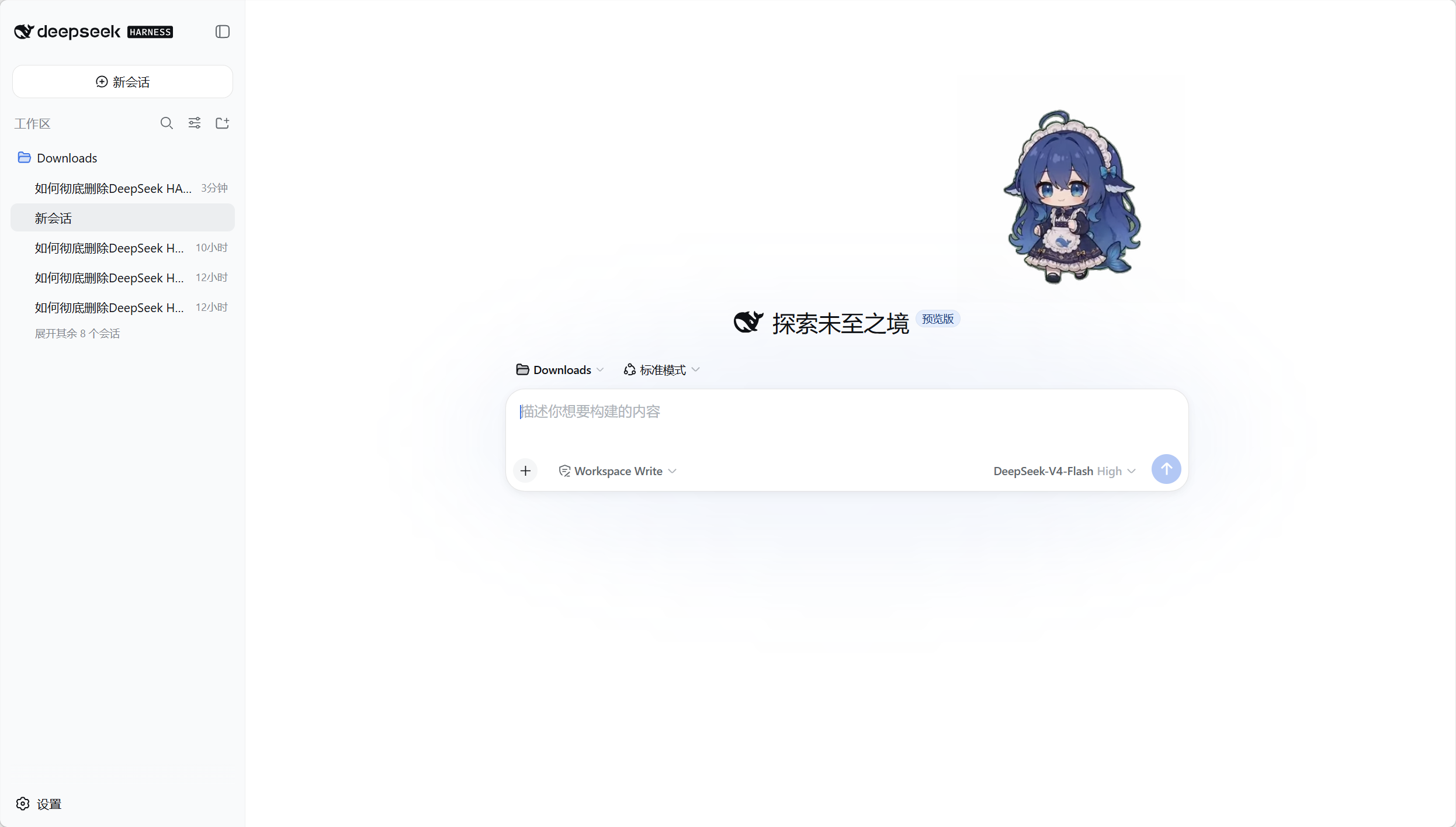
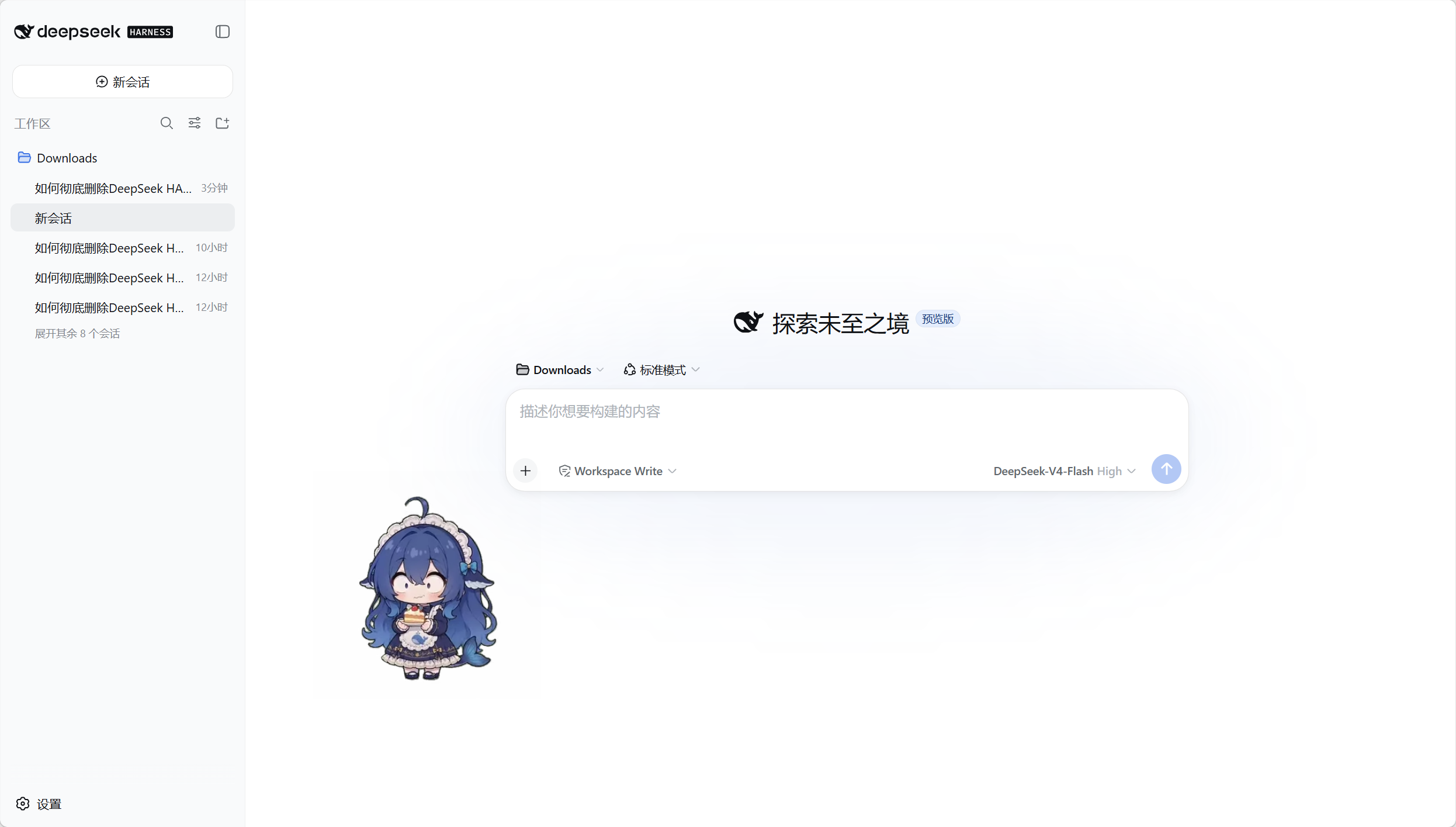
效果预览
全部 51 个动画(640×360,插件实际播放用的资源)——GIF 预览存放于仓库 dsh-pet/assets/preview/(raw 直链渲染,文件名采用拼音便于跨平台);完整透明视频见 dsh-pet/assets/thumb/:
待机 / 转向


移动



动作



















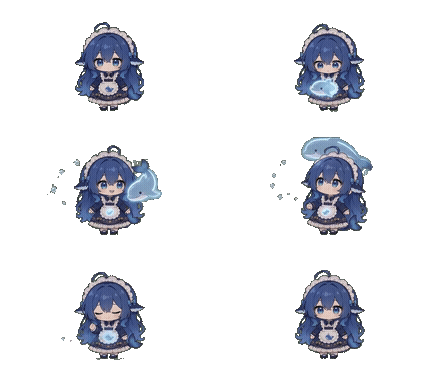









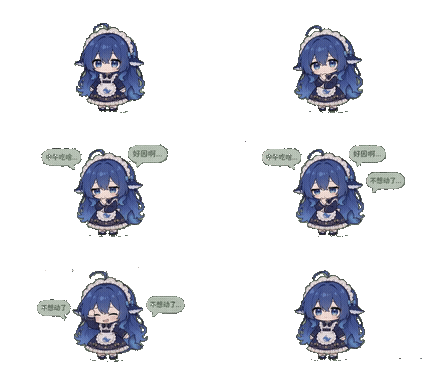

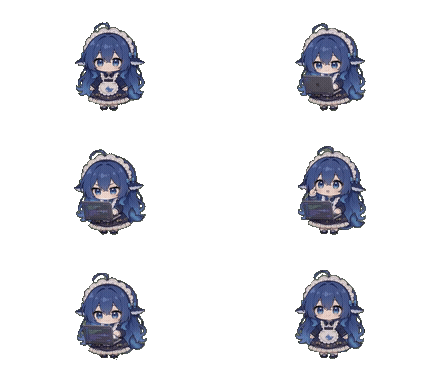
点击回应



拖拽

注:动画为透明背景;GIF 预览中透明部分显示为页面底色,实际 webm 播放为透明。
文档
- 设计与实现 —— 架构、动画链模型、素材链、踩坑记录
许可
- 代码:MIT
- 素材(动画/提示词):见仓库说明
