Adds vision capability to DeepSeek Harness text

- Language
- TypeScript
- License
- MIT
- Branch
- main
Install
$ dsh plugin --profile web add github:oil-oil/dsh-visionRun the command above in your terminal to install this plugin via the dsh CLI. You can switch Profile in the top-right corner. New to dsh? Read the beginner tutorial
Install via your agent
Install the DeepSeek Harness plugin oil-oil/dsh-vision for me: review the repository at https://github.com/oil-oil/dsh-vision first, then run the install command and verify the plugin loads successfully.
Paste this instruction to the DSH Web GUI assistant — it will install and verify for you.
One-Line Pitch
Give text-only models in DeepSeek Harness (like deepseek-official) the ability to see images pasted by users and answer based on visual content; models that already support images continue using native vision without any detours.
Core Features
- Native Vision Bypass: When the current model supports images, send directly to the original DeepSeek adapter without any preprocessing or compression
- External Vision Bridge: When the main model only supports text, automatically invoke external vision models (ZenMux / Bailian / TokenDance / OpenRouter, etc.) to examine the original images
- Multi-Image Joint Analysis: All images in a single request are bundled into the same vision call, suitable for before/after comparisons and combined evidence
- Multi-Level Failure Degradation: After cloud failure,依次 try other vision models in Harness → see private config → macOS Vision / Tesseract local OCR
- Credential Security Isolation: API Keys are written one-way through the Harness credential service, never echoed back to chat or session logs
- Hot Configuration Updates: No restart required after modifying via UI or settings.yaml, takes effect automatically
Technical Implementation
- Language: TypeScript (bundled for both Node backend and React client)
- Key Dependencies:
@deepseek-ai/dsh-llm-deepseek(target adapter being replaced),@deepseek-ai/dsh-attachment(image attachment reading),@deepseek-ai/dsh-credentials(API Key parsing),@deepseek-ai/schemastery(configuration schema) - Architecture Pattern: Disabled official
llm-deepseekviacordis.patch.yml, inject asdsh-vision; usingLlmAdaptersubclassVisionBridgeAdapterto take overdeepseek-officialrouting, first determines original model input modality before deciding to bypass or bridge; also registers "Vision Recognition" settings card for Web Profile - Entry Points:
src/index.ts(server-sideapplyhook), frontend extension insrc/client/index.tsx
Use Cases
When you're using text-only models like DeepSeek but want them to understand pasted screenshots (interface errors, design mockups, tables, code screenshots, etc.), this plugin gives the chat window an experience close to native vision models; if you commonly use other image-supporting models already available in Harness, the bridge will automatically step aside and won't conflict with native paths.
Prerequisites and Compatibility
| Dependency | Minimum Version | Notes |
|---|---|---|
| DeepSeek Harness | = 0.1.0-rc.6 | Fixed to this exact version via peerDependencies, DSH is still in Developer Preview |
| Node.js | >= 22.19 | From package.json engines field |
| Operating System | macOS / Windows / Linux | Cloud bridge and UI have no platform limits; macOS local OCR uses system Vision, other systems require pre-installed Tesseract with language packs |
| Native Modules | None | No locally compiled dependencies like node-pty, sqlite |
| Tesseract | Optional | Only needed for local fallback on non-macOS systems; will report "no language data" when built-in language data is insufficient |
Installation
dsh plugin --profile web add github:oil-oil/dsh-vision
Configuration Options
| Config | Type | Description | Default |
|---|---|---|---|
| visionBackend | string (zenmux / bailian / tokendance / openrouter) | Primary vision platform for text model; empty means "auto-select", tries Harness other vision → see config → local OCR in sequence | Not set |
| visionBackendModel | string | Model ID for primary vision platform; empty uses platform default model | Platform default (ZenMux/OpenRouter use qwen/qwen3.7-plus, Bailian/TokenDance use qwen3.7-plus) |
| visionBackendBaseURL | string | API address for vision platform (http/https), for private gateways or proxies | Platform default address |
| visionProvider | string | Fix a specific image-supporting model in Harness as the vision route; must be filled together with visionModel, and cannot select deepseek-official | Not set |
| visionModel | string | The selected Harness vision model ID | Not set |
| visionConfigFile | string | see compatible config file path, empty reads ~/.config/see/config.env or SEE_CONFIG_FILE env var | ~/.config/see/config.env |
| visionTimeoutMs | integer (ms, ≥ 1) | Maximum wait time for single external vision call | 600000 |
| maxImages | integer (1–32) | Maximum images for joint analysis in one request; exceeding throws error directly | 8 |
| cacheEntries | integer (1–1024) | Memory cache entry limit for repeated vision recognition requests, evicted by LRU | 64 |
These fields all fall under the
llm-deepseeksection in$DSH_HOME/settings.yaml; the first 4 items (visionBackend, visionBackendModel, visionBackendBaseURL, maxImages) can be directly edited in the UI under "Settings → Plugins → Plugin Config → Vision Recognition" card, the rest need manual editing in the config file.
FAQ
Q: Do I need to apply for a vision model API Key myself after installation?
A: Not by default. Leaving "Vision Platform" as "Auto-select" works fine; the plugin will first try models already configured in Harness that declare image support, then read see private config, and finally fall back to local OCR; only when manually specifying ZenMux / Bailian / TokenDance / OpenRouter do you need to fill in the corresponding platform's API Key in the card.
Q: If the current main model already supports images, will the plugin still interfere?
A: No. VisionBridgeAdapter calls the native adapter's resolveModel to check input modality before forwarding; if it contains image, it directly passes the entire message (including images) through to the DeepSeek adapter, with bridge code not participating at all.
Q: Are multiple images recognized separately or analyzed jointly?
A: Joint analysis. All images in a single request are packaged into the same external vision call, making it suitable for before/after comparisons, combined evidence, and other scenarios requiring seeing multiple images at once; this also means exceeding the limit throws an error directly rather than processing one by one.
Q: Can images be recognized offline on macOS?
A: Yes. On macOS, local fallback uses the built-in system Vision OCR without additional installation; when system OCR fails, it tries Tesseract. Windows / Linux users need to install Tesseract and corresponding language packages themselves, otherwise it will report "local vision unavailable".
Q: What's the maximum number of images per request?
A: Default 8, adjustable between 1–32. Exceeding the limit throws VISION_IMAGE_LIMIT error rather than silent truncation, so check maxImages setting before pasting screenshots.
Q: Where are API Keys saved? Are they secure?
A: Saved through Harness official credential service; after writing, you can only see "whether it exists", it's never read back to chat, settings page, or session logs; you can also use see's private ~/.config/see/config.env or same-named environment variable. This repository and build artifacts never write any Keys.
Q: Do I need to restart after changing configuration?
A: No. Changes in $DSH_HOME/settings.yaml's llm-deepseek section or UI card take effect automatically; restarting Web Profile is only occasionally needed when switching Provider/Model to refresh the model list.
Q: How to uninstall or disable?
A: Uninstall with dsh plugin --profile web remove github:oil-oil/dsh-vision; to temporarily disable, mark the dsh-vision section as disabled: true in cordis.patch.yml then restart Profile.
Getting Started
Beginner — One-line install command enables it immediately; default "Auto-select" mode requires no extra configuration to use local OCR; to use cloud vision, just select a platform and fill in a Key in the settings card.
Known Issues and Limitations
- Local fallback focuses on text recognition, not equivalent to full multimodal semantic understanding (src/local-vision.ts:154-158)
- Platforms other than macOS need to install Tesseract and language data manually, otherwise local fallback will fail (src/local-vision.ts:80-97)
visionProviderandvisionModelmust be configured together, and cannot selectdeepseek-officialas external vision model (src/harness-vision.ts:58-79)- Selected Harness vision model must declare
imageinput modality, otherwise treated as text model (src/harness-vision.ts:74-79) visionBackendModel,visionBackendBaseURL,visionTimeoutMs,visionConfigFile,cacheEntries,visionProvider,visionModelare not in settings card, need manual editing in llm-deepseek section of$DSH_HOME/settings.yaml(README.md:51-61)- Current version fixed compatible with
0.1.0-rc.6, DSH mainline version changes require waiting for plugin sync (README.md:37) - Only processes static images, no support for video, audio, or camera input (src/adapter.ts and src/content.ts only handle image content blocks)
English | 中文



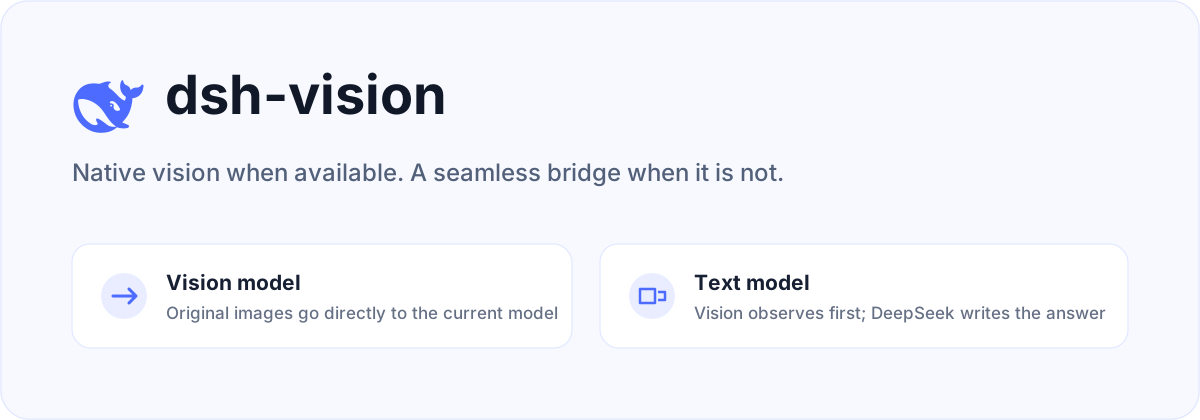
dsh-vision is a plugin for DeepSeek Harness. Vision-capable models keep receiving images natively. When the selected main model is text-only, the plugin asks a separate vision model to observe the original images, then lets the original DeepSeek model produce the final answer.
How it works
| Main model | Image path | Final answer |
|---|---|---|
| Supports images | Original images are sent directly, without preprocessing or OCR | Current model |
deepseek-official or another text-only model | A configured vision model observes the original images; its output is injected as untrusted attachment context | DeepSeek |
| Cloud vision unavailable | Falls back to macOS Vision or Tesseract | DeepSeek |
The plugin does not replace the main model selected in Harness. Multiple image attachments are analyzed together, so comparisons and combined evidence work naturally. The user's task is forwarded unchanged instead of being wrapped in a fixed report template.
Install
Use the plugin manager built into DeepSeek Harness:
npx @deepseek-ai/dsh plugin --profile web add github:oil-oil/dsh-vision
Restart Harness, then paste or drag images into the composer as usual. The plugin replaces the official deepseek-official adapter while preserving its model catalog, settings, and credentials. It also adds a Vision Recognition card to Settings → Plugins → Plugin configuration.
DeepSeek Harness is still in Developer Preview. This release targets
0.1.0-rc.6exactly.
Configure Vision Recognition
Open Settings → Plugins → Plugin configuration → Vision Recognition. Select ZenMux, Alibaba Cloud Model Studio, TokenDance, or OpenRouter, then enter its API key. The same card lets you change the model ID, API endpoint, and image limit.
The API key is stored through Harness's official credential service. It is write-only in the browser: the plugin can report whether a key exists, but never reads it back into the page, chat, settings document, or session log.
Routing follows the user's choice. A provider selected in Vision Recognition is primary for text-only models. Other enabled Harness vision routes, an existing see configuration, and local OCR are failover only. When the current main model supports images, the original images pass through natively and none of these bridge routes are used.
Choose Automatic to skip plugin-managed cloud credentials. The bridge then tries image-capable models already configured in Harness, followed by see-compatible private configuration and local OCR. A Harness custom model must declare image as an input modality or it remains a text model.
Advanced file configuration
Most setups should use the UI. The equivalent non-secret fields live in the existing llm-deepseek section of $DSH_HOME/settings.yaml:
llm-deepseek:
  visionBackend: zenmux
  visionBackendModel: qwen/qwen3.7-plus
  visionBackendBaseURL: https://zenmux.ai/api/v1
  maxImages: 8
Do not put API keys in this file. Save them in the Vision Recognition card or provide the matching environment variable. Changes apply without a restart.
see-skill compatibility
If Harness has no usable vision model, the plugin also reads ~/.config/see/config.env. It supports ZenMux, Alibaba Cloud Model Studio, OpenRouter, and TokenDance. Environment variables override the private config file.
export SEE_PROVIDER=zenmux
export ZENMUX_API_KEY=your-key
SEE_PROVIDER selects the primary provider. Other providers with configured keys are failover routes only. If no provider is selected and only one is configured, that provider is used.
When no cloud key is available, or every cloud route fails, the plugin tries local capabilities:
- macOS: built-in Vision OCR, with no extra dependency.
- Linux / Windows: Tesseract with the required language data installed.
Local fallback is primarily OCR and is not equivalent to full multimodal understanding.
Security boundary
- Original images are sent only to vision services configured by the user.
- Vision output is marked as untrusted observation data; instructions inside an image receive no system authority.
- Generated vision context affects only the current model request and does not rewrite message history.
- API keys are resolved through Harness credentials or the user's private see config and are never written to this repository.
Development
pnpm install
pnpm check
The project is available under the MIT License. Cloud routing, joint multi-image analysis, and local fallback behavior are based on the MIT-licensed oil-oil/see-skill. The DeepSeek icon comes from the official deepseek-ai/deepseek-harness repository.
Read the usage guide →
Install steps, key points, FAQ and compatibility for this plugin — auto-derived from indexed fields.
Listing badge

[](https://deepseek-plugin.org/plugins/oil-oil/dsh-vision)Paste this markdown into your GitHub README to link back to this listing. The badge only states the listing — not a security endorsement.