Integrate the

- Language
- Python
- License
- NOASSERTION
- Branch
- main
Install
$ dsh plugin --profile web add github:superdesigndev/tregRun the command above in your terminal to install this plugin via the dsh CLI. You can switch Profile in the top-right corner. New to dsh? Read the beginner tutorial
Install via your agent
Install the DeepSeek Harness plugin superdesigndev/treg for me: review the repository at https://github.com/superdesigndev/treg first, then run the install command and verify the plugin loads successfully.
Paste this instruction to the DSH Web GUI assistant — it will install and verify for you.
One-Line Description
treg is the "OpenRouter for Tools" — a DSH plugin that brings the external tools marketplace (~2600 API endpoints across 40 providers) to your DSH agent; the agent uses a single token to call, and the original API key always stays on the treg server side, never sent to the caller.
Core Capabilities
- Exposes 5 MCP tools in DSH agent:
catalog_search/catalog_get/call/balance/my_tools, covering the complete flow from "find tool by task → check price → call → check balance" - Gives agents access to ~2600 catalog endpoints: SEO & backlinks, keywords & rankings, AI visibility, social profiles & trends, people/company enrichment, ad library & campaign management, web scraping, etc.
- Server-side credential injection: caller only needs
X-Treg-Token, original API key is injected by treg at the gateway, requests are forwarded as-is to upstream - Team's own key takes priority: if someone in the team has already registered a provider's key, calls use that key, not consuming treg balance or incurring charges
- Graceful degradation without token: MCP connector auto-disables, SKILL still loads and guides user to get token, profile won't crash due to missing token
- Supports HTTP URL-passthrough: building "real upstream URL prefix
/call/" lets treg automatically identify tools and forward them (native agent calling method)
Technical Implementation
- Language: TypeScript (dsh/ directory, ESM no build step) + Python 3.12-3.13 (treg registry server, optional)
- Key Dependencies:
@deepseek-ai/cordis(ctx.skills.registerProvider),@deepseek-ai/dsh-mcp-client(MCP connector line),node:fs/promises(reading bundled SKILL.md) - Architecture Pattern: Cordis dual-row injection —
treg-skillrow always on and registers SKILL provider;treg-mcprow uses!!jsexpression to disable whenTREG_TOKENis empty, avoiding "connector without token registering 5 always-401 tools" - Entry File: dsh/index.js (apply() registers skill provider, export name='treg-skill', inject=['skills'])
Use Cases
When DSH agent needs to query external real-time data — such as competitor SEO backlinks, keyword search volume, TikTok/Instagram profiles, person email, opponent ad creative — the agent can pay-per-call with a single token, eliminating the need to separately register accounts, apply for keys, and manage multiple secrets for each data source.
This is suitable for developers who have DSH set up but want to extend their agent's "action capability" to external SaaS data APIs; not suitable for scenarios involving only local conversation without external data queries.
Prerequisites & Compatibility
| Dependency | Min Version | Notes |
|---|---|---|
| DSH Host | Not declared | Injects cordis via dsh.bundle.patch, host needs to support cordis plugin protocol |
| Node.js | Not declared | dsh/index.js is pure ESM, no build step; specific lower bound depends on DSH host |
| Python (self-hosted treg server) | >=3.12,<3.14 | Only needed when self-hosting registry; no restriction when using hosted version https://treg.to |
| Platform | Cross-platform | "Operating System :: OS Independent" declared in pyproject.toml |
| Native Modules | None | dsh/ directory only uses node:fs/promises, node:url, cordis API |
Installation
dsh plugin --profile web add github:superdesigndev/treg
Configuration Options
| Config | Type | Description | Default |
|---|---|---|---|
TREG_TOKEN | Environment Variable | treg account token; copy after logging in at https://treg.to. Set and restart dsh to enable MCP connector | Not set (empty) |
When TREG_TOKEN is missing | Behavior | MCP row auto-disables, 5 mcp__treg__* tools won't appear; SKILL.md still loads and guides user to get token | — |
FAQ
Q: What happens without TREG_TOKEN?
A: MCP connector row (treg-mcp) auto-disables, 5 mcp__treg__* tools won't appear in the agent; but SKILL.md still loads and guides user to register at treg.to to get token, profile won't crash due to missing token.
Q: Where do I get TREG_TOKEN?
A: Copy from account page after logging in at https://treg.to via GitHub / Google / email OTP; new teams get $1.00 free credit.
Q: Do I need to register separate accounts and apply for keys for each third-party API?
A: No. treg uses its own key to call upstream and deducts from team prepaid balance per call; keys already registered by other team members take priority and are not metered.
Q: Will the caller get the third-party API key?
A: No. treg proxy is "faithful forwarding": only modifies hop-by-hop headers, its own control headers, and injected credentials, all other bytes forwarded as-is; X-Treg-Token is stripped before reaching upstream.
Q: What to do with HTTP 402?
A: Indicates insufficient team prepaid balance. Caller should check mcp__treg__balance / treg balance and prompt user to top up at https://reg.to, or have the team register their own key for that provider.
Q: Why does a duplicate SKILL.md appear under ~/.agents/skills/treg/?
A: treg's install.sh runs treg skill bootstrap to write SKILL.md to ~/.agents/skills/treg/, duplicating the version bundled with this bundle, but content is identical and harmless.
Q: How to completely uninstall from dsh?
A: Just remove the treg-dsh bundle from your dsh profile's plugin list; no need to clean up environment variables (TREG_TOKEN belongs to treg service itself, not dsh).
Q: If a third-party API upgrades, does treg need to change?
A: No. treg proxy doesn't parse upstream body or cache models, forwards requests and responses as-is, so upstream API changes are transparent to treg.
Difficulty Level
Advanced — DSH host needs to support cordis patch protocol, user must first register at treg.to and copy token, then export to dsh's environment variables and restart; SKILL.md documentation is lengthy (~260 lines), agent needs guidance to read through on first call.
Known Issues & Limitations
- MCP connector unavailable when
TREG_TOKENis missing; user must manually set and restart dsh to enable (dsh/cordis.patch.yml:26-28) treg install.shinstalls SKILL.md redundantly to~/.agents/skills/treg/, coexisting with the bundled version in this bundle, identical content, harmless but redundant (dsh/skills/treg/SKILL.md:39-41)- When self-hosting treg registry:
treg run --serverdoesn't yet provide filesystem/network-level isolation, currently only rlimits + command whitelist (SECURITY.md:36-41) - When self-hosting: CLI-login handshake state saved in server process, multi-instance deployment requires sticky session (
SECURITY.md:42-44) - Catalog endpoints without public quotes are refused, need to register own key for that provider; treg won't automatically select provider or failover (
README.md:103-108)
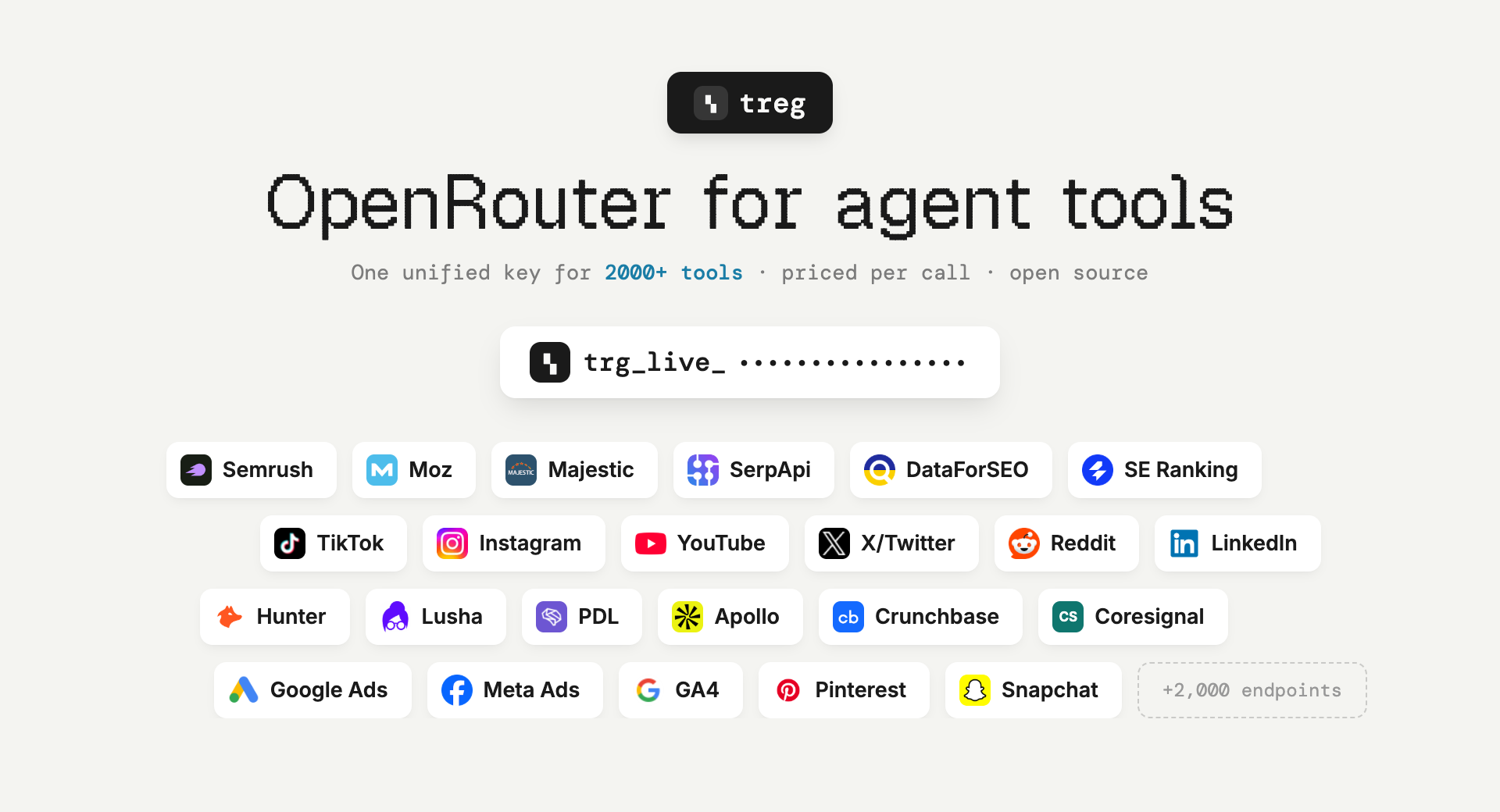
OpenRouter, but for agent tools instead of models. Point an agent at one base URL with one token and it can do the job: ~2,850 catalogued endpoints across ~57 providers — SEO and backlinks, social and trends, people and company enrichment, ads, scraping — priced per call, from a cent, with no provider signup. Plus your own team's keys, skills and CLIs, callable by every teammate's agent without the credential ever leaving the server.
Ask for the task, not the tool. You do not need to know which vendor sells backlink data, or to hold an account with them. Search for what you want to do, read the price, call it.
Built for the Superdesign team, live at treg.to — anyone can self-host.
Why it exists
The tools an agent needs for real work sit behind subscriptions nobody buys for a single run — Semrush $139/mo, Moz $99/mo, Crunchbase $99/mo, Apollo $59/seat — behind signup walls, or behind no public API at all (invite-only, partner-only, app-review-only). treg carries those accounts and bills fractions of a cent per call.
Two kinds of tool, one token
- The catalog — external endpoints treg can serve on its own key, metered against your team's prepaid balance ($1.00 free on every new team). No account with the provider needed.
- Your own tools — anything a teammate registered: a paid API account, an OAuth connection, a
vendor CLI, a
SKILL.md. Your own key always wins over treg's, and those calls are never metered.
The vocabulary for the second half:
- tool = something the registry calls for you with the org's credential. Two kinds:
- endpoint — an upstream
base_url+ credential bindings (each binding injects one secret into the request; a request can carry several, e.g. an OAuth bearer and adeveloper-tokenheader). - CLI — a vendor binary (
stripe,gh,vercel, ...) run with the credential injected.
- endpoint — an upstream
- skill / bundle = a recipe (
SKILL.md) + its secrets + its tool(s), registered together.
The one rule: the proxy relays, never models the upstream, and injects auth server-side — so it survives upstream API changes and callers never hold keys.
Part 1 · Using the registry
Visit treg.to (hosted on Render) — the dashboard, sign-in, and every URL below live there.
Quickstart
Same flow as the dashboard's Getting started guide:
# 1. install the CLI — also points it at the registry
curl -fsSL https://treg.to/install.sh | sh

# 2. sign in (GitHub default · --email for a one-time code · --token for agents/CI)
treg login

# 3. do something useful immediately — no key, nothing registered
treg catalog search "backlinks for a domain"     # find a tool by what it DOES
treg call tikhub.tiktok.user.profile --query uniqueId=tiktok
treg balance                                     # exactly what that cost

# (or `treg onboard` for the guided walkthrough)
Your token identifies you on every call (X-Treg-Token header) and is the same for all tools.
Discover what your team has shared: treg tool ls · check credential health: treg health.
Or install it as a Claude Code plugin
/plugin marketplace add superdesigndev/treg
/plugin install treg@treg
Installs with no token and no configuration. The skill loads as treg:treg and, on its first run,
walks your agent through the rest — the CLI, sign-in, then treg mcp install — so you end up with
the command line and treg's tools. Other agents: npx skills add superdesigndev/treg -s treg
(the -s matters — without it you also get this repo's internal dev skills).
See docs/CLAUDE-PLUGIN.md.
Call a tool you don't have a key for
The catalog is grouped by what endpoints do: keyword and rank tracking, backlinks and authority, AI visibility, trending and discovery, publishing to socials, people and company enrichment, ads management and creative, measurement.
treg catalog                                    # every platform, busiest first
treg catalog search "find a work email"         # by the job, not the vendor
treg catalog get hunter.people.email.find       # params, PRICE, example response
treg call hunter.people.email.find --query domain=reddit.com --query full_name="Alexis Ohanian"
How a catalogued call is served — the credential ladder, in order:
- your team registered its own tool for that provider → that tool, that key;
- your team stored a secret for the provider → injected through a virtual tool;
- neither → treg's own key, billed to the team's prepaid balance.
Your own credential always beats treg's, so connecting a key you already pay for makes those calls
free of the balance rather than duplicating them. An endpoint treg has no published price for is
refused, not served free — you are told to connect your own key instead. Where several providers
serve one capability, treg catalog search shows them side by side with prices; choosing is
yours — treg does not silently pick or fail over for you.
treg balance          # credit left, calls in flight, recent spend
treg topup            # add funds, or set up automatic top-ups
Out of balance is an HTTP 402 carrying balance_micro, estimated_cost_micro and a topup_url,
so an agent can act on it without reading prose.
Share & use your own tools
The zero-thought path — point treg at a project and it figures out what's shareable:
treg scan     # read-only preview: the keys, skills & CLIs upload would register
treg upload   # register them (encrypted server-side); idempotent, --replace to update
treg upload scans the .env (matching keys against ~80 known providers), every skill
subdirectory, and installed catalog CLIs. Three kinds of things go into the registry — here's how
to share and use each:
1. Endpoints (HTTP APIs)
Share — one upstream URL callable with a stored key, or bulk from a .env:
treg secret add STRIPE_KEY --value sk_live_123
treg add stripe --base-url https://api.stripe.com --secret STRIPE_KEY

treg upload env --select openai,stripe,resend     # or straight from the .env
Use — the agent-native way: build the real upstream request and prefix it with the proxy.
treg resolves the tool by host, injects the credential, and relays everything else faithfully
(your X-Treg-Token is stripped before the upstream sees it):
Real request:   GET https://api.intercom.io/conversations?per_page=5
Through treg:   GET https://treg.to/call/https://api.intercom.io/conversations?per_page=5
                    header:  X-Treg-Token: <your token>
Or the CLI shorthand — and treg calls for the audit log:
treg call intercom conversations --query per_page=5
treg call stripe v1/balance
2. CLIs
Share — automatic: treg upload detects installed catalog CLIs (stripe, gh, vercel, …)
and registers them; a recipe-only catalog CLI skill (e.g. stripe-cli) auto-becomes runnable too.
Use — treg run executes the vendor CLI with the org's credential injected, so you never
hold the key or log in:
treg run stripe -- get /v1/balance
treg run gh -- pr list
treg run --server agentmail-cli inboxes list   # runs on the registry server: the key never reaches you
--local (default) runs on your machine; --server runs on the registry and streams output back.
For a whole session, treg shell start opens a subshell where every registered CLI injects
automatically — just use stripe, gh, … normally; exit reverts. treg runs is the audit log.
3. Skills
Share — a skill is a whole capability (SKILL.md recipe + its secrets + its tool(s)),
registered together so the whole team runs the same skill, maintained in one place:
treg upload skills --dir ~/.claude/skills --all # register a folder of skills in one pass
Use — pull any shared skill into your agent; its API calls go through treg with your token, so the key stays on the server, never in the skill:
treg skill install seo-blog-writer # writes into ./.claude/skills/ (--all for the library)
Manual registration — when the heuristics can't figure a tool out
# multi-credential tool (e.g. google-ads: OAuth bearer + a developer-token header)
treg tool add google-ads --base-url https://googleads.googleapis.com \
  --bind "secret=<oauth-id>,injector=oauth" \
  --bind "secret=<dev-id>,name=developer-token,format={secret}"

# one skill, step by step
treg skill init --dir ./my-skill          # drafts treg.json (guesses base_url, finds secrets)
treg skill add  --dir ./my-skill          # registers recipe + secrets + tool, atomically

# OAuth via the browser (mints the first token, treg holds it and auto-refreshes)
treg oauth connect gsc --client-secret client_secret.json \
  --scopes https://www.googleapis.com/auth/webmasters.readonly
Full options for every command: USAGE.md.
Teams
Everything is scoped to an org: a token = a (user, org) membership, and every secret, tool,
and skill belongs to the active org. Roles: owner / admin / member / viewer.
treg org create "Acme"                        # make a team, become owner
treg org invite [email protected]             # invite by email (pick role + tool access)
treg org join <code> --email [email protected]     # accept an invite (creates you if new)
treg org ls | use <slug> | members            # switch orgs, see the roster
treg org access <member> --tools a,b          # per-member tool access (admin+)
Going deeper
USAGE.md— the fulltregCLI reference./llms.txt— the agent-onboarding file: call protocol, discovery, auth, CLI, skills. One fetch teaches an agent the whole registry.- The dashboard at treg.to — full CRUD, a guided tutorial (Help → Tutorial), and copyable setup instructions for your agents.
- The API — everything the CLI does is plain HTTP; interactive OpenAPI docs live at
/docs. The proxy endpoint is/call/{...}; all endpoints take theX-Treg-Tokenheader.
Part 2 · Self-hosting & development
Run it locally
One command (needs tmux + uv; it syncs the venv itself):
scripts/dev-local.sh up # server on http://localhost:18790, dev-safe settings
That runs the server in tmux with hot-reload, its own sqlite DB (treg-dev.db), and email OTP dev
mode (sign-in codes shown on the page — no mail sender needed). Day-to-day:
scripts/dev-local.sh cli login   # sandboxed CLI: never touches your real ~/.treg/config.json
scripts/dev-local.sh logs        # server output          · status / restart / down
scripts/dev-local.sh reset       # wipe the dev DB + CLI sandbox for a fresh start
Or run the server directly, without tmux:
uv sync                        # create the venv from uv.lock (pulls the server deps for dev)
uv run python -m treg          # serve on 0.0.0.0:18790 (add --reload for dev)
uv run python -m treg keygen   # print a fresh Fernet key for TREG_SECRET_KEY
Installing to run a server (not from source): the base package is the CLI only. To run a registry, install the server extra —
pip install "tools-registry[server]"— which adds FastAPI, the database drivers, and encryption.pip install tools-registryalone gives just thetregcommand for talking to an existing registry.
The team instance is hosted on Render (web service + Postgres) at treg.to.
Configuration
Environment variables (prefix TREG_, read from .env):
| Var | Default | Purpose |
|---|---|---|
TREG_DATABASE_URL | sqlite+aiosqlite:///./treg.db | DB URL (SQLite for dev, Postgres in prod) |
TREG_SECRET_KEY | (empty) | Fernet key for secrets-at-rest; empty → an ephemeral key is minted (secrets won't survive a restart) |
TREG_PUBLIC_URL | https://treg.to | treg's public base, used to build the OAuth callback URI |
TREG_SESSION_SECRET | (empty) | signs the dashboard session cookie; falls back to TREG_SECRET_KEY. Set a real value in prod |
TREG_GITHUB_CLIENT_ID / _SECRET | (empty) | GitHub OAuth sign-in (callback <public_url>/auth/github/callback); empty hides the button |
TREG_GOOGLE_CLIENT_ID / _SECRET | (empty) | Google OAuth sign-in (redirect <public_url>/auth/google/callback); empty hides the button |
TREG_RESEND_API_KEY / TREG_EMAIL_FROM | (empty) | transactional email via Resend (OTP codes + invites); From must be a Resend-verified sender |
TREG_ADMIN_TOKEN | (empty) | cross-tenant super-admin bearer; authorizes every /admin/* endpoint. Empty disables the env path (only is_superadmin users reach /admin). Keep it long + secret. |
TREG_EMAIL_DEV_MODE | false | when true, /auth/email/start returns the OTP in its response (no mail sender needed) — dev/local only, never in prod. |
No .env is needed for local dev — every setting has a working default (ephemeral key, sqlite).
⚠️ Back these up before moving or redeploying: the Fernet key (
TREG_SECRET_KEY) and the database (Postgres in prod;treg.dbfor a local sqlite run). Lose the Fernet key and every stored secret becomes unrecoverable.
Architecture
Request flow for /call: resolve tool (by URL host + longest base_url prefix, or by name) →
decrypt its secret(s) → apply each binding's injector → stream to the upstream → fire-and-forget
audit record. The proxy does no business logic and never buffers the body.
Module map (src/treg/):
| Module | Role |
|---|---|
proxy.py | relay() — the whole product in one function: a faithful streaming proxy |
injectors.py | the auth-shape seam: env, cli_auth, secret_file, oauth place a secret into a header/query |
oauth.py | token freshness (single-flight refresh) + the connect flow (consent URL, code exchange) |
health.py | credential health: refresh oauth, probe tools, webhook the owner of anything broken |
convert.py | scaffold a skill directory into a registerable bundle manifest |
api.py | the API — the only brain; CLI + skill are thin clients over it |
cli.py | the treg CLI |
models.py | SQLModel tables: Org, User, Membership, Invite, Secret, Tool, Bundle, PendingOAuth, CallRecord |
crypto.py config.py db.py audit.py | Fernet encryption + tokens · settings · async DB · deferred audit writer |
The 4 auth shapes (per binding injector): env (plain string / API key) · secret_file (a
JSON token file, pull a field) · oauth (a JSON OAuth token, auto-refreshed if refreshable) ·
cli_auth (material lifted from a CLI's keychain).
Faithful-relay contract: the proxy alters only three things, everything else is verbatim:
- hop-by-hop transport headers (re-derived per hop),
- treg's own control + edge-forwarding headers (
x-treg-token,x-treg-org,ngrok-skip-browser-warning,x-forwarded-*,via, …) and treg's session cookie — all stripped, never leak upstream, - the injected credential(s).
OAuth, three ways to get the first token: manual upload (drop in a token.json) ·
auto-refresh (if the token carries refresh_token + client creds, treg keeps it fresh, you never
re-upload) · hosted connect flow (treg oauth connect → browser consent → treg captures the
token itself).
Health checks: give a tool an optional probe ({method, path, expect_status}); a periodic run
(on demand or via cron) validates every credential, refreshes OAuth, and webhooks the owner of any
that break.
Deep design lives in docs/context/ (per-subsystem fragments).
Tests
uv run pytest -q # 521 tests
Coverage: proxy walking-skeleton, all injector shapes, per-user auth + CRUD + audit, skill composer,
URL-passthrough + faithful relay, OAuth refresh + connect flow, health checks, treg run/shell,
upload/scan, orgs + invites, the dashboard API, CLI.
Contributing & docs
treg/
├── src/treg/            # the package (api, cli, proxy, injectors, oauth, health, convert, models, …)
│   └── web/             # dashboard, landing, tutorial, llms.txt, skill.md, install.sh
├── tests/               # 521 tests
├── docs/
│   ├── context/         # design fragments (codemap system) + generated index
│   └── ONBOARDING.md    # first-time bootstrap
├── USAGE.md             # full treg CLI reference
└── pyproject.toml
Per-subsystem design docs are fragments in docs/context/, each citing its src/treg/*
sources. Working in this repo with an AI agent? The /tools-registry-context skill loads the
right fragment for what you're touching and keeps the docs in sync — run
/tools-registry-context sync before pushing.
Roadmap: MCP support · finer permission tiers · at-rest key-management hardening · possible Loopni merge.
License
Apache 2.0 with additional terms (LICENSE): use it freely — including commercially,
inside your own organization (self-hosting your own registry is encouraged) — but don't offer it
to third parties as a hosted/managed service or embed it in a commercially distributed product
without written permission ([email protected]).
Read the usage guide →
Install steps, key points, FAQ and compatibility for this plugin — auto-derived from indexed fields.
Listing badge

[](https://deepseek-plugin.org/plugins/superdesigndev/treg)Paste this markdown into your GitHub README to link back to this listing. The badge only states the listing — not a security endorsement.