在 DeepSeek Harness 中直接使用 ChatGPT/Codex 订阅,无需 OpenAI API Key 或 Codex CLI,支持 OAuth 登录、订阅搜索与额度显示 | ChatGPT/Codex subscription plugin for DSH

- 语言
- JavaScript
- License
- MIT
- 分支
- main
安装
$ dsh plugin --profile web add dsh-codex-subscription在终端中运行以上命令,通过 dsh CLI 安装此插件。可在右上角切换 Profile。 第一次用 dsh?看这篇新手教程
对话式安装
帮我安装 DeepSeek Harness 插件 WSL043/dsh-codex-subscription:先查看仓库 https://github.com/WSL043/dsh-codex-subscription 确认安全性,然后执行安装命令并验证插件加载成功。
把这段指令粘贴给 DSH Web GUI 里的助手,由它代你完成安装与验证。
把 ChatGPT / Codex 订阅直接接入 DeepSeek Harness
在 DeepSeek Harness 中直接登录 ChatGPT 并使用 Codex 订阅。无需 OpenAI API Key,也不依赖 Codex CLI; 模型、搜索、额度和图片生成都留在 DSH 里。





交给 Agent 安装 · Windows 安装 · 更新与卸载 · English
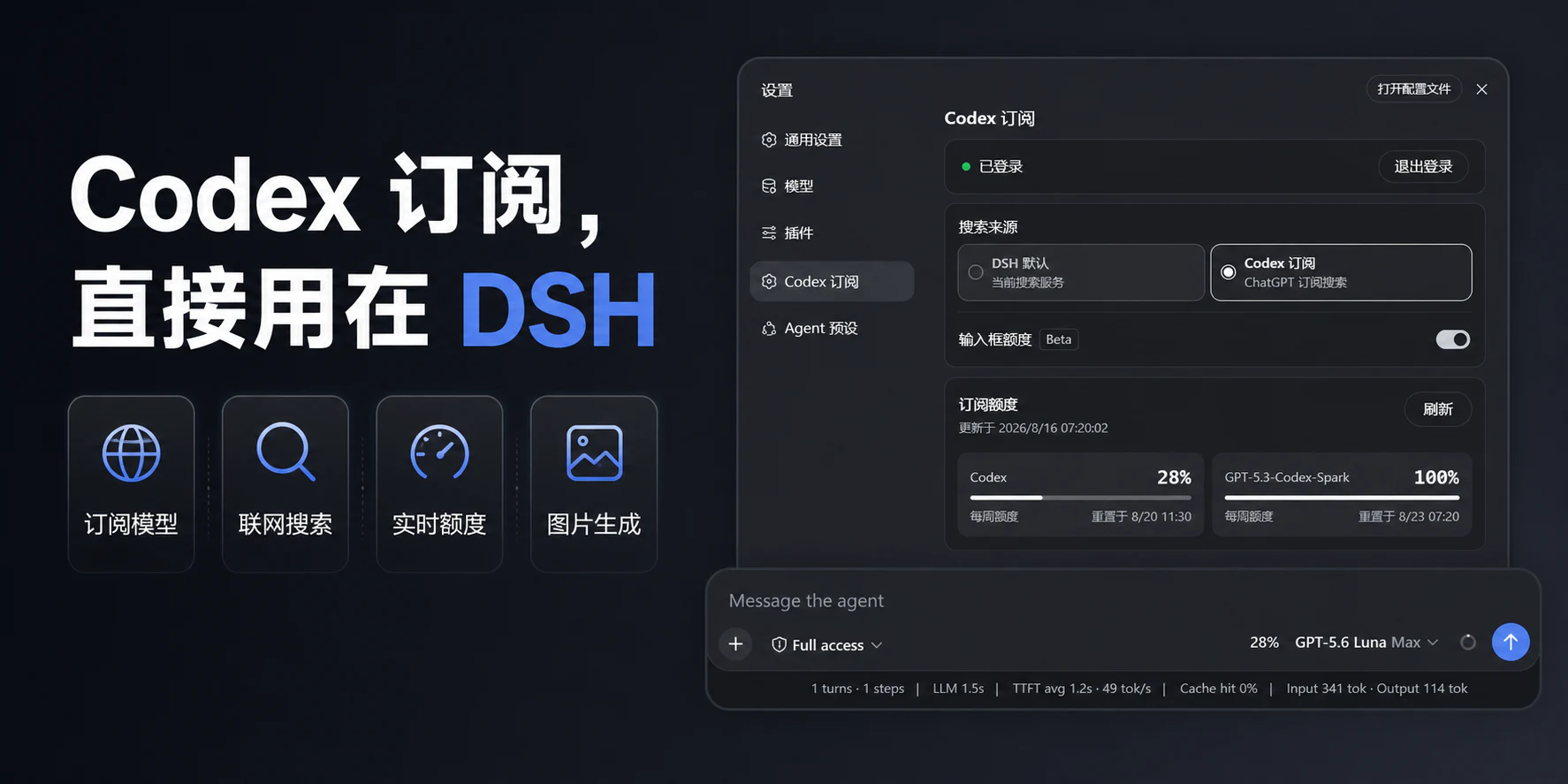
核心优势
| 能力 | 用户得到什么 |
|---|---|
| Codex 图片生成 | 在 DSH 对话里直接描述画面,生成结果会显示在当前会话中 |
| 订阅模型直连 | 登录 ChatGPT 后直接使用 Codex,不需要 OpenAI API Key 或 Codex CLI |
| 订阅搜索 | 可在 DSH 默认搜索与 Codex 订阅搜索之间明确切换 |
| 额度可见 | 普通 Codex、Spark 等服务端实际返回的额度分开显示 |
| 高速模式(Beta) | 直接在输入框切换标准或高速,无需离开当前会话 |
这些能力共用同一份本机 ChatGPT 登录。订阅路由失败时会明确报错,不会静默切换到其他付费路由。
实际界面
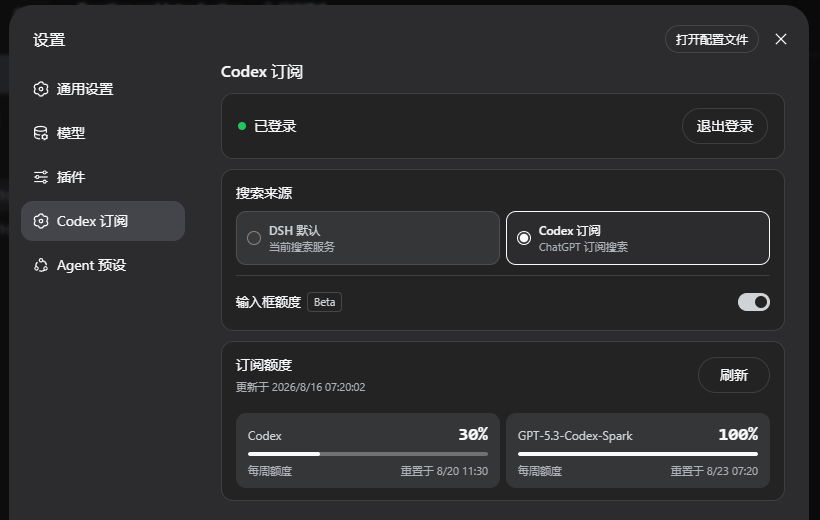
查看完整设置界面
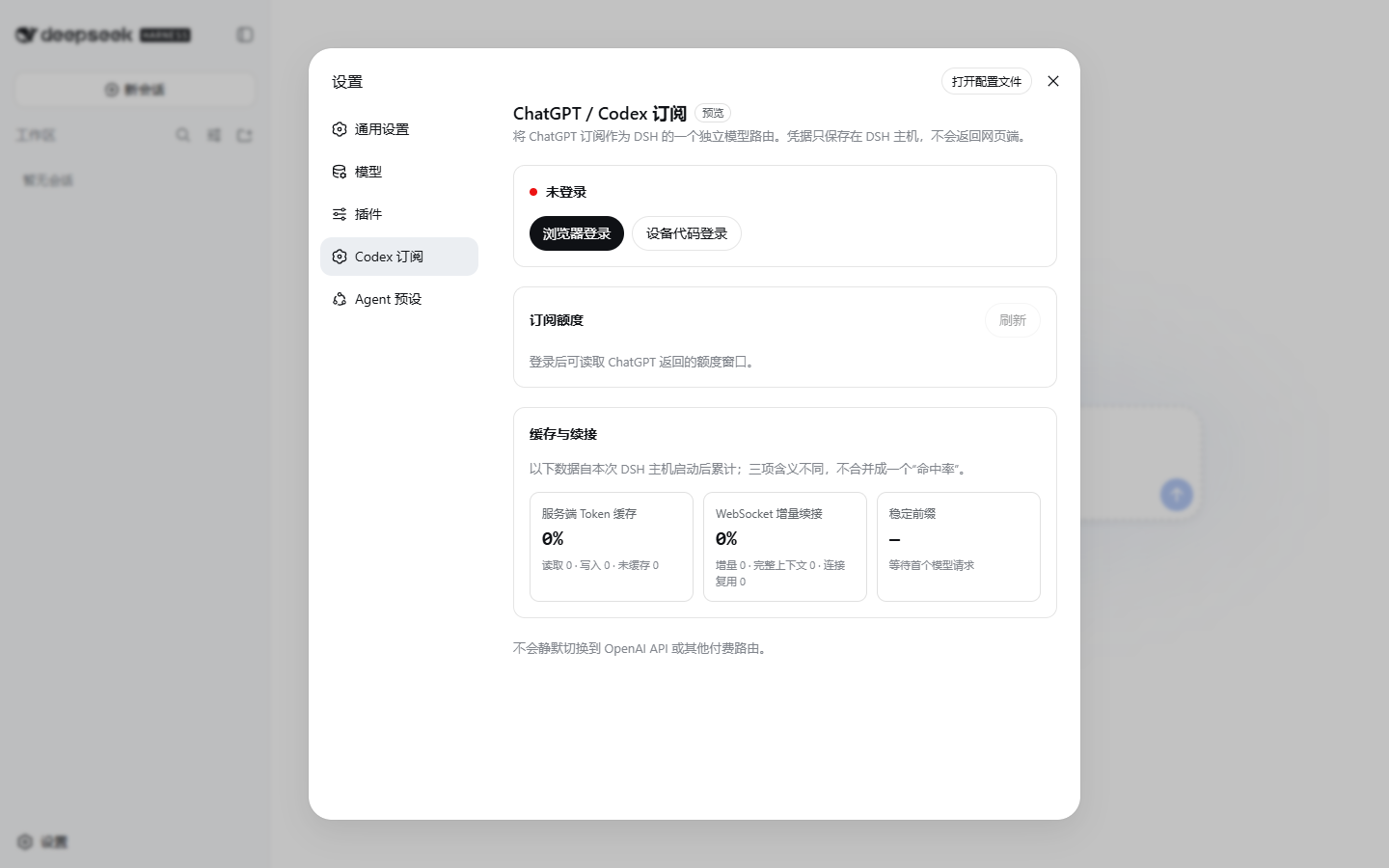
准备 DSH
本插件当前适配到 DeepSeek Harness 0.1.0-rc.8,并需要一个当前具有 Codex 使用资格的 ChatGPT 账户。
- 不想配置 Node.js:使用 DSH-Portable(社区便携包);
- 想按官方方式运行:查看 DeepSeek Harness 官方说明。
安装
交给 Agent(推荐)
把这个链接直接发给 Agent:
https://raw.githubusercontent.com/WSL043/dsh-codex-subscription/main/AGENTS.md
Agent 文档包含安装、更新、卸载和验收步骤,并要求保留 DSH profile、登录信息和其他插件。
Windows 手动安装
打开 PowerShell,只需要复制这一行:
irm 'https://github.com/WSL043/dsh-codex-subscription/releases/latest/download/dsh-codex-setup.ps1' | iex
这个轻量助手会检查当前目录、系统命令、常见位置以及正在运行的
DSH-Portable,然后调用一次官方
plugin add。它不会递归扫盘、安装 pnpm、创建常驻命令、保存 profile 快照或重复下载插件。
无需管理员权限,也不会擅自重启 DSH。找不到现有 DSH 时才会使用固定为 0.1.0-rc.8
的官方 npm 运行方式;首次解析依赖可能较慢,安装器会先明确提示。
官方 npm 方式(已安装 Node.js)
官方的 npx @deepseek-ai/dsh web 不会创建全局 dsh 命令,因此安装插件时也要保留完整的 npx 前缀:
npx -y @deepseek-ai/[email protected] plugin --profile web add dsh-codex-subscription
npx -y @deepseek-ai/[email protected] plugin --profile web list dsh-codex-subscription --depth 0
npx -y @deepseek-ai/[email protected] --profile web --dump-config
已经能运行 dsh,或位于 DSH-Portable 目录
dsh plugin --profile web add dsh-codex-subscription
dsh plugin --profile web list dsh-codex-subscription --depth 0
dsh --profile web --dump-config
DSH-Portable 请把 dsh 换成 ./dsh(PowerShell 使用 .\dsh.exe)。安装列表中应只有一个
dsh-codex-subscription,配置中应只有一个 codex-subscription 条目。
安装完成后手动重启 DSH,然后:
- 打开 设置 -> Codex 订阅;
- 登录具有 Codex 使用资格的 ChatGPT 账户;
- 选择搜索来源;
- 在模型选择器中选择 Codex 模型。
功能
- ChatGPT OAuth 登录,凭据保留在本机;
- Codex 模型和图片生成直接出现在 DSH 会话中;
- DSH 默认搜索与 Codex 订阅搜索可随时切换;
- 设置页显示服务端返回的额度、重置时间和更新时间;
- 普通 Codex、Codex-Spark、Credits 等独立额度分开显示;
- 输入框可显示当前 Codex 模型的剩余额度(Beta,默认关闭);
- 输入框可为支持的 Codex 模型切换标准或高速模式(Beta);
- 订阅路由不可用时明确报错,不会静默切换到其他付费路由。
输入框额度

快捷百分比只在选择 Codex 模型时显示。普通 Codex 使用服务端返回窗口中剩余最少的一项, Spark 使用独立额度。插件不会写死“5 小时 + 每周”,也不会虚构服务端没有返回的 Credits 或消费上限。
输入框速度(Beta)
选择支持的 Codex 模型后,可在输入框的模型菜单中切换标准与高速。标准模式不增加图标, 只有高速模式会在模型名称左侧显示闪电;Spark 不显示速度入口。高速模式会提高速度,也会消耗更多 Credits;具体规则见 OpenAI Codex Speed 文档。
更新与卸载
Windows 用户重新运行上面的单行助手即可更新。官方 npm 用户使用:
npx -y @deepseek-ai/[email protected] plugin --profile web update dsh-codex-subscription
npx -y @deepseek-ai/[email protected] plugin --profile web list dsh-codex-subscription --depth 0
npx -y @deepseek-ai/[email protected] --profile web --dump-config
npx -y @deepseek-ai/[email protected] plugin --profile web remove dsh-codex-subscription
这些操作会保留 DSH profile、其他插件和登录信息。
使用现有 dsh 命令更新或卸载
dsh plugin --profile web update dsh-codex-subscription
dsh plugin --profile web list dsh-codex-subscription --depth 0
dsh --profile web --dump-config
dsh plugin --profile web remove dsh-codex-subscription
DSH-Portable 在其目录中把上述 dsh 换成 .\dsh.exe。
常见问题
dsh无法识别:官方 npm 方式本来就不会创建全局dsh命令,请使用上面的完整npx -y @deepseek-ai/[email protected] ...命令;dsh.exe无法识别:当前目录没有该文件。请先进入 DSH-Portable 目录,或使用 Windows 单行助手;- 找不到 DSH-Portable:进入它的目录后重新执行安装命令,或直接运行
.\dsh.exe plugin --profile web add dsh-codex-subscription; - 电脑上有多个 DSH:单行助手会合并正在运行的副本与常用目录内检测到的 Portable,输入对应编号即可;交给 Agent 时让它进入目标目录,或明确传入
-DshPath; - 安装仍然失败:把上面的 Agent 文档链接发给 Agent,不要删除 profile 或随意修改系统 PATH。
边界与支持
ChatGPT Codex 后端和 DSH 可能独立变化;本项目为社区项目,与 DeepSeek、OpenAI 无隶属或背书关系。
本项目的问题反馈请使用 GitHub Issues; DSH 插件交流可前往 DeepSeek Harness Discussions。 敏感问题请先阅读 SECURITY.md。
如果这个项目对你有帮助,点一下 Star 可以让更多 DSH 用户发现它。
查看使用指南 →
该插件的安装步骤、关键要点、FAQ 与兼容性说明(基于已收录字段派生)。
收录徽章

[](https://deepseek-plugin.org/plugins/WSL043/dsh-codex-subscription)把这段 markdown 粘贴到你的 GitHub README,链接回本插件详情页。徽章只声明已被本站收录,不代表安全认证。