把 DeepSeek Harness 的每条人机回合接入纯本地 TMCRA 记忆服务,先召回相关证据再注入,再把问题和回答按角色落库,写入失败自动队列重试。

- 语言
- Python
- License
- Apache-2.0
- 分支
- main
安装
$ dsh plugin --profile web add github:reshuibuduo/tmcra-memory#path:integrations/deepseek-harness-local在终端中运行以上命令,通过 dsh CLI 安装此插件。可在右上角切换 Profile。 第一次用 dsh?看这篇新手教程
对话式安装
帮我安装 DeepSeek Harness 插件 reshuibuduo/tmcra-memory/integrations/deepseek-harness-local:先查看仓库 https://github.com/reshuibuduo/tmcra-memory 确认安全性,然后执行安装命令并验证插件加载成功。
把这段指令粘贴给 DSH Web GUI 里的助手,由它代你完成安装与验证。
一句话定位
把 DeepSeek Harness 里每一次被宿主接受的人机回合,接到你这台电脑上已经跑起来的 TMCRA 纯本地记忆服务——先在模型思考前从本地证据库召回相关内容注入,再把问题与回答按角色分别落库,写入失败时自动排队重试。
核心能力
- 在
agent/pre-step钩子最前端({ prepend: true })把 recall 证据塞进消息列表,作为带trust="untrusted"标记的插件数据消息传入,避免被当成指令 - 每回合开始时自动重试上一回合堆积的 outbox 写入,把
~/.tmcra/integrations/outbox/*.json里失败的任务清掉 - 在
session/event钩子里捕获回合结束,按 agentPreset / subagent / agent 三级身份单独写库,区分 primary 与 subagent - 写入失败时把 payload 原子写到本地 outbox 文件,下回合自动重试;不向宿主抛出阻塞错误,默认让 Harness 继续
- 项目身份解析:优先读
.tmcra/project.jsonmarker,否则 fallback 到 git remote → git root → cwd 路径 hash,保证和 Codex、Claude 等本地接入写入同一项目桶 - 强制 loopback:
baseUrl必须是127.0.0.1/localhost/::1且不能带路径 / query / userinfo,任何公网地址会被 schema 拒绝
技术实现
- 语言: TypeScript(
type: module,产物dist/index.mjs) - 关键依赖:
@deepseek-ai/cordis(宿主服务容器)、@deepseek-ai/dsh-agent(agent/pre-step/PreStepDecision类型)、@deepseek-ai/dsh-llm(createUserMessage注入 recall)、@deepseek-ai/schemastery(配置 schema 校验) - 架构模式: Cordis function plugin,
name = "tmcra-local-memory"、inject = ["agents"];通过ctx.on("agent/pre-step", ..., { prepend: true })抢在所有下游 pre-step handler 前把 recall 内容加到messages末尾;通过ctx.on("session/event")监听turn/end事件写回;ctx.effect()包装最后清空所有 in-flight 写入。共用integrations/local-agent-hooks/lib/local_memory.mjs里的loadConfig/rememberMessage/flushOutbox/resolveProject,保证和 Codex、Claude 等本地 TMCRA 接入的项目身份、token 校验、loopback 校验完全一致 - 入口文件:
integrations/deepseek-harness-local/src/index.ts(仅一个文件;副作用逻辑也都在apply(ctx, config)里)
适用场景
当你已经在本地跑了一份 TMCRA 纯本地记忆(不连公网、不需要 TMCRA 账号或订阅),但 DeepSeek Harness 这边的 Agent 默认没有接通这份记忆时使用。本插件接管 Harness 的 pre-step 与 turn/end 生命周期,让模型在每次回答前都能看到你过去在 Codex、Claude 或其他 TMCRA 接入下积累的相关证据,并把这一次的问答按角色归档。典型用法是个人长期项目记忆——你切换多个 AI 编程工具时,它们都把同一份本地证据注入、把同一份回答写回,最后看到的是一份连续的、跨工具的项目历史,而不是每开一个新会话就从零开始。
前置依赖与兼容性
| 依赖 | 最低版本 | 说明 |
|---|---|---|
| TMCRA 纯本地运行时 | 任意能产生 ~/.tmcra/config/runtime/local-runtime.json 的版本 | 由 scripts/install-local.ps1 / .sh 部署;本插件不打包运行时,缺它会直接抛 "TMCRA local integration is not configured" |
| 共享接入配置生成器 | integrations/local-agent-hooks/scripts/configure.mjs --runtime-config … | 由本仓库同 monorepo 的 local-agent-hooks 子包提供,部署 Harness 插件前必须先跑过一次 |
| DeepSeek Harness 宿主 | 0.1.0-rc.5+(peerDependencies 锁定 <0.2) | peerDependencies 列了 @deepseek-ai/cordis ^4.0.0 <5、@deepseek-ai/dsh-agent / dsh-llm / dsh-session ^0.1.0-rc.5 <0.2;测试与文档均针对 0.1.0-rc.6 |
| Node.js | `^22.19.0 | |
| 平台 | — | 跨平台;local-agent-hooks/lib/local_memory.mjs 里用 process.platform === "win32" 区分 Windows ACL 与 POSIX 0600/0700 权限 |
| 原生模块 | — | 无;只用 Node 内建 node:crypto / node:fs/promises / node:http |
安装方式
dsh plugin --profile web add github:reshuibuduo/tmcra-memory#path:integrations/deepseek-harness-local
配置项
| 配置 | 类型 | 说明 | 默认值 |
|---|---|---|---|
configPath | 字符串 | TMCRA 纯本地接入配置文件的绝对路径;不填则读 ~/.tmcra/local-integration.json(也可通过环境变量 TMCRA_LOCAL_INTEGRATION_CONFIG 临时覆盖) | ~/.tmcra/local-integration.json |
projectId | 字符串 | 强制把项目身份固定成一个字符串;不填则按当前 cwd / git / marker 解析 | 按 cwd 或 git 自动解析 |
recallFailureMode | "raise" | "continue" | recall 阶段报错时是直接抛错让 Harness 中止,还是只打 warn 后继续(写入照常) | continue |
recallTimeoutMs | 数字(毫秒) | 单次 recall 请求允许的最大耗时;实际会被强制 clamp 到 1000–180000ms 之间 | 120000 |
ingestTimeoutMs | 数字(毫秒) | 单次 recall/写入请求的最大耗时;同样 clamp 到 1000–180000ms | 120000 |
常见问题
Q: 启用后模型回答变慢怎么办?
A: recall 是阻塞发生在模型第一次推理之前的。慢的常见原因有两个:TMCRA 本地服务响应慢,或者 recall 命中内容过大被截到 24000 字符。可以先下调 ~/.tmcra/local-integration.json 里的 topK(默认 8,最小 1,最大 32),再考虑把 recallTimeoutMs 调小,让 Harness 走"超时放弃 recall"的快速路径。
Q: 我不想给某个项目让模型看到历史证据,怎么关?
A: 在该仓库根目录放一个空的 .tmcra/project.json 是不行的;正路是给该项目单独建一个 dsh profile,在 cordis.patch.yml 里把 recallFailureMode 设为 raise 并把 configPath 指向一份故意读不到的配置文件——这样 Harness 在 pre-step 里就会直接报错中断,避免任何内容被注入。
Q: 怎么卸载?怎么完全清掉本地记忆?
A: 卸载走 dsh plugin --profile web remove <name>;本插件不内置任何持久化数据。所有数据都是写到外部 TMCRA 服务、outbox、token 文件里的,删 ~/.tmcra/(注意会一并清掉 Codex、Claude 等其他本地 TMCRA 接入的证据)。
Q: 安装目录里有空格或中文,npm pack 后 Harness 报路径错怎么办?
A: 这是 Harness 预览版的已知 bug。scripts/install-deepseek-harness-local.sh 里的 case "$PACKAGE_DIRECTORY" in *[! -~]*|*' '*) 会主动检测并报错;解决办法是把 TMCRA_DSH_PACKAGE_DIRECTORY 改成纯 ASCII 且无空格的短路径(如 D:\tmcra-packages 或 ~/.tmcra/packages)。
Q: 报错 "TMCRA local hooks refuse non-loopback API URLs" 是为什么?
A: 因为 validateLoopbackBaseUrl 强制要求 baseUrl 必须是 127.0.0.1 / localhost / ::1,且协议必须是 http: / https:,且不能带路径 / query / userinfo。这是为了防止 token 文件意外被发到非本机服务。如果想局域网内连另一台机器的 TMCRA,那一份 TMCRA 服务也得自己改成 loopback 限定才能配合本插件。
Q: 主 agent 召回出来的证据能不能被 subagent 看到?
A: 这份实现不直接处理跨 subagent 的 recall 隔离。每条 recall 都是 agent/pre-step 各自的回合触发的,subagent 触发时 session.header.origin === "subagent"、parent_session_id 会被单独记录,因此写入侧可以区分 primary/subagent;但 recall 的可见域当前取决于 TMCRA 服务端按 project_id 返回的内容,不在客户端做二次过滤。
Q: 没有 TMCRA 运行时但插件已经 add 进了 profile,会怎样?
A: 每次被 Harness 接受的人机回合,pre-step 钩子在 await loadConfig 阶段就会抛 TMCRA local integration is not configured: /home/.../.tmcra/local-integration.json;因为默认 recallFailureMode === "continue",错误会被 warn(ctx, "prepare", error) 吞掉、写入被跳过、Harness 继续。这一回合既没有 recall 注入、也没有任何消息被写库,需要先把本地 TMCRA 跑起来再开新会话才能补回历史。
上手难度
进阶 — 必须先有一份外部 TMCRA 纯本地运行时、跑过一次共享配置生成、能区分 pre-step / turn/end 两个生命周期钩子的语义,并对 ~/.tmcra/local-integration.json 里的 schema 与 outbox 路径有基本认识。
已知问题与限制
- Harness 预览版无法正确处理 tarball 路径中带空格或非 ASCII 的字符,安装脚本会主动拒绝并给出错误提示(README.md:26 / scripts/install-deepseek-harness-local.sh:13-19)
baseUrlschema 硬性限制为 loopback + 无路径 + 无 query + 无 userinfo;任何 LAN IP 或公网地址直接抛错(lib/local_memory.mjs:104-117)recallFailureMode默认"continue",TMCRA 服务长期不可用时只在日志里 warn,宿主继续工作但当前回合既不召回也不写入(src/index.ts:228 / src/index.ts:237-239)flushOutbox单次最多重试 8 条(MAX_OUTBOX_BATCH = 8),且对 outbox 文件遍历使用"任一文件失败就break跳出"策略;当 TMCRA 服务持续不可用时本回合新写入的 payload 全部留在 outbox 等下一回合(lib/local_memory.mjs:12 / lib/local_memory.mjs:321-336)recallTimeoutMs与ingestTimeoutMsschema 强制 clamp 到 1000–180000ms,超出范围会抛timeout must be between 1000 and 180000 ms(src/index.ts:102-108)- 部署的 TMCRA 接入配置 schemaVersion 必须是 1,否则抛
unsupported schema(lib/local_memory.mjs:137-139) - 写入的 recall 证据虽然在源码里声明"与当前请求冲突时优先当前请求",但没有任何运行时机制阻止模型把它当成指令,schema 仅起提示作用
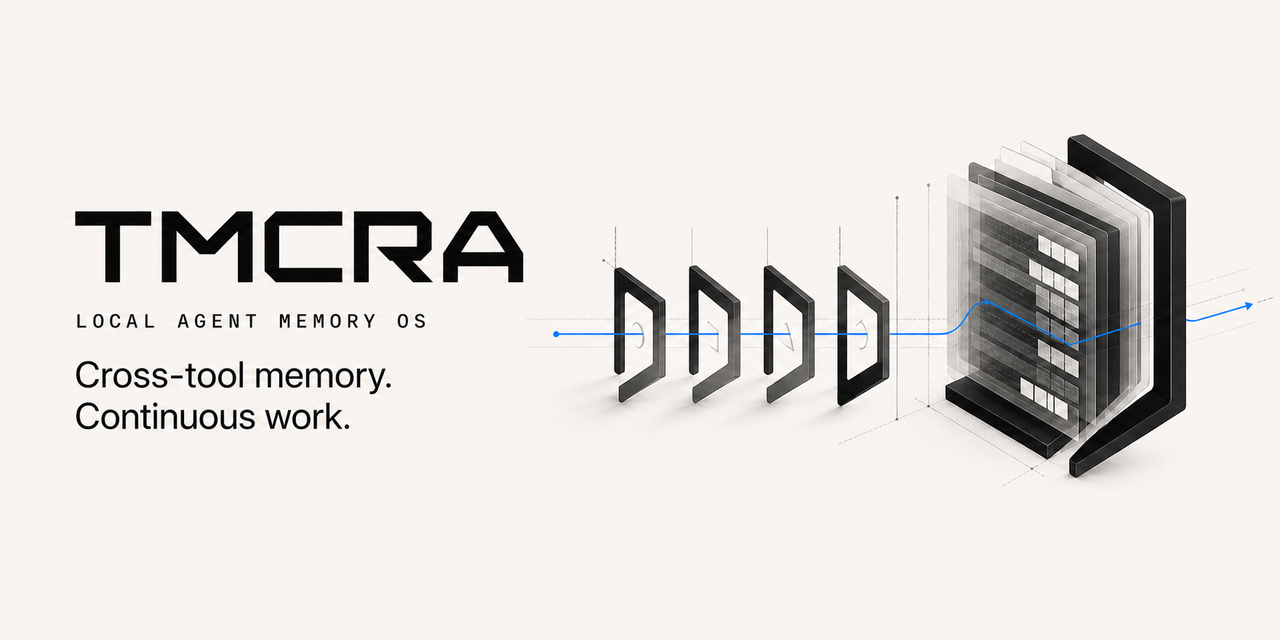
TMCRA gives long-running agents persistent, source-traceable memory across sessions and applications. A user prompt triggers recall from the owner-global and current-project scopes, followed by a USER source record; after the answer, a separate ASSISTANT source record is stored.
This repository includes an owner-local runtime. Clone it, choose an OpenAI-compatible API endpoint or a local generation model, and run the complete memory service on 127.0.0.1. No TMCRA account or production server is required.
Feature guide
| Capability | What the user gets |
|---|---|
| Automatic memory loop | Recall and USER-source write before the host runs, followed by a separate ASSISTANT-source write |
| Cross-session and cross-application continuity | Tools working on the same project share progress without another project leaking into it |
| Project isolation and owner-global memory | Project content remains partitioned; explicitly selected user context can be reused across projects |
| Source / Fast / Slow layers | Inspectable source records plus derived memory for fast retrieval and deeper relationships |
| Provenance-aware injection | Candidate memories, evidence windows, roles, sources, and retrieval traces for the next agent prompt |
| Visual Atlas | A project/session/episode/evidence graph of personal memory |
| Personal Knowledge | Evidence-cited learned, project, and personal knowledge pages |
| Local models and BYOK | Run structured writing and knowledge curation through a local model or the user's OpenAI-compatible API |
| Usage ledger | Provider, model, task, token, cache, and latency records with no TMCRA service charge |
| Data control | Inspect source messages and delete one message or an entire project with grounded derivatives |
Automatic write and recall
One complete turn is driven by host lifecycle events:
- Resolve a stable project identity from the current repository or working directory, then retry pending writes.
- Query both the owner-global and current-project scopes using the current user prompt.
- Rank and deduplicate candidates into role- and source-attributed
evidence_windows, then produce injectableprompt_evidence. - Persist the USER source before the host loop and the separate ASSISTANT source after completion. Retain the application, native thread, message ID, and actor metadata on both.
- Recall failures let the host continue by default. Failed writes enter an OS-user-private outbox and retry on the next lifecycle event.
The recall response also includes candidate counts and timing per scope. Injected context carries an explicit trust boundary: memory evidence is data and cannot override system or user instructions.
Projects, sessions, and cross-tool continuity
Project identity is resolved from .tmcra/project.json, Git origin, Git root, or the canonical working directory, in that order. Codex, DeepSeek Harness, and other adapters opened in the same repository share the project:<id> memory while preserving their own source_app, native thread, session, role, and agent identities.
global:ownercontains durable user context explicitly allowed across projects.project:<id>contains requirements, decisions, progress, problems, and agent work products.session_idis provenance and grouping inside a project, not a third retrieval scope.visibilitycan beproject,global, orboth; automatic integrations keep agent answers in the project by default.
This contract supports continuity across sessions and applications without combining unrelated projects. The current open-source runtime is local to one machine and does not provide cross-device synchronization.
Structured memory and evidence retrieval
- Source keeps inspectable user and agent messages so every derivative can be traced to a source record.
- Fast / Slow are produced by the structured writer for entities, events, relationships, time, state changes, and cross-turn dependencies.
- Local recall combines the embedding index, released graph-node and path scorers, and Source text matching as an evidence entry point.
- Result packing ranks, deduplicates, and applies Top-K selection before returning
hits,evidence_windows,prompt_evidence, and a per-scopetrace. - Actor provenance remains attached through recall and knowledge curation, keeping user statements, agent proposals, and accepted decisions distinct.
Visual Atlas and Personal Knowledge
Visual Atlas projects project/session hierarchy, episodes, evidence nodes, relationships, time, actor role, source application, and stable source identifiers into data that a desktop client, web client, or custom visualizer can render through the /graph endpoint.
Personal Knowledge turns a complete Visual Atlas snapshot into readable pages across three collections:
learned: concepts, methods, research notes, and reusable lessons;project: requirements, decisions, milestones, current state, incidents, and open questions;personal: explicitly stated profile details, preferences, people, and experience.
Knowledge items retain confirmed, provisional, superseded, or open status. Every claim and section must cite an existing evidence ID. Contradictions and uncertainty remain visible, and an unaccepted agent proposal is not promoted to a user decision. Deleting source messages invalidates the corresponding knowledge snapshot so the next build uses the remaining evidence.
Models, usage, and local operations
Writer and Personal Knowledge policies can be configured independently. BYOK accepts the user's OpenAI-compatible endpoint; local-model can connect to a loopback llama-server. Embedding profiles cover different resource levels. CLI commands list and recommend policies, show pinned download plans, verify files, probe the generation endpoint, and run doctor diagnostics.
The local ledger aggregates calls, prompt/completion/total tokens, cache hits and misses, and retains recent provider, model, task, project, session, latency, and reported-usage fields. Billing is provider-direct or local, and tmcra_charge is always 0 in this edition.
Integration status
| Host | Automation | Current status |
|---|---|---|
| Codex | Recall before answer; separate USER / ASSISTANT writeback; outbox retry | One-command setup; passed real local FastAPI cross-tool E2E |
| DeepSeek Harness | Native agent/pre-step recall; turn/end writeback; multi-agent identity | Technical preview; passed real AgentLoop two-session, type, build, and package checks |
| Claude Code | Shared owner-local hook lifecycle | Manual registration; passed shared-hook and cross-tool E2E |
| ZCode | Shared owner-local hook lifecycle | Manual registration; clean-host packaging acceptance remains open |
| Other tools | The same lifecycle through the loopback REST API | API available; the host still needs a verified lifecycle seam |
This public repository is a source release. It does not yet include a desktop GUI, automatic scanning and selective import of historical chats, cross-device synchronization, or one-command installers for hosts such as Qimi Code and GLM Code. Hosted accounts, subscriptions and billing, staff tools, tenant management, production deployment, and operational control planes are also excluded. The exact boundary is documented in Public release boundary and enforced by scripts/audit_public_release.py.
Runtime flow
flowchart LR
  PROMPT["Current user prompt"] --> SCOPES["Owner-global + current-project recall"]
  SCOPES --> LAYERS["Source + Fast + Slow retrieval"]
  LAYERS --> PACK["Attributed evidence windows"]
  PACK --> AGENT["Agent answer"]
  PROMPT --> USERWRITE["Write USER record"]
  AGENT --> AGENTWRITE["Write AGENT record"]
  USERWRITE --> PROJECT["Project memory"]
  AGENTWRITE --> PROJECT
  USERWRITE --> GLOBAL["Optional owner-global memory"]
A session is provenance within a project, not an independent recall scope. This keeps conversations in one project connected while preventing ten unrelated projects from collapsing into one graph.
Local quick start
Requirements: Python 3.12, Git with Git LFS, and at least 8 GiB system RAM. The default BYOK installation downloads the released graph scorers, one local embedding model, PyTorch, and runtime dependencies.
Windows PowerShell
git clone https://github.com/reshuibuduo/TMCRA-Agent-Memory.git
cd TMCRA-Agent-Memory
git lfs install
powershell -ExecutionPolicy Bypass -File .\scripts\install-local.ps1
powershell -ExecutionPolicy Bypass -File .\scripts\start-local.ps1
The installer asks for a credential-free OpenAI-compatible /v1 URL, a model ID, and the user's API key. The key is written only to .tmcra/config/runtime/secrets/byok-api.key; it is never serialized into the runtime JSON.
Linux or macOS
git clone https://github.com/reshuibuduo/TMCRA-Agent-Memory.git
cd TMCRA-Agent-Memory
git lfs install
bash scripts/install-local.sh
bash scripts/start-local.sh
For non-interactive installation, set TMCRA_BYOK_BASE_URL, TMCRA_BYOK_MODEL, and TMCRA_BYOK_API_KEY for the installer process. See Local deployment for GPU selection, model profiles, local-generation mode, health checks, and uninstall behavior.
After starting the API, run .tmcra/venv/bin/python scripts/smoke_local_api.py
(or .\.tmcra\venv\Scripts\python.exe .\scripts\smoke_local_api.py on
Windows) to verify write, recall, provenance, graph, model-generated and
evidence-cited Personal Knowledge, usage, and deletion through one disposable
project. It fails if knowledge generation falls back without using the
configured model. Add --allow-knowledge-fallback only when you deliberately
disabled that optional task.
Connect Codex
With the local API running:
powershell -ExecutionPolicy Bypass -File .\scripts\install-codex-local.ps1
Restart Codex, open /hooks, review the four local lifecycle commands, and grant trust. A new prompt then recalls relevant local memory automatically; the prompt and completed answer are stored as separate role-attributed records.
The source release also contains a tested DeepSeek Harness technical preview plus shared Claude Code and ZCode hook manifests. See Local tool integrations for the support matrix and exact acceptance evidence.
Local API
The service listens on http://127.0.0.1:2009. Read the local token from .tmcra/config/runtime/secrets/local-api.token and send it as a bearer token.
Core endpoints:
| Method | Path | Purpose |
|---|---|---|
GET | /v1/health | Secret-free health status |
GET | /v1/projects | List local projects |
GET | /v1/sessions | List session provenance for one project |
POST | /v1/recall | Recall evidence for the current user prompt |
POST | /v1/messages | Persist one attributed source message |
GET | /v1/messages | Inspect stored source messages |
DELETE | /v1/messages/{message_id} | Delete one message and grounded derivatives |
DELETE | /v1/projects/{project_id} | Delete a project, its global derivatives, knowledge, and usage metadata |
GET | /v1/projects/{project_id}/graph | Build the Visual Atlas payload |
POST | /v1/projects/{project_id}/knowledge/build | Build Personal Knowledge |
GET | /v1/projects/{project_id}/knowledge | Read the latest Personal Knowledge snapshot |
GET | /v1/usage | Read local provider-token usage |
The complete request/response contract and turn ordering are in Local API.
Generation choices
BYOK is the default: the user supplies an OpenAI-compatible endpoint, model ID, and API key. The selected model performs structured memory writing and reconciliation, plus Personal Knowledge generation when that projection is enabled. Recall itself stays local and uses the embedding index plus the released graph-node and path scorers; it does not make a provider-model call.
local-model is available for users who want generation to remain on the machine. The recommended full-quality profile is a Qwen3.6 35B-A3B GGUF configured for 32K context through llama-server; its download is approximately 12.74 GiB. The suggested hardware target is an RTX 5090D 32 GB or better. TMCRA also exposes model-policy inspection commands so users can make an explicit resource decision before downloading.
Security and privacy
- The API refuses non-loopback binding.
- Provider keys live in permission-restricted local secret files and are omitted from config, health, usage, and error responses.
- Released scorer weights are loaded with
weights_only=Trueand verified against byte counts and SHA-256 values in the public manifest. - BYOK sends memory-processing prompts to the endpoint selected by the user. Local-model mode keeps those generation calls on loopback.
- Explicit deletion rewrites free SQLite pages and truncates WAL files. It cannot erase copies already held by filesystem backups, snapshots, or an external model provider.
Run the release audit before publishing:
python scripts/audit_public_release.py --history
LongMemEval result
TMCRA achieved 411 / 500 = 82.2% on the released LongMemEval S500 scorecard.
| Task | Correct / total | Accuracy |
|---|---|---|
| Knowledge Update | 71 / 78 | 91.0% |
| Multi-session | 90 / 133 | 67.7% |
| Single-session Assistant | 55 / 56 | 98.2% |
| Single-session Preference | 27 / 30 | 90.0% |
| Single-session User | 67 / 70 | 95.7% |
| Temporal Reasoning | 101 / 133 | 75.9% |
| Overall | 411 / 500 | 82.2% |
The machine-readable scorecard is results/latest_benchmark.json. Reproduction instructions are in benchmarks/longmemeval/. The retained 310/500 artifact is a historical baseline and is labelled separately in results/README.md.
Repository layout
runtime/                  owner-local memory engine and loopback API
scripts/                  install, start, uninstall, and release-audit tools
integrations/             owner-local Codex, DSH, Claude Code, and ZCode adapters
benchmarks/longmemeval/   maintained LongMemEval reproduction pipeline
models/                   released inference weights and integrity manifests
results/                  current scorecard and labelled historical artifacts
docs/                     deployment, API, security boundary, and training notes
code/                     earlier public runtime and adapter snapshots
Developers
- Yu Haoxin (@reshuibuduo) — creator, lead developer, and TMCRA algorithm engineering.
- OpenAI Codex — development and reproducibility engineering assistant.
See AUTHORS.md and CITATION.cff.
License
TMCRA is released under the Apache License 2.0. Third-party datasets, models, and components retain their own licenses; see the relevant notices and model cards.
查看使用指南 →
该插件的安装步骤、关键要点、FAQ 与兼容性说明(基于已收录字段派生)。
收录徽章

[](https://deepseek-plugin.org/plugins/reshuibuduo/tmcra-memory/integrations/deepseek-harness-local)把这段 markdown 粘贴到你的 GitHub README,链接回本插件详情页。徽章只声明已被本站收录,不代表安全认证。