为 DSH agent 接入 treg 工具市场:提供约 2600 个外部 API 端点的访问能力,密钥在服务端注入,调用方无需持有凭证。

- 语言
- Python
- License
- NOASSERTION
- 分支
- main
安装
$ dsh plugin --profile web add github:superdesigndev/treg在终端中运行以上命令,通过 dsh CLI 安装此插件。可在右上角切换 Profile。 第一次用 dsh?看这篇新手教程
对话式安装
帮我安装 DeepSeek Harness 插件 superdesigndev/treg:先查看仓库 https://github.com/superdesigndev/treg 确认安全性,然后执行安装命令并验证插件加载成功。
把这段指令粘贴给 DSH Web GUI 里的助手,由它代你完成安装与验证。
一句话定位
treg 是"OpenRouter for Tools"——一个 DSH 插件,把外部工具市场(~2600 个跨 40 个提供商的 API 端点)接入到你的 DSH agent;agent 用一个 token 调用,原始 API key 始终留在 treg 服务端,不发给调用方。
核心能力
- 在 DSH agent 里暴露 5 个 MCP 工具:
catalog_search/catalog_get/call/balance/my_tools,覆盖"按任务找工具 → 看价格 → 调用 → 查余额"的完整链路 - 让 agent 访问约 2600 个目录端点:SEO 与外链、关键词与排名、AI 可见度、社交资料与趋势、人物/公司 enrichment、广告库与投放管理、网页抓取等
- 服务端注入凭证:调用方只需持有
X-Treg-Token,原始 API key 由 treg 在网关侧注入,请求被原样转发给上游 - 团队自己的 key 优先:若团队里有人已注册某 provider 的 key,调用走那把 key,不消耗 treg 余额,也不计费
- 没有 token 时优雅降级:MCP 连接器自动禁用、SKILL 仍然加载并引导用户去获取 token,profile 不会因缺 token 而崩溃
- 支持 HTTP URL-passthrough:构建"真实上游 URL 前缀
/call/"即可让 treg 自动识别工具并转发(agent 原生调用方式)
技术实现
- 语言: TypeScript(dsh/ 目录,ESM 无构建步骤)+ Python 3.12-3.13(treg 注册表服务端,可选)
- 关键依赖:
@deepseek-ai/cordis(ctx.skills.registerProvider)、@deepseek-ai/dsh-mcp-client(MCP 连接器行)、node:fs/promises(读取打包的 SKILL.md) - 架构模式: Cordis 双 row 注入——
treg-skill行常开并注册 SKILL 提供器;treg-mcp行用!!js表达式在TREG_TOKEN为空时禁用,避免"无 token 的连接器注册 5 个总是 401 的工具" - 入口文件: dsh/index.js(apply() 注册 skill provider,export name='treg-skill',inject=['skills'])
适用场景
DSH agent 需要查外部实时数据时——比如竞品 SEO 外链、关键词搜索量、TikTok/Instagram 资料、人物邮箱、对手广告素材——可让 agent 通过一个 token 按调用次数付费,不必再为每个数据源单独注册账号、申请 key、管理多个密钥。
适用对象是已经接好 DSH、但希望把 agent 的"动手能力"延伸到外部 SaaS 数据 API 的开发者;不适用只做本地对话、不需要外部数据查询的场景。
前置依赖与兼容性
| 依赖 | 最低版本 | 说明 |
|---|---|---|
| DSH 宿主 | 未声明 | 通过 dsh.bundle.patch 注入 cordis,宿主需支持 cordis plugin 协议 |
| Node.js | 未声明 | dsh/index.js 是纯 ESM、无构建步骤;具体下限取决于 DSH 宿主 |
| Python(自托管 treg 服务端时) | >=3.12,<3.14 | 仅在自托管注册表时需要;使用托管版 https://treg.to 无此限制 |
| 平台 | 跨平台 | pyproject.toml 中声明 "Operating System :: OS Independent" |
| 原生模块 | 无 | dsh/ 目录只用 node:fs/promises、node:url、cordis API |
安装方式
dsh plugin --profile web add github:superdesigndev/treg
配置项
| 配置 | 类型 | 说明 | 默认值 |
|---|---|---|---|
TREG_TOKEN | 环境变量 | treg 账户 token;从 https://treg.to 登录后复制。设置后重启 dsh 才会让 MCP 连接器启用 | 未设置(空) |
TREG_TOKEN 缺失时 | 行为 | MCP 行自动禁用,5 个 mcp__treg__* 工具不会出现;SKILL.md 仍加载并引导用户去获取 token | — |
常见问题
Q: 没有 TREG_TOKEN 时会发生什么?
A: MCP 连接器行(treg-mcp)自动禁用,5 个 mcp__treg__* 工具不会出现在 agent 里;但 SKILL.md 仍加载并引导用户去 treg.to 注册获取 token,profile 不会因缺 token 而崩溃。
Q: 在哪里获取 TREG_TOKEN?
A: 在 https://treg.to 通过 GitHub / Google / 邮箱验证码登录后从账户页复制,新团队有 $1.00 免费额度。
Q: 需要为每个第三方 API 单独注册账号并申请 key 吗?
A: 不需要。treg 用自己的 key 调上游并按调用从团队预付余额扣费;团队里其他人已注册的 key 会优先使用且不计量。
Q: 调用方会拿到第三方 API 的 key 吗?
A: 不会。treg 代理是"忠实转发":只改 hop-by-hop header、自己的控制 header 和注入的凭证,其他字节原样转发;X-Treg-Token 在到达上游前就被剥离。
Q: 遇到 HTTP 402 怎么办?
A: 表示团队预付余额不足。调用方应查 mcp__treg__balance / treg balance 并提示用户去 https://treg.to 充值,或让团队为该 provider 注册自己的 key。
Q: 为什么 ~/.agents/skills/treg/ 下面会重复出现一份 SKILL.md?
A: treg 的 install.sh 会跑 treg skill bootstrap 把 SKILL.md 写到 ~/.agents/skills/treg/,与本 bundle 自带的版本重复,但内容相同、无害。
Q: 如何从 dsh 中彻底卸载?
A: 从 dsh profile 的插件列表中移除 treg-dsh 这条 bundle 即可,不需要再清理环境变量(TREG_TOKEN 是 treg 服务自己的,不是 dsh 的)。
Q: 第三方 API 升级了 treg 需要跟着改吗?
A: 不需要。treg 代理不解析上游 body、不缓存模型,原样转发请求和响应,所以上游 API 变动对 treg 透明。
上手难度
进阶 — DSH 宿主需要支持 cordis patch 协议,用户需先到 treg.to 注册并复制 token 再 export 到 dsh 的环境变量中并重启;SKILL.md 文档较长(约 260 行),agent 第一次调用时需引导它读完。
已知问题与限制
- MCP 连接器在
TREG_TOKEN缺失时不可用,需用户手动设置并重启 dsh 才会启用(dsh/cordis.patch.yml:26-28) treg install.sh会把 SKILL.md 重复安装到~/.agents/skills/treg/,与本 bundle 自带版共存,内容相同、无害但冗余(dsh/skills/treg/SKILL.md:39-41)- 自托管 treg 注册表时:
treg run --server尚未提供文件系统/网络级隔离,目前只有 rlimits + 命令白名单(SECURITY.md:36-41) - 自托管时:CLI-login 握手状态保存在服务器进程内,多实例部署需要 sticky session(
SECURITY.md:42-44) - 目录端点若没有公开报价会被拒绝(refused),需要为该 provider 注册自己的 key;treg 不会自动选 provider 或 failover(
README.md:103-108)
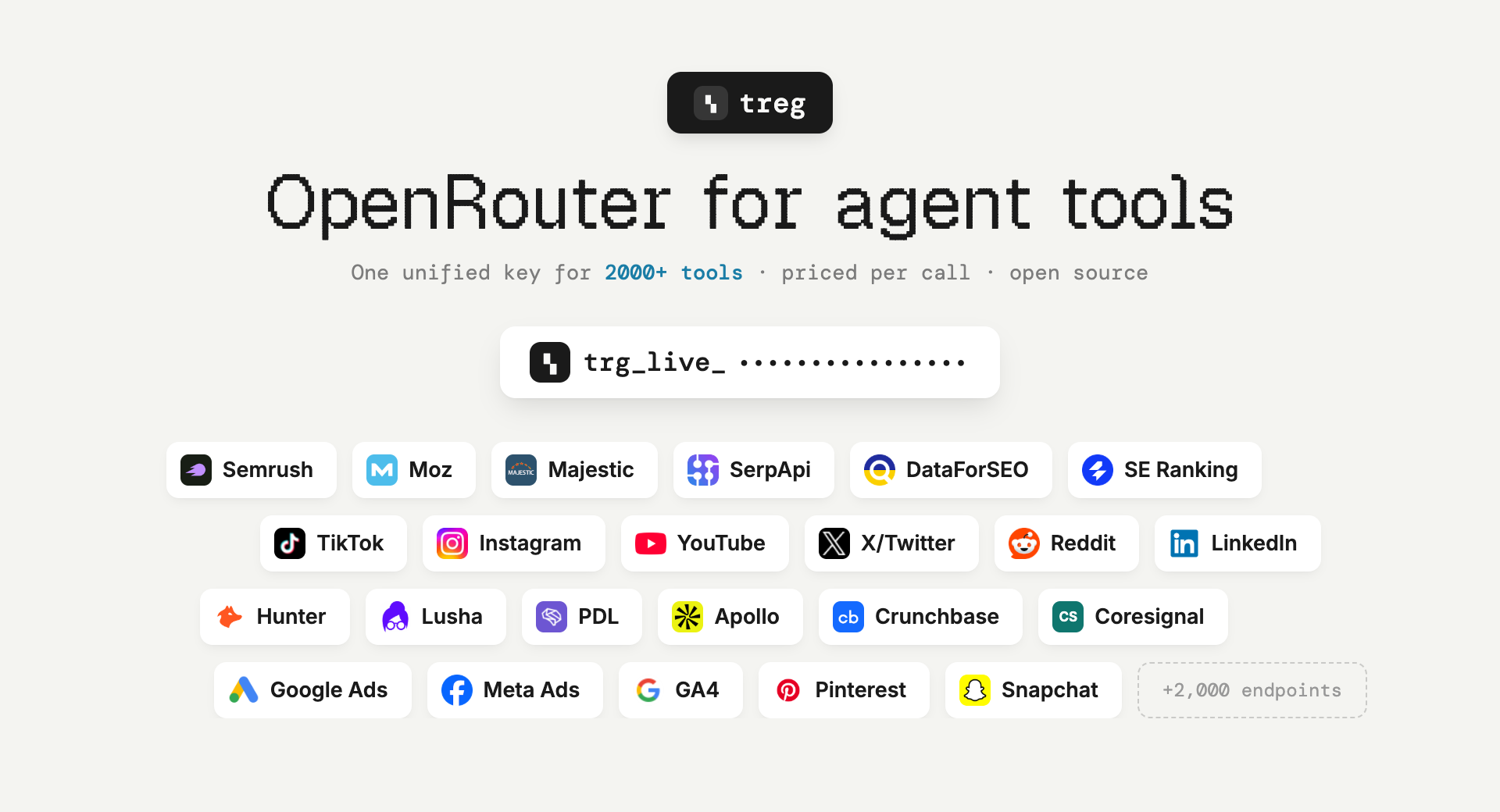
OpenRouter, but for agent tools instead of models. Point an agent at one base URL with one token and it can do the job: ~2,850 catalogued endpoints across ~57 providers — SEO and backlinks, social and trends, people and company enrichment, ads, scraping — priced per call, from a cent, with no provider signup. Plus your own team's keys, skills and CLIs, callable by every teammate's agent without the credential ever leaving the server.
Ask for the task, not the tool. You do not need to know which vendor sells backlink data, or to hold an account with them. Search for what you want to do, read the price, call it.
Built for the Superdesign team, live at treg.to — anyone can self-host.
Why it exists
The tools an agent needs for real work sit behind subscriptions nobody buys for a single run — Semrush $139/mo, Moz $99/mo, Crunchbase $99/mo, Apollo $59/seat — behind signup walls, or behind no public API at all (invite-only, partner-only, app-review-only). treg carries those accounts and bills fractions of a cent per call.
Two kinds of tool, one token
- The catalog — external endpoints treg can serve on its own key, metered against your team's prepaid balance ($1.00 free on every new team). No account with the provider needed.
- Your own tools — anything a teammate registered: a paid API account, an OAuth connection, a
vendor CLI, a
SKILL.md. Your own key always wins over treg's, and those calls are never metered.
The vocabulary for the second half:
- tool = something the registry calls for you with the org's credential. Two kinds:
- endpoint — an upstream
base_url+ credential bindings (each binding injects one secret into the request; a request can carry several, e.g. an OAuth bearer and adeveloper-tokenheader). - CLI — a vendor binary (
stripe,gh,vercel, ...) run with the credential injected.
- endpoint — an upstream
- skill / bundle = a recipe (
SKILL.md) + its secrets + its tool(s), registered together.
The one rule: the proxy relays, never models the upstream, and injects auth server-side — so it survives upstream API changes and callers never hold keys.
Part 1 · Using the registry
Visit treg.to (hosted on Render) — the dashboard, sign-in, and every URL below live there.
Quickstart
Same flow as the dashboard's Getting started guide:
# 1. install the CLI — also points it at the registry
curl -fsSL https://treg.to/install.sh | sh

# 2. sign in (GitHub default · --email for a one-time code · --token for agents/CI)
treg login

# 3. do something useful immediately — no key, nothing registered
treg catalog search "backlinks for a domain"     # find a tool by what it DOES
treg call tikhub.tiktok.user.profile --query uniqueId=tiktok
treg balance                                     # exactly what that cost

# (or `treg onboard` for the guided walkthrough)
Your token identifies you on every call (X-Treg-Token header) and is the same for all tools.
Discover what your team has shared: treg tool ls · check credential health: treg health.
Or install it as a Claude Code plugin
/plugin marketplace add superdesigndev/treg
/plugin install treg@treg
Installs with no token and no configuration. The skill loads as treg:treg and, on its first run,
walks your agent through the rest — the CLI, sign-in, then treg mcp install — so you end up with
the command line and treg's tools. Other agents: npx skills add superdesigndev/treg -s treg
(the -s matters — without it you also get this repo's internal dev skills).
See docs/CLAUDE-PLUGIN.md.
Call a tool you don't have a key for
The catalog is grouped by what endpoints do: keyword and rank tracking, backlinks and authority, AI visibility, trending and discovery, publishing to socials, people and company enrichment, ads management and creative, measurement.
treg catalog                                    # every platform, busiest first
treg catalog search "find a work email"         # by the job, not the vendor
treg catalog get hunter.people.email.find       # params, PRICE, example response
treg call hunter.people.email.find --query domain=reddit.com --query full_name="Alexis Ohanian"
How a catalogued call is served — the credential ladder, in order:
- your team registered its own tool for that provider → that tool, that key;
- your team stored a secret for the provider → injected through a virtual tool;
- neither → treg's own key, billed to the team's prepaid balance.
Your own credential always beats treg's, so connecting a key you already pay for makes those calls
free of the balance rather than duplicating them. An endpoint treg has no published price for is
refused, not served free — you are told to connect your own key instead. Where several providers
serve one capability, treg catalog search shows them side by side with prices; choosing is
yours — treg does not silently pick or fail over for you.
treg balance          # credit left, calls in flight, recent spend
treg topup            # add funds, or set up automatic top-ups
Out of balance is an HTTP 402 carrying balance_micro, estimated_cost_micro and a topup_url,
so an agent can act on it without reading prose.
Share & use your own tools
The zero-thought path — point treg at a project and it figures out what's shareable:
treg scan     # read-only preview: the keys, skills & CLIs upload would register
treg upload   # register them (encrypted server-side); idempotent, --replace to update
treg upload scans the .env (matching keys against ~80 known providers), every skill
subdirectory, and installed catalog CLIs. Three kinds of things go into the registry — here's how
to share and use each:
1. Endpoints (HTTP APIs)
Share — one upstream URL callable with a stored key, or bulk from a .env:
treg secret add STRIPE_KEY --value sk_live_123
treg add stripe --base-url https://api.stripe.com --secret STRIPE_KEY

treg upload env --select openai,stripe,resend     # or straight from the .env
Use — the agent-native way: build the real upstream request and prefix it with the proxy.
treg resolves the tool by host, injects the credential, and relays everything else faithfully
(your X-Treg-Token is stripped before the upstream sees it):
Real request:   GET https://api.intercom.io/conversations?per_page=5
Through treg:   GET https://treg.to/call/https://api.intercom.io/conversations?per_page=5
                    header:  X-Treg-Token: <your token>
Or the CLI shorthand — and treg calls for the audit log:
treg call intercom conversations --query per_page=5
treg call stripe v1/balance
2. CLIs
Share — automatic: treg upload detects installed catalog CLIs (stripe, gh, vercel, …)
and registers them; a recipe-only catalog CLI skill (e.g. stripe-cli) auto-becomes runnable too.
Use — treg run executes the vendor CLI with the org's credential injected, so you never
hold the key or log in:
treg run stripe -- get /v1/balance
treg run gh -- pr list
treg run --server agentmail-cli inboxes list   # runs on the registry server: the key never reaches you
--local (default) runs on your machine; --server runs on the registry and streams output back.
For a whole session, treg shell start opens a subshell where every registered CLI injects
automatically — just use stripe, gh, … normally; exit reverts. treg runs is the audit log.
3. Skills
Share — a skill is a whole capability (SKILL.md recipe + its secrets + its tool(s)),
registered together so the whole team runs the same skill, maintained in one place:
treg upload skills --dir ~/.claude/skills --all # register a folder of skills in one pass
Use — pull any shared skill into your agent; its API calls go through treg with your token, so the key stays on the server, never in the skill:
treg skill install seo-blog-writer # writes into ./.claude/skills/ (--all for the library)
Manual registration — when the heuristics can't figure a tool out
# multi-credential tool (e.g. google-ads: OAuth bearer + a developer-token header)
treg tool add google-ads --base-url https://googleads.googleapis.com \
  --bind "secret=<oauth-id>,injector=oauth" \
  --bind "secret=<dev-id>,name=developer-token,format={secret}"

# one skill, step by step
treg skill init --dir ./my-skill          # drafts treg.json (guesses base_url, finds secrets)
treg skill add  --dir ./my-skill          # registers recipe + secrets + tool, atomically

# OAuth via the browser (mints the first token, treg holds it and auto-refreshes)
treg oauth connect gsc --client-secret client_secret.json \
  --scopes https://www.googleapis.com/auth/webmasters.readonly
Full options for every command: USAGE.md.
Teams
Everything is scoped to an org: a token = a (user, org) membership, and every secret, tool,
and skill belongs to the active org. Roles: owner / admin / member / viewer.
treg org create "Acme"                        # make a team, become owner
treg org invite [email protected]             # invite by email (pick role + tool access)
treg org join <code> --email [email protected]     # accept an invite (creates you if new)
treg org ls | use <slug> | members            # switch orgs, see the roster
treg org access <member> --tools a,b          # per-member tool access (admin+)
Going deeper
USAGE.md— the fulltregCLI reference./llms.txt— the agent-onboarding file: call protocol, discovery, auth, CLI, skills. One fetch teaches an agent the whole registry.- The dashboard at treg.to — full CRUD, a guided tutorial (Help → Tutorial), and copyable setup instructions for your agents.
- The API — everything the CLI does is plain HTTP; interactive OpenAPI docs live at
/docs. The proxy endpoint is/call/{...}; all endpoints take theX-Treg-Tokenheader.
Part 2 · Self-hosting & development
Run it locally
One command (needs tmux + uv; it syncs the venv itself):
scripts/dev-local.sh up # server on http://localhost:18790, dev-safe settings
That runs the server in tmux with hot-reload, its own sqlite DB (treg-dev.db), and email OTP dev
mode (sign-in codes shown on the page — no mail sender needed). Day-to-day:
scripts/dev-local.sh cli login   # sandboxed CLI: never touches your real ~/.treg/config.json
scripts/dev-local.sh logs        # server output          · status / restart / down
scripts/dev-local.sh reset       # wipe the dev DB + CLI sandbox for a fresh start
Or run the server directly, without tmux:
uv sync                        # create the venv from uv.lock (pulls the server deps for dev)
uv run python -m treg          # serve on 0.0.0.0:18790 (add --reload for dev)
uv run python -m treg keygen   # print a fresh Fernet key for TREG_SECRET_KEY
Installing to run a server (not from source): the base package is the CLI only. To run a registry, install the server extra —
pip install "tools-registry[server]"— which adds FastAPI, the database drivers, and encryption.pip install tools-registryalone gives just thetregcommand for talking to an existing registry.
The team instance is hosted on Render (web service + Postgres) at treg.to.
Configuration
Environment variables (prefix TREG_, read from .env):
| Var | Default | Purpose |
|---|---|---|
TREG_DATABASE_URL | sqlite+aiosqlite:///./treg.db | DB URL (SQLite for dev, Postgres in prod) |
TREG_SECRET_KEY | (empty) | Fernet key for secrets-at-rest; empty → an ephemeral key is minted (secrets won't survive a restart) |
TREG_PUBLIC_URL | https://treg.to | treg's public base, used to build the OAuth callback URI |
TREG_SESSION_SECRET | (empty) | signs the dashboard session cookie; falls back to TREG_SECRET_KEY. Set a real value in prod |
TREG_GITHUB_CLIENT_ID / _SECRET | (empty) | GitHub OAuth sign-in (callback <public_url>/auth/github/callback); empty hides the button |
TREG_GOOGLE_CLIENT_ID / _SECRET | (empty) | Google OAuth sign-in (redirect <public_url>/auth/google/callback); empty hides the button |
TREG_RESEND_API_KEY / TREG_EMAIL_FROM | (empty) | transactional email via Resend (OTP codes + invites); From must be a Resend-verified sender |
TREG_ADMIN_TOKEN | (empty) | cross-tenant super-admin bearer; authorizes every /admin/* endpoint. Empty disables the env path (only is_superadmin users reach /admin). Keep it long + secret. |
TREG_EMAIL_DEV_MODE | false | when true, /auth/email/start returns the OTP in its response (no mail sender needed) — dev/local only, never in prod. |
No .env is needed for local dev — every setting has a working default (ephemeral key, sqlite).
⚠️ Back these up before moving or redeploying: the Fernet key (
TREG_SECRET_KEY) and the database (Postgres in prod;treg.dbfor a local sqlite run). Lose the Fernet key and every stored secret becomes unrecoverable.
Architecture
Request flow for /call: resolve tool (by URL host + longest base_url prefix, or by name) →
decrypt its secret(s) → apply each binding's injector → stream to the upstream → fire-and-forget
audit record. The proxy does no business logic and never buffers the body.
Module map (src/treg/):
| Module | Role |
|---|---|
proxy.py | relay() — the whole product in one function: a faithful streaming proxy |
injectors.py | the auth-shape seam: env, cli_auth, secret_file, oauth place a secret into a header/query |
oauth.py | token freshness (single-flight refresh) + the connect flow (consent URL, code exchange) |
health.py | credential health: refresh oauth, probe tools, webhook the owner of anything broken |
convert.py | scaffold a skill directory into a registerable bundle manifest |
api.py | the API — the only brain; CLI + skill are thin clients over it |
cli.py | the treg CLI |
models.py | SQLModel tables: Org, User, Membership, Invite, Secret, Tool, Bundle, PendingOAuth, CallRecord |
crypto.py config.py db.py audit.py | Fernet encryption + tokens · settings · async DB · deferred audit writer |
The 4 auth shapes (per binding injector): env (plain string / API key) · secret_file (a
JSON token file, pull a field) · oauth (a JSON OAuth token, auto-refreshed if refreshable) ·
cli_auth (material lifted from a CLI's keychain).
Faithful-relay contract: the proxy alters only three things, everything else is verbatim:
- hop-by-hop transport headers (re-derived per hop),
- treg's own control + edge-forwarding headers (
x-treg-token,x-treg-org,ngrok-skip-browser-warning,x-forwarded-*,via, …) and treg's session cookie — all stripped, never leak upstream, - the injected credential(s).
OAuth, three ways to get the first token: manual upload (drop in a token.json) ·
auto-refresh (if the token carries refresh_token + client creds, treg keeps it fresh, you never
re-upload) · hosted connect flow (treg oauth connect → browser consent → treg captures the
token itself).
Health checks: give a tool an optional probe ({method, path, expect_status}); a periodic run
(on demand or via cron) validates every credential, refreshes OAuth, and webhooks the owner of any
that break.
Deep design lives in docs/context/ (per-subsystem fragments).
Tests
uv run pytest -q # 521 tests
Coverage: proxy walking-skeleton, all injector shapes, per-user auth + CRUD + audit, skill composer,
URL-passthrough + faithful relay, OAuth refresh + connect flow, health checks, treg run/shell,
upload/scan, orgs + invites, the dashboard API, CLI.
Contributing & docs
treg/
├── src/treg/            # the package (api, cli, proxy, injectors, oauth, health, convert, models, …)
│   └── web/             # dashboard, landing, tutorial, llms.txt, skill.md, install.sh
├── tests/               # 521 tests
├── docs/
│   ├── context/         # design fragments (codemap system) + generated index
│   └── ONBOARDING.md    # first-time bootstrap
├── USAGE.md             # full treg CLI reference
└── pyproject.toml
Per-subsystem design docs are fragments in docs/context/, each citing its src/treg/*
sources. Working in this repo with an AI agent? The /tools-registry-context skill loads the
right fragment for what you're touching and keeps the docs in sync — run
/tools-registry-context sync before pushing.
Roadmap: MCP support · finer permission tiers · at-rest key-management hardening · possible Loopni merge.
License
Apache 2.0 with additional terms (LICENSE): use it freely — including commercially,
inside your own organization (self-hosting your own registry is encouraged) — but don't offer it
to third parties as a hosted/managed service or embed it in a commercially distributed product
without written permission ([email protected]).
查看使用指南 →
该插件的安装步骤、关键要点、FAQ 与兼容性说明(基于已收录字段派生)。
收录徽章

[](https://deepseek-plugin.org/plugins/superdesigndev/treg)把这段 markdown 粘贴到你的 GitHub README,链接回本插件详情页。徽章只声明已被本站收录,不代表安全认证。