DeepSeek Harness 优秀插件清单仓库,并在 plugins/ 目录附带 4 个可运行的参考插件:图表、幻灯片、代码评审、自动调研循环。

- 语言
- TypeScript
- License
- NOASSERTION
- 分支
- main
安装
$ dsh plugin --profile web add github:Dominic789654/awesome-deepseek-harness在终端中运行以上命令,通过 dsh CLI 安装此插件。可在右上角切换 Profile。 第一次用 dsh?看这篇新手教程
对话式安装
帮我安装 DeepSeek Harness 插件 Dominic789654/awesome-deepseek-harness:先查看仓库 https://github.com/Dominic789654/awesome-deepseek-harness.git 确认安全性,然后执行安装命令并验证插件加载成功。
把这段指令粘贴给 DSH Web GUI 里的助手,由它代你完成安装与验证。
一句话定位
这是一个围绕 DeepSeek Harness (DSH) 编制的优秀插件清单仓库:根目录收录了社区里值得关注的插件、profile、harness、UI 等资源索引,plugins/ 子目录则附带 4 个可运行的参考插件(dsh-viz / dsh-slides / dsh-code-review / dsh-research-loop),用于示范 DSH 插件的标准结构。
核心能力
- 提供一份分类清晰的 DSH 生态清单,覆盖官方仓库、profile/patch 层、harness/runtime、安全与权限、会话与记忆、IM 桥接、可视化、slides、coding、agent、loop、MCP、UI、技能等近 20 个分类
- 在
plugins/子目录随仓库发布 4 个参考插件(dsh-viz / dsh-slides / dsh-code-review / dsh-research-loop),每个都按社区观测到的主流布局(package.json#dsh+cordis.patch.yml+dsh.plugin.json+src/index.ts)写成最小可用骨架 - dsh-viz 注册
chart_render工具,把结构化数据写入工作区内的 ECharts 自包含 HTML,支持 line / bar / pie / scatter 四种图表 - dsh-slides 注册
slides_generate工具,把 markdown 大纲(---分页、--分垂直子页)渲染为 reveal.js 自包含 HTML 演示 - dsh-code-review 注册
code_review_context工具,按worktree/staged/range三种 scope 确定性收集 git diff,并附code-review技能给出按严重度排序的评审清单 - dsh-research-loop 注册
research_log工具,把每个调研主题的发现追加到工作区内的 JSONL 日志,并附auto-research-loop技能驱动有界的研究循环
技术实现
- 语言: TypeScript(ESM,
type: module,target ES2022) - 关键依赖:
@deepseek-ai/cordis(Cordis 容器,提供Context与插件装载)、@deepseek-ai/dsh-tools(defineTool工厂与ctx.tools.register)、@deepseek-ai/schemastery(z.object配置 schema,可调用形式Config({})应用默认值);运行时只依赖 Node 内置模块(node:fs/node:path/node:child_process),无第三方运行时包 - 架构模式: host-only 插件(无 client bundle)。每个子插件导出
name、inject=['tools']、Config(schemastery schema)、apply(ctx, config),由cordis.patch.yml通过insert在 profile 层栈中挂载;工具注册统一走ctx.tools.register(defineTool({ name, description, parameters, output, async execute })) - 入口文件: 每个子插件入口
plugins/<name>/src/index.ts;挂载清单在同目录的cordis.patch.yml;元数据在dsh.plugin.json与package.json#dsh
适用场景
- 想要了解 DSH 生态有哪些插件、profile、MCP、UI 可用时,把这份清单当索引翻阅(README.md:31-52)
- 想自己写 DSH 插件但缺少官方 spec 文档时,参考
plugins/下 4 个范例的目录结构、cordis.patch.yml写法、配置 schema 与工具定义方式(plugins/README.md:7-46) - 想要 DSH agent 在工作区里画图表、做 PPT、跑代码评审、做有界调研时,直接装 4 个范例里的对应子插件(README.md 与 plugins/README.md:51-55)
前置依赖与兼容性
| 依赖 | 最低版本 | 说明 |
|---|---|---|
| DeepSeek Harness (DSH) | >= 0.0.1 | 每个子插件在 dsh.plugin.json#engines.dsh 中声明 ">=0.0.1",未对宿主给出更严格版本要求 |
| Node.js | 未声明 | 仓库没有 engines 字段;@types/node 锁 ^24.0.0,子插件脚本通过 pnpm install && pnpm build 编译,运行时只用 Node 内置模块 |
| 平台 | macOS / Windows / Linux | 没有原生绑定;dsh-code-review 通过 execFileSync('git', args) 调系统 git,要求宿主机已装 git 命令 |
| 原生模块 | 无 | 无 native binding,仅使用 node:fs / node:path / node:child_process |
安装方式
dsh plugin --profile web add github:Dominic789654/awesome-deepseek-harness
仓库根目录不是 npm 包,安装命令会拉取整个仓库,但实际生效的是
plugins/下的 4 个子插件。如只想装其中一两个,可直接装子目录:dsh plugin --profile web add file:/绝对路径/plugins/dsh-viz(plugins/dsh-viz/README.md:9-13)。每个子插件在装入前需先在该目录内pnpm install && pnpm build,把src/index.ts编译成lib/index.js,否则 Cordis Loader 找不到入口。
配置项
仓库根没有需要配置的项目;下面是 4 个子插件各自的配置,写在各自 profile patch 的 config 字段里:
dsh-viz
| 配置 | 类型 | 说明 | 默认值 |
|---|---|---|---|
outputDir | string | 图表 HTML 的输出目录,相对当前 workspace 根 | artifacts/charts |
echartsSrc | string | ECharts 运行时的 script src(CDN 地址或自托管 URL) | https://cdn.jsdelivr.net/npm/echarts@5/dist/echarts.min.js |
dsh-slides
| 配置 | 类型 | 说明 | 默认值 |
|---|---|---|---|
outputDir | string | 幻灯片 HTML 的输出目录,相对当前 workspace 根 | artifacts/slides |
revealBase | string | reveal.js 发行版的 base URL | https://cdn.jsdelivr.net/npm/reveal.js@5 |
theme | string | reveal.js 主题名(black/white/league/sky/moon/...) | white |
dsh-code-review
| 配置 | 类型 | 说明 | 默认值 |
|---|---|---|---|
maxDiffBytes | number | 单次返回的 diff 文本字节上限;超出后会被截断并打 marker,强制模型按目录重收 | 120000 |
dsh-research-loop
| 配置 | 类型 | 说明 | 默认值 |
|---|---|---|---|
logDir | string | 调研日志目录;每个 topic 在该目录下生成 <slug>.jsonl | .dsh-research |
maxReadEntries | number | 一次 read 返回的最大日志条数(取尾部最新 N 条,旧→新顺序) | 200 |
常见问题
Q: 安装这个仓库会得到什么?
A: 装上后宿主里会挂载 plugins/ 下的 4 个独立插件(dsh-viz / dsh-slides / dsh-code-review / dsh-research-loop),分别注册 chart_render、slides_generate、code_review_context、research_log 四个工具;仓库根目录本身是一份 awesome-list 索引,不在 DSH 运行时里承担任何角色。
Q: 这 4 个插件和官方 DSH 功能是什么关系?
A: 它们不是官方组件,而是从社区高赞插件与 dsh-plugin-development 技能反推出的"结构上忠实"的参考骨架;作者明示未在真实 DSH 实例上验证,@deepseek-ai/* 对等依赖全部按 * 宽松声明,应被视为示例而非生产插件。
Q: 我可以只装其中一两个吗?
A: 可以。每个子插件都是独立的 npm 包,按子目录路径 dsh plugin --profile <name> add file:/绝对路径/plugins/<子目录名> 安装即可,不必安装整个仓库。
Q: 安装前需要做什么?
A: 必须在每个子插件目录内先 pnpm install && pnpm build,因为仓库里只有 src/index.ts,而 dsh.plugin.json 里声明的 main 指向编译产物 lib/index.js,不 build Cordis Loader 会找不到入口。
Q: 这 4 个插件会写文件到我电脑的哪里?
A: 全部被强制限制在当前会话的 workspace 根目录下:dsh-viz 写图表 HTML 到 <workspace>/<outputDir>/、dsh-slides 写幻灯片 HTML 到 <workspace>/<outputDir>/、dsh-research-loop 追加 JSONL 到 <workspace>/.dsh-research/<topic>.jsonl;dsh-code-review 只跑 git diff,不写任何文件。绝对路径与跳出 workspace 的相对路径都会被拒绝。
Q: dsh-code-review 的评审方法学是怎么交给模型的?
A: 工具只负责"取到同一份 diff 快照",评审清单走附带的 code-review 技能,按 正确性 → 安全 → 测试 → 可维护性 四层给出可行动的评审意见,并强制 read-only、不基于截断 diff 下结论。
Q: dsh-research-loop 不会无限跑下去吗?
A: 不会。技能里写明停止条件三选一:所有子问题有 ≥2 个独立来源支撑、连续一轮搜索无新信息、或达到默认 3 轮上限;每一步用 research_log 落盘,下一次迭代从 read 恢复状态,不再凭记忆续写。
Q: 怎么卸载?
A: 仓库没有自带卸载脚本;按 DSH 标准流程用 dsh plugin --profile web remove 即可,4 个子插件的 cordis patch id 分别是 dsh-viz / dsh-slides / dsh-code-review / dsh-research-loop,需要逐条移除。
上手难度
进阶 — 仓库本身的"翻阅索引"用法零门槛,但要用上 plugins/ 里的范例插件,需要先在每个子目录里跑 pnpm install && pnpm build,再理解 Cordis / schemastery / ctx.tools.register 这套 DSH 插件约定;如果你想拿它们当自己写插件的模板,还要读 plugins/README.md:7-46 解释的社区惯例章节。
已知问题与限制
- 4 个子插件均未在真实 DSH 实例上验证过;
@deepseek-ai/cordis/@deepseek-ai/dsh-tools/@deepseek-ai/schemastery全部以*宽松声明为可选 peer 依赖,生产环境使用需要自己锁定到当前 DSH 实际版本(plugins/README.md:57-59) - 仓库未提供任何
lib/编译产物,安装前必须先在每个子插件目录pnpm install && pnpm build,否则 Cordis 找不到main指向的lib/index.js(plugins/dsh-viz/package.json:7 / plugins/dsh-viz/README.md:9-13) - dsh-code-review 要求工作区是 git 仓库且
git命令在 PATH 中,否则execFileSync('git', ...)会抛错(plugins/dsh-code-review/src/index.ts:46-53) - dsh-viz / dsh-slides / dsh-research-loop 都从
ctx.get('agents').currentInitiator().session.header.cwd取工作区根,没有活动会话时直接报错,不会回退到默认路径(plugins/dsh-viz/src/index.ts:42-49) - dsh-viz / dsh-slides 通过 CDN 引入 ECharts / reveal.js,离线或受限网络下打开生成的 HTML 会丢失图表与样式(plugins/dsh-viz/src/index.ts:33 / plugins/dsh-slides/src/index.ts:32-33)

Awesome DeepSeek Harness 
A curated list of plugins, skills, MCP servers, patch/profile layers, orchestrators, aggregators & UIs for DeepSeek Harness (DSH) — DeepSeek's official agent runtime built around the idea
Model + Harness = Agent.
English | 简体中文
DeepSeek Harness ("DSH") is DeepSeek's agent runtime / harness layer — the "hands" that turn the model's reasoning into real actions (context management, tool-call orchestration, execution sandbox, feedback loop, session persistence). Its defining feature is an open plugin ecosystem: the community contributes plugins, skills, MCP servers, orchestrators, aggregators, and UIs.
This list collects the best of that ecosystem. Contributions welcome — see Contributing.
Tip for authors: DeepSeek asks plugin repositories to carry the
#dshGitHub topic so they can be discovered. Add it to your repo, then open a PR here.
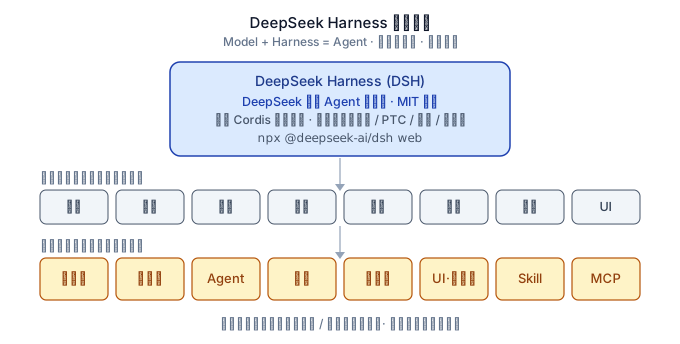
Quick Start
# Launch the DSH Web UI
npx @deepseek-ai/dsh web

# Install a community plugin (from this list) into your profile
dsh plugin --profile web add "github:owner/repo#main"
Before installing, confirm the target repo carries the #dsh GitHub topic so the community hub can index it.
Contents
- Official
- Profiles & Patch Layers
- Harnesses & Runtimes
- Security & Permissions
- Session & Memory Management
- Cost & Usage Tracking
- Channel / IM Bridges
- Plugin Marketplaces & Ecosystem
- Visualization
- Slides / PPT
- Coding
- Agents
- Loops (Auto-Research, Self-Improve, etc.)
- MCP Servers
- Orchestrators & Aggregators
- UI / Clients
- Skills
- Resources
- Contributing
Official
- deepseek-ai/deepseek-harness — DeepSeek's official agent runtime framework (
Model + Harness = Agent); an "everything is a plugin" architecture built on Cordis (TypeScript, MIT).⭐38238 - deepseek-ai/awesome-deepseek-integration — Official curated list of DeepSeek API integrations.
⭐38654 - deepseek-ai/awesome-deepseek-agent — Official list of agents/harnesses with DeepSeek support.
⭐5426
Profiles & Patch Layers
DSH's core composition mechanism: a profile stacks bundle patch layers, then your own cordis.patch.yml (profile-level, then $DSH_HOME-level, then --patch overlays) — letting you reshape the whole plugin tree without forking. This is the layer where task-specialized runtime configurations live: a long-horizon profile, a math-reasoning profile, a slides-editing profile are all just a different bundle stack + patch, not a different codebase. Tools and harnesses that operate at this layer (share/export a profile, or run DSH as a specialized backend under a task-specific patch) belong here rather than under generic plugins.
-
asdf17128/dshp — Manage DeepSeek Harness profiles: list, create, clone, diff, and share a whole
dshsetup (plugin versions + bundle order + patch) as one portable file. -
AMAP-ML/LongHorizon-Harness — Long-horizon computer-use harness with a DSH adapter: runs
dsh --profile headlessunder an isolatedDSH_HOMEwith role-scoped patches (workspace-writefor executors,read-onlyfor Manager/auditors) — a concrete example of a task-specialized DSH profile. -
duyanta123/dsh-preset-scaffold — DSH agent preset: scaffold a standardized, runnable, verifiable project skeleton from scratch (architect persona + six template assets + a strict bootstrap flow).
-
light051001/dsh-preset-qa-mode — Ask-first DSH agent preset based on Standard: exhaustive structured clarifying questions (nine dimensions, max 5 rounds, interruptible) with a confirmation gate before any execution; plan-first for complex tasks.
-
Jungod1121/dsh-anchored-standard — Two-phase DSH preset: a minimal-aligned bootstrap (bash + read), then full Standard tools after the first tool call or reply.
-
ZRui-C/dsh-minimal-first-turn — Installable Web bundle for a Minimal-compatible root-session first request, then restores the selected preset after the first tool call or reply; includes a persistent composer toggle.
-
songoao25/virtual-product-team — Product Team Mode — a DSH agent preset: boss-style conversation with a virtual product team (PM → Engineer → QA → Release) from idea to shipped product.
-
AythyaCrispus/dsh-minimal-msys2 — Windows Minimal Mode: persistent bash + str_replace_editor plugin — registers an agent preset, provides a working persistent-bash backend on Windows, and exposes a GUI-editable bash path in the plugin-settings section (persisted via the credentials domain).
-
CeilCelia/dsh-eli-mode — Eli Mode: an agent preset for DeepSeek Harness built around wiki-driven long-term memory and skills, on an extremely minimal Harness setup.
-
LiFenrir/dsh-scenario — Scenario-management plugin: bundle persona + model + permissions into named scenarios (dev / wiki / personal), one-click hot-switch from the settings page.
-
Saikel-Orado-Liu/dsh-coding-agent-preset — Windows-adapted DSH coding-agent preset with persistent PowerShell 7 (pwsh) and str_replace_editor, mirroring the official minimal preset.
-
Scorp1o117/dsh-soul-md — Soul.md persona for DeepSeek Harness: a persona-card plugin (人设卡) that gives your agent a persistent character.
-
delightedMaster/dsh-anchored-standard-windows — Windows Anchored Standard agent preset for DeepSeek Harness with on-demand tools and Skills.
-
delightedMaster/dsh-subprocess-win32 — Windows subprocess Cordis runtime and Minimal/Anchored Standard presets for DeepSeek Harness.
-
brunhildzhou/dsh-all-warmup — Global frictionless warm-up layer plugin for DeepSeek Harness: the first turn of any session auto-warms up, full mode resumes from the second turn on.
-
jiatong-lab914/obsidian-knowledge-mode — DSH agent preset for a portable, AI-native knowledge system on Obsidian: anti-hoarding Layer 0, 80/20 distillation into Context/Claim, verifiable update loops, four read-only role agents, a source gate hook, and a zero-content starter template.
Harnesses & Runtimes
DeepSeek-native or DeepSeek-first agent harnesses / coding agents, plus runtime-level infrastructure (diagnostics, ops, session management, approval policies).
-
chiyulogg-commits/deepseek-harness-zh-tw — Traditional Chinese (Taiwan) locale edition of DeepSeek Harness: adds a third UI language option with Taiwan terminology across all 25 web UI packages.
-
hxs996-beep/deepAct — Terminal AI coding agent built for DeepSeek that guards every action: ambiguity check, design review, scope control, team mode, parallel sub-agents, and MCP support.
-
LaplaceYoung/oh-my-dsh — Large plugin collection (700+) for DSH that registers only through extension seams, without modifying the agent-loop core.
⭐24 -
omdsh-dev/fabric — Minecraft-Fabric-style hook processor for DSH.
-
omdsh-dev/dsh-session-health — Read-only, zero-dependency session health check: frame-level scanning of multi-frame zstd session files to detect torn/corrupted/empty sessions; registers a
session_healthtool. -
omdsh-dev/dsh-security-audit — Local security audit plugin: read-only, redacted risk report covering config, plugin sources, sessions, and network exposure.
-
Zhenyu98/dsh-context-doctor — Context-injection audit: measures the token cost of the AGENTS.md instruction chain, skill catalog, and tool schemas, and detects duplication and conflicts; Web UI ring panel plus a
context_audittool. -
coppynight/dsh-doctor — flutter-doctor-style diagnostics and repair covering install-level and in-harness checks, with safe auto-fixes; repository-plugin format.
-
lhh010/dsh-bash-encoding — Auto-detects bash output encoding (UTF-16LE/UTF-8/GBK, etc.) and decodes it correctly, fixing garbled non-ASCII output on WSL/Windows.
-
vlln/plugin-registry — Ecosystem infrastructure: a thin browser console for managing repository plugins (zero patches) plus a
make-dsh-pluginskill guiding plugin development.⭐13 -
Andy8647/dsh-auto-approval — Automated tool-call approval: an
autotier that classifies every tool call as allow/deny via rules plus an LLM classifier, with a status chip beside the composer. -
zzh-newlearner/dsh-postmortem — Local-first failure postmortems for DeepSeek Harness sessions.
-
vibeinging/dsh-trace — Telemetry backend that exports turns, model steps, and tool calls to yiTrace over HTTP.
-
omdsh-dev/dsh-hub — Community extension catalog and profile-generation manager, adding transactional installation, recovery, catalog browsing, and a settings UI on top of official contracts.
-
fakechris/dsh-harness-ops — Ops toolbox: A/B dual-slot snapshot upgrades with atomic switch and one-click rollback, a watchdog that auto-restarts web/agent, and a self-rescue doctor command.
-
omdsh-dev/session-teleport — Multi-device session handoff with PostgreSQL as the single online authority; only one device holds write credentials at a time.
-
Tieboyh/dsh-session-search — Index-free cross-agent session search for DeepSeek Harness.
-
ilharp/dsh-tool-approval — Manual approval for tool calls (a "manual mode" / "ask mode" for DSH).
-
blissito/ghostycode — DeepSeek V4 terminal coding agent and constitutional harness (Rust TUI with MCP and sub-agents).
-
bobleer/deepseek-harness-rust — Rust implementation of DeepSeek Harness: layered crates for session log, turn/step loop, and DeepSeek SSE adapter.
-
didclawapp-ai/zagens — Open-source agent harness for DeepSeek V4.
⭐13 -
liubf21/ds-forge — Lightweight agent harness for DeepSeek V4.
-
Owen718/FlashCoder — Simple harness for DeepSeek models.
-
ArtificialNotImbecile/dsh-context-taxonomy — Logical-call context taxonomy plugin for DeepSeek Harness.
-
btspoony/dsh-llm-fallbacks — Role-based LLM retry and fallback strategy plugin.
-
Drifter-yh/dsh-tool-policy — Declarative deny-by-default tool policy plugin.
-
LingLambda/dsh-undo — Context undo/redo: roll the model context back to the last completed step and restore it again.
-
omdsh-dev/omdsh — Community experiment for organizing versioned DSH component sets and defaults in a reviewable, reproducible form.
-
omdsh-dev/omdsh-runtime — Headless execution layer reusing official Profile/Bundle/Cordis operations, adding deterministic plan/apply, candidate generations, and previous-generation recovery.
-
wangshunnn/oh-my-dsh — A collection of DeepSeek Harness plugins.
-
yjh051108/dsh-super-injector — BepInEx-style mod injector: hot-injects local plugin packages into a running DSH web instance without patches or restarts.
-
yoke233/dsh-openai-codex-auth — OpenAI Codex OAuth login and usage card plugin.
-
YYTbit/dsh-plugin-claude-bridge — Bridges Claude Code memory, skills, and config into DeepSeek Harness.
-
Gordonynh/dsh-plugin-codex-import — Imports Codex conversation history into DSH.
-
Hu9956/dsh-codex-provider — Codex provider plugin with OAuth login support.
-
WSL043/dsh-codex-subscription — Caches Codex subscription/usage state for DSH.
-
kinoward/dsh-plugin-subhub — Use third-party subscription accounts in DeepSeek Harness: chat, image understanding, image generation, and image editing with the models your subscription covers, with available models and reasoning levels synced from your account; currently supports OpenAI/ChatGPT subscriptions, more providers planned.
-
PerryLink/dsh-output-styles — Switch between different assistant output styles.
-
Toukaiteio/dsh-effort-tweak — Adjusts model reasoning effort on the fly.
-
csiroqa/dsh-backup-sync — Snapshot backup and WebDAV sync for DSH workspaces.
-
csiroqa/dsh-schedule — Cron-style scheduled tasks with status monitoring.
-
Karuisawa-Mrs/dsh-plugins — Community plugin collection for DSH.
-
BlockRunAI/dsh-clawrouter — A second brain for your DeepSeek Harness agent — strong-model review before risky tool calls, plus 70 models from one wallet.
-
gordonlu/dsh-context-lens — Request Context Profiler for DeepSeek Harness — see what changed between model requests, and how cache reuse changed with it.
-
green-dalii/dsh-shift-router — Two-tier model router for DeepSeek Harness — LLM-Judge routing, multi-model fallback chains, exponential-backoff failover, and task-level orchestration.
-
KitDoesIt/dsh-compaction-instant — LLM-free lossless compaction engine for DeepSeek Harness.
-
morlay/session-persistence-rdb — Relational-database persistence layer for DSH sessions.
-
rainforest888/dsh-plugins-raincode — Model layer for DeepSeek Harness: model pool/cache/retry plus a
/skillsbrowser. -
weijiafu14/dsh-remote-sandbox — Crash-resilient remote execution world for DeepSeek Harness:
ctx.fs/ctx.subprocessover an E2B sandbox with heartbeat keep-alive, transparent recovery, and workspace sync. -
030611/dsh-telemetry-redactor — Fail-closed export-copy redaction for DeepSeek Harness session telemetry.
-
cnyac/dsh-polling — Polling/scheduled-task plugin: cron scheduled tasks as real sessions, natural-language creation, model tools (
polling_*), and a Web UI. -
cpj-dev/dsh-plugin-cc — Bridges DeepSeek Harness into Claude Code for review, critique, delegation, and session import.
-
khiqwq/dsh-system-proxy — Host plugin for smart outbound HTTP(S) routing: named proxies (http/https/socks4/4a/5/5h), per-host/provider/plugin rules, direct-first fallback with health memory.
-
lire1131/dsh-undo — Snapshot & rollback for plugin/skin/settings configs: auto-save on change, undo/redo stack, snapshot manager panel, keyboard shortcuts, plus an offline PowerShell CLI & GUI that work even when DSH won't boot.
-
omdsh-dev/dsh-scout — Read-only environment-probe plugin for DeepSeek Harness: reports runtime environment, software versions, system resources, ports, services, hardware, and workspace info.
-
sleepinginsummer/dsh-rtk-optimizer — RTK optimizer plugin for DeepSeek Harness.
-
weijiafu14/pi2dsh — Bridges the Pi and DeepSeek Harness ecosystems: one Pi Host ABI runs unmodified Pi extensions as native DSH plugins.
-
wenliang9527/dsh-workspace — Workspace plugin for DeepSeek Harness.
-
biedongbin/dsh-claude-compat — DSH plugin that bridges Claude Code's
.claude/directory (skills, commands, rules) into DeepSeek Harness natively. -
revive/dsh-git-credentials — Keeps GitLab and GitHub API tokens out of the model context — encrypted at rest (AES-256-GCM), tools on demand, web settings panel.
-
SnowAmberX/dsh-role-router — Role-based model routing plugin for DeepSeek Harness: planner/subagent roles plus a settings card and composer summary.
-
omdsh-dev/dsh-coding — DeepSeek Harness coding plugin (no description provided upstream).
-
byhongyu/oh-my-dsh — Curated Coding, Research, and Investing agent setups for DeepSeek Harness.
-
Bernardxu123/dsh-plugins — DeepSeek Harness (dsh) plugin bundle: dsh-sensenova-image for image generation plus dsh-vision for image understanding, install by cloning.
-
boxiaolanya2008/dsh-plugin — A DeepSeek Harness plugin tool.
-
cnzgray/dsh-plugins — A DeepSeek Harness plugin collection.
-
linqunxun/dsh-plugins — DeepSeek Harness (DSH) client UI plugins collection.
-
MaimoryLab/dib — DSH-in-Box: a DSH runtime and plugin packager.
-
NIyueeE/dsh-container — DeepSeek Harness (dsh) container image: universal dev-container base, dsh auto-update on boot, compose + Quadlet examples.
-
Saktawdi/ha-orchestrator — DSH dynamic Cordis plugin: model high-availability failover plus subagent orchestration for DeepSeek Harness.
-
wefio/dsh-plugin-audit — A DSH plugin audit tool.
-
Whning0513/deepseek-protocol-doctor — Offline DeepSeek protocol diagnostics and an installable DSH plugin for tool loops, reasoning_content, strict schemas, and SSE.
-
woshi-Tom/dsh-status-plugin — DSH status plugin for conveniently checking host machine runtime status, easing troubleshooting during failures.
-
wxxb789/dsh-legion — Configurable multi-model subagent profiles for DeepSeek Harness.
-
ZhengQingJing/dsh-session-tree — Git-like immutable session branching for DeepSeek Harness.
-
devmom/dsh-trajectory-debug — A DeepSeek Harness trajectory-debugging plugin.
-
mafeis/dsh-net-proxy — A network proxy plugin for DeepSeek Harness.
-
PandaColour/dsh-cmd-starter — Provides a command-line launcher for deepseek-harness, adding Claude-style flags like
--append-promptand--resume. -
jiangrz77/DSHLauncher — A launcher for DeepSeek Harness.
-
AndPuQing/dsh-pi — A DeepSeek Harness plugin (dsh-pi).
-
gyyxs88/dsh-subagent-codex — A DeepSeek Harness plugin bridging Codex as a subagent.
-
bujue600-arch/dsh-testgen — Automated unit-test generation for DeepSeek Harness: a
/testgencommand plus agenerate_toolstool that scaffold, run, and fix unit tests until they pass. -
yoke233/dsh-prime-agent — Prime Agent-inspired persistent RLM control plane for DeepSeek Harness Code Mode.
-
4060415/Deepseek-harness-routing-layer- — Smart model auto-routing plugin for DeepSeek Harness: automatically selects the best-fit model for each task.
-
1na-ko/dsh-hdc-bridge — DSH-native HarmonyOS dev assistant: hdc device debug loop, bundled offline official knowledge (Tier-1), and a DevEco CLI build channel.
-
StyxNether/dsh-auto-approval — Trusted Auto: a middle permission tier between workspace-write and danger-full-access, auto-approving harmless commands and trusted-area targets.
-
phelpsyacht/dshmath-manim — Manim math-animation plugin for DeepSeek Harness.
-
saurtone/dsh-tool-somark — SoMark document parser tool (
somark_parse) plugin for DeepSeek Harness. -
niuniu-869/dsh-plugin-cas-kb — DeepSeek Harness bundle: article-level Chinese accounting standards (CAS/ASSE) and tax-law lookup, plus a skill that keeps citations anchored to source articles.
-
LeslieWylie/dsh-ops-kit — A reusable DeepSeek Harness bundle for evidence-driven memory, orchestration, benchmark operations, and plugin release workflows.
-
Mars-Sea/dsh-commandcode-provider — Unofficial DeepSeek Harness LLM provider plugin for Command Code: live model catalog, reasoning-effort support, Models-page card. Ported from pi-commandcode-provider (MIT).
-
040822/dsh-gzip — Enables gzip for
/apiresponses, fixing history-loading timeouts (30s) on slow links. -
LyleMi/dsh-codex-app-server — OpenAI Codex App Server agent provider for DeepSeek Harness.
-
SeverusZh/dsh-plugin-subagent-director — Subagent Director: per-subagent LLM provider/model selection with role templates for DeepSeek Harness.
-
TGYD-helige/dsh-pi — Runs trusted Pi extensions inside DeepSeek Harness through a compatibility host.
-
FengHuoLinShan/dsh-plugin-llm-balance — Floating API balance ball plugin for DeepSeek Harness.
-
Niuniu-Sir/dsh-data-ledger — Unified local data ledger for DeepSeek Harness: source/location/content summary for conversations, billing, skills, memory, and logs, with trash cleanup and browser-storage cleanup.
-
omdsh-dev/dsh-llm-fallbacks — Role-based LLM retry and fallback strategy plugin.
-
Bryan-cmf/dsh-infra-observability — Structural observability layer: real tool/skill usage recording (tools/result), skill-catalog audit, and a watchdog — no model self-reporting.
-
Gu-ZT/dsh-auxiliary — Auxiliary models for DeepSeek Harness: vision understanding and context compression through dedicated model routes.
-
xiaohj233/dsh-keepalive — Opt-in detached watchdog for the DSH Web process with snapshot-checked repair and explicit patch restoration.
-
Zhuchen00123/dsh-wsl-modes — WSL modes for DSH on Windows: WSL Linux bash + bubblewrap sandbox with two ready-to-use agent presets.
-
sjh9714/dsh-win32 — Real Minimal mode on Windows: the missing win32 process inspector (persistent Git Bash shell), Ctrl-C interrupt injection, and an install-trap doctor.
-
strukto-ai/mirage#dsh — Swaps the filesystem and bash providers for a mirage virtual workspace: file tools and shell commands run over mounted resources (RAM, S3, Redis, Slack, Gmail, Notion, Postgres) instead of the host disk, with per-mount read/write/exec modes, per-command sandbox routing (monty, pyodide, quickjs in process; docker, e2b, daytona remote), and installed CLIs (git, gh, slack, linear, ntn, gws, or one you register) as head words in the virtual terminal.
-
cinob/dsh-plugin-custom-provider-enhancer — Custom-provider enhancer: when configuring third-party providers, auto-fills context size, token limits, vision/multimodal input and thinking-strength tiers from an authoritative model library.
-
dsh-plugins/dsh-auxiliary — Auxiliary models for DeepSeek Harness: vision understanding and context compression through dedicated model routes.
-
edynasty/dsh-opencode-go-provider — OpenCode Go provider plugin for DSH.
-
RoyougiShiki/dsh-restart-systemd — One-click dsh-web restart button (systemd) in the sidebar: WSL/Linux systemd channel + Windows branch,
/restartcommand, sessions auto-resume. -
Sureo0/deepseek-harness-launcher — Zero-dependency Windows launcher for DeepSeek Harness — no Node.js / Git / pnpm needed; virtual-environment isolation, uninstall by deletion.
-
zeronesun/dsh-web-manager — Lightweight shell script managing the full DSH Web service lifecycle (start, stop, restart, status check).
-
ZhenHuangLab/dsh-sync — Policy-driven DeepSeek Harness config sync: sidecar Git under
$DSH_HOME, namespace-projected settings, secret scan, journaled apply,/synccommand, plus a Web settings panel. -
alex04130/dsh-forge — Runtime extension suite for DeepSeek Harness: forge, install, route and orchestrate plugins the Forge way (Minecraft-style), no monkey-patching.
-
daifuyang/dsh-plugin — Community plugin bundles for dsh (DeepSeek Harness) — login, metrics, and other Cordis bundles.
-
loongsuite/pilot-dsh — DeepSeek Harness (dsh) plugin for LoongSuite Pilot: records session, LLM, and tool events to local JSONL for OpenTelemetry GenAI traces.
-
QvShui/dsh-llm-qwen — Qwen (DashScope) LLM provider adapter plugin for DeepSeek Harness.
-
tianxia--/dsh-llm-local-token — LLM provider plugin that reuses local Codex CLI and Claude Code OAuth tokens instead of separate API keys.
-
wss534857356/dsh-plugin-codex — Codex App Server model provider for DeepSeek Harness, using your local Codex login.
-
beijingwahw/dsh-companion-dev — DeepSeek Companion developer edition — full feature set of the official companion plugin: nine modules A–J (conversation export / handoff summaries / cost optimization / global search + execution-trajectory analysis, prompt-engineering workbench, multi-model arena, task orchestration, security audit), Cordis plugin architecture.
-
beijingwahw/dsh-companion-enterprise — DeepSeek Companion Enterprise — enterprise-grade companion plugin: security audit & DLP, team collaboration & knowledge management, task orchestration with resume, multi-model arena, execution-trajectory analysis, prompt-engineering workbench.
-
muvuula/DeepSeek-Harness-Core — DeepSeek Harness Core (DHC) — AI personality-core evolution plugin.
-
peiyuwang54/deepseek-harness-cli — DeepSeek Harness CLI (unofficial): an open-source coding agent powered by DeepSeek that runs locally in your terminal.
-
alib8b8/aflare — Local-first automation agent: keep data on-device, connect your own LLM / databases / knowledge bases, ReAct reasoning, 300+ skill templates, deterministic workflow execution (DAG/WAL/Saga/idempotent), MCP protocol, offline/LAN-ready.
-
fire-disposal/dsh-mojibake-interceptor — Mojibake interceptor bundle: feature-based garbled-text detection, review-then-release, and pwsh encoding audit.
-
fuilyha56-wq/dsh-for-mofox-ada — DeepSeek Harness integration plugin for Neo-MoFox.
-
yhlooo/dsh-bridges — Bridges DSH into projects already configured for other Harness agents (CodeBuddy / Codex / OpenCode / Claude Code / ...).
-
kamanager2012/dsh-community — DSH Community Edition: terminal/desktop distribution layer on the official @deepseek-ai/dsh. Independent repo, not the official client.
-
SparkElf/deepseek-harness-plus — DeepSeek Harness Plus: timely fixes for upstream bugs, early features, practical extensions, and curated presets.
-
WSL043/DSH-Portable — Carry DeepSeek Harness, sessions, settings, plugins, and workspace between Windows and macOS.
-
cradler-ai/harness — DeepSeek Harness (dsh), preconfigured for Cradler Router — one command, one key, runs on your own machine.
-
Miyazawai/dsh-whale — DSH all-in-one pack: a DeepSeek Harness distribution shell built on Oh-DSH — 17 core components out of the box, webui/gui/tui in one package, model↔preset linkage, everything is a plugin.
-
Ritard563/dsh-opencode — Local reverse proxy so Opencode's free models work inside DeepSeek Harness.
-
loongsuite/dsh-plugin — OpenTelemetry tracing for DeepSeek Harness (dsh): turns each agent turn into a GenAI span tree — steps, LLM calls with TTFT, tool executions, token usage — exported over standard OTLP to Jaeger, Grafana Tempo, SigNoz, Langfuse, or any compatible backend.
-
QiE2035/dsh-llm-headers — Custom LLM request-headers plugin for DeepSeek Harness (no description provided upstream).
-
lhf6623/dsh-proxy-config — Proxy config plugin: injects HTTP/SOCKS proxy into process.env so plugin installs (pnpm/git) use it.
-
moonquake2004/dsh-doctor — DSH diagnostics/repair plugin (no description provided upstream).
-
xu-kai-quan/dsh-tool-diagnose — DSH tool-diagnostics plugin (no description provided upstream).
-
heidi-dang/flowdeck-dsh — Native DeepSeek Harness integration, Cordis bundle, runtime broker, and execution host for FlowDeck.
-
KeKe0904/deepseek-harness-rainyun — DeepSeek Harness (dsh) Web UI one-click deployment image: Docker + RainYun cloud-app (RCA) template with listing docs.
-
kevin090820/dsh-wsl-bash — WSL bash integration for DeepSeek Harness (no description provided upstream).
-
royenheart/dsh-plugin-opencode-omo — DeepSeek Harness opencode + omo (oh-my-openagent) preset.
-
sqs404/dsh-portable — Installer-free portable DeepSeek Harness (Windows): official npm package + bundled Node.js, double-click .exe, runs standalone on any 64-bit Windows machine after copying.
-
tsrigo/dsh-from-scratch — A runnable TypeScript tutorial that builds a minimal DeepSeek-style agent harness from scratch.
-
wormggmm/dsh-booster — A launcher for DeepSeek Harness.
-
ai-thinkshare/dsh-workbench — DSH workbench plugin (no description provided upstream).
-
beijingwahw/dsh-proactive — DSH Proactive — proactive scheduling plugin: autonomous heartbeat + dual scientist/theorist minds (Bayesian experiment design and law induction) + energy symbiosis economy + curiosity exploration + safety governance, Raft consensus and hot updates.
-
Dingpenghui-good/dsh-conversation-language — DSH plugin for switching conversation language between Chinese and English.
-
ipromise2021/dsh-omc-tui — Keyboard-first terminal TUI profile for DeepSeek Harness.
-
javen-yan/deepseek-harness-fnos — Native full FPK package for DeepSeek Harness on fnOS.
-
karoc/dsh-model-reasoning — DSH model-reasoning plugin (no description provided upstream).
-
mario03690/dsh-allrouter — DSH all-router plugin (no description provided upstream).
-
MichengAI/dsh-agency-agents — DSH agency agents — cross-industry agents built on DeepSeek Harness.
-
mytianyi0712/dsh-tui-plugin-OhMyPi — A terminal-styling plugin for dsh, inspired by Oh My Pi.
-
noname-iii/dsh-code-checker — A plugin for DeepSeek Harness that checks for errors after the AI finishes writing code.
-
Onenightcarnival/deepseek-harness-desktop — Desktop installer packages for DeepSeek Harness (dsh): Windows exe and macOS dmg — an Electron shell and CI config that installs the published npm
@deepseek-ai/dshpackage at build time. -
sdkwork-ai/sdkwork-birdcoder2 — SDKWork BirdCoder2: a fork of deepseek-harness-desktop, kept in sync with upstream via the upstream git remote.
-
Sovea/deepseek-harness-docker — A minimal Docker deployment for DeepSeek Harness.
-
supengpeng/dsh-plugin-quarantine — Crash isolation and safe-boot supervisor for DeepSeek Harness plugins.
-
Taler97/dsh-rollback — File-mutation rollback plugin for DeepSeek Harness.
-
TT-Wang/dsh-assembler — DSH assembler plugin (no description provided upstream).
-
V1ki/dsh-plugin-subscriptions — Use ChatGPT (Codex), Claude, and Grok (X Premium) subscriptions as DeepSeek Harness LLM providers — OAuth login in the web UI, no API keys.
-
white-sand-grand/dsh-plugin-doctor — DSH plugin-doctor diagnostics plugin (no description provided upstream).
-
xjwwjx/dsh-sonic — Sound notification plugin for DeepSeek Harness Web: plays a chime when user confirmation is needed and a success sound when tasks complete.
-
YiGeSama/dsh-preset-run —
preset_runtool that runs one-shot tasks under any agent preset (router-spec/router-standard/minimal) headlessly; install withdsh plugin add. -
ZZKeepCurious/mini-deepseek-harness-python — Educational re-implementation of DeepSeek Harness in pure Python stdlib — event sourcing, plugin bus, agent loop. For learning only.
-
42ch-dev/dsh-rust-sdk — Rust SDK for DeepSeek Harness (DSH).
-
dickpy/dsh-cloud-sync — Portable DeepSeek Harness profile and local-plugin source synchronization via WebDAV.
-
loudMore/dsh-launcher — DeepSeek Harness (dsh) beginner-friendly launcher & manager: one-click install/update/maintain plugins & environment, environment detection.
-
rouyiemei/dsh-smart-router — Automatic model routing for DeepSeek Harness: three difficulty tiers (hard/normal/easy) plus vision routing, picking models you already configured under Settings → Models.
-
Yuki-takuya-kun/dsh-claude-code — Run Claude Code harness as the DeepSeek Harness main loop, streaming live trajectory into the DSH web UI.
-
zynieie/dsh-lan-plugin — Independent dsh plugins for things upstream can't (yet) accept as PRs. Starts with
@zynieie/dsh-lan-fix: let dsh web load onhttp://<lan-ip>:3080(insecure context) without the WebSocket abort storm. -
2672243194/dsh-fetch-data — DeepSeek Harness plugin for fetching remote data (no description provided upstream).
-
ARFCON/DSH_Automatic-update-plugin — Personal auto-update plugin for DeepSeek Harness.
-
atesahmet0/dh-workspace — DeepSeek Harness Workspace.
-
CH4ACKO3/dsh-webui-studio — Harmony WebUI Studio for isolated DSH plugin development.
-
Fantasia-Infinity/dsh-agent-society-combo — DeepSeek Harness plugin combo for agent-society style multi-agent setups (no description provided upstream).
-
HeWhenJay/dsh-provider-hub — Native DSH provider hub with official account OAuth, API channels, model discovery, failover, and logs.
-
ipromise2021/dsh-tui-demo — Keyboard-first terminal TUI profile for DeepSeek Harness.
-
KeLearns/dsh-build-diff — Agent-loop change review for the DeepSeek Harness web GUI.
-
kirkchinese/claude2dsh — Claude Code to DeepSeek Harness migration/bridge plugin (no description provided upstream).
-
lance-kanglu/dsh-ssh-bridge — Local SSH bridge plugin for DeepSeek Harness (DSH) — password via browser page, agent exec via localhost API, OpenWrt router management.
-
loeanxi/dsh-cursor-acp — Delegate standalone tasks to the local Cursor CLI over ACP.
-
morphlinglan/dsh-llm-fallback — DeepSeek Harness plugin: provider/model fallback chain for the agent loop.
-
OpenTritium/dsh-codex-shim — Codex shim plugin for DeepSeek Harness (no description provided upstream).
-
orangeofcarl0-sys/dsh-large-proj-perf — DSH large-session performance plugin: zero-copy fork + projection warmup + chunked materialize.
-
sgsjsgzy-commits/dsh-subagent-rules — Subagent model/thinking-effort policy plugin: locks
subagent_flashmodel routing, defaults thinking effort to max (per-session customizable), auto-injects dispatch rules into every conversation; zero-dependency host-plane plugin. -
zhan-tz/dsh-plugin-runbook — DSH plugin: a Jupyter-style living runbook — replayable-turn dataflow DAG with git-commit provenance nodes, sub-agent handoff edges, a persistent ledger, hover re-run, and LLM explanations.
-
zhangjunjesse/dsh-claude-code — Claude Code integration plugin for DeepSeek Harness (no description provided upstream).
-
zjcdkj/dsh-plugins — DeepSeek Harness (DSH) plugins: qwen-image gives a text-only coding model eyes via a Qwen-VL route through
ctx.llm, returning text so DeepSeek keeps coding while Qwen looks. Pure ESM, no build permission at install. -
A-G-guy/dsh-plugins — agguy's DSH Plugins — DeepSeek Harness custom-plugin monorepo: mobile narrow-screen adaptation, task-completion email notifications, independent subagent models, custom LLM routing, and more.
-
ChangedenCZD/dsh-minimal-turbo — DeepSeek Harness minimal-mode Windows adaptation for enjoying the full DeepSeek-V4 series models.
-
gfds2005/dsh-timed-goal — DSH (DeepSeek Harness) Web plugin: configure a one-time (or daily-repeating) task in any conversation — an absolute time plus a prompt to execute. At the scheduled time, the plugin pins the conversation to full access (danger-full-access) and creates an armed goal so the preset prompt runs automatically via /goal semantics.
-
GMH13552/dsh-timer-scheduler — A simple dsh timed-task plugin: supports scheduled task lists with UI display, useful for long-running tasks.
-
GraySilver/dsh-task-modes — Gives every agent-collaboration turn an explicit way of working. Independent DeepSeek Harness Web plugin with composable Execute/Plan, Standard/First-principles, and Off/Adversarial/Acceptance review controls.
-
jiefing/HDSL — HDSL — manage DeepSeek Harness instances like a Minecraft launcher.
-
Letter2025/dsh-model-failover — Two-level model circuit breaker with failover for DeepSeek Harness: trip a model or a whole provider after repeated request failures and route the next request to a configured fallback.
-
peterliucius/dsh-prompt-optimize — Prompt-optimization plugin for DeepSeek Harness (no description provided upstream).
-
RossBool/dsh-plugins — DeepSeek Harness (DSH) plugin collection: collaboration orchestration, cross-session, team mode, plan engine, topic timeline, voice, MCP management, prompt enhancement.
-
1710782766/dsh-llm-vision — Reliable vision + OCR for text-only models on DeepSeek Harness:
describe_image(normal/critical) +extract_texttools, auto-preprocessing, retries, and a persistent answer cache. -
AbdullahElTiby/dsh-vision-bridge — Vision bridge for text-only models (DeepSeek, pi-ai routes): Gemini Flash describes attached images at the llm stream seam and provides a
describe_imagetool. -
welsione/dsh-mmx-bridge — MiniMax multimodal capability hub for DeepSeek Harness (DSH): image understanding (VLM), text/image-to-video, speech, music, audio cover, web search, quota — one
mmx_multimodalmodel tool wrapping the mmx-cli. -
xinyuehtx/dsh-plugin-hooks-ordering — Deterministic hooks-listener ordering for DeepSeek Harness's waterfall and serial execution.
-
abhishekgahlot2/pi-dsh — Pi coding-agent harness with durable sessions, causal history, reversible components, and approval-gated host self-extension, bridged into DeepSeek Harness.
-
Acidmoon/DIzzy-DSH — Personal DSH plugin collection.
-
A-G-guy/dsh-plus — DSH+ — a DeepSeek Harness custom-plugin monorepo: mobile narrow-screen adaptation, task-completion email notifications, per-subagent independent models, custom LLM routing, and more.
-
arcships/dsh-llm-aimux — DeepSeek Harness (dsh) LLM adapter backed by aimux — one Rust engine, 325+ providers as dsh model routes.
-
hytime/dsh-thinking-effort — Adjusts model thinking/reasoning effort for DeepSeek Harness.
-
rand0wn/dsh-minimal-anchor — DeepSeek Harness (dsh) plugin: prune the tool schema and inject a structural preamble on a session's first turn only.
-
SwainGao/dsh-plugin-ai-bridge — AI-bridge plugin for DeepSeek Harness with a code-review focus.
-
xiajiajun516/dsh-config-manager — Backup / export / import / migrate your DeepSeek Harness (DSH) configuration - a dual-face Cordis plugin (host engine + Web UI). One-click restore on any machine.
-
esengine/DeepSeek-Reasonix — DeepSeek-native AI coding agent for your terminal. Engineered around prefix-cache stability — leave it running.
-
firedrakeovo/dsh-fix-dsv4p0813-overfit — DSH agent preset: standard tool set plus a minimal first-turn system prompt to fix dsv4p0813 overfitting.
-
haveanote06/dsh-llm-kimi — Kimi (Moonshot AI) LLM adapter plugin for DeepSeek Harness — three routes: kimi-code (Kimi Code subscription), kimi-cn, kimi-global. Streaming, thinking mode, tool calling, image input, plus a built-in Kimi settings page.
-
hgy043/dsh-serial — DSH plugin: embedded serial debugging tools (scan/send/monitor/log) for COM/UART work, driven by pyserial scripts.
-
jasen215/dsh-continual-harness — DeepSeek Harness plugin for continual self-evolution: persistent memory, periodic review-and-refine, cross-session shared knowledge, and automatic rollback — a plan→validate→apply→rollback loop driven by a model-callable harness_refine tool.
-
Jiyr0119/dsh-service-console — Local development service console for DeepSeek Harness: discovers listening ports, shows service ownership, and safely inspects/stops/restarts services.
-
pythonshiyi/dsh-compact-standard — DeepSeek Harness agent preset: full Standard tools plus an extreme compact-output expert prompt.
-
dshbox/cordis-rs — Runtime-agnostic Rust port of Cordis, the plugin framework at the core of DeepSeek Harness — scoped dependency injection, lifecycle-owned effects, events, structured logging. Zero dependencies.
-
kazecreator/dsh-settings-pro — DeepSeek Harness (dsh) settings-enhancement plugin.
-
agents-universe/agents-universe — Agent framework so agents can learn and work like humans do; tagged as DeepSeek Harness ecosystem.
-
alibaba/loongsuite-pilot — Local-first telemetry collector for AI coding agents — unified OpenTelemetry events for Claude Code, Codex, Cursor, DeepSeek Harness and more. Token usage, cost, traces and security audit, exported anywhere.
-
alxshelepenok/grove — A formal workflow protocol that keeps AI coding agents (incl. DeepSeek Harness) on track through machine-enforced invariants, verified evidence, and structured context.
Security & Permissions
Permission rules, approval review, security audits, and policy-check plugins.
-
PerryLink/dsh-permission-rules — Claude Code-style declarative permission rules (allow/deny/ask).
-
PerryLink/dsh-auto-review — Secondary-model automatic review of approval requests.
-
PerryLink/dsh-skill-pack-security — Security-audit skill pack (secret scanning, dependency audit).
-
agentic-control-plane/dsh-acp-plugin — Policy checks before tool calls execute.
-
securstack/securstack-dsh-plugin — Repository security-scanning adapter.
-
Areium/dsh-fail-logger — Automatically logs tool-call failures and distills follow-up improvements.
-
lonelymoon87/dsh-guardian — Runtime tool policy, dangerous-command guard, and output redaction for DeepSeek Harness.
-
cyzlmh/dsh-cyber-sec — Authorized security-assessment profile for DeepSeek Harness: scoped network tools, container-backed shell, authorization guard, durable evidence, 21 security skills, and 7 specialist subagents.
-
Elaina-real/dsh-tiered-approval — Tiered auto-review for DeepSeek Harness: static-rule safety net + LLM reviewer + human fallback — auto-allow safe actions, deny irreversible ones, ask a human for the rest.
-
moon09300731/dsh-approval-gate — Risk-gated approval automation: flash pre-classifies irreversible writes/commands, auto-approves safe ones, escalates dangerous ones to human (fail-safe).
-
Ox0400/dsh-vault — Encrypted credential vault for DeepSeek Harness — AES-256-GCM + TOTP, model tools, and a Settings UI.
-
dingge001/dsh-redact — DSH / DeepSeek Harness plugin for runtime secret & PII redaction with masking, a reversible vault, and execution-time substitution.
-
lukethecat/dsh-plugin-warroom-garak — DeepSeek Harness plugin bundle for Garak-style security red-teaming workflows (no description provided upstream).
-
sjh9714/dsh-movein-permissions — Fine-grained per-tool deny/ask rules for DSH at the tools/pre-execute gate, Claude Code rule syntax, zero dependencies, works standalone or auto-generated from an existing Claude Code settings.json by dsh-movein.
-
slywalker2006/dsh-passwords — Turns DeepSeek Harness into a server-grade multi-tenant platform: remote access + auto HTTPS, subuser permissions & token/daily quotas, sandbox enforcement, encrypted auth & audit log.
-
my-dsh-plugin/readonly-security-audit — Read-only security audit mode for DeepSeek Harness.
-
GuoMonth/dsh-multi-tenant — Multi-tenant SaaS extension for DeepSeek Harness: tenant identity, session isolation, authorization, tenant-aware MCP, and audit.
-
TecFancy/dsh-auth-gate — Login gate for the DeepSeek Harness web surface: password or shared-token authentication, session cookies, rate limiting, and a user-management CLI.
-
cdxiaodong/dsh-guardian — Agent security guardrail: intercepts and audits every tool call, requiring human confirmation on sensitive operations.
-
abstudio-cn/Harness-totp-authenticator — TOTP authenticator safety plugin for DeepSeek Harness.
-
lin293387-del/dsh-termux-sandbox — A dsh sandbox plugin that keeps DeepSeek Harness runnable on Android/Termux: honest danger-full-access policy where bwrap and Landlock cannot work.
-
pppolf/dsh-webgate — Remote access plugin for DSH: LAN QR code / cloudflared tunnel / frp + own server (with a login portal).
-
wangyong1972/dsh-auto-approval — Auto-approval plugin for DeepSeek Harness (no description provided upstream).
-
ADWMC/helm-d — Helm-D armor-piercing all-in-one security analysis plugin for DeepSeek Harness: Android · Web · Native · Protocol · Malware · AI-Security, all domains aggregated (9 bundles + 1 preset).
-
rice-awa/dsh-lan-gateway — Securely exposes the DeepSeek Harness Web GUI to the LAN or public internet, with TLS support. LAN sources password-free, others need login + HMAC cookie. TLS-ready.
-
xgone/dsh-remote — Remote access & authentication for DeepSeek Harness web UI: account/password login gate, MFA (TOTP), signed session cookies, role-based access, in-browser directory picker, and a Settings page for account management.
-
1052326311/dsh-plan-lattice — Execution-time drift firewall for long AI tasks: distinguishes stale-basis mutations from legitimate work and Plan Lattice-governed changes.
-
re-ITRT/dsh-file-fix — DeepSeek Harness plugin: unified file import — byte-level upload store, file-list context injection,
read_attachment/place_attachmenttools, historical file bubbles. -
534119219/chicheng-gate — DSH Web plugin: LAN/remote access control, frpc NAT traversal, panel password gate, and mobile UI adaptation.
-
Hakunm/dsh-approve-for-me — Adds an "approve for me" feature to DeepSeek Harness, letting an AI reviewer vet DSH's sensitive operations instead of handing over full permissions outright — fail-closed automatic approval with selectable reviewer models and visible WebUI decisions.
-
MRZHUH/dsh-remote-server — Mention a server with @ in a DeepSeek Harness session and run commands on it over SSH, behind a two-tier approval gate that fails closed.
-
raomaiping-hash/dsh-rgate — Remote access login gate for the DeepSeek Harness Web UI — password wall, full /api gating, scrypt credentials, audit logs.
-
hxy91819/dsh-auth — Drop-in Nginx authentication for DeepSeek Harness: Argon2id, revocable sessions, bilingual UI, and zero upstream forks.
-
Leeaoyin/dsh-agent-harness-audit — Audits an agent harness's stability using DeepSeek Harness.
Session & Memory Management
Cross-session memory, checkpoints, pinning, and session navigation plugins.
-
reshuibuduo/TMCRA-Agent-Memory — Technical-preview owner-local graph memory for DSH and Codex: recalls owner-global and current-project evidence before each turn, keeps USER and ASSISTANT records separate, and preserves project, session, actor, and source provenance.
-
bowenliang123/dsh-context — Context insight panel: see what the model's context window is made of and how it evolves — composition vs. window size, per-request history, compression/injection events, and per-message token stats.
-
sjh9714/dsh-what-changed — Session-wide file change review in the session header. Lists every file the agent wrote this session with its hunks, counts refused writes separately from changes, and folds from a session projection rather than the on-disk log.
-
PerryLink/dsh-memento — Bounded cross-session memory backed by SQLite.
-
Spirtxiaoqi7/mindspace-dsh-session-memory — Session-isolated personalized memory.
-
PerryLink/dsh-checkpoint-rewind — Git-snapshot checkpoints with a
/rewindcommand. -
alooshxl/dsh-session-pins — Pin sessions to a quick-access menu.
-
PerryLink/dsh-session-pin — Pin sessions for quick access.
-
malevrigns/dsh-session-stars — Star/favorite sessions.
-
XiLuovo/dsh-session-timeline — Visual timeline UI for session history.
-
unnnnoooo/dsh-cue-plugin — Cross-session references/cues.
-
Amengclass/dsh-memory — Persistent, model-editable memory/notes store for DeepSeek Harness; adds
memory_set/get/delete/searchtools backed byctx.storageDomainso facts survive across sessions. -
Bleed00/dsh-claude-mem — DeepSeek Harness plugin integrating claude-mem (memory for dsh).
-
PerryLink/dsh-claude-move — Migrate Claude Code sessions, memory, skills, and CLAUDE.md into DSH with seamless resume.
-
elementor-i/dsh-agentmemory — agentmemory for DeepSeek Harness: full
memory_*tools, capture hooks, and context injection over the local REST server. -
IAMLieutenant/dsh-tool-user-memory — User-memory plugin for DeepSeek Harness.
-
Aloneswork/deepseek-harness-evolving-memory — Local semantic evolving long-term memory plugin for DeepSeek Harness.
-
fengshenx/dsh-recall — DSH plugin: a
recalltool letting the model search and read the full event log of its own session, including content hidden by compaction; install with onedsh plugin addcommand. -
GIT121995/dsh-memory-cbdc-plugin — Lightweight local long-term memory plugin for DeepSeek Harness — SQLite, bounded recall, no extra model call.
-
cwbcheng/dsh-knowledge-graph — DSH Cordis plugin: turn any source text into an AI knowledge graph (facts/inferences/concepts/definitions/examples/counter-examples/rules) with two-way linking between the graph and the original text.
-
LeslieWylie/dsh-session-search-pro — Advanced cross-session full-text search for DeepSeek Harness, using the built-in sessionQuery service.
-
tsonglew/dsh-workspace-search — VS Code-style workspace keyword search for DeepSeek Harness: a Search tab in dsh-better-sidebar.
-
030611/dsh-verification-receipt — Privacy-minimal, heuristic per-turn verification summaries ("receipts") for DeepSeek Harness sessions.
-
GIT121995/dsh-memory-gate — CBDC-gated memory for DeepSeek Harness: decides how retrieved memory is used (use/verify/ignore, feedback learning, audit) rather than just storing it.
-
EveGoodEvening/dsh-llmwiki — Local-first, evidence-backed Markdown wiki plugin (Karpathy llm-wiki concept): immutable source records by content hash, synthesized pages citing source IDs, and a deterministic section index for lexical search.
-
jiayuxuan123/dsh-session-history-fix — Session history fix plugin for DeepSeek Harness.
-
volcengine/OpenViking (dsh-memory-plugin) — Self-evolving context/memory plugin for DeepSeek Harness backed by OpenViking's context database; unifies session memory, knowledge RAG, and skills behind one storage/retrieval layer exposed as DSH memory tools.
-
huahai0202/dsh-better-archive — DSH web-GUI plugin: archived-session panel with unarchive and delete.
-
lmst2/dsh-asc — Agentic Surface Compaction (ASC) — context-management / compaction plugin for DeepSeek Harness.
-
reinocheong/dsh-session-move — Manage DSH sessions from the Web UI: drag & drop / menu move to another folder, permanent delete, and AI-rename by summarizing the conversation; includes agent tools.
-
xzyonline/dsh-file-attachments — Session-bound file attachments with safe detection and bounded readers for office/text/archive formats.
-
crwsr124/dsh-memflow — Memory-flow framework plugin for DeepSeek Harness: perception-first, record-as-you-go memory that survives sessions; distributed per-project memory for Hermes-like continuity.
-
haoyuan-sjtu/Deepseek-Harness-Lifelong-Agent — A governed long-term memory core for AI agents, with technical-preview adapter contracts for DeepSeek Harness integration.
-
seekerwxy/dsh-session-tabs — Browser-style session tab bar for DeepSeek Harness (DSH): one tab per opened session at the very top of the web app — click to switch, close, or start new sessions.
-
huguangyu666/dsh-plugin-session-import — Import claude-code / codex / reasonix / zcode sessions into DeepSeek Harness.
-
JuneLearn/dsh-session-import — Session import and verification plugin: import and verify DSH session exports with validation, state sync, rollback protection, and an in-app UI.
-
polarskicpl/dsh-codex-migrate — Codex migration plugin for DeepSeek Harness (no description provided upstream).
-
a771853580/dsh-hindsight-plugins — Hindsight external-memory manager for DSH: settings GUI, official-adapter auto-detection and install, proactive sync — no CLI needed.
-
DimitriLIAN/dsh-archive-viewer — List and restore archived sessions from the DeepSeek Harness Web settings.
-
lileikeji/dsh-auto-compact — Automatic context compaction: token-pressure-driven summarization checkpoints with a LATE-by-default trigger and a settings card.
-
Saikel-Orado-Liu/dsh-archive-manager — Archived-session management (show / unarchive / permanently delete) for the DSH Web GUI, with zero changes to official packages.
-
scd13150/dsh-cognition — A project memory for your DSH agent — constrain / observe / remember / verify, built on DSH native primitives.
-
ccch713/deepddw — Memory & Knowledge Base for DeepSeek Harness — reachable from any device on your LAN.
-
genusamblyrhynchusbrunooftoul602/dsh-attachment-formats — Extend DeepSeek Harness composer to accept PDFs and more attachment formats Codex-style, with zero core changes and native pipeline reuse.
-
orangeofcarl0-sys/dsh-fresh-start — DSH
/freshcommand: summarize conversation, start new session, archive old one. -
Relistencode/dsh-recall — Conversation history recall for DeepSeek Harness (DSH) — literal/fuzzy/semantic retrieval of every past conversation, fully local & offline. AI never forgets what you told it.
-
whycantiusemyname/dsh-epoch-reanchor — DSH plugin to A/B test post-compaction We/Let's reasoning with Minimal-first epochs and full tools after the first tool call.
-
z953218350/dsh-archive-manager — Codex-style archived session manager for DSH Web UI — view, search, restore, and delete archived sessions from the settings page.
-
z953218350/dsh-history-tree — Codex-style conversation turn timeline and hover history overview for DSH Web UI.
-
bobostudio/dsh-session-lens — One-click session analytics + privacy-safe single-file HTML export · DSH session insights with redacted sharing.
-
Rosmarinus-Young/dsh-thinking-summary — Auto-summarizes the thinking content after every reasoning step in DeepSeek Harness (uses a flash model).
-
Tudo9710/obsidian-dsh — Obsidian integration for DeepSeek Harness (no description provided upstream).
-
wang-jie-git/dsh-memory — Full AI-memory semantic memory integration for DSH (with settings UI): 14 memory-management tools + settings page, spec-compliant.
-
xiaohj233/dsh-magic-context — Magic Context community port for DSH: shared SQLite memory across harnesses with harness='dsh' row isolation.
-
xuy01/dsh-change-trace — Change-narrative & instruction-trace plugin for DeepSeek Harness: each human instruction gets a card showing file changes, tool-call results, thinking excerpts, and a subagent workflow tree (click to drill into the subagent's own session).
-
0mn1si2i5/dsh-handoff — Save/load development handoff docs between DeepSeek Harness sessions (
/handoff save | load, with deterministic redaction and Git state capture). -
21hbguo/dsh-session-batch-manager — Web GUI plugin for batch-selecting sessions to archive, restore, and delete.
-
kagura-agent/dsh-openclaw — OpenClaw → DeepSeek Harness migration plugin: import memories as workspace Markdown + index, import sessions as native DSH session logs.
-
kusesad-1122/dsh-context-compactor — Context compaction/summary plugin: ~80% auto global detailed-summary compression (keeps core tasks/decisions/open problems/important file locations, drops debug details and resolved errors), post-compaction verification that totalTokens actually drops, context-overflow auto-recovery,
/compact+/context-status, and a one-click button above the composer. -
MimicHunterZ/dsh-agent-compact — DSH plugin for agent-driven span compaction: compress chosen conversation spans into self-written checkpoints instead of the official head-anchored full-context sweep.
-
songoao25/dsh-auto-compact — Enhanced auto-compaction defaults for DeepSeek Harness agent presets.
-
stnt04/dsh-msg-index — Conversation message-index plugin: a floating ball that expands the current session's user-message index, with click-to-jump.
-
KLRSL/dsh-biomemory — Biomimetic memory system plugin: transparent Markdown memory for DeepSeek Harness — approval-gated writes, frozen snapshot injection.
-
wjabanjj/aifp-mcp — AiFP memory-aware MCP server: a shared memory layer across all AI agents. Chinese-oriented perceptual memory for agents, supporting narrative chains, semantic correction, and perception-graph diffusion. Compatible with DeepSeek Harness, Claude Code, Cursor, Codex and all MCP clients; data stored entirely locally.
-
Britneycode/dsh-archive-vault — View, restore, and permanently delete archived sessions from the settings panel.
-
Scorp1o117/dsh-tdai-memory — Agent memory plugin for DeepSeek Harness.
-
wonderfulcode1/dsh-checkpoint-diff — File-diff visualization between checkpoint time nodes for DeepSeek Harness: read-only timeline + per-file line diff over dsh-checkpoint-rewind checkpoints, as a
/diffcommand, JSON HTTP API, and GUI panel. -
Zh-U-hB/dsh-auto-compact — Automatic threshold-triggered compaction (default 256K) for every session and agent preset.
-
Shiye-10Pages/dsh-memory-porter — Cross-vendor memory migration into DSH: zero-token import of the
memories.jsonin a Claude export, local Claude Code transcripts without an export, and conversations distilled through the model already configured in DSH, with verbatim evidence checked against the source by code. -
chenkezhen480/dsh-semantic-memory — Adds vectorized cross-session memory to DeepSeek Harness.
-
tianhao8687/dsh-memoryos — Evidence-first long-term project memory for DeepSeek Harness (DSH), powered by MemoryOS.
-
tianhao8687/MemoryOS — Local-first, evidence-first memory infrastructure for AI coding workflows.
-
JohnXu22786/memory-vault — Cross-session persistent memory plugin: SQLite local storage + keyword/semantic hybrid retrieval + Web/MCP UI, letting coding agents store and recall experience and decisions.
-
Lisk809/dsh-dream-incubator — Gives DeepSeek Harness a subconscious: background async "dreaming" that turns daily conversations and tool logs into dream reports, shown in an immersive Web UI.
-
7A7K/DSH-Timeline-Navigator — A turn-based conversation timeline for DeepSeek Harness with bookmarks, history loading, keyboard controls, and mobile support.
-
edfrey0044/dsh-unarchive — Restore archived sessions in the DeepSeek Harness:
/unarchivecommand +unarchive_sessiontool (profile bundle). -
JunNanLYS/dsh-layered-memory — L0~L3 layered distilled memory plugin for DeepSeek Harness: conversation capture → atomic memory → scene integration → profile distillation, with automatic recall injection and session-level memory tiers.
-
MichengAI/dsh-archive-manager — Archived-session management plugin for DeepSeek Harness.
-
warmwine/dsh-memoryleak — Knowledge-base management tool built on dsh.
-
Ycet/dsh-archive-manager — Adds an Archive page to DSH Settings: view archived sessions grouped by workspace, filter/sort, unarchive, and permanently delete one or all with confirmation.
-
baisama-cloud/dsh-session-mover — Drag sessions to another workspace in the DeepSeek Harness (DSH) web GUI — full history clone plus original-session archiving.
-
ChenRuoT/dsh-sidebar-qa — Sidebar Q&A tab built on dsh-better-sidebar, implementing Codex-style side questions or Claude Code's
/btw-style flow. -
kirkchinese/DSH-Session-Move — Session move plugin for DeepSeek Harness (no description provided upstream).
-
XSJUSTC/dsh-rewind — DSH (DeepSeek Harness) conversation rewind plugin: rewind to any user message, interrupt a running turn, hide the tail from chat view and model context, cancel freely before sending.
-
SipengXie2024/dsh-memory-hermes — Hermes-style bounded memory + self-curating skill library for DeepSeek Harness (dsh): two-file curated memory, background review loop, LLM library curator. Out-of-tree Cordis plugin.
-
szx-a/ds — dsh Memory Body plugin: cross-session memory with multiple named bodies, per-session mounting, auto-summarization, and FTS5 full-text search (trigram tokenizer for Chinese).
-
quicksandznzn/dsh-session-bridge — Share and import complete DeepSeek Harness Session trees as validated, offline Capsules with local ZIP transfer and attachment remapping.
-
SiriLee/dsh-rewind — DeepSeek Harness plugin: in-place conversation rewind in the same session window (Claude Code /rewind semantics) + optional file restore.
-
Bryan-cmf/dsh-vector-memory — DSH plugin: durable agent memory core —
mem_save/mem_search/mem_healthbacked by storageDomain (survives restarts), with a 記憶 view tab. -
kingcharleslzy-ai/dsh-honcho-memory — Honcho memory integration plugin for DeepSeek Harness (DSH).
-
chenproton/dsh-history — Browse every message you sent in the current session: full-history listing with newest-first sort, text filter, one-click copy, and click-to-jump that auto-loads earlier history when the target is not yet loaded.
-
creativedswork/dsh-expmem — Experience Memory for DeepSeek Harness.
-
detongz/dsh-client-ui-obsidian-memory — DeepSeek Harness plugin: Obsidian memory.
-
gjj-star/dsh-conversation-navigato — DSH conversation navigator.
-
leilei3167/dsh-bookmark — Codex-style conversation navigator for the DeepSeek Harness web UI.
-
LianbinZhou/dsh-archive-manager — DSH Web GUI archive manager: list archived sessions & one-click restore (with bug fixes).
-
TangRj-Git/trajectory-graph — Interactive per-Turn trajectory graph and execution visualization plugin for DeepSeek Harness.
-
Totoro-qaq/dsh-plugin-bridge — DeepSeek Harness plugin: cross-preset session migration (fixed-schema handoff summary), with 26 real benchmark runs plus test/validation sets.
-
Cocowwy/dsh-plugin-agents-memory — Edit global AGENTS.md memory directly in DeepSeek Harness Web settings.
-
DDDFXYqiming/dsh-layered-memory — Cross-session long-term memory plugin for DeepSeek Harness.
-
russeell/cross-agent-fork — Cross-agent session fork: fork a whole session from any agent into another (Claude Code ↔ Codex ↔ DeepSeek Harness) — original untouched, resume-ready.
Cost & Usage Tracking
Token usage, cost dashboards, and budget-alert plugins.
-
boNeXY226/dsh-cost-chip —
/costcommand plus a floating cost chip showing session spend. -
WFMinerva/dsh-turn-cost — Per-turn real cost under every assistant reply: CNY at official peak/off-peak rates with cache-hit ratio; fully local, zero telemetry.
-
misakimiku2/dsh-cost-display — Displays session cost.
-
suimi8/dsh-cost-ledger — Cost ledger tracking spend over time.
-
csiroqa/dsh-plugin-usage-report — Daily/monthly usage reports: tokens, cost, budget alerts, and a contribution-graph view.
-
H1a3x/dsh-token-stats — Floating token-usage stats panel.
-
xinmo114514/dsh-usage-widget — Floating usage widget.
-
Han-1413141/dsh-cost-meter — Session cost meter: current-session spend, daily spend, history, synced with official pricing.
-
jelly-000/dsh-balance-monitor — DeepSeek account balance, remaining-ratio bar, and today's spend shown in the sidebar footer.
-
hccccc01333/dsh-analytics — Usage analytics plugin for DeepSeek Harness.
-
kissthisrain/token-usage-widget — Glassmorphism dark-style floating desktop widget showing local AI-tool token consumption, remaining quota, usage trends, and active days.
-
yingjunnan/dsh-deepseek-quota — DeepSeek API quota (balance) widget for the DSH web GUI: a floating bottom-right card showing remaining DeepSeek API balance.
-
940842546/dsh-usage-billing — Usage billing plugin for DeepSeek Harness (no description provided upstream).
-
bobcat848/dsh-calculator — Calculates the real-time cost of DeepSeek API calls made by DeepSeek Harness.
-
dclichang2022/dsh-green-meter — Energy & carbon metering for DeepSeek Harness: per-turn/per-request energy, cache carbon savings, electricity cost.
-
juhe291/dsh-token-panel — Real-time token consumption HUD: live usage monitor, context pressure, cost estimation, history curves, per-day/per-month stats.
-
1HelloMan1/dsh-usage-dashboard-plus — A usage dashboard plugin for DeepSeek Harness.
-
Ayaka157/dsh-conversation-cost — Shows real-time DeepSeek usage cost in the DSH conversation footer stats bar (RMB/USD dual currency, including cache-hit and peak/off-peak pricing).
-
FantasyStarry/dsh-token-stats — A token-usage stats plugin for DeepSeek Harness.
-
GooodWei/context-vista — Adds a right-side floating panel and a
/contextcommand to DeepSeek Harness, showing current context token usage and allocation with a ring chart, compact-command effects, and estimated cost — modeled on Claude Code's/context. -
ZeroingIn/dsh-provider-billing — DeepSeek Harness plugin: shows provider account balance inside each Models settings row, queried through a loopback-pinned RPC channel with the stored API key kept on the host.
-
LeemanCheung/dsh-token-usage — Persistent token-usage records and dashboard for DeepSeek Harness.
-
zerro-223/dsh-token-usage — Token-usage tracking plugin for DeepSeek Harness (no description provided upstream).
-
Cassius0924/dsh-usage-dashboard — DeepSeek quota/usage dashboard, a dynamic Cordis plugin for DeepSeek Harness.
-
Make0209/dsh-usage-stats — GitHub-style usage heatmap plus token/cache-hit/account-balance dashboard and workspace-alias management.
-
dfkai/dsh-board — DeepSeek Harness usage panel: token billing, 1M context, rank badges, and daily heatmap.
-
YZz-S/dsh-token-cost-meter — Session token cost meter with official dynamic pricing, DeepSeek & Volcengine billing balance, and an update checker; plain JavaScript, no build required.
-
AFAP/dsh-token-usage — Token usage display plugin for the DeepSeek Harness Web GUI.
-
AKS1st/model-usage-plugin — Per-model token usage stats and cost estimation with account balance display for DSH.
-
spirits001/dsh-tokensforce-login — TokensForce integration (login) for DeepSeek Harness.
-
Xenia0922/dsh-opencode-go-usage — OpenCode Go usage and spend floating dashboard for DSH: quota, per-request cost, model/source breakdown.
-
golitter/dsh-deepseek-billing — View DeepSeek API account balance and billing info inside DSH.
-
nabin-qq273274877/dsh-model-balance — Multi-provider real account balance display for the DeepSeek Harness Web GUI.
-
AlfredChaos/dsh-usage-stats — Usage-stats plugin: token KPI on the settings page, half-year activity heatmap, per-model stacked bar chart and model donut chart (dsh-plugin).
-
beijingwahw/dsh-usage-ledger — Token/cost ledger — automatically records tokens and cost per conversation (by conversation, day, cumulative); prices auto-follow official rates with multi-vendor support, off-peak discounts, budget alerts that can block calls, and a visual dashboard.
-
cuttlefish520/dsh-token-meter — Real-time provider-agnostic token usage dashboard for DeepSeek Harness.
-
fzlong/dsh-balance-eta — Minimal balance plugin: balance + today's spend + available-time prediction + low-balance alert (CNY only, price-independent, zero maintenance).
-
GLFzr/dsh-opencode-go-quota — OpenCode Go quota ring — a progress ring beside the model picker in the composer; click to switch between 5-hour / weekly / monthly usage (for DeepSeek Harness Web).
-
kirigayakazima/dsh-usage-vendor-stats — Per-vendor usage statistics plugin for DeepSeek Harness (no description provided upstream).
-
moyuer233/dsh-deepseek-monitor — DeepSeek usage monitor as a DSH plugin: balance / day-month-all-time token & cost panel in the chat UI with drag-reorder config, plus an optional local usage proxy.
-
TwotwoPiggy/dsh-balance — Balance plugin: real-time token tracking and highly accurate session cost estimation, with dynamic peak/off-peak pricing support.
-
dshworks/dsh-meter — The DeepSeek time-of-use meter for dsh: session cost, running tariff, and countdown to the next change — one line under the composer.
-
Floating-Dreaming/dsh-minimax-usage — MiniMax Token Plan usage display in DSH Settings.
-
HABIDSKOFT/dsh-turn-usage — Records tokens and costs for every request and displays them.
-
qianTouchFish/deepseek-api-status — DeepSeek API balance bar above Settings plus a full panel (balance, cumulative/today spend, tokens, request count) with per-minute auto-refresh.
-
solstice621/dsh_dashboard — Codex-profile-style token usage stats for the DSH Web UI: stat cards plus a GitHub-style heatmap.
-
xiufengsun/TokenTracker — Local-first token usage & cost tracker for 31 coding tools (incl. Claude Code, Codex, Cursor, Gemini & DeepSeek Harness) with native apps; never reads prompts.
-
Yuuu0109/dsh-cache-hit-decimal — Two-decimal cache-hit rate for the DeepSeek Harness Web GUI.
-
Inlispwrad/DSH-BalanceHUD — Balance HUD: a tiny DeepSeek Harness plugin showing remaining effective context (HP), API wallet balance, and today's token & cost spend above the composer.
-
Shiye-10Pages/dsh-whale-meter — Whale meter: DeepSeek Harness (DSH) usage & cost dashboard — RMB billing, off-peak half-price pricing, shareable AI billing cards.
-
kunainuo/deepseek_harness_dsh-usage-dashboard — Real-time DeepSeek API balance + local token-usage dashboard for the DeepSeek Harness web app, with charts and auto-refresh.
-
lco117/dsh-peak-hours — A DeepSeek Harness plugin that displays a peak-hours status badge in the session header.
-
mtty-ai/mmx-quota-tool — MiniMax token-plan quota dock for the DSH web UI — shows 5h usage %, click for a detail panel, auto-hides for non-MiniMax models.
-
songoao25/bottom-info-bar — Bottom Info Bar — an information bar plugin for DeepSeek Harness: provider/model, live balance, peak/off-peak pricing with countdown, and real persisted per-session spend in a single line.
-
fatemarcus-hub/dsh-balance — DeepSeek balance button next to the DSH Settings button: click to view total/topped-up/granted balance and status, one-click jump to the official top-up page, red low-balance warning; the API key stays on the host.
-
KIDLi1412/dsh-session-cost — Web plugin: conversation status bar with per-session token cost estimate (per-model CNY pricing) and live DeepSeek API balance; display mode configurable (standalone bar or merged into the stats line).
-
lightli369/dsh-llm-usage-stats — Web plugin: per-model LLM token usage dashboard in Settings (input/output/cache tokens, cache hit rate; day/week/month/custom ranges).
-
Polar-Lighter/dsh-cost-meter — DSH cost-meter plugin (no description provided upstream).
-
songoao25/dsh-bottom-info-bar — Bottom Info Bar: provider/model, live balance, peak/off-peak pricing with countdown, and real persisted per-session spend in a single line.
-
xv-chang/dsh-opencode-go-usage-dock — OpenCode Go plan usage readout docked under the composer, aligned with the input bar width.
-
Alphazer01214/dsh-usage-dashboard — DeepSeek Harness token usage dashboard.
-
kenz1117/dsh-ui-usage-billing — Usage billing dashboard plugin for DeepSeek Harness: sidebar cost metrics, real usage aggregation from session logs, current multi-provider pricing catalog.
-
Lateautumns/ds-balance — DeepSeek balance-checking plugin for DeepSeek Harness (no description provided upstream).
-
qianTouchFish/dsh-deepseek-balance — DeepSeek balance-checking plugin for DeepSeek Harness (no description provided upstream).
-
Sev7een/ds-api-usage — DeepSeek API usage-tracking plugin (no description provided upstream).
-
y2zyyr/dsh-token-usage-sidebar — Persistent Today / Yesterday / Total token usage sidebar for DeepSeek Harness.
-
Ycet/dsh-account-usage — Adds a "Settings: Account" page to dsh, allowing quick viewing of DeepSeek balance, usage information, and OpenCode Go quota details, while also providing quick links to the respective official websites.
-
534119219/chicheng-stats — Global usage-stats plugin: sidebar panel showing today's/total request counts and today's/total token counts across all sessions.
-
Shiye-10Pages/dsh-whale-meter — Usage tiers (🐟→🐳) by monthly token burn with a locally-estimated percentile and shareable stats card; 46 models across 6 vendors including size-tiered Chinese pricing; backfills pre-install sessions; separate old/new rates across the 2026-08-17 price change.
-
eurt-nano/dsh-cache-cost-monitor — DeepSeek API prefix-cache hit-rate monitoring, token-usage statistics, and API cost estimation for DSH.
-
ErrorLst/dsh-deepseek-quota — DeepSeek quota/usage tracking plugin for DeepSeek Harness.
-
sjh9714/dsh-lean — Same answer, smaller bill. Cuts the DeepSeek Harness (DSH) prompt prefix by 53% and session cost by 18-42%, measured.
-
Yvesgao/dsh-cost-estimate — DSH plugin: estimates token usage and DeepSeek API cost before answering, and shows the actual bill after (inline in Web chat).
-
ChrisZhangWG/dsh-codex-meter — Codex-style compact meter for the DSH web GUI: a tiny monospace pill showing live token usage, session cost and remaining DeepSeek API balance.
-
MoyunLee/deepseek-ai-dsh-api-cost — DeepSeek API cost-monitoring plugin for the DSH ecosystem.
-
SoDaZilla-zzz/dsh-liquid-glass-balance-card — Draggable liquid-glass DeepSeek API balance card plugin for the DeepSeek Harness (DSH) web GUI.
-
Ychris12138/dsh-usage-stats — Token usage heatmap, per-model breakdowns, and DeepSeek account balance for the DeepSeek Harness Web GUI (dsh web).
-
ZnonEn/dsh-volcark-quota — Volcano Engine (Volcark) Coding Plan / Agent Plan quota viewer for DeepSeek Harness (DSH): connects directly to the official API via AK/SK, showing used/remaining/reset countdown for each window as a floating ball plus a donut chart (two-decimal precision).
-
xiaoyi-xx/dsh-peak-indicator — Peak-hour indicator for the DeepSeek Harness Web GUI: a small pill in the session header (native conversation.session.header.utilities slot) shows whether current Beijing time is within DeepSeek API peak hours, with a live clock, countdown to the next transition, and pricing hints.
-
jyhn-hunao/dsh-session-cost — Session cost and token-cost tracking plugin for DeepSeek Harness (DSH).
-
davidgereb/dsh-plugin-cost-lens — Cost overview, peak/off-peak hours indicator, balance on dashboard, off-peak scheduling for DeepSeek Harness.
-
Enc-hanted/dsh-pulse — Cross-session usage & cost observatory for the DeepSeek Harness web profile — trend/heatmap dashboards, per-model peak-hour pricing (CNY/USD), official DeepSeek balance with spend reconciliation.
Channel / IM Bridges
Bridges DSH into chat platforms and messaging channels.
-
PlutoKeating/dsh-lark-bot — Feishu/Lark bridge.
-
Roy-oss1/dsh-lark — Feishu/Lark bridge.
-
TtTRz/dsh-wecom — WeCom (Enterprise WeChat) bot.
-
congchuanling-dot/DSH-Telegram-Relay — Telegram relay.
-
STARDUSTLC666/dsh-email — Email tooling.
-
BeAChanger/dsh-openclaw-acp — DeepSeek Harness bundle for OpenClaw and WeChat over ACP.
-
gnulife/dsh-plugin-wechat — WeChat bridge plugin for DeepSeek Harness (via ClawBot).
-
sindo-s/dsh-qq-bot — Bridges the QQ official Bot API to dsh agents, no third-party bot framework required.
-
wssfk12138/dsh-wechat-notify — Adds a
wechat_notifytool so the agent can proactively notify you over a local ClawBot WeChat channel on task completion or when a decision is needed. -
xiaoshihou514/dsh-weixin — Weixin (WeChat) bridge for DeepSeek Harness.
-
One1turn/dsh-omnibridge — AstrBot-style multi-platform bridge for DeepSeek Harness: QQ(OneBot)/Telegram/Discord/KOOK/Slack/Feishu/WeCom/DingTalk/LINE/webchat, 19 platforms in one plugin.
-
STARDUSTLC666/dsh-slack — Slack bridge plugin for DeepSeek Harness (no description provided upstream).
-
hZsFN/dsh-qq-bot — QQ official bot private message (C2C) bridge for DeepSeek Harness (dsh): per-user persistent agent sessions, image attachments, auto-reconnect.
-
wz-heng/dsh-feishu-bridge — Feishu (Lark) channel bridge for DeepSeek Harness (dsh) — message a Feishu bot, it runs a dsh agent turn, the reply comes back. Community plugin.
-
YLifeOnlyOnce/dsh-smarthome — Home Assistant control for DeepSeek Harness agents — approval-gated lights, switches, climate.
-
banana770/dsh-qq-bridge — QQ bridge for DeepSeek Harness: chat with the Harness agent through a QQ bot (Node.js ≥ 22).
-
hi-wenw/dsh-telegram-channel — DeepSeek Harness Telegram mobile remote: bind live Web sessions (Codex-style).
-
sosojust/dsh-messge-channels — Connect Feishu, DingTalk, and WeCom to DeepSeek Harness, enabling chat-driven Agent, Session, and Workspace workflows.
-
TingRuDeng/dsh-feishu-bot — Feishu (Lark) private-chat frontend for DeepSeek Harness: drive, monitor, and approve local agents from Feishu, sharing sessions with the Web GUI.
-
MoonGlassKitty/dsh-tailscale-sync — Zero-config Tailscale sync for DeepSeek Harness: keep working on your phone from where you left off on desktop.
-
shaobeichen/dsh-im-bridge — Drive DeepSeek Harness remotely from Feishu / WeCom / Telegram: remote task dispatch, result notifications, and dangerous-operation approval.
-
Fantasality/astrbot_plugin_dsh_bridge — AstrBot plugin bridging DeepSeek Harness (DSH) agents into AstrBot.
-
ASAKAFENG/dsh-qq-remote — Remote-control DeepSeek Harness from QQ via the OneBot 11 protocol (NapCat / Lagrange.OneBot / go-cqhttp / LLOneBot).
-
caoxiaohu7745-bot/kongmu-im-bridge — IM bridge plugin family: core kongmu-im + Feishu adapter (derived from dsh-im-bridge, MIT) — long-connection, approval cards, group @-mention filter, streaming card updates, /stop command.
-
pan17/dsh-wechat — WeChat bridge for DSH: two-way text / image / file / audio-video transfer between WeChat chats and DSH.
-
ljnljn2005/dsh-wecom-notify — DSH plugin: auto-sends notifications via WeCom (Enterprise WeChat) group robot webhook on task completion / errors / when user input is needed (text by default, markdown switchable).
-
wendayuan/dsh-weixin — DeepSeek Harness WeChat channel plugin: chat with the DSH agent directly from your phone via WeChat.
-
minyang2020/dsh-feishu-bridge — Feishu (Lark) bridge plugin for DeepSeek Harness (no description provided upstream).
-
moyu-good/dsh-lark-bridge — Run a full DeepSeek Harness coding agent inside Feishu/Lark — native thinking process (CoT), interactive approval cards, live reactions, slash commands, WS long-connection, no public callback URL.
-
Es1lama/whalemaid — Let your phone fully take over DeepSeek Harness on your computer: native sessions, one-time verification, safe thereafter (AGPL-3.0).
-
coolbreezecoin/dsh-wechat-mp — Turn markdown into a typeset WeChat Official Account draft.
-
tarraencompassing61/dsh-lark-bot — Bridge DeepSeek Harness into Feishu/Lark: drive your local coding agent from mobile, group chats, and topics with conversations, tasks, cards, and project workspaces in one collaborative flow.
-
xqicxx/dsh-telegram — Native Telegram bridge: chat with dsh agents, control sessions, and manage the harness from a phone.
-
zetaluolang-cyber/deepseek-harness-phone-remote — Phone remote control for DeepSeek Harness via Tailscale — persistent file/workspace plugin — tested on OPPO Find X8 Ultra.
-
sq8161/dsh-qq-notify — DSH (DeepSeek Harness) QQ notification plugin: turn-end QQ alerts via the official QQ Bot API, QR-code binding, 5 presets and placeholder variables, zero external dependencies.
-
534119219/dsh-messaging — DSH messaging-platform plugin (messaging-core): unified access to 27 message channels, ported from hermes-agent.
-
DLive/dsh-qqbot-community — Adds official QQ Bot connectivity for DeepSeek Harness.
-
bftz22/dsh-openai-bridge — OpenAI-compatible bridge that lets Chatbox (or any OpenAI-compatible client) drive a DeepSeek Harness (dsh) agent on your machine — streaming, tool-call traces, persistent sessions, one-click installers.
-
534119219/chicheng-push — DSH (DeepSeek Harness) Web message-push plugin: multi-channel push (Server酱/PushPlus/Bark/DingTalk/WeCom/Telegram/Feishu/Webhook, etc.), with a settings-page "Push Plugin" entry callable by other plugins (
pushNotifierservice //push/api). -
LPX-E5BD8/dsh-plugin-lark — Feishu/Lark bridge for DeepSeek Harness with streaming Card 2.0, tool approvals, and session routing.
-
zhuiyueya/dsh-im-gateway — Aggregate IM gateway for DeepSeek Harness (dsh): connect your agents to WeChat, Feishu, Telegram, Discord & 20+ chat platforms.
-
Kairos0922/dsh-wechat-bridge — DeepSeek Harness (DSH) WeChat channel: iLink gateway + conversation bridge — multi-mode routing, approvals, rate-limit-aware outbox, Markdown policies, Web settings panel.
-
JxaMe/dsh-telegram-bridge — Telegram bridge plugin for DeepSeek Harness (no description provided upstream).
-
codelogickeep/deepseek-harness-plugin — DingTalk ↔ DeepSeek Harness (DSH) bidirectional bridge, bringing agents into DingTalk. Uses an enterprise internal app + Stream mode, no public domain required; includes a session-management console and MiniMax web-search integration.
-
keepview/dsh-lark — Minimal Lark/Feishu gateway plugin for DeepSeek Harness (dsh) — chat with your agent from Feishu, one topic = one session.
-
omdsh-dev/dsh-lark — Lark/Feishu IM bot channel for DeepSeek Harness.
-
lubaiUwU/DSH-WeChatClawBot — DSH plugin: WeChat floating-ball bridge (QR login, message relay to agent).
-
xmanrui/dsh-im — Connect IM bots to DeepSeek Harness via QR code or credentials, supporting 8 channels: Feishu, WeChat, DingTalk, WeCom, QQ, Telegram, Discord, and WhatsApp.
Plugin Marketplaces & Ecosystem
- dhicoc/dsh-reverse-skill - Complete reverse-skill pack (85 SKILL.md) as a DeepSeek Harness Cordis plugin: reverse engineering, authorized pentesting and security-research skill router.
Plugin marketplaces, install managers, indexes, and ecosystem tooling.
-
bradeGithub/DSH-Plugins-Marketplace — GUI plugin marketplace.
-
LX2000WASD/dsh-web-plugin-manager — Web-based plugin manager.
-
Toukaiteio/dsh-plugin-installer — Plugin installer.
-
Sunrisepeak/dsh-index — Plugin index.
-
akira399/dsh-plugin-publisher — Plugin-publishing workflow.
-
nightwhale-dev/nightwhale — Ecosystem aggregator.
-
ZK-Andy/dsh-continual-evolve — Self-evolving ecosystem plugin.
-
green-dalii/dsh-plugin-dev-skill — DeepSeek Harness plugin-development skill: lets any agent build DSH plugins correctly and to spec, with condensed reference docs and paper notes.
-
DDDFXYqiming/Agent_Extensions — Agent Skills & DeepSeek Harness (DSH) extension library: general agent skills plus standard DSH plugins, an out-of-the-box collection of agent capability upgrades.
-
MicroMilo/upstream-radar — Always-on vulnerability and breaking-change impact monitoring for DeepSeek Harness plugins.
-
plwslpld-arch/deepseek-harness-atlas — Chinese-language knowledge base covering DeepSeek Harness source code, architecture, and plugin ecosystem, with continuous updates.
-
DumplingHuman/dsh-plugin-tutorial — DeepSeek Harness plugin-development tutorial: quick-start guide covering the Cordis framework, Tool development, and LLM integration.
-
lvyuchuiyi/dsh-funpack — A grab-bag of fun plugins for DeepSeek Harness.
-
entireyu/dsh-launcher — DeepSeek Harness Launcher: a Tauri install/launch assistant for DSH.
-
qincaizheng/betterdshlauncher — A launcher plugin for DeepSeek Harness (no description provided upstream).
-
zhang66633/dsh-plugin-installer — A plugin-installer tool for DeepSeek Harness (no description provided upstream).
-
dshworks/dshworks.github.io — Landing page for dsh.works, the community workshop for DeepSeek Harness (dsh); single static page, zero JS.
-
zebbkira/dsh-skills-mcp-manager — Official-style plugin bundle adding a "Skills & MCP" card to the Web UI plugins settings group for managing skills and MCP servers in the browser.
-
meifeisite/plugin-manager — Centralized plugin manager in DSH Web Settings → Plugins: enable/disable, uninstall with dependency checks, details, operation logs, and protection for core components.
-
swaylq/dsh-genie — Makes an agent's runtime plugins permanent: turns a
cordis_definedynamic package into a real installed bundle that survives restart, with no pnpm, no network, and no build authorization. -
cynch18/plugin-switch — DSH web plugin: toggle plugins on/off from the GUI without restarting the server.
-
nonmean/dsh-plugin-explorer — DSH client plugin: browse GitHub repos tagged dsh-plugin (name, README, stats) with sync and search.
-
Noob-stupid/dsh-plugin-hub — Plugin manager & marketplace for DeepSeek Harness: one-click enable/disable plus a GitHub dsh-plugin market with details and one-click install.
-
Dylan37670/dsh-plugin-panel — DSH plugin marketplace panel with full catalog search, Chinese translation, semantic search, favorites, and lifecycle management.
-
moyang11111/DSH- — Personal DSH Web GUI plugin collection: skins (8 color schemes + custom picker + wallpapers) and a plugin-marketplace plugin.
-
ghbhiee/dsh-plugins — Terminal, file browser, and mobile/CLI plugins for DeepSeek Harness.
-
stuarthu/dsh-hot-reload — Live-reload upgraded DeepSeek Harness (dsh) plugins without restarting dsh — safe reloads in place, failed ones roll back and flag a restart.
-
winliyou/dsh-plugins — DeepSeek Harness plugin set.
-
1e0zj/dsh-plugin-mall — DSH plugin mall: search GitHub dsh-plugin-topic plugins and install them into local dsh with one click (agent tool + plugin-market tab in settings).
-
2160039878-cyber/dsh-plugin-market — A loud GitHub plugin radar for DeepSeek Harness.
-
777-Zen/dsh-capability-index — Pre-flight plugin-library check: injects Top-K hints of suitable plugins with use_when/not_for capability declarations on task-type requests.
-
apbigking-cell/dsh-plugin-square — DSH plugin square + governance layer: real-time sync of GitHub dsh-plugin repos with search, translation, transactional install, and enable/disable/uninstall; governs plugins by universal/session/dual tiers with per-session on-demand activation, auto-release, and bloat audit.
-
Casually/deepseek-harness-plugs-manage — Plugin management tool for DeepSeek Harness: search and install from the official plugin library.
-
jianxx/dsh-cc-plugins — DSH plugin collection (no description provided upstream).
-
Jiaoyifu1203/jiaoyifu-dsh-plugins — Personal DSH plugin collection (no description provided upstream).
-
leenkcool/Blue-Whale-Harness — DeepSeek Harness plugin collection.
-
moneka123/deepseek-harness-plugin-dev-guide — DSH plugin-development spec for AI coding assistants: extension points (tools/systemPrompt/agent/llm), ctx.effect resource cleanup, dynamic Cordis (define/run/stop) host/client sandboxing, bundle-patch override, and profile-install internals.
-
RoyDevCh/roycode-dsh-pack — One-click plugin pack: RoyCode Studio features ported to DSH — LSP/secret-scan/browser MCP servers, programmable event hooks (roycode-hooks v2), teams, 4 skills, idempotent install/uninstall scripts.
-
AwesomeHou/dsh-plugin-marketplace — Plugin marketplace for DeepSeek Harness — live-syncs the GitHub dsh-plugin topic (1800+ repos) into a searchable, paginated settings tab with one-click install and agent tools (market_search / market_install).
-
edison7009/EchoBird — One-click install + model switch across many coding agents (Claude Code, Codex CLI, Grok Build, DeepSeek Harness, Kimi Code, Qwen Code, Aider, OpenCode, and more).
-
siweina/dsh-novel-writer — Novel writing assistant plugin for DeepSeek Harness: chapter library, sentence-pattern analysis (9 categories / emotion curve / style fingerprint), style check, plot tracking, batch import, and AI-assisted continuation writing, with per-tool Web UI toggles; published on npm as
dsh-novel-writer. -
aust24lzy/dsh-plugin-hub — DeepSeek Harness (DSH) open-source plugin navigation site — live-syncs the dsh-plugin ecosystem with a dynamic Stars-based ranking.
-
ywsldxk/dsh-plugin-stars — DeepSeek Harness (DSH) plugin leaderboard & directory, ranked by GitHub Stars and auto-updated.
-
ChengxiuCDP/dsh-plugin-advisor — Plugin-advisor tool for DeepSeek Harness (no description provided upstream).
-
imtanhui/dsh-plugin-butler — Plugin-butler management tool for DeepSeek Harness (no description provided upstream).
-
lazyaer/dsh-plugin-manager — DSH web plugin: enable/disable installed plugins from the browser, plus audit every plugin download (source & time).
-
linhut/dsh-manager — ⚡ DeepSeek Harness install & management tool — one-click install, plugin marketplace, version management.
-
skillre/dsh-wiki — Wiki plugin for DeepSeek Harness (no description provided upstream).
-
ruimin251204/dsh-plugin-surgery — DSH plugin (no description provided upstream).
-
FeatherHunter/dsh-mattpocock-skills-deck — MattSkills: Matt Pocock's 25 engineering skills ready to install — wayfinder decision maps, triage, grilling, and handoff — all installed with one prompt.
-
honghudavy-star/DSH_plugins_4U — Self-built DSH plugin collection: a WeChat bridge plus a GUI WeChat-entry patch, one-click install.
-
ARFCON/dsh-hub-DSH — dsh-hub — an all-in-one DSH plugin hub: plugin-update engine, global memory, graph-memory mounting, plugin-marketplace linkage, and self-update checks in one settings page.
-
DshMarketPlace/dsh-plugins-store — Browse and install DSH plugins from inside DeepSeek Harness. /store, a settings tab, and agent tools — bilingual.
-
nonentity303/dsh-plugin-manager — Plugin-management tool for DeepSeek Harness (no description provided upstream).
-
wingsky-1/dsh-plugin-hub — DSH (DeepSeek Harness) plugin set: npm-distributed, install the full bundle in one click or pick plugins individually.
-
xDylanLong/dsh-snapmarketing — A thin DeepSeek Harness surface for discovering, installing, and managing allowlisted plugins.
-
alexchenzl/dsh-plugin-directory — Community DeepSeek Harness plugin directory.
-
kouyichi/dsh-plugins — dsh (DeepSeek Harness) plugin family: 31 plugins / 80+ tools — learn/profile/dream/tower/kanban + scaffold/guard/xray/cron/bench/pack/a2a/meter + 18 TUI bricks.
-
LA7-F/dsh-MyCordis — Makes the "Cordis plugins" in your dsh manageable and lets you generate installation packages with one click.
-
MicroSpotlight/openharness-find-plugin — Plugin-discovery tool for DeepSeek Harness / OpenHarness: find plugins tagged
dsh-plugin. -
0326/dsh-plugin-market — A secure, trusted, curated plugin marketplace for DeepSeek Harness.
-
amplifthq/oh-my-dsh — A curated distribution of DeepSeek Harness. Overlay, not a fork.
-
space-spacee-clamation/dsh-package-manager — DSH package-manager middleware wrapping the original
addflow, with presets and plugin support (still under active iteration). -
Iraryi/deepseek-harness-hub — DeepSeek Harness HUB — Everything is a Setup: discovery, verified installation, component management, and Windows releases.
-
saitamahang/dsh-skill-importer — Import, validate, manage, and migrate Agent Skills for DeepSeek Harness (DSH), Claude Code, Codex, and other AI coding agents.
-
yunyunyunyunsuan/dsh-plugin-radar — DeepSeek Harness plugin radar: periodically scans GitHub topic:dsh-plugin for new plugins, pushes cards to a bottom-left Web UI panel, with README keyword search and one-click install.
-
XINGchi0130/dsh-base-plugin — Base plugin for DeepSeek Harness (DSH): plugin market, MCP, skills, usage, sessions, mobile access — zero harness source changes.
Visualization
Plugins that turn data / results into charts, diagrams, dashboards.
-
ZSeven-W/dsh-openpencil — OpenPencil design preview and editing plugin for DSH.
⭐33 -
Anionex/dsh-vision-toolkit — Vision tasks for text-only models: intent-driven image Q&A, long-screenshot OCR, UI restoration, pixel diff.
⭐150 -
william-jin-cmu/dsh-vision —
view_imagetool bridging any OpenAI-compatible VLM to text-only models.⭐10 -
omdsh-dev/dsh-genui — Interactive UI components rendered inline in assistant replies via a
dsh-uifence — layout, charts, plots, forms, quizzes, mermaid, 3D scenes — with an action event loop back to the model.⭐14 -
omdsh-dev/dsh-ernie-image — Baidu ERNIE-Image-Turbo text-to-image: a host-side generation tool plus a browser gallery panel and config card.
-
omdsh-dev/dsh-paddle-ocr — PaddleOCR-VL document layout parsing: converts PDFs/images to Markdown page by page, with host tools, a config card, and a task panel.
-
PangYiMing/dsh-screenshot-diff — Pixel-diffs two screenshots into a diff image and triptych (pixelmatch).
-
Kevoyuan/dsh-mac-vision — Native macOS OCR/Vision framework integration.
-
MC5lan/dsh-multimodal — Combined vision transcription and text-to-image generation.
-
loudMore/dsh-drop-to-path — Converts dropped images/files into file paths for text-only models.
-
Yuuz12/dsh-vision-helper — Vision-assist helper plugin.
-
ysr666/dsh-vision-router — Free vision for text-only agents: built-in keyless vision chain plus pixel tools (Q&A, grounding, crop, pixel diff, colors, OCR, SVG trace, cutout, screenshots); paste an image and it just works — no Python, one-command install.
-
pinch-eng/dsh-audio-dub — Video/audio dubbing tool.
-
LuZhouheng/dsh-gen3d — 3D character-generation plugin for DeepSeek Harness: direct API links to Meshy / Hunyuan3D / Tripo3D / Rodin with your own keys and a mock fallback.
-
wangyang10/image-vision — Image/vision skill plugin for DeepSeek Harness.
-
xiaoshihou514/dsh-vision — Vision bridge for DeepSeek Harness.
-
Hyperionjust/dsh-tool-underseal — "Underseal" sealed-assignment tool plugin for DeepSeek Harness (multi-model support).
-
hccccc01333/dsh-report-html — Generates self-contained interactive HTML reports from Markdown, tables, charts, China province maps, flowcharts, math, and drill-down tables.
-
yumimanji/dsh-ui-spec — Turns UI screenshots into structured, implementation-grade web-frontend specs: deterministic geometry (sharp) plus optional vision-model semantics, merged into one JSON + Markdown spec.
-
237229953-create/dsh-vision — DSH plugin letting text-only models (e.g. DeepSeek-V4) automatically see images via a vision model; official surface-replace, cache-friendly, human transcript untouched.
-
moon09300731/dsh-vision-tools — Full vision-capability bundle for DeepSeek Harness: a
vision_understandtool plus paste/drag-and-drop/button entry points for image recognition. -
tdf1995/dsh-plugin-vision — Vision for text-only LLMs in DeepSeek Harness: describe images / OCR / VQA via free Gemini & GLM vision APIs.
-
liustack/modlens — The first vision plugin for DeepSeek Harness, and a vision bridge for every text-only coding agent: paste an image, get structured JSON evidence (OCR, layout, semantics).
-
GXX182/dsh-vision-bridge — DeepSeek Harness plugin that bridges session images to pluggable vision APIs while keeping DeepSeek as the primary model.
-
hZsFN/dsh-image-bridge — Image message bridge for text-only models in DeepSeek Harness (dsh): image blocks turn into text placeholder + local path, with vision via a qwen script.
-
wulusai2333/mimo-vision — DeepSeek Harness (DSH) native plugin — a
describe_imagetool: a vision bridge (image → mimo-v2.5 → text description) over thectx.fs/ctx.credentialsseams. -
yuqingsh/dsh-image-subagent — An image-handling subagent plugin for DeepSeek Harness.
-
PixLunaLab/dsh-pixluna — dsh-plugin-pixluna: an image-generation plugin letting DSH view images itself.
-
Gcsimple/Emoji_Desktop_Pet — Emoji Desktop Pet — a draggable emoji desktop pet for the DeepSeek Harness (DSH) web UI, built as a dynamic Cordis plugin, with idle animation, click interaction, and 40 built-in characters.
-
Flyvhidbwo/dsh-vision-proxy — DeepSeek Harness plugin: attached images are automatically transcribed by a VLM into text before being handed to DeepSeek for answering.
-
re-ITRT/dsh-vision-tool — DeepSeek Harness vision plugin: a
vision_analyzetool with a Models-style settings page (Cordis plugin). -
mochgolf/dsh-deepseek-vision-router — Transparent image-preprocessing route for DeepSeek Harness.
-
cyanfish-x/dsh-live2d-pets — Live2D desktop-pet plugin for DeepSeek Harness: agent-state mirroring plus interactive companionship, with curated permissive-license preset models.
-
anneheartrecord/dsh-desk-pet — Always-on-top DeepSeek Harness desktop pet: default whale, four skins, four silent states.
-
xiaoxianyu-office/dsh-image-tools — DSH bundle plugin: chat-image bridge,
read_imagedeny, and conversationalimage_recognizefor text-only main models. -
CeasarSmj/dsh-vision-mcp — Vision MCP plugin for DeepSeek Harness (no description provided upstream).
-
ZRui-C/dsh-computer-use — Computer-use plugin for DeepSeek Harness (no description provided upstream).
-
clr112409-dot/TK-GMVMAX-DSH — DSH host plugin and auto-install script for the TK-GMVMAX dashboard (TikTok ad creatives + FBT inventory).
-
lehhair/dsh-html-artifact — HTML artifact plugin for DeepSeek Harness.
-
AKS1st/dsh-mermaid — Render Mermaid code fences as SVG diagrams in DSH Web messages.
-
alsj213/local-ocr-cli — Fully-local OCR CLI for text-only LLMs: PaddleOCR-VL first-tier engine + tesseract fallback, dsh plugin included — images never leave your machine.
-
hige6/imgpost — Send local/URL images into DSH conversations and generate images via OpenAI-compatible APIs, rendered inline via a local
/dsh-img2route. -
MoneShadow/dsh-plugin-vision — Gives vision-less models vision capability via an external vision model.
-
qing9835/plug — Vision bridge for text-only models (deepseek-eyes): sends images to external VLMs (Qwen-VL / DeepSeek-VL2 / DeepSeek-OCR) and feeds the text back to the main model.
-
FuzzySoul/dsh-free-vision — Vision bridge plugin for DeepSeek Harness (dsh): image understanding for text-only models via luma-mcp, free Qwen3-VL-Flash by default.
-
JIAQI23333/dsh-visual-plan — Visual plan mode for DeepSeek Harness: turns Plan Mode output into an editable node graph with annotations, Plan Diff, and versioned write-back.
-
Koreyer/easy-vision — Tool plugin that lets text-only agents “see” local images: auto-detects the real format and returns a detailed text description via any OpenAI-compatible vision model.
-
maxwell-feng/dsh-tesseract-ocr — Local Tesseract OCR plugin: attached images are recognized locally and only the text reaches the model — image bytes never leave your machine.
-
maxwell-feng/dsh-windows-ocr — Local Windows OCR engine plugin (Windows.Media.Ocr): attached images are recognized locally, only the recognized text is sent to the model.
-
YOGEMOW/DeepSeek_Prism — On-demand image understanding for text-only models: zero-patch Cordis plugin (prism_see tool + image VEP degradation + skill runtime registration) + Codex Skill; multi-provider vision APIs, low-token VEP evidence packs.
-
314857493/dsh-vision-free-eyes — Free GLM vision for text-only DeepSeek Harness: paste images in the GUI (auto-transcribe route) + vision tool + skill.
-
chang416/deepsee — Vision + smart model routing for DeepSeek Harness. Gemini sees. DeepSeek codes.
-
LaplaceYoung/dsh-directorx — DirectorX as a DeepSeek Harness plugin: AI video/image/audio skills, knowledge corpus, and configurable vision/image/video/audio model tools.
-
siegfly/dsh-deepseek-vision — Vision-language gateway plugin for DeepSeek Harness — paste an image, DeepSeek sees text.
-
whitelonng/dsh-plugin-describe-image — describe_image plugin — give a text-only model vision through an OpenAI-compatible VLM endpoint.
-
xzyonline/dsh-vision — Vision for text-only DeepSeek: view_image tool via any OpenAI-compatible VLM endpoint. macOS/Windows/Linux, one-click install.
-
cdxiaodong/dsh-island — Bridge DSH agent sessions, tool calls, and approvals to the CodeIsland macOS notch panel over a Unix socket, with in-panel allow/deny.
-
CaseyTso/analyze_image_tool — Vision bridge for text-only DSH models: an
analyze_imagetool that forwards images to any OpenAI-compatible vision endpoint. -
GHJIVHIDD/dsh-plugin-canvas — Canvas preview plugin: HTML design-prototyping tab +
canvas_previewmodel tool, with privacy masking and sandboxed iframe rendering (MIT). -
linenxi-ctrl/dsh-vision — Adds an external vision model to DSH: whale button, image Q&A with auto-reply, model-driven screenshot + vision tools, multi-protocol auto-adaptation, one-click install.
-
WUBING2023/deepsee — One-command vision and model-routing plugin for DeepSeek Harness.
-
Icestab/dsh-image-vision-bridge — DSH plugin: chat images are auto-analyzed by a vision model (mimo-v2.5), the text description is quietly fed to the text-only main model, while the chat log keeps showing the original image.
-
Mappedinfo/dsh-tool-vision-read — DSH plugin:
vision_read— route image reading to a dedicated vision model (e.g. Kimi K3) so text-only agents can see images. -
Signalight/codex-to-dsh-pet — Codex-style desktop pet ported to DeepSeek Harness (no description provided upstream).
-
spacexun2/dsh-worktime-board — Work-time stats board for DeepSeek Harness: daily/weekly/monthly hours plus a twelve-realm cultivation panel (Qi-Refining → Cosmic Desolation).
-
leozou320-ai/dsh-macos-vision-ocr — Offline macOS Vision OCR for DeepSeek Harness — accurate, local, API-key free.
-
brokge/gold-monitor — Gold Live Monitor: real-time XAU/USD price, CNY-per-gram conversion, session trends, price alerts, and history; ships a DSH Web plugin (dsh-gold-monitor).
-
sparkmio/dsh-sfversion — SF Vision Bridge — gives eyes to text-only models in DeepSeek Harness.
-
statem-li/Kr-DSH — Image-generation plugin:
generate_imagetool routed to a custom image model (images/generations API), with model selection on the settings page. -
uAcharGG/dsh-vision — DSH vision plugin (no description provided upstream).
-
binsarjr/dsh-codex-media — Image & document analysis tools for DeepSeek Harness, powered by a local OpenAI Codex CLI (zero deps, 3 transports, pairs with dsh-drop-to-path).
-
GOU-GEE/deepseek-vision — Vision extension for DeepSeek Harness (no description provided upstream).
-
qq247505/DeepSeek-VisionPlus — DeepSeek VisionPlus — official-grade vision extension for DeepSeek Harness. Routes image understanding to a free vision-model pool (Zhipu GLM, SiliconFlow Qwen) with automatic fallback, rate limiting, one-click platform tests and live status lines; text stays on DeepSeek. One-command install. MIT.
-
Dogwind221/dsh-vision-skill — Image-recognition Agent Skill: adds vision capability to text-only models (multi-model auto-fallback, DeepSeek Harness web drag-and-drop image recognition), adapted from claude-vision-skill.
-
lcb522/DSH-BongoCat-Plugin — Bongo Paw: a typing companion pet plugin for DeepSeek Harness web - paw thump + keycap bubbles.
-
qing9835/dsh-eyes — DSH vision-model plugin: gives text-only models image recognition. Pasted/dropped/imported images are automatically sent to an OpenAI-compatible vision model and returned as text in the conversation, with multi-turn re-verification (
vision_ask) and multi-provider config. -
rison114514/dsh-image-understanding — Native DeepSeek Harness plugin: gives text-only models (like DeepSeek) automatic uploaded-image recognition (qwen-vl) via agent/pre-step hijack +
resolveModelInfowrapping. -
xiaoyaoPanPan/dsh-photo-pick — DeepSeek Harness (dsh) plugin: rank similar photos with vision scoring. Install dsh-photo-pick-app.
-
xlight/deepseek-visionary — Uses DeepSeek's official multimodal vision model to give your agent sight (supports DSH, Zed, OpenCode, Codex, Claude Code, Cursor, Claude Desktop).
-
dhb861832993-star/img-preview — Inline local image preview for DeepSeek Harness - img_serve tool + img fence, renders PNG/JPG/WebP/GIF/AVIF/BMP/SVG/ICO directly in chat.
-
shanliuling/dsh-image-gen — Installable multi-provider image generation bundle for DeepSeek Harness (Google Gemini, OpenAI, Volcengine Seedream).
-
dream-num/dsh-univer-office — Preview Univer sheets, docs & slides inside DeepSeek Harness.
Slides / PPT
Generate presentations, decks, slide exports.
- Blaczz/dsh-deck-builder — Convert Markdown into a self-contained HTML presentation (slides) with themes and keyboard navigation; a zero-dependency
deck_buildtool. - THU-MAIC/dsh-openmaic — OpenMAIC for DeepSeek Harness: classrooms, slides, interactive widgets, and Socratic teaching.
Coding
Code generation, refactoring, review, repo-level engineering plugins.
-
Code2Skill — Generates Function, MCP, Agent Skill, and offline-test packages from authorized existing code, and ships a DeepSeek Harness bundle for its generation and review skills.
-
gongyijie85/dsh-repo-setup — Read-only repo bootstrap scanner (
repo_setup_scantool): detects stack/tests/docs/git/db hints and recommends skill plugins, MCP servers and hygiene files (claude-code-setup counterpart). -
omdsh-dev/dsh-open-in-vscode — Open DSH workspace directories in VS Code directly from the web GUI.
⭐33 -
omdsh-dev/dsh-custom-tool — Create and manage sandboxed JavaScript tools with a Monaco editor and a model-driven tool lifecycle.
⭐18 -
CanglongCl/dsh-web-review — Web preview and element annotation for the DSH Web GUI, letting the AI edit front-end source code from visual feedback.
-
omdsh-dev/dsh-plugin-check — Plugin health check: scans plugin repos for manifest protocol, patch format, build pitfalls, and hub listing status; zero-dependency, read-only, registers a
plugin_checktool.⭐11 -
omdsh-dev/plugin-template — Plugin template repository based on the official turtle-ui plugin repo.
-
a179-sanae/dsh-code-check — Auto type-check diagnostics: runs
tsc --noEmitin the background after code edits and exposes acode_checktool. -
FlashingChen/dsh-worktree — Codex-style permanent git worktrees: create/list/remove agent tools, a
/worktreechat command, and durable per-repo manifests. -
PangYiMing/dsh-batch-regression — Runs a command N rounds and judges by median/distribution for statistical regression conclusions.
-
PangYiMing/dsh-bisect-debug — Bisects bugs by code, boundary, or commit to locate root causes.
-
PangYiMing/dsh-port-guard — Triage for port conflicts: reuse, switch, or precisely kill the occupying process.
-
PerryLink/dsh-lsp-actions — LSP diagnostics and formatting actions.
-
lonelymoon87/dsh-code-intel — Symbol-aware code indexing and hybrid search for DeepSeek Harness.
-
lonelymoon87/dsh-gitflow — Git status, diff, commit, pull-request, and worktree workflows for DeepSeek Harness.
-
lonelymoon87/dsh-specflow — Specification-driven development toolkit for DeepSeek Harness.
-
lonelymoon87/dsh-vscode — VS Code client for the DeepSeek Harness SDK runtime.
-
liuup/dsh-latex-tools — Copy and export the LaTeX in DeepSeek Harness: hover any formula to copy its TeX source or export it as a standalone SVG.
-
MOLAaaaaaaa/dsh-seismicx — DeepSeek Harness plugin for the SeismicX earthquake-catalog skill.
-
shyboy/dsh-k12-lesson-builder — DeepSeek Harness plugin for generating synchronized K12 English PPTX and DOCX lesson materials.
-
BrambleXu/dsh-annotate — Visual browser element annotation for DeepSeek Harness, capturing DOM, styles, accessibility data, comments, and viewport screenshots.
-
BrambleXu/dsh-revdiff — Native interactive Git diff review for DeepSeek Harness with structured annotations sent back to the current Agent session.
-
sleepinginsummer/dsh-hashline-edit-pro — Hashline edit pro plugin for DeepSeek Harness.
-
walavave/dsh-git — Git plugin for DeepSeek Harness.
-
Blackspace2/dsh-math-copy — Copy mathematical formulas in the dsh web UI.
-
lj970926/dsh-plugin-mermaid — DeepSeek Harness web client plugin: renders mermaid code blocks with a chart/source toggle.
-
KevinWen7415/dsh-virtual-workspace — Virtual Workspaces for DeepSeek Harness: a dynamic Cordis plugin that groups multiple project directories under one name for cross-project read/search/write, with native sidebar integration and sandbox-consistent escalation.
-
joejojoking-cloud/dsh-file-explorer — A global file explorer plugin for DeepSeek Harness: a folder-switch button next to any session's title bar opens a resizable file-tree panel on the right.
-
Ethanout/computer-use-plus — Low-token, low-latency Windows computer-use MCP with learned shortcuts, UIA/CDP/OCR routing, and DeepSeek Harness support.
-
jkcltc/dsh-chat-flow-re-layout — DeepSeek Harness web UI plugin that folds settled tool calls, context and reasoning into compact horizontal chips. Pure CSS, zero build.
-
Monokuna-Hugo/dsh-kaoyan-english — Postgraduate Entrance Exam English reading-proposition assistant: a dynamic Cordis plugin that crawls foreign publications (The Guardian, Psychology Today, The Economist, etc.) and drafts a full mock exam paper.
-
LeslieWylie/dsh-md-preview — Render Markdown to standalone, self-contained HTML in DeepSeek Harness — an
md_html_rendertool that works headless, plus a preview/export drawer in the web GUI. One renderer behind both, zero dependencies. -
chenw2759-wq/dsh-IDE — SSH front-end plugin giving DSH lab-like remote operation: quick SSH response plus in-UI browsing/editing of remote server files and code.
-
LJninse/dsh-open-in-ide — DeepSeek Harness Web UI plugin: adds an IDE button that auto-detects local IDEs and opens the current workspace folder.
-
Pasumao/dsh-plugin-workbench — VS Code-style workspace file explorer with editable preview for the DSH web GUI.
-
Zalpha263/dsh-file-explorer — Lets DSH browse the current workspace folder and preview files like other agent UIs.
-
anoslide/dsh-vscode-layout — Turns the DeepSeek Harness Web UI into a VS Code-style IDE: three-pane layout, file tree, multi-tab viewer/editor, and a desktop launcher; fully replayable patches (MIT).
-
weinibuliu/deepseek-harness-vsc-extension — DeepSeek Harness for VS Code as an extension.
-
chenw2759-wq/dsh-mindmap — Mind-map mode plugin: turns courseware (PPT/PDF/Word) and e-books into print-ready review mind-map HTML (A3 landscape, brace-style branches, cover overview, and interactive quizzes).
-
SamFirefly096/dsh-docflow-workflow — Document workflow plugin: upload/parse/generate/edit docx·pptx·pdf plus real literature search verification (PubMed/Crossref) and GB/T 7714 citation formatting.
-
TT432/dsh-mcmcp — Port of the omp mcmcp extension to the DSH plugin system: MC client debug driver reading
.mcmcplaunch configs and driving the AIDebugServer inside the clientsmoke mod, withmcmcp_*tools and a runtime skill. -
zoahdev/dsh-plugin-template — Minimal, verified template for DeepSeek Harness plugins: bundle manifest, one tool, tests, and CI smoke load (dsh 0.1.0-rc.6).
-
temotee2103/dsh-ci-co-pilot — GitHub CI co-pilot for DeepSeek Harness: PR review, CI failure fixing, issue triage and release notes. Everything is a plugin.
-
cdxiaodong/dsh-llm-inspector — Unified LLM request/response inspector: reasoning-effort tuning, external-think export, traffic & bundle analysis.
-
hawk2048/dsh-openwolf — A compact code-map “second brain” for DSH: pre-indexed project maps, per-file digests, and AGENTS.md injection (wolf_map / wolf_file / wolf_refresh).
-
LSAI2023/dsh-ide-context — Carries live IDE context (currently open files and text selection) into every model turn via the Claude Code IDE integration bridge.
-
zsxh1990/pr-genius — PR Genius — pre-submit improvement advisor plus a PR knowledge base for large open-source projects.
-
Starfie1d1272/dsh-github-skills — Skill-first GitHub workflows for DeepSeek Harness: PR triage, review feedback, CI diagnosis, and safe publishing.
-
Younthing/dsh-notebook — Open-source Jupyter notebook plugin for DeepSeek Harness with agent tools, Python kernels, and Web UI.
-
HarcoChen/dsh-vsc-integration — VS Code integration for DeepSeek Harness.
-
taontech/dsh-git — Git plugin for DeepSeek Harness (no description provided upstream).
-
TYEclipse/dsh-color — Color conversion toolbox for DeepSeek Harness (dsh): parse/convert any CSS color (hex, rgb, hsl, hwb, named), WCAG contrast ratios with AA/AAA verdicts, named-color lookup — zero runtime dependencies, pure math.
-
chenshutian9610/deepseek-harness-mermaid-plugin — Mermaid diagram support for DeepSeek Harness.
-
chiro2001/dsh-dcp — Dynamic Context Pruning plugin for DeepSeek Harness, modeled on opencode-dcp.
-
uckkk/dsh-api-contract — API contract assistant: parses OpenAPI 3.x, generates typed TypeScript/Python clients, and detects breaking changes.
-
uckkk/dsh-license-guard — Dependency license compliance: scans node_modules licenses, normalizes SPDX, categorizes, and runs pre-release compliance checks.
-
uckkk/dsh-test-coverage — Test-coverage analysis: parses LCOV/Cobertura/Istanbul/Go coverage reports into structured coverage data and uncovered-line ranges.
-
luoyuejun9/dsh-cinematic-workflow — Cinematic-workflow plugin for DeepSeek Harness (no description provided upstream).
-
Noob-stupid/dsh-github-login — Visual, terminal-free GitHub login for the DSH ecosystem: device-code flow with token sync to the gh CLI.
-
chenkezhen480/dsh-multimodal — Adds multimodal capability to DeepSeek Harness.
-
huangrx6/dsh-plugin — DeepSeek Harness (DSH) plugin bundle: skill management (import/detail/multi-format preview), MCP server management (patch-layer read/write, connection test, tool detail), and layout settings.
-
ilps2/dsh-video-understand — Low-cost video understanding plugin for DSH: Bilibili/local video → AVIS info layer → summary + Q&A (99.95%+ token compression).
-
JohnXu22786/codegraph — Code knowledge-graph plugin for agent harnesses (dsh): indexes symbols, call sites, and imports into SQLite, answers call/dependency questions via CLI or stdio MCP tool server.
-
JohnXu22786/docgen — dsh plugin: documentation-workshop skill pack. Pure-prompt (Agent Skills) documentation generation: README generation, PR descriptions, changelogs, and code review; zero third-party dependencies.
-
JohnXu22786/snippet-expander — Steno — dsh plugin: inline
#tagshorthand expansion before send (multi-library, aliases,{{variables}}, recursion guards). -
JohnXu22786/spec-driven — Keel: a spec-driven-development discipline skill pack — spec first, verify assumptions, guard against over-engineering and scope creep, for dsh and other plugin-based harnesses.
-
omicverse/dsh-omicos — Run OmicVerse/OmicOS bioinformatics analyses in a persistent Python kernel from inside DeepSeek Harness (dsh), with capability-catalog search and an account tab.
-
SCSpotato/dsh-remote — Native Android client to remotely control DeepSeek Harness (DSH) from your phone.
-
XHR666/dsh-mpkg-wallpaper — Load Wallpaper Engine .mpkg files as the DeepSeek Harness web background: embedded mp4, time-of-day switching, unified frosted blur, lens zoom.
-
wuyh/dsh-workspace-files — DSH Web workspace file-manager plugin: breadcrumb directory browsing, full-workspace search, browser-style multi-tab preview, highlight.js syntax highlighting, and Markdown rendering.
-
yoli-mi/dsh-client-ui-custom — Configurable DSH web-surface plugin: wallpaper & frosted-glass themes, accent colors, custom keyboard shortcuts, app-usage panel, history strip, message Markdown — zero shell edits.
-
clackken-vni/dsh-file-manager — File manager plugin for DeepSeek Harness.
-
CyanoOrg/dsh-norm-spec — Plugin for norm-spec: session-scoped
.normconvention injection, post-edit validation, and native norm tools. -
hccccc01333/dsh-excel-chat — Talk to Excel in DeepSeek Harness: create, edit, repair, and verify spreadsheets by conversation (cells, formulas, styles, filters, tables, charts); every edit is auto-validated.
-
nexpeakcore/deepseek-harness-pr-review — Headless PR review automation on DeepSeek Harness: claim-level description verification, docs reality-check, requirement impact analysis, human-in-the-loop, auto review poller, web dashboard.
-
uckkk/dsh-markdown-table — Markdown table generator: converts JSON arrays / 2D arrays into Markdown tables.
-
truelove-dreamer/dsh-plugin-git-workflow — DeepSeek Harness plugin: first-class Git workflow tools for the model — repo status, diffs, commit creation with validated messages, recent history, and branches. No bare-shell git calls; every invocation is a shell-free execFile with path and message validation.
-
SakalioLabs/dsh-code-ide — IDE plugin for DeepSeek Harness that adds code-review capability in a minimally invasive way.
-
balcoz/dsh-ocr-local — Local OCR plugin for DeepSeek Harness (no description provided upstream).
-
syncable-dev/dsh-plugin-memtrace — Local-first code intelligence graph for DeepSeek Harness. Structural search, blast radius, temporal memory, and 27 agent skills.
-
Viger1/dsh-preview — Eyes for your DeepSeek Harness agent — it opens, sees, and fixes what it builds. Headless-browser verification tools + a bundled self-check skill.
-
CC19990113/dsh-plugin-codegraph — Structural code intelligence for DeepSeek Harness (dsh) — gives the agent
codegraphandcodegraph_indextools to find where a symbol is declared, what calls it, and what a change reaches, from a tree-sitter index it builds itself. Compatible with the codegraph CLI's on-disk format. -
web-casa/dsh-plugin-pkgseek — PkgSeek Linux package, command and CVE intelligence as native DeepSeek Harness (dsh) tools.
-
duyanta123/arch-doc — Analyze a codebase and generate architecture documentation (module responsibilities, dependencies, entry points, run methods).
-
duyanta123/dsh-data-insight — Turn CSV data into insight reports — profile datasets, run DuckDB queries, and generate charts and structured report templates.
Agents
Reusable sub-agents / specialized agent packs runnable inside DSH.
-
hewzhew/dsh-agent-rp — SillyTavern migration and next-generation agent role-play for DSH.
⭐67 -
whiteguo233/dsh-openbiliclaw — Embeds OpenBiliClaw, a local personalized content-recommendation agent, as a fourth panel in DSH with 22 agent-bridge tools for reading recommendations and closed-loop learning.
-
omdsh-dev/dsh-data-agent — Lets the agent connect to databases and write SQL for you.
-
omdsh-dev/dsh-mnemon — Deep Mnemon integration providing a three-layer local memory: runtime memory, retrievable documents, and supervised memory spaces.
-
nowledge-co/nowledge-mem-deepseek-harness — Nowledge Mem community plugin bundle for DeepSeek Harness.
-
btspoony/dsh-advisor — Pairs a second model that passively reviews each turn and injects notes.
-
fakechris/dsh-track — Embedded task-management engine: decision-point protocol, idea-capture wall, and Linear-style issue storage shared between AI and humans.
-
Fisfzy/ego-browser — Plugs the ego-lite agent browser (Chromium) into DSH with 13 structured
ego_*tools: semantic text snapshots, semantic-locator clicks, form filling, screenshots, and CDP control. -
omdsh-dev/dsh-longbridge — Longbridge OpenAPI integration for HK/US stocks: quotes, account, and trading tools with credential management in settings.
-
omdsh-dev/dsh-tool-browser — Static Cordis overlay and integration guide for the official
dsh-tool-browserbrowser-control tool. -
PangYiMing/dsh-browser-control — Browser-control plugin (CDP/Playwright).
-
PangYiMing/dsh-mobile-control — Mobile-device control plugin (ADB/iOS).
-
titanwings/dsh-better-browser — Lets agents drive the user's signed-in browser through thirteen Kimi WebBridge tools.
-
UynajGI/dsh-ssh — SSH remote-execution plugin: ProxyJump chains, SFTP filesystem, subprocess and PTY over ssh2.
-
whiteguo233/OpenBiliClaw — Local-first cross-platform content-discovery agent (Bilibili, Xiaohongshu, YouTube, X, etc.) that ships a DSH client plugin.
⭐1926 -
zenx0x/allinluna — Resource-aware multi-agent orchestration for Codex and DeepSeek Harness ("All in Flash" DSH plugin).
⭐22 -
zcx369658780/governed-workflow-for-dsh — Policy-enforced, evidence-first governed workflows for DeepSeek Harness agents.
-
ciceroyang/dsh-report-studio — Turns a DeepSeek Harness session into deliverable work reports (daily/weekly/handoff/article) with verifiable receipts.
-
mario03690/dsh-netcafe — Adds AI NetCafé's hosted outcome tools (statement extraction with reconciliation, SQL dialect transpile, mainland-China reachability, cross-session memory, scheduled agents) to your dsh profile in one install.
-
MicroHEROX/dsh-Kimi-WebBridge — Kimi WebBridge for DeepSeek Harness — turns the local Kimi WebBridge daemon into 15 native
kimi_webbridge_*browser tools (navigate, click, fill, snapshot, screenshot, evaluate, network, upload, PDF). -
kunjinkao-os/dsh-mobile-gui-agent — Android Mobile GUI Agent plugin for DeepSeek Harness with ADB control, iterative verification, approvals, and a Web mobile view.
-
sherconan/dsh-entity-dd — Cross-border counterparty due-diligence plugin for DeepSeek Harness: confirm which legal entity you're actually signing with before trusting its registration data, using free official data sources with no key required.
-
sakikoTGW/pack-agent — Agent Modpack: assemble your agent the way you'd install a Minecraft modpack.
-
OrinVoss/dsh-math-team — DeepSeek Harness math-modeling team plugin pack: two role-based agent presets (modeling/coding + paper writing), Gitee three-folder collaboration plus a vision subagent, with a full 2023 national contest Problem C walkthrough example.
-
Socialist-Sister/dsh-collaboration — Multi-agent collaboration suite for DeepSeek Harness: specialist roster with on-demand dispatch, roundtable, model comparison, and a multimodal vision bridge — models via the official provider flow.
-
TecFancy/dsh-deeptutor — DeepTutor bridge bundle for DeepSeek Harness: learning capabilities, knowledge bases, and note archiving.
-
omdsh-dev/dsh-advisor — Pairs a second model that passively reviews each turn and injects notes.
-
yhny1001/dsh-rp-distribution — Plugin-first open-source role-playing distribution for DeepSeek Harness.
-
superboy911/dsh-model-router — DSH model-routing plugin for keyword routing and isolated image generation.
-
omdsh-dev/dsh-office — Office document tools for DeepSeek Harness: generate, read, and edit spreadsheets (.xlsx), PDFs, and presentations (.pptx).
-
AbnerAI/dsh-monitor — Persistent background watchers (file inbox / command output) that wake the agent on new messages; the harness analog of Claude Code's Monitor tool.
-
1149784810/jayhe-dsh-gamemaker — Game development role subagents for DeepSeek Harness (planner=minimal preset, executor=hard PTC code mode, reviewer=minimal) plus bundled game-dev/game-minimal agent presets.
-
fenglufa/dsh-board — A durable, multi-board, workspace-scoped task board for multi-agent / subagent collaboration: agents operate it through tools, humans manage it in a web panel.
-
didclawapp-ai/DSH-Office — Office plugin for DeepSeek Harness: PPTX / DOCX / XLSX / PDF read, write and edit.
-
ivwumupy/dsh-better-codex-subagent — Drop-in replacement for the fixed
codexsubagent provider that mirrors the Codex app-server stream into a harness child session. -
jcs130/dsh-minecraft-agent — Lets an AI agent live and act autonomously in Minecraft: perceive, decide, and act (move / gather / build) via a local LLM — zero API cost.
-
gengyueworks/dsh-zhihu — DeepSeek Harness plugin: let the agent read, fetch and parse Zhihu (answers, columns, search). Core of the Zhihu DSH plugin suite.
-
JinPLu/dsh-plugin-discussion-intent — A DSH Discussion Mode that keeps complex AI conversations aligned with your goals and turns them into evidence-based next steps.
-
my-dsh-plugin/thinking-level-override — Autonomously override and adjust third-party models' thinking level, fixing missing or mismatched built-in presets.
-
A3Boy/dsh-web-tools — Multi-provider Web Search & Fetch for DeepSeek Harness — Tavily, Exa, Firecrawl, Brave, You.com, Jina & SearXNG with fallback and a native settings UI.
-
nyantused-cpun/folio — Folio (兰亭): consulting document-generation engine with a 5-stage pipeline (intake, memory, methodology, deliverable, proof). Native DSH plugin stack: 15 tools, session-protocol events, L0 guard, agent preset. Swappable methodology packs, zero-key start.
-
rj-jiangyichen/dsh-rules — Rules plugin for DeepSeek Harness (no description provided upstream).
-
songoao25/dsh-contract-drafting-agent — Professional contract-drafting agent mode: 11-stage lawyer workflow with 5-way parallel AI review, decision gate, and domain packs (general contract / employment / equity investment).
-
songoao25/dsh-virtual-product-team — Product Team Mode agent preset: user-led conversation with a virtual product team (PM → Engineer → QA → Release) walking you from idea to shipped product.
-
ytfh44/dsh-rptc — RPTC (Reusable Program-Tool Composition) agent preset — the full set of Standard and PTC modes: freeze toolchains into reusable tools and persist them after an explicit user command.
-
af2000-tech/dsh-taskboard-plugin — Taskboard plugin for DeepSeek Harness (DSH) — issue kanban with a sidebar board panel, a 13-command agent tool, and a managed self-contained local service.
-
derek2035/dsh-social — DeepSeek Harness social plugin: AI ghost-writing, anonymous by default, a review-gated opinion-exchange network.
-
MaxHou-infinity/dsh-scout — Scout — evidence-driven company & job due-diligence plugin for DeepSeek Harness (HR tech).
-
XKLMY-hi/dsh-synthv-bridge — SynthV bridge plugin for DeepSeek Harness (no description provided upstream).
-
Jamailar/beav-deepseek-harness — Beav Creator for Xiaohongshu/RED, social-media AI operations, research, copywriting, images and video in DeepSeek Harness.
-
pengpengyi92/dsh-quant — Agent-native quantitative R&D toolkit: 46 tools across 6 domains (data, alpha, ML, risk, execution, ecosystem) with an end-to-end PDAT→PET research pipeline.
-
maddogfinance/dsh-trading — Research-only trading workbench: typed market-data seam with BYO providers, multi-timeframe indicator snapshots, interactive chart cards with provenance-gated model annotations, and a pre-execute risk-guard that blocks execution-shaped tool calls.
-
PerryLink/dsh-github — GitHub integration for DeepSeek Harness: create PRs, review PRs in background jobs, read issues — every write gated by human approval.
-
Scorp1o117/dsh-tool-vision — External vision-model plugin for DeepSeek Harness.
-
uckkk/dsh-video-creator — Video-channel creation assistant: built-in templates, calls mainland-China LLMs to generate content adapted for major platforms.
-
qt4399/Ds-Harness — An extended edition built on deepseek-harness.
-
lusipad/RocketX — Team-collaboration client built on vanilla Rocket.Chat, integrating Codex App Server, DeepSeek Harness, and Azure DevOps, aiming for a Feishu-like experience.
-
Lhy723/dsh-agent-canvas — Agent / Subagent / Workflow canvas tab for DSH Web.
-
KCNyu/clawock — AI argues. Code settles. The losses stay on the page. A real HK + US brokerage account run by agents that must debate every call, settled by code the model never touches. Installs the same decision workflow into your own agent: OpenClaw, Claude Code, Codex, or DeepSeek Harness.
-
gyyxs88/dsh-subagent-code-agents — Multi-channel coding-agent subagents for DeepSeek Harness: Codex, Claude Code, Grok Build and configurable ACP agents, with strict roles and durable runs.
-
FuncWei/dsh-kanban — Kanban board plugin for DeepSeek Harness (dsh): multi-agent task board.
-
Viger1/dsh-pilot — Hands for your DeepSeek Harness agent — autonomous browser operation by accessibility refs, with a permission model that follows your dsh session.
-
dshworks/dsh-crew — Watch Claude Code and Codex work inside dsh: each gets a real terminal pane in your session's workspace that you can type into, plus five tools so the dsh agent seats them, hands them work, and reads their screens.
-
KannaKuron/dsh-deepseek-vision-bridge — Eyes for text-only DSH agents: bridges chat.deepseek.com's vision mode into DeepSeek Harness — deepseek_vision tool, in-chat image transcription, WeChat-QR login in Settings.
-
NormanFxxkingRockwell/dsh-auto-vision — DeepSeek Harness vision bridge: auto-discovers your already-configured multimodal models and equips a text-only main model with a vision tool, returning recognition results as plain text. Zero config, one-command install.
-
SiriLee/dsh-edit-approval — DeepSeek Harness plugin: per-edit approval with red/green line diff before write/edit/str_replace_editor (approve / reject / always allow).
-
eightHundreds/dsh-plannotator — Review DeepSeek Harness plans in Plannotator — annotate, approve, or send them back.
-
Yuanlang3/dsh-netease-music-plugin — NetEase Cloud Music plugin for DeepSeek Harness.
Loops (Auto-Research, Self-Improve, etc.)
Long-running loop workflows: auto-research, deep-research, self-refine, iterative build.
- btspoony/mstar-harness — Skill-driven harness/loop engineering workflow agent plugin.
⭐39 - csyangwen/dsh-memory-evolve — Plugin-only cross-session long-term memory with background self-evolution: five memory tracks, in-turn self-review, skill self-evolution and a skill manager, todo tracks, and session search — zero core modifications.
⭐14 - vlln/dsh-loop — Timed loop plugin (
/loopcommand + loop tool + activity status bar). - william-jin-cmu/dsh-evolve — Self-evolving plugin: hot-mount/unmount Cordis plugins inside a session.
- fuhefei/dsh-sentinel — Condition-driven wakeup: durable file/command/HTTP/process/webhook watches that wake the agent, with a dock and a global dashboard.
- lzszq/dsh-scholar — AI research workbench for computational research: materials, project conversations, code and data, experiment runs, an evidence ledger, and TeX manuscripts in one recoverable project.
- omdsh-dev/dsh-revive — One-click revive: automatically sends "continue" to all interrupted sessions after a restart (
/revivecommand, tool, and browser button). - jingzhao-l/iterate-plugin — DeepSeek Harness (dsh) plugin: turns the iterate skill into an autonomous closed-loop code iteration — multi-round parallel review, deterministic dedup convergence, atomic fix + verify self-stop, meta-review consistency audit, dry-run read-only review. Maintained by the iterate-skill main repo.
- lmzhen/dsh-evolution — Hermes-inspired agent self-evolution plugin family, purpose-built for DeepSeek Harness.
- timwhitez/dsh-self-evolving — Evidence-first, crash-resumable self-evolution engine: bounded Cordis candidate generation, one-shot real-Loader admission, Harbor evaluation, and an auditable journaled lineage.
- WayneJin0918/dsh-wm — World-model research toolkit: inspect frames, name 3D / pixel / latent routes, score pred vs GT, and RSI skills / wm.yaml.
- zhao-wuyan/dsh-maestro-runtime — DSH host plugin for maestro-flow: guard, context, KG sync, delegate/team/coordinator runtime.
MCP Servers
Model Context Protocol servers that contribute tools / prompts / resources to DSH.
-
dsh-netcafe — Hosted outcome tools over MCP: doc/PDF conversion, tables with in-code arithmetic checks, China-reachability testing from a real mainland vantage (+ live README badge & 30-day watch), Chinese calendar/holidays. Free anonymous quota, per-call cost reporting. (Disclosure: by the ainetcafe.com team.)
-
Chhlafiu4312/dsh-mcp-bridge — Zero-dependency MCP client bridge for DSH: connects stdio/HTTP MCP servers and auto-registers their tools as
mcp_<server>_<tool>; raw JSON-RPC 2.0, bounded auto-reconnect, installable viadsh plugin add. -
bobleer/deepseek-harness-plugin-mcp — MCP server that lets any agent (Cursor, Claude Code, Codex) discover, install, and run DSH plugins from the
dsh-plugintopic. -
chenyinrusi/dsh-repo-health — Read-only repository health scanners for DeepSeek Harness: definition drift, unwired-module reachability, prompt bloat, evidence-gate calibration, and registration completeness; CLI + MCP server.
-
chenyinrusi/dsh-kanban-mcp — Filesystem-driven four-lane kanban board (todo / doing / blocked / done) exposed as a read-only MCP server and Python API, working with DeepSeek Harness and any MCP client.
-
taxueseek/argo — Multilingual agent-facing search tool (web, academic, code, finance, news) that ships a DSH plugin bundle exposing ten
mcp__argo__*tools.⭐56 -
chushixixin/dsh-harness-mcp-server — Exposes DSH itself as an MCP server.
-
f0909172434/dsh-plugin-verified-search — Verified/fact-checked search plugin.
-
qwased/dsh-web-search-duckduckgo — DuckDuckGo web-search MCP tool.
-
gxpppp/dsh-search-mcp — Replaces dsh's built-in web search with search MCP servers (Tavily/Brave/Exa/Perplexity/DuckDuckGo/custom), configured from the web Settings page.
-
anweat/dsh-web-search-pro — Enhanced, persistent web-search plugin for DeepSeek Harness: multi-engine search, SQLite+LRU cache, platform backends, and Playwright rendering.
-
lmcsh9527/dsh-search-free — Free multi-layer web search + fetch provider for DeepSeek Harness (Exa → Tavily → Bing + web_fetch).
-
MicroHEROX/dsh-exa-mcp — Exa Search MCP for DeepSeek Harness: mounts the remote Exa MCP endpoint through the in-box
@deepseek-ai/dsh-mcp-clientbridge. -
labmimors/dsh-mcp-lens — Progressive-disclosure MCP gateway for DeepSeek Harness: keeps two model-facing tools, reveals ranked exact remote input schemas on demand, then calls an explicit server/tool pair.
-
PerryLink/dsh-mcp-panel — Read-only runtime management panel for the official DeepSeek Harness MCP client:
/mcpcommand + Settings MCP tab with status, tools, errors, reconnect counts, sanitized display, and controlled patch suggestions. -
Nichts0v0/dsh-mcp-manager — MCP server manager for DeepSeek Harness — add, edit, enable/disable, reconnect & delete MCP servers from the web settings page, with live status, auto-reconnect, and a bilingual UI.
-
xwh-01/dsh-mediacrawler — MCP adapter and installable DSH profile bundle for bounded MediaCrawler jobs with isolated browser profiles, QR-code login, run supervision, redacted previews, and sanitized exports.
-
Piccolo123/url-manager — Agent-first URL collection & knowledge management: save links from any platform, auto-categorize/tag, full-text search, shared categories, and magic-link card delivery. Zero setup — agents auto-register on first use. Works as a dsh skill or via its MCP server.
-
Piccolo123/url-manager-mcp — MCP server companion for URL Manager: 21 tools (mcp__url_manager__*) for save/search/categorize/share and magic-link delivery. Stdio or streamable-http, installable via uvx.
-
KYinCode/dsh-project-mcp-bridge — Per-project MCP loading for DeepSeek Harness: drop a
.dsh/mcp.jsoninto a project and its sessions get the MCP servers' tools automatically, with live config reload. Client bridge, not an MCP server. -
wly8691-jpg/knowlp-rag — Dual knowledge-graph RAG for Markdown notes — MCP + native Cordis plugin for DeepSeek Harness and Claude Code.
-
DDDMUC/dsh-free-search — Free web search provider for DeepSeek Harness — DuckDuckGo backend, no API key needed.
-
lory69060/cn-intel-board — China hard-tech supply-chain intel MCP server (pure stdlib): 33 verifiable signals with track record, 2026 H1 earnings tracker, ask_edge Q&A. Data-asset play: agents can read real China supply-chain data, not headlines.
-
2nd1st/open-mcp-apps — MCP Apps engine: the model builds, persists, and reuses interactive UI apps — boards, trackers, dashboards — backed by data collections that outlive the conversation. Usable from DSH through the MCP client; ships a 22-app App Store.
-
jcaiagent7143-ui/sendpage-mcp — MCP server that turns an HTML document into a shareable link that opens in one tap and previews as a card in chat apps; publish, update, and export to PNG/PDF/Word. Free key, no signup.
-
GitRuozhi/dsh-github-mcp — GitHub official MCP server bridge for DSH: registers
mcp__github__*native tools via @deepseek-ai/dsh-mcp-client (remote mode, api.githubcopilot.com/mcp/). -
huey1in/trio — DSH all-in-one: browser automation + MCP server + GitHub integration — one install, three superpowers.
-
6aemi/dsh-mcp-admin — Inspect MCP status with
/mcpand manage MCP servers via Settings, with changes written tocordis.patch.yml. -
Andrietteprotective835/dsh-mcp-lens — Shrink massive MCP catalogs to two tools, letting DeepSeek Harness search and call 1,000+ remote APIs efficiently.
-
siddhartha-yz/dsh-mcp-gateway — Connect ChatGPT Web to DSH through OAuth + MCP, exposing DSH-native tools, skills, policies, and community extensions.
-
BaihaWhite/mcp-ds-ocr — OCR MCP server for DeepSeek Harness (no description provided upstream).
-
royenheart/dsh-plugin-mcp-support — MCP support for DeepSeek Harness.
-
helibeiqi/dsh-quant-data-mcp — Zero-dependency MCP stdio server template + ready-to-use A-share data tools for DeepSeek Harness (dsh). No API key, all env-var paths, standard NDJSON protocol.
-
Heath96/dsh-heath-mcp — MCP server bridge for DeepSeek Harness: stdio / streamable-http / legacy-SSE transports, web settings UI (form + JSON), tools as mcp__
__ . Burp Suite ready out of the box. -
wuhobin/dsh-mcp-manage — dsh plugin: Settings > MCP Servers management page for DeepSeek Harness (DSH). List/add/edit/delete MCP servers registered in cordis.patch.yml and run a real MCP initialize connection handshake per server.
-
Biogod2020/dsh-bing-search — DSH web search: DuckDuckGo first, locale-aware Bing fallback, quality scores so agents skip junk.
Orchestrators & Aggregators
Multi-step / multi-agent schedulers and output aggregators.
-
icetomoyo/dsh_workflow — Upgrades DSH's one-shot multi-agent dispatch into a workflow layer that can be generated, saved, governed, observed, and resumed (UltraCode-style).
⭐35 -
NanmiCoder/dsh-agent-teams — AgentTeams plugin for DeepSeek Harness.
⭐72 -
Chinesezjc/dsh-interconnect — Cross-instance message/event handoff plugins for DSH (interconnect service + tools).
⭐15 -
titanwings/dsh-automation — Runs coding tasks on a schedule in fresh agent sessions; schedules are managed from the DSH Web UI or by the agent itself.
-
Buyi-wsgzg/dsh-sidechain — Side sessions: persistent
/sidesessions (Codex-style) and one-shot/btwquestions (Claude-style) that run in a temporary fork without touching main-session history, with an embedded side panel. -
omdsh-dev/dsh-hub-workshop — Public catalog, review projection, and immutable feed authority for the OMDSH ecosystem.
-
TtTRz/dsh-gatedflow — Human-in-the-loop gated workflow engine.
-
franksong2702/dsh-codex-connect — ChatGPT OAuth and Codex models for DeepSeek Harness.
-
ropon/dsh-plugin-clawrouters — One-key ClawRouters plugin for DeepSeek Harness: chat, image, video, and web search.
-
Frost-Reed/blocker-notify — Real-time attention alerts for DeepSeek Harness: a global banner + flashing workspace entries when the agent is blocked (approval request / sandbox denial).
-
superslash-rico/dsh-plugin-slashx-gateway — DeepSeek Harness host bundle for SlashX request, response, rich media, async callbacks, and complete token metering.
-
Uddoo/dsh-dashboard — Symphony-compatible Linear issue orchestrator and native operations dashboard for DeepSeek Harness.
-
writeCasually/deepseek-harness-plugins — DeepSeek Harness plugins view.
-
lileikeji/dsh-crosstalk — Cross-session messaging for DSH (Claude Code-style), plus event-driven auto-collab coordination.
-
omdsh-dev/dsh-cron — Scheduled tasks (cron) for DeepSeek Harness: model- and human-callable scheduling that fires followup/inject into agent sessions.
-
toolclub/dsh-agent-team-gui — Multi-agent squad GUI for DSH with per-agent provider/model routes, tool policies, and serial/parallel spawn/fork/chain orchestration.
-
olicesx/kixparadigm — AI self-orchestrated minimal paradigm (resident cognition layer) + kixpower multi-agent orchestration; one-command import into DeepSeek Harness (npm i -g).
-
svmlearn/dsh-monkey-desk — A visual multi-agent workspace for DeepSeek Harness (DSH) Web.
-
7bder/orchd-core — Minimal portable core of the orchd engine: a cross-AI-agent-platform task orchestration CLI (event sourcing + file locks + DAG-ready pool + two-phase review).
-
horizon0514/firstmate-dsh — Manager-centric multi-task orchestration for DeepSeek Harness.
-
OpenNekoPaw/codex-dsh-web — Codex plugin for delegating work to DSH Web and independently verifying the result.
-
1264459640/dsh-trellis — Self-contained Trellis workflow trigger for DeepSeek Harness (DSH / Cordis).
-
cxxy161/dsh-collab-sync — Collaboration sync plugin for DeepSeek Harness (no description provided upstream).
-
hetu-altas/hetu-hammurabi — Chartered-programming harness module (hetu series): turns R&D workflows into auto-executable node pipelines via DSH and opencode Commands / Agents / Skills / Plugins — task-spec generation (optional) → analysis → coding → unit tests (hard gate) → code review → dev log → asset archiving → DingTalk notification.
-
Leo-Ayh-Oday/dsh-orcana — Runtime governance for DeepSeek Harness: progress governor, evidence freshness, completion guard, capability router (same model, same DSH, one runtime intervention).
-
songoao25/dsh-chatgpt-subscription — Bind your ChatGPT account via official OAuth and chat with ChatGPT models inside DSH, using your Plus/Pro subscription quota.
-
TaxolYang0000/agent-federation-platform — Federate any AI coding agents — DSH, Codex, Claude Code, custom drivers — under one orchestration layer via a shared kanban queue: cross-agent review, tiered multi-agent debate, human-in-the-loop approval.
-
a903067276-rgb/dsh-hud — HUD status panel plugin for DeepSeek Harness (dsh) web: git status, MCP servers, skills, model & token usage in a floating panel.
-
a903067276-rgb/dsh-plan-switch — One-click Plan-mode toggle in the input box (a shortcut for
/plan), a small DSH web plugin. -
Harzva/harness-flow-hub — Native Flow and plugin hub for DeepSeek Harness.
-
huxint/dsh-team — Agent teams for DeepSeek Harness: named long-lived teammates over ctx.subagents, a shared task list, a member-to-member mailbox, virtual workspaces, and a live team room in the conversation view.
-
ToxicantX/dsh-multi-model-orchestrator — Provider-neutral dual-subagent orchestrator preset for DeepSeek Harness.
-
kevin-luo/dsh-org-panel — Multi-agent digital-workforce command console plugin for DeepSeek Harness.
-
liu3734/jira-tasks-dsh-plugin — Jira task-management plugin for DeepSeek Harness.
-
WenhongPan/dsh-projects — Codex-inspired project and session management for DeepSeek Harness.
UI / Clients
- Zhangbo-cn/dsh-voice-input-plugin — Composer mic for the Web UI: tap-to-monitor live transcription and hold-to-talk, with host Edge TTS reply reading that streams while the model generates, echo-pause during reading, and tap-to-stop.
Desktop, web, terminal, or editor front-ends for DSH.
-
EthanYoQ/AI-Novel-Writer — Local-first desktop workbench for long-form fiction, with a DeepSeek Harness plugin-development preview for revisioned novel-project editing.
-
zhu1090093659/dsh-web-ui — Plugin and skin collection for the DSH Web UI: task board, git graph, right-side panel, remote mobile UI, pet, live token stats, and a skin center.
⭐506 -
huiliyi37/dsh-tianshu-tui — Terminal UI for DeepSeek Harness.
⭐73 -
omdsh-dev/DSH-better-sidebar — Full sidebar workbench: third-party tab registration, built-in file rendering/editing, terminal, Git, and sub-agents.
⭐127 -
ccch1mneyyy/dsh-cc-tui — Claude-Code-style full-screen interactive terminal: streaming thought expansion, double-Esc rollback, context progress bar, and a TPS gauge.
⭐197 -
Small-tailqwq/dsh-deep-whale — Whale-girl skin series for the DSH Web UI (maid-atelier), CC BY-NC-SA 4.0.
⭐119 -
hust-open-atom-club/oh-dsh-desktop — Extensible macOS workbench with a native PTY, workspace tools, live bilingual plugins, and an isolated-preview plugin marketplace.
-
baiyuscc13724-max/deepseek-harness-desktop — Windows Electron shell for the official DSH Web UI with a Chinese installer, portable build, SHA-256-verified updates, and persistent themes with custom backgrounds.
-
Wangxian111/Deepseekharnessoneclickinstall — Windows one-click installer for DeepSeek Harness: portable & green (no registry / no Program Files), auto-downloads portable Node.js, CN npm mirrors (npmmirror / Huawei Cloud), built-in web control panel. 中文:DeepSeek Harness 一键安装(Windows 便携免安装版)。
-
omdsh-dev/dsh-at-file — Codex-style
@filementions: search workspace files in the composer and attach their contents to prompts.⭐25 -
omdsh-dev/dsh-notification — Desktop notifications for turn completions, with per-outcome controls and include/exclude keyword rules.
⭐25 -
alingalingling/ui-status-label — Customize the "deep diving" thinking status label into anything you like.
⭐21 -
Anionex/dsh-turn-rewind — Rewind conversation and workspace state, powered by a persistent change ledger.
⭐23 -
bobleer/dsh-acp-for-bitfun — ACP bridge plugin connecting BitFun with DSH.
-
Moeblack/dsh-message-edit — Branch-based message editing, reroll, retry, and a version timeline.
⭐11 -
Lum1104/dsh-browser — Chrome side-panel extension for driving the browser directly with DSH, with zero vision-model dependency.
⭐26 -
hellodigua/dsh-share — One-click conversation sharing.
⭐11 -
openma-ai/deepseek-harness-acp — ACP profile plugin and standalone server that exposes the full DSH agent to Zed and other ACP clients while sharing DSH credentials, sessions, and MCP configuration.
-
chen-001/dsh-grok-tui — Use DSH through grok-build's TUI.
-
ccq1/dsh-side-panel — Side panel integrating a file browser, terminal, and Git review for quick file preview.
-
lhh010/dsh-ui-whale — Hand-drawn pixel whale companion living in the session title bar: blinks and swims while idle, animates while thinking, sprays water on turn completion; zero core changes.
⭐16 -
lhh010/dsh-ui-progress — Session progress bar docked at the composer: real todo progress, live token generation rate, interrupt state, and todo reminders; zero core changes.
-
omdsh-dev/dsh-annotation — Select text, annotate, and send annotations along with your message; replies map back to each annotation one by one.
⭐18 -
Ruler4396/dsh-launcher — Lightweight Windows launcher: silent autostart at logon plus a minimal WebView2 window instead of a full browser.
⭐21 -
renat3u/dsh-web-archive — Collapses noisy messages (thinking, bash output, etc.) in the conversation.
-
renat3u/dsh-paseo — Registers DSH as a Paseo ACP provider: run and manage multiple parallel DSH agents from Paseo's desktop/web/mobile clients.
-
Small-tailqwq/dsh-deepcel — An Excel-style skin for DSH.
-
titanwings/dsh-plannotator — Plan-review plugin: select plan text, add anchored annotations, and send structured feedback back to the agent.
-
vibeinging/dsh-work — Local-first Electron workbench combining agent sessions, project files, data analysis, web research, MCP, and Office artifacts.
-
whiteguo233/dsh-cc-connect — Use DSH remotely through CC Connect.
-
dbydd/dsh-onlyne — Gives DSH agents a real IM inbox/outbox (Telegram, Feishu/Lark, QQ Bot, WeChat) through the Onlyne workspace-local channel daemon.
-
LaplaceYoung/dsh-qq2006 — QQ2006 skin: registers a
qq2006theme with a full global skin table and assets. -
vlln/whale-girl — Desktop-pet plugin for the Web GUI (QQ-pet style): a draggable floating companion you can feed and play with.
⭐27 -
swaylq/dsh-digipet — Digimon-style raising game: hatch an egg that feeds on real work (turns, tools, errors) and evolves along four lines shaped by how you work; command-only, zero tokens, no model-facing surface.
-
swaylq/dsh-wildmon — Pokemon-style catch-em-all safari: real work rustles the grass — turns, tool calls and errors spawn wild encounters; throw balls, fill a 28-slot dex, build a team of six. Command-only, zero tokens, no model-facing surface.
-
ccch1mneyyy/dsh-working-activity — Live model working-status line for the TUI prompt bar and Web UI: playful thinking copy, running tools, turn summaries, and self-narration.
-
orriduck/dsh-tui — A small, session-aware terminal UI for DeepSeek Harness.
-
openma-ai/deepseek-harness-tui — Rust/ratatui terminal client that speaks the DSH SDK JSON-RPC protocol directly and runs standalone or as a profile bundle.
-
bill9109/dsh-conversation-share — Share arbitrary segments of a DSH conversation.
-
bobleer/deepseek-harness-gui — Tauri 2 desktop shell for DeepSeek Harness, following BitFun desktop + web-ui layout.
-
bruc3van/dsh-desktop — Standalone Electron desktop client wrapping the official Web UI, with session sharing, local workspaces, remote connections, and a system tray.
-
Moresyl/dsh-studio — Cross-platform Rust/Tauri desktop shell that supervises
dsh web, reclaims process trees, selects free ports, and publishes Windows/Linux/macOS installers without forking the upstream UI. -
chen-001/dsh-chat-width — Adjusts the width of DSH replies.
-
dingyi222666/dsh-session-notification — Notifications for four session states (completion etc.), via browser alerts or prompt injection.
-
hellodigua/dsh-emoji — Automatically adds emoji to AI replies.
-
icodesign/orbis — Mobile client for DeepSeek Harness remote control.
-
lhh010/dsh-input-history — Terminal-style input history for the Web UI: recall sent messages with Ctrl+Up/Ctrl+Down; zero core changes.
-
lhh010/dsh-minigames — Right-side panel with 18 offline minigames (Tetris, Minesweeper, 2048, Sudoku, etc.) and an extensible game registry.
-
lhh010/dsh-paste-input — File-input enhancements for the Web UI: Ctrl+V paste, drag-and-drop, and file picking, copied into the session workspace on send.
-
Moeblack/deepseek-manners — Injects a thank-you note after every message.
-
Moeblack/dsh-prompt-studio — Prompt Studio: edit user and built-in system-prompt sections with live preview.
-
sjh9714/dsh-movein — Moves a whole Claude Code setup into DSH in one command (skills, MCP servers, hooks, subagents, permission rules) with a dry-run moving estimate and a migration diff report; complements dsh-chat-import, which handles the conversations.
-
Nwflower/dsh-chat-import — Imports full-fidelity conversation histories from 13 coding agents (Claude Code / Codex / ChatGPT / Cursor / Gemini / Reasonix / opencode / ZCode / Grok Build / OpenClaw / Pi / Hermes / Kimi) so conversations can continue in DSH, with reverse export/sync back to Claude Code.
-
omdsh-dev/7d7d — 7k7k-style game portal: the model generates or uploads HTML5/Flash minigames playable in the Web UI (fixed-version, checksum-verified Ruffle for Flash).
-
omdsh-dev/dsh-auto-chess — Auto-chess in the DSH Web UI: play against the AI or watch two AIs battle.
-
omdsh-dev/dsh-daily-fortune — Daily fortune plugin with Guan Yin lots, Tarot spreads, and daily quotes.
-
omdsh-dev/dsh-daily-progress — Daily plan and achievement system with completion-rate, streak, and weekly metrics.
-
Blaczz/dsh-achievements — Gamification: cross-session achievement badges for turns, tool calls, sessions and daily streaks, with a badge panel, unlock toasts and a
ctx.achievementsservice. -
omdsh-dev/dsh-fun-ticker — Market ticker marquee for crypto, FX, A-shares, indices, and HK/US stocks, using keyless data sources with a host proxy and caching.
-
omdsh-dev/dsh-fun-typewriter — WebAudio typing ambience with a plugin-owned settings API and zero audio assets.
-
Blaczz/dsh-soundscape — Web UI session soundscape: turn-complete celebration (synthesized chime + confetti), blocked/approval alerts, error buzz and optional typing ambience; zero audio assets, plus a
ctx.soundscapeservice. -
omdsh-dev/dsh-fun-weather — Weather tab and weather-following themes powered by Open-Meteo.
-
omdsh-dev/dsh-gomoku — Play Gomoku against the AI in DSH, or pit two AIs against each other.
-
omdsh-dev/dsh-pet-corner — Floating pet with a keyless pet-image proxy, favorites, and a plugin-owned settings API.
-
omdsh-dev/dsh-voice-funasr — Local offline voice input for the Web UI: push-to-talk transcription with a local FunASR engine and optional LLM polish.
-
omdsh-dev/toybox — Toybox of playful DSH plugins: fun skills, quirky MCP servers, and other just-for-fun experiments.
-
qyw233/dsh-deeplink — Deep links for the Web UI: open a given session or workspace directly via
?session=/?workspace=. -
renat3u/tonghuashun-webui — Tonghuashun-style (stock-terminal) Web UI skin plugin.
-
SenmuuuuW/dsh-group-photo — Beta-farewell photo wall: a Polaroid-style group-photo site with zero-permission GitHub OAuth and an allowlist check, wrapped as a DSH skill.
⭐12 -
Small-tailqwq/dsh-tps — A simple TPS (tokens-per-second) plugin.
-
SnowCrescenter-tech/dsh-launcher — One-click portable Windows launcher (no Node.js, pnpm, or CLI required).
-
Blaczz/dsh-turn-dots — Codex-style conversation turn rail: one dot per user turn on the left edge, hover to enlarge and preview, click to jump, with a scroll-spy active marker. — Conversation node navigation bar: jump between user messages from a right-edge node strip.
-
urzeye/dsh-outline — Real-time conversation outline for the DSH Web session page: a tree of user questions and Markdown headings (H1-H6) that updates live during streaming, with click-to-jump highlight, expand-depth control, search, and per-session favorites.
-
vlln/dsh-task-status — Background task status bar with task progress and live output tail on the conversation page.
-
yuezengwu/dsh-explain — Local-first learning mode: cross-session global learning threads, per-source explanations, and a diagnosable settings UI.
-
yuxino/dsh-blue-whale-maid — Blue-whale-maid desktop pixel pet living in the DSH Web GUI.
-
MashedPotato817/dsh-tui — Terminal client with Vim-mode keybindings.
-
NEXTINDIE/DeepSeek-Harness-for-VS-Code — VS Code integration for DSH.
-
luo-ross/dsh-desktop — Unofficial desktop client.
-
Missher12/deepseek-harness-desktop — Unofficial desktop client.
-
ningbainb/deepseek-harness-desktop — Unofficial desktop client.
-
xccElephant/deepseek-harness-desktop — Unofficial desktop client.
-
Tom6814/dsh-web — Docker-based web deployment.
-
skitse/dsh-dev-actions — One-click shortcuts for common dev commands.
-
Wine-Red/dsh-prompt-stash — Stash and recall prompts.
-
crystalWinter666/dsh-header-status — Moves the info bar next to the title.
-
Luaphes/dsh-web-attention-badge — Attention badge for the web UI.
-
01Virex/dsh-status-rotator — Replaces the "Deep diving…" turn-status label with phase-aware, typewriter-animated, rainbow-gradient phrases, configurable from a JSON file.
-
cakeni/harness-whale — Unofficial community pet for DeepSeek Harness — a native DSH web plugin.
-
Carleo10032/deepseek-harness-mac — Unofficial SwiftUI macOS shell for the DeepSeek Harness local web UI.
-
causebefore/dsh-pomodoro — Pomodoro-timer plugin for the DSH Web UI: configurable focus/break durations, sidebar entry, and a draggable floating panel.
-
ccch1mneyyy/dsh-TUI — Claude-Code-style full-screen interactive terminal plugin: pixel-whale top bar, live work-status line, streaming thought expansion, double-Esc rollback, context progress bar, and a TPS gauge.
-
CCMu04/DSHDesktop — Unofficial Windows desktop client for the unmodified DeepSeek Harness Web UI.
-
cyberlieflife/dsh-model-thinking — Thinking-intensity / reasoning-effort settings for custom OpenAI-compatible models.
-
czzzlq/deepseek-harness-desktop — Desktop client for DeepSeek Harness.
-
FreeCodeCampXYG/starline-dsh-desktop — Cross-platform Go and Wails desktop host for DeepSeek Harness, with proxy controls and native packaging.
-
Han-1413141/dsh-sticky-disclosure — Pins off-screen expanded collapsible tags (Think / tool cards) to the top of the conversation viewport, with a collapse hotkey.
-
lynkas/dsh-think-flow-flow — Constant-rate typewriter reveal for assistant output and reasoning, with per-model gating.
-
pingfanfan/hello-dsh — Zero-to-plugin tutorial for DeepSeek Harness's "everything is a plugin" architecture, with 22 example skills.
-
qingchunnh/dsh-desktop — Desktop client for DeepSeek Harness that auto-detects the local environment and launches/connects to the Web UI.
-
sleep2agi/DeepSeek-Harness-Desktop — Unofficial community desktop shell for the public DeepSeek Harness runtime.
-
tttnny/DSH-Launcher — macOS menu-bar app that manages the DeepSeek Harness web service via launchd.
-
xiaoshihou514/dsh-tui — Terminal UI for DeepSeek Harness.
-
xing-shuyin/ds-web-ui — Web UI plugin for DeepSeek Harness.
-
zimzaza4/dsh-bash-win — Provides Git Bash and WSL2 bash tools for DeepSeek Harness on Windows, with a bwrap sandbox, approval mode, and background tasks.
-
arcmosin/dsh-wordbox — DSH Web GUI common-words box, for storing and pasting frequently used project terms.
-
bill9109/dsh-101 — Document reading mode for DSH.
-
BrambleXu/dsh-prompt-profile — Reusable Markdown prompt profiles for DeepSeek Harness with per-turn model selection, argument substitution, and state restoration.
-
ChengChe106/dsh-web-auto-open — Web auto-open plugin for DeepSeek Harness.
-
ChisaAlter/Deepseek-Harness-Desktop — Electron desktop shell for the DeepSeek Harness web UI.
-
dancingmemory/dskin — DSKIN: DeepSeek Harness (DSH) cartoon pixel skin plugin for the DSH Web GUI — the original interface stays put, while living pixel pets stroll, blink, and hop.
-
Easyhoov/deepseek-harness-desktop — Unofficial in-process desktop app for DeepSeek Harness: the host composition boots inside the Electron main process with zero ports and an IPC bridge.
-
Eveerme/deepseek-harness-desktop — Unofficial Electron desktop shell for DeepSeek Harness (dsh web).
-
jiangnanquan/dsh-ux — DSH web UI enhancement plugin plus a borderless Electron desktop shell.
-
KevPH2026/deepseek-harness-desktop — A native macOS desktop experience for DeepSeek Harness — multimodal generation, community plugin discovery, safe updates, and bilingual docs.
-
LodyAI/acp-extension-dsh — ACP extension for DeepSeek Harness.
-
lukethecat/mdPresenter — Markdown-driven macOS presentation tool, iA Presenter-compatible with Liquid Glass visuals — vibe-coded with DeepSeek Harness.
-
luoyu-xingu/dsh-background — DeepSeek Harness Web background-image plugin: replaces the web background with a local image path, with an appearance-settings row and live preview.
-
orxz/deepseek-harness-themes — A collection of UI themes for DeepSeek Harness.
-
phper666/dsh-hull-desktop — Desktop developer tool built around DeepSeek Harness — native shell, in-app upgrades, no forking.
-
realchenwenqiao/dash — DASH — a pi-tui terminal front door for DeepSeek Harness, installed as a dsh bundle plugin.
-
sorsama/deepseek-harness-mobile — Android companion for DeepSeek Harness: chat, goals, approvals, and notifications from your phone over your LAN (Kotlin + Jetpack Compose).
-
suzike/freestyle-dsh-theme — DeepSeek Harness theme-experience plugin: OKLCH theme proposals plus a theme designer with cross-restart persistence.
-
xiaoshihou514/dsh-desktop-pet — DeepSeek Harness: a whale-girl desktop pet!
-
xuender/dsh-history — Recall and re-run the current session's command history with ↑/↓ keys in the DSH Web composer.
-
xydadada/adhd-one — An unofficial, batteries-included Windows desktop for DeepSeek Harness.
-
zprolab/WhaleKit — Superpowers customized for DeepSeek Harness.
-
a903067276-rgb/dsh-file-mentions — Clickable file paths in DSH replies: Codex-style inline open, a reveal-in-file-manager button, and a mentioned-files chip list. Zero-dependency DSH web plugin.
-
Asaiuta/dsh-session-hub — Aggregate and natively control multiple remote DeepSeek Harness (DSH) servers' sessions from one official Web UI — hub gateway + official-UI bridge.
-
asukasec/dsh-message-preview — Right-side user-message navigator for the DeepSeek Harness Web UI.
-
beijingwahw/dsh-conv-search — In-conversation text search plugin for DeepSeek Harness (Ctrl+F, match case, whole word, streaming-aware).
-
blue-a11y/dsh-client-shortcuts — Global keyboard shortcuts plugin for the DeepSeek Harness web GUI: a
ctx.shortcutsregistry service plus mod+l/mod+k/mod+shift+c default bindings. -
forrestahha/dsh-voice-input — Voice-to-text input plugin for the DeepSeek Harness Web UI.
-
heartmove/dsh-side-chat — A DSH web plugin: select part of a conversation and ask about it in a side chat — an isolated chat panel on the right, scoped to the main session that spawned it.
-
JasonJin2006/dsh-sound-effects-plugin — Sound effects plugin for DeepSeek Harness: ambient work music, success chime, and attention chime.
-
jilian-dsh/dsh-rules-manager — Rules & commands manager for DeepSeek Harness: a
/rulescommand, a settings panel, and custom commands. -
ouyangyipeng/dsh-desktop — Unofficial desktop launcher and runtime supervisor for DeepSeek Harness.
-
qzhqzh/dsh-quickstart — Desktop launcher for DeepSeek Harness: starts dsh web with no console window and auto-opens the browser. Tested on Windows; macOS/Linux in progress.
-
rirko/dsh-melody-launcher — Desktop launcher and plugin manager for DeepSeek Harness.
-
sakurarain1213/deepseek-harness-lite — A lightweight, local-first distribution and verified plugin kit for DeepSeek Harness.
-
slicenferqin/dsh-whale-tui — grok-build style terminal UI for DeepSeek Harness: a Rust/ratatui TUI shipped as a dsh plugin bundle.
-
TheChengXi/opendsh — Open the DeepSeek Harness Web UI inside VS Code, with one-command start/stop for the current workspace.
-
VickylastShao/deepseek-harness-desktop — Unofficial cross-platform Electron desktop launcher for DeepSeek Harness with staged background runtime updates.
-
wenliang9527/dsh-eye — DeepSeek Harness plugin (no description provided upstream).
-
zasSYJ/deepseek-harness-desktop — Unofficial Windows desktop wrapper for DeepSeek Harness (dsh).
-
zealot00/dsh-pet — Desktop pet for DeepSeek Harness Web UI: sprite animation, agent state linkage, drag, alarm & pomodoro widgets, skin separation.
-
ZgblKylin/dsh-gui — Tauri GUI with an integrated DeepSeek Harness, plus a plugin bundle.
-
SamXiaBing/dsh-adb — ADB-related plugin for DeepSeek Harness (no description provided upstream).
-
610la/dsh-notification-center — DSH notification center plugin: triggers browser notifications plus 21 matching sound effects on events such as conversation/task completion, errors, and pending approvals.
-
beijingwahw/dsh-conv-export — dsh-conv-export: export the current DeepSeek Harness conversation as Markdown, PDF, or a long PNG image.
-
Dbi-Eshuh/dsh-thinking-status-customizer — Customize the visible DSH Web thinking status with lifecycle-safe CSS.
-
FlowerWater1019/Angelina-dsh-plugin — A DeepSeek Harness UI plugin (Angelina).
-
JingkaiTang/dsh-client-ui-slingshot — Interactive slingshot toy for the dsh web GUI: shatter UI elements, watch them tumble off screen, then recover. A dsh.client plugin, zero deps.
-
kouyichi/dsh-tui-app — DeepSeek Harness terminal UI plugin (Ink/React).
-
LAN-TINA-WS/dsh-gui-customization — The fashion workshop for the DSH web UI: swap looks with a Nous-blue color scheme, ambient lighting, and background-image presets, bilingual (中/英).
-
lco117/dsh-think-any-lang — DeepSeek Harness plugin: choose the language used for model chain-of-thought reasoning from Settings → General. System-prompt based, zero extra calls, zero latency, supports 12 languages.
-
lire1131/dsh-undo-plugin — DSH plugin: snapshot & rollback your plugin/skin/settings configs. Auto-save on change, undo/redo stack, snapshot manager panel, keyboard shortcuts, plus an offline PowerShell CLI & GUI that work even when DSH won't boot.
-
TQSY114514/dsh-ui-appearance — Appearance customization plugin for DeepSeek Harness: theme color palette, background image, opacity/blur, glass effect.
-
urzeye/dsh-outline — A real-time outline plugin for the DeepSeek Harness (DSH) web GUI.
-
wuwuzhige-sudo/dsh-terminal-panel — A manual Terminal tab for the DeepSeek Harness (dsh) web UI — run commands on the host machine, persistent cwd, sudo password prompt, command history.
-
xtxo/dsh-ui — DeepSeek Harness desktop UI.
-
zhuquan7237/zhuquan7237.github.io — DeepSeek Harness Desktop (dsh desktop edition): Windows/Linux/macOS installer, a Codex-style GUI for the official @deepseek-ai/dsh, auto-updates the harness from npm.
-
yyh-001/dsh-expression — Findable, sendable — DSH emoji/sticker plugin: semantic image search that only sends real files, over the companion QQ channel.
-
chentao326/dsh-gui — Native macOS desktop GUI for DeepSeek Harness: a double-click DSH desktop client (Swift + WKWebView, zero dependencies).
-
antinomie1/deepseek-harness-desktop — A minimal Tauri desktop shell for DeepSeek Harness (dsh).
-
EDMOK/deepseek-harness-desktop — DeepSeek Harness desktop edition: an Electron-based Windows x64 Web UI, CLI runtime, and extensible plugin ecosystem.
-
W117C/deepseek-forge — DeepSeek Harness client tool (no description provided upstream).
-
x118111/prompt-optimizer — A DeepSeek Harness dynamic plugin that adds a ✨ optimize-prompt button to the chat composer — context-aware LLM rewriting with model fallback and visible errors.
-
kongxiangyiren/dhs-theme-plugin — A theme-management plugin for DeepSeek Harness.
-
leavestring/awesome-dsh-background-plugin — DSH Web background-personalization plugin: upload your own image or one-click switch between preset aurora/ember/rice-paper ambiences, with live preview, fine-tuning of presence/dimming/blur/fit, local-only processing, and a bilingual UI.
-
qjcnmd/dsh-reasoning-slider — A reasoning-effort slider plugin for DeepSeek Harness (no description provided upstream).
-
ystyle/dsh-tool-terminal-search — A terminal search tool plugin for DeepSeek Harness (no description provided upstream).
-
mervyn-teo/dsh-plugin-qr-connect — DeepSeek Harness dynamic plugin: a QR-code sidebar button for connecting mobile devices to the web UI.
-
SenmuuuuW/dsh-whale-report — 🐋 Whale Report — your agent's annual report: generates daily/weekly/monthly/yearly reports from session event logs for any date range, read-only.
-
silencieuxzero/Better_Deepseek_Harkness — Better DeepSeek Harness: web-UI extensions and enhancements.
-
YTxue/dsh-skill-manager — DSH web plugin: skill manager in the Settings sidebar — list/enable/disable, folder batch import with conflict prompts, state-driven one-click DSH-spec check & auto-fix, system/project scope labels.
-
AcidGr/dsh-web-lan-access — DeepSeek Harness (dsh) Web plugin for LAN access.
-
AcidGr/dsh-web-mobile-fix — DeepSeek Harness (dsh) Web plugin with mobile UI fixes.
-
ayuanwong/deepseek-harness-ux — Long agent tasks without transcript clutter: focused progress, auto-folded history, details on demand.
-
CH4ACKO3/dsh-ui-container — Remote-capable recursive UI surface container for DeepSeek Harness.
-
CH4ACKO3/dsh-ui-workbench — Composable workbench primitives for DeepSeek Harness UI plugins.
-
CZX2244/dsh-bilibili — Bilibili integration plugin for DeepSeek Harness (no description provided upstream).
-
edabchann/dsh-neotui — Neo-TUI: mouse-driven terminal UI client for DeepSeek Harness.
-
great-man2096/dsh-launcher — One-click DSH launcher: starts the web service in the background and auto-opens the browser.
-
LambProgrammer/dsh-desktop-zero — Unofficial DeepSeek Harness desktop wrapper: self-contained Windows GUI, zero-config, ready to run.
-
Lu-Yu-Zhen/deepseek-harness-custom-skin — Custom background skin plugin for DeepSeek Harness web UI — upload background image, adjust opacity/contrast, manage named skins.
-
MichengAI/deepseek-harness-desktop — Cross-platform desktop for DeepSeek Harness, no environment setup required.
-
Myoontyee/deepseek-harness-desktop — DeepSeek Harness desktop client: Tauri + WebView2 shell with bundled Node/pnpm, auto-updates from deepseek-ai/deepseek-harness.
-
nevertoday/dsh-theme-plugin — Theme plugin for DeepSeek Harness (no description provided upstream).
-
PAKIKNOWLEDGE/dsh-client-ui-skin-claude — Claude-style skin for DeepSeek Harness (dsh) Web GUI — warm-black canvas, Anthropic clay accent, serif UI.
-
rxh1999/dsh-jingle — DeepSeek Harness plugin (no description provided upstream).
-
sgzxs/dsh-global-task-list — Global task-list plugin for DeepSeek Harness (no description provided upstream).
-
skr311/dsh-codex-pet — Desktop-pet plugin: import sprite-sheet pet animations rendered as a floating overlay, linked to agent state.
-
Starmadebydata/deepseek-harness-macos — Native macOS wrapper for the DeepSeek Harness Web UI.
-
Yuuz12/dsh-webui-auth — WebUI authentication: HTTP/transport-layer login enforcement across resources, plugin bundles,
/api, and WebSocket, with server-side sessions and HttpOnly cookies. -
zhangzheng25/dsh-timeline — Minimal question timeline for DeepSeek Harness: one dot per question, click to jump, hover to preview.
-
zhijun-dai/Catppuccin-dsh-theme — Soothing pastel Catppuccin theme for DeepSeek Harness.
-
Boliban/dsh-enter-customizer — A DSH plugin that allows customizable input modes.
-
cindyguyuehu123/dsh-webchatlike — Web-chat style message actions for DeepSeek Harness: edit your prompt, regenerate answers, and flip versions with a deepseek.com-style
<i/N>pager. -
Half-xingle/dsh-notify-sounds — Notification sound plugin for DeepSeek Harness.
-
hsy-1234/dsh-remote — Remote access manager for DeepSeek Harness: access the Web UI from any device (LAN or Tailscale), with a persistent sidebar, one-click Tailscale login, and QR-code sharing.
-
miracle-ai-studio/deepseek-harness-desktop — A native macOS desktop app for DeepSeek Harness.
-
RevolutionLA/dsh-dream-skin — Skin/wallpaper/theme pack plugin for DeepSeek Harness: 8 Mirage themes, per-user accent colors, wallpaper 2.0, theme pack import/export & share links, favorites and shuffle — pure native token implementation.
-
xiake595/touhou-hakurei — Touhou Hakurei Shrine themed skin (Reimu) for the DeepSeek Harness Web GUI: shrine day/night backgrounds, Reimu art, framed sidebar and input box, paper-white translucent UI.
-
xuboboo/dsh-gui — DeepSeek Harness desktop client (GUI): branded boot animation, DeepSeek design-language UI, and rc.5 startup crash fix. Third-party unofficial project.
-
zouyuxuan122/Deepseek-Harness-EAC — DeepSeek Harness Windows desktop client: bundled Node.js + dsh CLI, one-click launch, 10 built-in UI skins. EAC: Embracing All Creation 揽尽万象.
-
237229953-create/uiopt — DSH WebUI display enhancer: realtime balance, context ring, cache hit rate, provider icons, extra-plugin manager.
-
AKS1st/dsh-cyber-particle — Dynamic particle-network background plugin for the DeepSeek Harness web interface.
-
AlexCHONG8/dsh-viewboost — aionui preview toolbar boost — Finder reveal / fullscreen / copy path / copy file, plus a token usage card.
-
Chance-Wu/dsh-task-capsule — Collapses Harness execution into an always-visible, low-distraction task status indicator.
-
ChocoLZS/dsh-plugin-chat-menu — Type
@in a DSH session to browse the workspace and reference files/directories in any format without leaving the keyboard. -
Highjobop/dsh-gadgets — Lightweight DSH tweaks: dsh-skin (appearance) + dsh-tidy (conversation folding & nav rail).
-
kc0ed/dsh-bottom-bar — Richer bottom-bar info display for DeepSeek Harness.
-
Links2008/DeepSeek-Harness-Desktop — Unofficial Windows desktop distribution of DeepSeek Harness with native notifications, smooth window controls, bundled runtime, and automatic updates; tracks the official master branch.
-
Melosic/dsh-invoke — Prompt Vault & Invoker for DeepSeek Harness: manage, categorize, and quickly invoke prompts via a sidebar GUI with copy-paste support.
-
mengyun233/dsh-codex-pet — Migrates the Codex desk pet to DeepSeek Harness: identical animation, multi-session dialogs, and settings panel rendered in the DSH Web UI, one-click migration.
-
MoneShadow/DeepSeek-Harness-linux- — Linux desktop client built on the official WebUI with a bundled external vision plugin (bring your own API key); four iterations so far.
-
penguin-oo/dsh-pathlink — Ctrl+click file paths and links in DSH chat: paths open their folder in the OS file manager, links open in a new browser tab.
-
wangjicheng2004/dsh-desktop — Desktop wrapper for the DSH Web UI: double-click to launch the local service and open the interface; the service keeps running in the background after the window closes.
-
xiekai886/dsh-MusicPlayer — Chat-and-listen music player plugin: draggable floating window with two collapsible modes, NetEase Cloud Music via Meting API, playlist import and song/artist search.
-
XMoon/dsh-pi-tui — Third-party TUI mode for DeepSeek Harness (dsh), built on a vendored fork of pi-tui.
-
yimeng-dev/dsh-traffic-light — Multi-session agent status monitor for DeepSeek Harness.
-
yunxiiQwQ/dsh-maid-whale-webUI — Whale-maid theme plugin for the DeepSeek Harness Web UI.
-
ZichengGurrr/dsh-window — Minimal launcher that puts the DSH Web UI into a native Windows standalone window (WebView2 / Edge engine).
-
988hj7tczd-oss/harness-desktop — Out-of-the-box desktop client for DeepSeek Harness.
-
A-BigDog/Gandalf — Gandalf — Middle-earth fantasy theme for the DeepSeek Harness Web GUI: Gandalf sunrise background, 霞鹭文楷 monospace font, and Middle-earth-styled control customization.
-
AshModeling/dsh-light-theater — Tech-style “light theater” skin for the DeepSeek Harness Web UI composer (input box), following the current skin theme.
-
Cheyeah/dsh-drop-preview — Drag-and-drop file preview plugin for DSH: full-screen preview of images/Markdown/text, image zoom & rotate, persistent file box, one-click attach to AI.
-
hellosz/dsh-pets — Pet companion plugin bringing Codex Pets to the DeepSeek Harness Web GUI: pet behavior animations show whether the agent is thinking, waiting for approval, or done.
-
JayZz210l/deepseek-harness-for-ide — DeepSeek Harness fully embedded in JetBrains IDEs: agent chat, tool approvals, goals & plans, subagents and workflows. Install, set your API key once, and chat.
-
LeemanCheung/dsh-qq2007-skin — QQ 2007-inspired retro messenger skin for the DeepSeek Harness Web GUI.
-
linkingoscar/dsh-attachment-formats — Codex-style attachment formats for the DeepSeek Harness Web GUI: PDF text-layer extraction, Office text extraction, scanned-PDF OCR, long-document spill + index cards, image-to-PNG.
-
liveqte/dsh-lan-proxy — Expose the dsh loopback Web UI to the LAN via a 0.0.0.0 reverse proxy, with on/off/status/logs embedded in the settings page (official bundle plugin).
-
MarcoG-h/DSH-Launcher — Offline one-click deployment launcher for DeepSeek Harness (desktop) plus third-party plugin management.
-
Mystery-God/dsh-chime — Task-completion chime plugin for the DeepSeek Harness Web GUI: volume control, custom audio, Plugins settings page.
-
myYangyunfan/dsh_desktop — DeepSeek Harness (dsh) Windows desktop client — bundled Node.js + dsh CLI, one-click launch.
-
nirvanaslash/dsh-artifact-preview — Codex-style artifact preview for DeepSeek Harness (DSH): produced-files card row in chat plus split-screen side preview (Markdown / code / CSV / JSON / images / HTML).
-
QinLuza/dsh-rollback-visual — Visual plugin for dsh /rollback: trajectory anchor badges with click-to-rollback.
-
RAFOLIE/dsh-desktop-windowos — DeepSeek Harness desktop shell — Tauri v2, tray + native webchat + task-done toasts, single portable exe.
-
RizenHNT/dsh-skin-digital-arcade — Rizen Signal Console — digital arcade HUD skin for the DeepSeek Harness Web GUI: neon cyan/violet/magenta, pixel fonts, animated HUD sprites, custom cursor.
-
s3yf1337/dsh-desktop — Desktop profile for DeepSeek Harness: a native Tauri window over the harness web surface — tray, single-instance, OS notifications, suggest-only updater, native dialogs, drag & drop, in-app settings tab.
-
sperictao/codex-pro-max — Codex Pro Max — Tauri v2 desktop launcher: taskboard service management, Codex CDP panel injection, ~/.codex config guard, FastCtx MCP integration, DeepSeek Harness remote access, and self-updates.
-
sundusk/dsh-waterball-pet — A floating water-ball pet plugin for the DeepSeek Harness Web UI.
-
Venus-Gan/dsh-console — DeepSeek Harness (DSH) desktop client — plugin-based desktop UI with tray, GUI manager (MCP/skills/preferences), and a Codex-style “scheduled” panel, built with Tauri v2.
-
xituisuany-max/dsh-client-ui-pet — Whale-girl desktop pet plugin for the DSH web GUI: 23 sprite-frame actions, multiple attach points, sitting-pose action set, token reporting, slider selector.
-
Xizhi1024/dsh-vs-sidebar — VS Code sidebar extension for DeepSeek Harness.
-
xxccdl/deepseek-harness-desktop — DeepSeek Harness Desktop — Electron shell wrapping dsh web with desktop-only plugins: memory viewer, computer use, desktop settings, scheduler, quick chat, and usage bar.
-
zhxqc/dsh-oh-my-theme — Web plugin for DeepSeek Harness (dsh) with themes, global typography, @file mentions, project file tree, and Markdown preview.
-
2nd1st/dsh-plugin-open-app — Brings open-mcp-apps into DSH: each MCP app becomes a sidebar container with its own workspace, session and App mode, plus an agent status strip under the app and inline app rendering in ordinary chats.
-
Asaiuta/dsh-custom-header — Custom request-header plugin for DeepSeek Harness (no description provided upstream).
-
baka-world/dsh-sidebar-modes — Sidebar modes plugin: compact mode, right sidebar, collapsible rail.
-
boxeryao/dsh-mini-tui — DSH-TUI: a lightweight and fast terminal plugin connected directly to the DSH runtime.
-
cdllang/dsh-about — About-page plugin: version card + one-click server update, shaped like an official dsh client plugin.
-
chiro2001/dsh-oc — OpenCode TUI frontend for DeepSeek Harness: official OpenCode TUI as the terminal client, dsh as the backend.
-
ChongYep/DSH-Remote — Drive the DeepSeek Harness on your PC from your phone — over LAN or the public internet via a secure Tailscale mesh. Loopback-only, token-gated.
-
Cnkore007/dsh-Desktop-Client — Modern desktop client for DeepSeek Harness (dsh) with full runtime i18n and ecosystem support.
-
cucen066/dsh-file-ref — File reference plugin for DeepSeek Harness (no description provided upstream).
-
dragons96/dsh-client-ui-settings-skills — A customized skill-settings UI plugin for the DeepSeek Harness client.
-
Fallen0543/dsh-sidebar-files — Sidebar file-tree plugin: Sessions/Files tabs, lazy-loading tree, per-extension colored icons, copy-path and send-to-agent.
-
haoku123/dsh-voice — Full-duplex voice mode for DeepSeek Harness: streamed ASR → LLM → TTS with barge-in. Local whisper transcription, Edge TTS playback, zero API key.
-
ingleav626-art/dsh-native-launcher — Zero-extra-install launcher: with one official plugin and native Windows mechanisms, the DSH Web UI gets a desktop-app-style one-click launch.
-
JesmonX/dsh-web-shell — Right-docked Web Shell plugin for DeepSeek Harness, letting you run shell operations while chatting on the web.
-
kanneiren/dsh-windows-manager — Lightweight DeepSeek Harness manager for Windows: system-tray manager.
-
L-0915/dsh-desktop — Desktop client for DeepSeek Harness (no description provided upstream).
-
Lindong-K/voice-input-plugin — Voice-input plugin for the DeepSeek Harness Web UI (Web Speech API) (no description provided upstream).
-
NattoCB/dsh-plugin-petdex-market — Companion-pet market plugin: petdex.dev companion-pet market with a native macOS desktop pet renderer.
-
rongzi5/dsh-whale-pet — Whale desktop-pet plugin for DeepSeek Harness (no description provided upstream).
-
shaobeichen/dsh-pocket — Put DeepSeek Harness in your pocket: run dsh web on your PC, scan a QR code with your phone for synchronized access (LAN + public network, real-time mirroring).
-
stushansusu/dsh-miku-skin — Hatsune Miku themed skin for the DSH Web GUI — blue-purple-magenta gradient, frosted-glass panels, customizable background, light & dark themes.
-
szh1007/dsh-changes-panel — Changes panel plugin for DeepSeek Harness (no description provided upstream).
-
TaoZhiZhuang/deepseek-desk-pet — Desktop-pet plugin for DeepSeek Harness (no description provided upstream).
-
TheMcSwift/DeepSeek-TUI — Terminal interactive client for DeepSeek Harness (out-of-tree profile bundle).
-
TTH23/DSH_DESK — Desktop tray program for DeepSeek Harness: auto-deploys on first launch, embeds and starts dsh web, parallel windows, no console window, minimizes to tray.
-
WEP-56/DSH-Launcher — DeepSeek Harness launcher: embeds the web UI instead of repackaging it, compatible with all webui-enhancement plugins; adds package management, config management, plugin management, browser tabs, and multi-window support.
-
wx-yss/dsh-message-rail — Codex-style left message-navigation rail: equidistant ticks + hover preview + click-to-jump between user messages (DSH Web plugin).
-
ZMJJKK123-hub/dsh-plugin — Standalone DSH plugins extracted from the dsh source tree: changes monitor (host service + browser changes panel) and voice input (composer mic).
-
zrt-ai-lab/dsh-desktop-windows — Unofficial Windows desktop build of DeepSeek Harness — one installer, no prerequisites.
-
BillionSeniors/dsh-project-file-explorer — Project file explorer: right-docked file tree + one-click preview (code / text / image / audio-video / PDF), auto-dock on new workspace, responsive drawer.
-
Dantezcx/DeepSeek-Harness-Desktop — Out-of-the-box Windows desktop client for DSH: bundles the dsh-web-ui skin plugin, plus cloud sync, archive recovery, and overview monitoring.
-
GLFzr/dsh-drop-file-to-path — Codex-style drag-and-drop for DSH: drop a file and its path is inserted into the composer.
-
GammaChineYov/dsh-collapsed-assistant — DSH web client plugin: folds tool calls into an inline rounded toggle while the body stays fully visible, with a colored file-change footer.
-
Happy2Git/dsh-compass — Context-and-files panel plugin: directory browser, injected context, and a read-only git graph as one installable bundle.
-
THEWOLFWALKER/dsh-coyote — Agent- and GUI-controlled DG-LAB Coyote e-stim plugin for DSH: safety-bounded strength, programmable waveforms, DSH-aligned web panel.
-
U1s1-king/dsh-gbc-ui — GirlsBangCry skin for the DeepSeek Harness Web GUI.
-
arvin-xiao/dsh-desktop — Cross-platform desktop shell for DSH (Electron + React): Windows / macOS / Linux.
-
gooosie/dsh-whale-bg — Particle-whale background plugin for DSH with cursor lighting and theme support.
-
onchainyaotoshi/dsh-plugins — Monorepo of DSH plugins: dsh-file-explorer — panel file tree + viewer workspace in the Web UI.
-
rbelem/dsh-tui — Rust terminal client for the DSH gateway, at parity with its web UI (RPC + host frames).
-
silencieuxzero/Better_Deepseek_Harness — Better DeepSeek Harness: functional extensions to the web UI and DeepSeek Harness (webui 功能扩展).
-
spacecat398/dsh-tray — Windows tray switch & watchdog for dsh web: zh/en menu, UI-Automation-driven New Conversation, lifecycle-only watchdog.
-
twinkle10010/dsh-rokid-aiui — Rokid AIUI development kit: host plugin + agent preset to build and live-preview AIUI (Ink framework) apps inside the Harness GUI.
-
wowayou/mydsh — Personal Agent System on DSH — everything is a plugin: completion notifications, vision for text models, reply annotations, multi-session tabs, video support, sandbox patch.
-
Ayase34/gal-view — Turns the dsh session UI into a galgame interface plugin.
-
fan56/dsh-tui-pi — pi-style terminal UI for DeepSeek Harness (dsh) — pi-tui look & feel, dsh slash commands, GitHub light/dark themes, powerline footer.
-
grunmin/dsh-acp-enhanced — Enhanced ACP (Agent Client Protocol) server for DeepSeek Harness (dsh) — drop-in bridge for the Zed editor: block-level streaming, usage/stat telemetry, model & reasoning-effort switching, permission presets, session resume & archive. Install:
dsh plugin add. -
huyansheng3/dsh-skin — Native Cordis theme plugin for DeepSeek Harness Web.
-
JAdpp/dsh-whale-galgame — Multi-model roleplay galgame dialogue UI with optional desktop pet for DeepSeek Harness Web.
-
Jensen-Yao/deepseek-harness-android-app — DeepSeek Harness Android universal control app: Termux bootstrap, one-click deploy, built-in browser and storage management (dsh-plugin ecosystem).
-
jifeng15/dsh-web-restart — True hot-loading for dsh web: safely auto-restart after installing plugins, editing config, or upgrading dsh. DSH plugin/skill, tmux-hosted safe restart.
-
kexuejin/dsh-zhihu-dashboard — Zhihu (知乎) dashboard for DeepSeek Harness: hot list with trends, follow feed, post tracking, and app-idea distillation — UI + native agent tools.
-
majiayu000/dsh-desk — Installable Tauri desktop distribution for DeepSeek Harness with a bundled runtime, trusted plugin review, and daily compatibility checks.
-
Max-Null/seek-soul-in-darkness — Seek Soul in Darkness (SSiD) — DSH-based desktop AI: finding the soul of silicon life in darkness.
-
Nagi-ovo/voyager — Enhancement suite for Gemini, AI Studio, Claude & ChatGPT — plus a prompt manager for any web UI, DeepSeek Harness included.
-
peiyucn/dsh-launcher — Start DeepSeek Harness (dsh) inside VS Code and open its web UI in the built-in browser.
-
Laplace-bit/dsh-bell-notify — Lifecycle bells for DeepSeek Harness: every lifecycle event (startup, tool call, command, approval wait, turn complete, idle) plays a distinct chime synthesized live with Web Audio — zero audio files — plus a breathing status dot in the corner.
-
stvlynn/dsh.fish — Fish shell integration for DeepSeek Harness (no description provided upstream).
-
wallpap/dsh-compact-activity — Compact reasoning and tool activity groups for DeepSeek Harness Web.
-
ZYar-er/dsh-notify-bell — Semantic notification sounds for DeepSeek Harness: complete/approval/question/block/error via BEL or WAV, with Web UI bell toggle.
-
a179-sanae/dsh-auto-collapse — Auto-collapse plugin for the DSH Web UI (no description provided upstream).
-
citrusli2026/dsh-mobile-shell — Community mobile shell (WebView thin client) + token-guard proxy for a self-hosted DeepSeek Harness — Android & iOS. Not an official DeepSeek product.
-
edwardyang0011/dsh-ui-skins — Skin plugin for DeepSeek Harness.
-
feely0208/deepwhale-desktop — Electron desktop client for DeepSeek Harness (no description provided upstream).
-
fufankeji/deepseek-harness-studio — DeepSeek Harness Studio: a modern desktop dev environment for DeepSeek Harness with a built-in plugin center, visual enhancements, and a local host.
-
FuzzySoul/dsh-chatvoice — ChatVoice — free voice input + AI reply read-aloud for DeepSeek Harness (dsh): zero config, zero cost, no API key.
-
hellosky983/dsh-mc-launcher — Minecraft launcher built on DeepSeek Harness: full-screen launcher UI (root slot) with version download, Microsoft device-code login, and game launch from the DSH host process (unofficial open-source launcher).
-
iMMIQ/dsh-code-server — Embed a bundled code-server VS Code Workbench in the DeepSeek Harness Web UI.
-
InkWord01/DeepSeekHarness----Desktop — DSH desktop client: double-click to use, bundled backend, tray resident, syncs with official releases.
-
isomoes/ikanban — Monorepo for the iKanban browser-surface fork for DeepSeek Harness.
-
leozou320-ai/dsh-web-speech-input — Voice-to-text for the DeepSeek Harness Web UI — live, editable, never auto-sends.
-
linhx1999/dsh-writing-pad — Markdown writing pad for the DeepSeek Harness web GUI: per-session editing, preview, and in-session AI-assisted rewrite.
-
pjy-20051012/dsh-file-preview — File-preview plugin for DeepSeek Harness (no description provided upstream).
-
Ricketts-Guo/dsh-shortcuts — Fully customizable keyboard shortcuts for the DSH WebUI: 34 preset actions, one-click recording, silent permission switching.
-
sundusk/dsh-moodball — Mood-ball plugin for DeepSeek Harness (no description provided upstream).
-
sundusk/dsh-moodball-web — A floating water-ball pet plugin for the DeepSeek Harness Web UI.
-
veritas501/dsh-chatflow-rail — Conversation-flow navigation rail for the dsh web GUI — one dash per user message with hover previews and smooth jumps, plus a docked previous-message card.
-
Very12345/sai — A local-first Android coding agent powered by the official DeepSeek Harness.
-
yuanliangxiannan/dsh-hud — Game-style HP / MP / TIME HUD for DeepSeek Harness.
-
a735624258/dsh-skill-picker — WorkBuddy-style skill picker for DeepSeek Harness: pick a skill in the composer, insert the official
/skill-namegesture, and DSH loads it with your message. -
baobaolaodie/dsh-tui-vscode — VS Code companion extension for dsh-tui: run the dsh-TUI in the integrated terminal (Path A MVP, ccch1mneyyy/dsh-TUI#161).
-
DocJlm/dsh-arknights — Arknights-themed skin collection for the DSH Web UI, with community PR support.
-
dsh-mixxed/dsh-client-ui-filesystem — A customized DeepSeek Harness filesystem UI plugin.
-
emberff/dsh-plugin-origin-split — Split DeepSeek Harness Web Plugins settings into native (built-in) vs custom (user-installed) tabs.
-
EmbOriented/DeepSeek-Thinking-CN — Chinese localization of the DSH thinking-process display.
-
Gamitrd6316/dsh-launcher — Manage and launch DeepSeek Harness with a beginner-friendly desktop GUI — no command line required.
-
Hearingimpaired-conversion320/DSH-Transparent-UI-Plugin — Transform DeepSeek Harness's web UI into customizable frosted glass with Mica or Compatibility modes, adjustable blur, and live wallpapers.
-
hyqibot/DeepSeek-Harness-Token-Free — A desktop client for the DeepSeek Harness ecosystem with zero token fees.
-
Isanti2016/dsh-console — DSH console plugin (no description provided upstream).
-
Isilsolme/dsh-anthropic-fonts — Anthropic-style fonts for the DSH UI (no description provided upstream).
-
jokerwen666/dsh-bili-taskmaster — Plays random Bilibili videos while your agent runs tasks — happy supervising.
-
Kassimo4628/dsh_desktop — Packages DeepSeek Harness into an out-of-the-box Windows desktop client (portable and installer versions), no command line needed.
-
lilwhich/my_better-dsh — A customized DeepSeek Harness (upstream description: "for better dsh").
-
Myoontyee/deepseek-harness-desktop-plugin — One-click installer plugin for the DSH desktop edition: a distribution entry (platform detection → download latest installer → launch install, with progress card and installed detection).
-
No-PRM/dsh-explorer — VS Code-style file-tree explorer (git decorations, preview, diff, drag-to-reference); install via
dsh plugin --profile web add. -
qinyre/dsh-Desktop — DSH desktop client (no description provided upstream).
-
RogueServitor-495/dsh-desktop — DSH desktop client (no description provided upstream).
-
Ttkt2086/deepseek-harness-desktop — Run DeepSeek Harness locally with one click — no Node.js, pnpm, or Docker required.
-
uAcharGG/dsh-manager — DSH manager plugin (no description provided upstream).
-
uAcharGG/dsh-ui-chime — DSH UI chime/sound plugin (no description provided upstream).
-
XXLxhPLMM/deepseek-harness-webview — A webview-based DeepSeek Harness desktop app.
-
yellpoliovirusvaccine37/dsh-launcher — Launch DeepSeek Harness on Windows with one double-click: startup autostart and a compact standalone window — no command line required.
-
aokamoaki/dsh-notify — Conversation-completion notifications for DeepSeek Harness: Windows toast + sound when a turn finishes, errors, a goal completes, or the agent asks/needs approval — foreground-suppressed, background-only.
-
c-v-c-v/dsh-chat-nav — DeepSeek Harness chat quick-nav plugin (ChatGPT-style hover slide-out).
-
Hua1Q1nG/dsh-prompt-self — Personal prompt-persona engine (DSH dual-client plugin): message-level prompt auto-rewrite + auto-learning, with a visual toggle and persona UI.
-
huasheng33991/dsh-power-button — One-click start/stop (restart) button for DeepSeek Harness, pinned to the window bottom-right corner.
-
jhonden/my-dsh-plugins — Community plugins for the DeepSeek Harness (dsh): workspace file explorer for the Web UI (Files tab — tree, markdown preview, sandboxed reads).
-
Misaki14987/dsh-theme-taffy — A personal DSH theme plugin (self-use).
-
nekocode/dsh-desktop — The official DeepSeek Harness wrapped as a desktop app.
-
Nyasers/dsh-hanako — DSH for Hanako — a personalized DSH client variant.
-
Starlight-bananice/dsh-status-bar — Know what your agent is doing at a glance — 17-segment configurable status bar for DeepSeek Harness: status/model/context/tokens/TPS/cost/jobs.
-
WYH66666666/DSH-Transparent-UI-Plugin — A high-freedom glassmorphism theme for the DeepSeek Harness web client — top bar, sidebar, input box, stats line, and trajectory view all become frosted glass. Blur/frost intensity and background (fluid or custom wallpaper, independently blurrable/frostable) are fully adjustable from settings cards. Toggle off to return to the native UI — no DSH source code is modified.
-
zhanggeng0806/dsh-ui-plugins — DeepSeek Harness Web GUI plugins: conversation jump rail + interactive starfield background.
-
zink-ning/dsh-desktop — A Windows desktop shell for DeepSeek Harness (dsh).
-
Zlyraz/dsh-ballute — A DeepSeek Harness (dsh) plugin (no description provided upstream).
-
2768651338/dsh-effort-slider — Claude-Code-style reasoning-effort slider plugin for DSH.
-
Andyqwe44/dsh-notify-win — Native Windows toast + taskbar flash for DeepSeek Harness when a task finishes or your input is needed.
-
ink5897/dsh-theme-kit — A DeepSeek Harness Web GUI appearance kit: 32 preset themes, animated/static wallpapers, paper textures, per-zone text depth, and a keyboard desktop pet.
-
jie0708/dsh-hover-ai — Hover-to-AI-knowledge popup plugin for DeepSeek Harness.
-
lehhair/dsh-app — DeepSeek Harness desktop + Android shell (Tauri 2): embedded dsh runtime, remote gateway nodes, launcher self-update.
-
lovejavacore/dsh-minecraft-pet — A desktop pet for the DeepSeek Harness (DSH) Web GUI — Steve, Creeper and Ultraman react to the agent's working status.
-
Nacocx/dsh-ui-context-menu — Replaces the browser right-click context menu with a DSH function menu.
-
nzl153/dsh-pet-whale — Desktop pet whale for the DSH (DeepSeek Harness) Web GUI: animates with agent state, pure DOM, zero dependencies.
-
PuLuShen/DSH-end-notify — Task-completion notification sound for DSH.
-
Q04291/dsh-ambient-ui — Ambient UI theming plugin for DeepSeek Harness (no description provided upstream).
-
renpengfei1027/dsh-web-notify — Approval-attention plugin for the DSH Web GUI: pending approval/plan-review/question alerts (chime, tab-title & favicon badge, PWA badge, approval-hub dock, OS notify) plus completion, job-failure, disconnect and 429 runtime-error alerts.
-
shenmy-git/dsh-weather-plugin — DSH plugin: weather tool + immersive weather theming + FishLogo whale pet (theme/ambient/sound/HUD).
-
skyhancloud/dsh-client-ui-quote — A selection-quoting plugin for the DeepSeek Harness web GUI: select text inside an AI reply and attach it to your next message as a quote banner.
-
xiaokang6/dsh-admin — DeepSeek Harness Web GUI admin plugin: manual restart + auto version check (header button + settings page).
-
yxccai/dsh-desktop — Unofficial Windows and macOS desktop app for DeepSeek Harness, with bundled runtime and automatic reuse of existing DSH environments.
-
ZJUZhiyuCai/dsh-ivory — Calm, auditable Claude-inspired theme for DeepSeek Harness — light/dark/mobile, safe Markdown preview, zero telemetry, zero runtime dependencies.
-
zhu168/dsh-save-money — Save-money plugin for DSH: define your own "pause / resume" time windows; running long tasks pause automatically at pause time and resume when the window ends.
-
feiyang-dev/DeepSeek-Harness-Desktop — An Electron desktop shell embedding the official DeepSeek Harness Web UI, with a guided install-mode picker, environment detection, install, and service bring-up shown as a percentage progress bar.
-
mecoren/deepseek-harness-launcher — A launcher for DeepSeek Harness (no description provided upstream).
-
cupen/dsh-workbench — A workbench plugin for DeepSeek Harness.
-
lee259/dsh-workbench — Right-side file workspace for DeepSeek Harness Web.
-
Laplace-bit/dsh-smooth-stream — Silky streaming reveal for the Web UI: text appears at the model's arrival rate, new lines glide in, no flicker; follow stays with the user and respects prefers-reduced-motion.
-
Z-6354/dsh-mobile-hanui — Mobile UI shell for the DSH Web GUI: turns the desktop three-column layout into a touch-friendly phone layout (overlay drawers, draggable FAB, full-screen dialogs, infinite-scroll history) under a 1024px viewport, with zero desktop impact.
-
SpookySandwich/dsh-plugin-smooth-stream — Reveals assistant replies in fading paragraph batches instead of token-by-token, with smooth scroll-follow while streaming and a live summary line on thinking blocks; respects prefers-reduced-motion.
-
FlashingChen/dsh-desktop-hub — Electron desktop hub for the official DSH Web UI with a built-in MCP config converter (Claude Code / Cursor JSON → DSH YAML), Skills / Plugin management consoles, and a bundled Node.js + DSH runtime (no install, no terminal).
-
baihejiangnan/dsh-session-context-menu — Native-feeling context menus for DeepSeek Harness desktop wrappers.
-
baisama-cloud/dsh-stt-input — Speech-to-text voice input plugin for DeepSeek Harness (DSH) web GUI: click the mic in the composer to turn speech into text in the input box. Browser Web Speech API + OpenAI-compatible Whisper (OpenAI/Groq) with selectable model.
-
buzhimingLF/dsh-desktop-grayscale — Desktop grayscale theme plugin for DeepSeek Harness.
-
daetz-coder/dsh-multi-chat — Multi-chat plugin for DeepSeek Harness.
-
EricXu20266/dsh-gui — DeepSeek Harness (DSH) Electron GUI client — webui to gui, kernel untouched.
-
imkingjh999/dsh-shorts-wall — DSH plugin: vertical shorts wall for dsh-better-sidebar — YouTube Shorts + Bilibili vertical, dual-source carousel with keyword packs.
-
tomowang/dsh-tui — An open-source terminal front door for DeepSeek Harness (dsh).
-
xinspark/DSH-Basic-Right-Sidebar — Basic Right Sidebar — a right sidebar plugin for DeepSeek Harness: two-level navigation (Functions / Sessions), workspace/session breadcrumb, session overview with log download, native trajectory view, and configurable topbar decluttering.
-
yang19997/dsh-live-backdrop — DSH Web GUI dynamic background + UI theme takeover plugin: static image/GIF/MP4 wallpaper, three visual-direction presets, six adjustable colors/shapes, fully independent of dsh-web-ui.
-
djt889/dsh-drag-to-attachment — DSH (DeepSeek Harness) Web UI plugin: drag or paste any local file/folder as an attachment (image, arbitrary file, or whole folder) or locate its real path — one toggle, two modes.
-
dsh-mixxed/dsh-client-ui-git-branch — A customized DeepSeek Harness git branch UI plugin.
-
stopchewing/dsh-mcp-view — MCP tools inventory panel for the DSH Web GUI: one-click floating panel listing every MCP server and tool (transport, endpoint, JSON schema, last-used time), grouped by server, collapsed by default, with live search and auto-refresh.
-
Final-LX/dsh-ui-customizer — Custom theme plugin for DeepSeek Harness.
-
JeffioZ/dsh-desktop — Cross-platform desktop shell for DeepSeek Harness (dsh), built on Tauri v2.
-
jinhuang712/dsh-survey — Questionnaire-style batch-questioning plugin for DeepSeek Harness: 10+ questions at once (single/multi/yes-no toggle/compare/open), per-question skip, fullscreen overlay, two-column recap after submit.
-
Lan-zk/dsh-at-mention — @-mention context references for DeepSeek Harness: workspace file search and cross-session references from the web composer.
-
lbl61/dsh-drop-in — Drag or paste files into the DeepSeek Harness web GUI as native reference bubbles — absolute paths, file cards, sent along with the message.
-
MIOYULIN/dsh-m-ui — UI plugin for DeepSeek Harness (no description provided upstream).
-
MichengAI/dsh-notify — Notification plugin for DeepSeek Harness (no description provided upstream).
-
Plocr/dsh-desktop — DeepSeek Harness desktop workbench: Electron native shell + embedded harness runtime (offline, no Node install) — the shell keeps only desktop-native capabilities, communicating with the harness via a bridge plugin.
-
ShanHaiFish/sent-msg-locator — A DSH plugin: left-edge turn rail in the conversation view, click to jump to each turn's user message.
-
sweven-tears/DshDesktop — DeepSeek Harness desktop shell (WinForms + WebView2).
-
syncended/deepseek-harness-picture-in-picture — Picture-in-picture plugin for DeepSeek Harness (no description provided upstream).
-
TonyWang-hub/deepseek-harness-desktop — Unofficial macOS desktop shell for the pinned, unmodified DeepSeek Harness Web app.
-
WD-CHINA/deepseek-harness-desktop — Wraps the DeepSeek Harness Web UI into a secure, native, cross-platform desktop app; native builds for macOS Apple Silicon, macOS Intel, and Windows x64, with a built-in plugin marketplace.
-
xiaoweidotnet/dsh-desktop — Cross-platform desktop launcher for DeepSeek Harness, no Node.js installation required.
-
yueker/dsh-lan-access — LAN access plugin for DeepSeek Harness (no description provided upstream).
-
yuluofengsu/dsh-launcher — One-click DeepSeek Harness start/quit plugin: hidden service + app window launch, silent exit, and a memory-leak-guard watchdog.
-
zhengjy01/dsh-settings-nav-fold — Folds plugin/extension settings entries in the DSH settings panel into one collapsible "Plugin entries" group row.
-
ZSLsherly/DSH-remote-console — Remote console plugin for DeepSeek Harness (no description provided upstream).
-
zoahdev/dsh-artifacts — Claude-Artifacts-style rendering for DeepSeek Harness: Markdown + JSON -> beautiful self-contained HTML documents, cards, dashboards, and galleries. Zero runtime dependencies.
-
Anestis271/dsh-desktop — Turns the official DeepSeek Harness WebUI into a natural desktop experience.
-
april-jk/dsh-mobile — Flutter mobile remote control for DeepSeek Harness.
-
april-jk/dsh-mobile-suite — Remote DeepSeek Harness from a paired mobile device through an outbound-only Relay.
-
charrywhite/dsh-sticky-notes — Sticky notes for DeepSeek Harness: draggable notes with text & image support, 9 skins, and AI-powered read/write.
-
chengzhi43/dsh-file — A VS Code-style file manager plugin for DeepSeek Harness Web.
-
crack-time/dsh-client-ui-skin-cottage — Pastoral Cottage skin for the DeepSeek Harness web GUI: 4K wallpaper + frosted glass panels (pure-UI dsh.client plugin).
-
daboge-beach/dsh-skin-studio — DeepSeek Harness skin studio: built-in curated skins plus a community skin gallery for user-uploaded skins.
-
EachSheep/dsh-mario-pixel-skin — Unofficial Mario-inspired pixel-adventure skin for DeepSeek Harness.
-
iceleaf916/dsh-tray — System-tray manager for dsh (DeepSeek Harness): launchd-managed dsh web daemon with a menu-bar control for restart/stop/start, plus a --patch zero-intrusion control-panel plugin.
-
Jiyr0119/dsh-workspace-explorer — Workspace file explorer plugin for DeepSeek Harness: right-side directory-tree panel, click or drag file references into the composer, UI aligned with native DSH look.
-
licat2023/dsh-session-tabs — Session tabs plugin for DeepSeek Harness (no description provided upstream).
-
liuyuelintop/dsh-conversation-exporter — Export DeepSeek Harness conversations as clean, human-readable Markdown.
-
MagicCrazyMan/dsh-password-prompt — DeepSeek Harness plugin: masked password panel in the Web GUI (password_prompt tool), bundle + dual-face plugin.
-
PicGo/dsh-plugin — Upload images and files to your image host from DeepSeek Harness, powered by PicGo.
-
realMisakaMikoto/dsh-skin-studio — Custom skin studio for DeepSeek Harness: full-UI color themes, component image/video backgrounds, and skin-pack sharing.
-
springbrand-lab/dsh-skin-universe — Skin universe plugin for DeepSeek Harness (no description provided upstream).
-
yanglongyun/dsh-ramify — Ramify is a creative-branching canvas plugin for DeepSeek Harness: a tree-shaped workspace to generate, compare, and iterate on multiple interactive designs.
-
yangweigao/dsh-header-clock — DeepSeek Harness header-clock plugin: shows a live YYYY-MM-DD, weekday, and HH:MM:SS clock at the top of the page.
-
yuloong07-star/dsh-usb — DSH USB: DeepSeek Harness portable edition (USB-drive friendly, exFAT compatible).
-
zoyluoblue/deepseek-harness-desktop — Desktop shell for DeepSeek Harness (no description provided upstream).
-
PerryLink/dsh-talk — Voice-first session loop for DeepSeek Harness: a composer microphone button with browser/local speech-to-text (Web Speech, FunASR, whisper.cpp), a speak tool for text-to-speech replies (browser, edge-tts, piper), event announcements with mute, and speak-to-interrupt.
-
zhaimingyou/aisync — aisync.club: a unified multi-computer entry point — SSH reverse tunnel + nginx + Authelia aggregating multiple computers' DeepSeek Harness Web GUIs under one domain (with an ECS control panel, machine-side agent, and one-click deploy script).
-
13071301808/dsh-composer-expand — Composer expand/collapse toggle for DeepSeek Harness (dsh): a ⬆/⬇ button in the composer tool row grows the input to a tall 70vh writing view for long drafts.
-
cookiesheep/whale-on-desk — A pixel-art whale companion for DeepSeek Harness — it swims while your agents work and taps the glass when an approval is waiting.
-
cuteG41cute/dsh-desktop — DeepSeek Harness Desktop - WebView2 desktop app with multi-session detached windows, system tray and an adaptive MSI installer.
-
Dely0/dsh-personal-workbench — Personal workbench for DeepSeek Harness Web: calendar + task list + AI assistant for clarify/decompose/execute/review.
-
dushaobindoudou/dsh-acp — Agent Client Protocol (ACP) server plugin for the DeepSeek Harness (dsh) - drive dsh agents from Zed and any ACP v1 client.
-
flyhigao/dsh-sticky-notes — Sticky-notes plugin for DeepSeek Harness (dsh).
-
gxx950224/ggame — DSH plugin bundle (monorepo): backpack (inventory/currency/cost ledger) and quest (task tracker) plugins, installable together or standalone.
-
lixun910/dsh-share — Access your DeepSeek Harness (dsh) workspace over a secure public tunnel — from your phone, or from anywhere with a public URL.
-
luis1232023/dsh-workspace-enhance — Enhanced sidebar workspace panel for dsh: per-workspace-folder Session/Files/Git sub-tabs, with a file tree + right preview, dual Changes/Graph Git views, search, view switching, and add-workspace, styled to match the default plugins.
-
luocuiyu/deepseek-harness-manager — DeepSeek Harness Windows desktop manager: one-click launch with embedded DSH, external plugin & proxy preset management, a software recycle bin, session monitoring, API switching, tray controls, and in-app updates.
-
miiaowuwu/dsh-event-sounds — Voice-controlled event-sound plugin for DeepSeek Harness (custom voice pack).
-
NoNameLeGo/dsh-catppuccin-theme — Catppuccin theme plugin for the DeepSeek Harness Web GUI: one-click switching between Latte / Frappé / Macchiato / Mocha, with optional Glassmorphism.
-
Suef-666/dsh-pet — Desktop-pet/widget plugin for DeepSeek Harness (dsh).
-
Yui-Little/dsh-mobile-shell — Mobile shell UI plugin for DeepSeek Harness web: overlay drawer, full-width conversation, settings sheet, marketplace with hot-load installs.
-
1MLightyears/dsh-theme-synthwave — A synthwave style DeepSeek Harness (dsh) theme.
-
abaicaia/dsh-tray-launcher — Windows system-tray launcher for DeepSeek Harness: one-click open, auto-cleans stale processes and restarts on error, with full logging for troubleshooting.
-
Cocowwy/dsh-plugin-task-notification — Desktop notifications when a DeepSeek Harness agent session finishes.
-
jasondu/dsh-ui-mobile — Mobile client plugin for the DeepSeek Harness Web shell: off-canvas sidebar/details drawers, bottom nav bar, and a touch-first responsive layout below 768px.
-
jaxxchen003/foliodrop-dsh-publish — Publish DeepSeek Harness agent output as a shareable FolioDrop URL.
-
limbo947/dsh-recall-plugin — DSH message-recall plugin: return to the state when a message was sent.
-
l-s-c/dsh-workspace-labels — Open DeepSeek Harness workspaces from the existing sidebar three-dot menu.
-
MochiNek0/dsh-desktop — Cross-platform desktop client for DeepSeek Harness (dsh web), built with Tauri — the CLI's web UI in a native window, sharing the same session data.
-
mux9056-bot/dsh-theme — DeepSeek Harness theme plugin: 30 ready-to-use themes (zero-dependency DSH client plugin + standalone CSS).
-
nicolas-zhao-4/dsh-reply-nav — A history navigator for DeepSeek Harness.
-
PRTSPro/dsh-read-aloud — Real-time read-aloud plugin for DeepSeek Harness conversations: streams AI replies aloud (OneCore instant / edge-tts neural voices), with text cleansing and keyword controls.
-
QianziTech/dsh-trellis-dashboard — View Trellis task status and workspace info from a conversation tab in DeepSeek Harness (dsh); pairs with Trellis.
-
Rain-Shuoyu/dsh-client-deep-sneak — "DeepSneak" plugin for DeepSeek Harness: plays Bilibili videos while the agent works and pauses with a reminder when the agent needs your input, so you can slack off without missing a blocked run.
-
tangbohu2017/TangDSH-Desktop — Out-of-the-box DeepSeek Harness desktop client: no command line, double-click to run, auto-deploys the runtime environment, with a built-in workspace file panel and @-file references.
-
tscodeplus/deepseek-harness-desktop — Light and fast desktop client for DeepSeek Harness.
-
vic276344-dotcom/dsh-plugins — DeepSeek Harness (DSH) plugins: in-chat file preview & dual-model vision. Right-click file paths to preview code/images/PDF in the side panel; analyze images via a vision LLM alongside text-only main models. OpenAI-compatible.
-
ymh0000123/dsh-theme-endfield — An Arknights: Endfield-style theme for the DSH Web UI: cream-paper background, ink-black text, signal-yellow accents, and an all-square-corner industrial edit look.
-
zzyyyds88/dsh-solo-leveling — DeepSeek Harness (DSH) plugin collection: access gate (login + HTTPS reverse proxy), defaults, mobile adaptation, desktop pet, and a task suite (kanban / stats / Git graph / skins). Deploy DSH on a Linux server and reach it anytime from browser / phone / LAN or public network.
-
AlienHub/dsh-menubar — Native macOS menu bar app to host DeepSeek Harness (DSH) with bundled Node.js, one-click start/stop, and *.localhost access.
-
d-dev0101/open-sea-skin — WebGPU ocean skin for DeepSeek Harness, Chrome and Edge — native plugin, static installer, and new-tab extension.
-
feitangyuan/neko-dsh — Retro-style desktop client for DeepSeek Harness. Bundles Node, dsh, and pnpm; the runtime is untouched, and plugin hot-swap plus MCP work as-is. Ready to use out of the box.
-
Hope-Phenom/DshNotifyicon — DSH Tray Assistant — a WPF tray companion for DeepSeek Harness: one-click Node.js/npm/dsh environment setup and Web UI lifecycle management.
-
kangjinghang/dsh-xueqiu — Xueqiu mini quote panel — login-free real-time A-share/HK/US stock quotes, K-line, time-share chart, hot list, and 24/7 flash news for DeepSeek Harness. Draggable floating panel with smart refresh during trading hours.
-
Renakoni/dsh-desk — Desktop pet companion and local usage workbench for DeepSeek Harness.
-
saya-ch/dsh-mobile — Mobile adaptation and secure LAN-access plugin for DeepSeek Harness, supporting an Android app and mobile browser.
-
Sutera-Diffusus/dsh-whale-musume — DeepSeek Harness desktop-pet plugin: a cheerful whale girl companion while you code 🐋
-
tpmoonchefryan/dsh-joi-channel-theme — Joi dual-outfit theme for DeepSeek Harness — unofficial, non-commercial fan theme plugin 🍊
-
YRN-playmaker/dsh-wallpaper_share — A "wallpaper engine" synchronization plugin mounted on DeepSeek Harness that can synchronize static wallpapers.
-
zdx8637-gitdog/dshmobile — Remote-control DeepSeek Harness from your phone: Android app + cloud relay + PC plugin, with an always-on QR code for scan-to-download / pair / login-authorize in one. Self-hostable if you have your own server.
-
0928OYX/dsh-free-skins — DeepSeek Harness (DSH) UI skin plugin: 7 original free skins + skin gallery + one-click apply without restart + adjustable background opacity + custom chat-area background (CC BY-NC-SA 4.0).
-
Braidy-Wu/dsh-conversation-minimap — ChatGPT-style prompt-based conversation minimap for the DSH Web GUI (fish-eye hover, edge fade, click-to-jump).
-
Horizon215/dsh-plugins — DeepSeek Harness (dsh) community plugins: composer prompt-template library + per-turn token usage stats, with a settings-page summary dashboard, usage trend charts (today/7-day/30-day), and provider pricing presets.
-
lzbaclz/dsh-conversation-outline — Codex-style conversation outline for DeepSeek Harness Web: a right-edge rail with hover preview and click-to-jump.
-
Ran-sh/dsh-splash-launcher — A launcher for DeepSeek Harness.
-
riesbri/dsh-tui — A terminal interface for DeepSeek Harness: an in-process Cordis bundle with a zero-dependency renderer.
-
rongyishuaige7/dsh-stats — DeepSeek Harness (DSH) plugin: project-level token consumption, development timeline, and spend statistics dashboard.
-
xccpddym/dsh-bubble-nav — Bubble navigation for DSH (DeepSeek Harness): a draggable accelerator ball listing all of your questions (numbered + timed), plus a full conversation outline panel with category filters. Click to jump anywhere in the conversation.
-
zhengjy01/dsh-start — One-click start/stop launcher for the DSH Web GUI on macOS: foreground/daemon start, stop, status, duplicate-launch guard, auto browser open, plus a Dock-able DSH.app built by script.
Skills
Packaged task capabilities (markdown-based skills, tool packs).
-
sfeng49/ashare-agent — A-share (China A-stock) research and review workbench: AKShare data-fetching, daily morning report, and trade review skills, plus backtest and stock-screener scripts — analysis only, no trading.
-
HiccupGeng/dsh-doc-skill — 规范文档生成技能(源自 Claude Code /doc 命令):在 docs/ 下生成 yyyy_MM_dd_HH_<文档名>.md 规范文档,7 类文档类型感知检查清单,纯 Markdown 零依赖复制即用。
-
caoqinnan-web/organize-workspace-sessions — Organize DeepSeek Harness workspace sessions: rename them as Category|Topic via the host's local RPC (workspace.list / session.list / session.history / session.rename) and report archive/rename/judgment suggestions — no archiving, because DSH has no archive-view entry.
-
edisonzerolam/team-orchestration-skill — Multi-agent adversarial orchestration engine (DSH skill): five-phase trial protocol with second-instance final review, 40 expert teams / 257 personas, cross-client skill routing with runtime auto-detect, and an eval-gated expert-merger pipeline — pure markdown + stdlib Python, no install.
-
chenyinrusi/dsh-engineering-skills — Five engineering-discipline skills for AI coding agents (DeepSeek Harness, Claude Code, Codex): 18-dimension code review, CI failure triage, shell safety, redundancy/boundary audit, and cross-repo pattern absorption — pure markdown, no install.
-
write-chinese-long-screenplay — Chinese long-form screenwriting skill (SKILL.md): two input blocks + causal-value engine with anti-AI-flavor review and a continuity ledger for 100+ scene projects.
-
gongyijie85/dsh-ponytail — Ponytail, lazy senior dev mode, for DSH: 6 skills (ponytail, ponytail-audit, ponytail-debt, ponytail-gain, ponytail-help, ponytail-review) adapted from DietrichGebert/ponytail (MIT).
-
gongyijie85/mattpocock-skills-dsh — Matt Pocock's skills for DSH: grilling, writing-for-agents, wait-what, TDD, code review and more — 25 skills adapted from mattpocock/skills (MIT).
-
gongyijie85/mattpocock-skills-dsh-zh — Matt Pocock's skills in Chinese for DSH: all 25 SKILL.md translated to natural Chinese (technical terms kept in English with glosses), adapted from mattpocock/skills (MIT).
-
MartinDelophy/dsh-timeline-studio-plugin — Timeline Studio bundle for inspecting, previewing, transactionally editing, and rendering portable
.timelinevideo projects from DSH. -
Anionex/dsh-vision-toolkit — Vision tools for text-only models: intent-aware image Q&A, long-screenshot OCR, UI restoration, grounding, pixel diff, artifacts, and a Web UI.
⭐150 -
Blaczz/dsh-sci — Zero-dependency scientific computing tools: physical-unit conversion, CODATA physical constants, and Runge-Kutta ODE/dynamical-system simulation. — Zero-dependency deterministic tool pack — time, encoding, JSON, calculator, CSV, regex, markdown, diff, stats, and schema — with a unified one-command install.
⭐10 -
Anionex/dsh-computer-use — Accessibility-first macOS computer-use bundle with fresh observations, stale-state rejection, scoped permissions, and safe input.
⭐12 -
omdsh-dev/dsh-plugin-dev — Field notes on DSH plugin development (skill + docs): cordis dual copies, tsconfig setup, Windows junctions, multi-frame zstd, and other tested findings.
-
omdsh-dev/dsh-tool-csv — CSV data tool (RFC 4180): parse, query, aggregate, and convert CSV text with a zero-dependency state-machine parser.
-
emredeveloper/deepseek-harness-huggingface — Read-only Hugging Face Hub model discovery; registers an
hf_search_modelstool that needs no API key. -
omdsh-dev/dsh-plugin-skills — Agent skills for building and testing DSH plugins — from scaffolding a new package to choosing test tiers — entirely inside an agent session.
-
omdsh-dev/dsh-book2skill — Book-to-skill pipeline: a five-stage long task (fetch, parse, understand, generate, install) with three human gates and a browser timeline panel.
-
omdsh-dev/dsh-github-integration — Static skill source for structured GitHub issue and pull-request campaigns: batch survey, triage, isolated fixes, and tracking-table updates.
-
omdsh-dev/dsh-tool-calculator — Calculator tool: safe math-expression evaluator with a zero-dependency recursive-descent parser.
-
omdsh-dev/dsh-tool-diff — Diff tool: structured comparison and unified diffs for text, JSON, CSV, and Markdown; zero-dependency and read-only.
-
omdsh-dev/dsh-tool-encoding — Encoding/hash tool: base64/base64url/url/hex codecs, md5/sha1/sha256/sha512 hashes, and UUID generation; zero-dependency.
-
omdsh-dev/dsh-tool-json — JSON query tool: JMESPath-subset queries with a zero-dependency recursive-descent parser.
-
omdsh-dev/dsh-tool-markdown — Markdown tool: HTML-Markdown conversion, GFM table normalization, and TOC generation with a lightweight parser.
-
omdsh-dev/dsh-tool-regex — Regex tool: test matches, extract capture groups, replace safely, and statically explain patterns without executing code.
-
omdsh-dev/dsh-tool-schema — JSON Schema validation tool: validate/paths/explain/normalize with zero network access and no dynamic execution.
-
omdsh-dev/dsh-tool-stat — Statistics tool: descriptive stats, percentiles, frequency distributions, and correlations; zero-dependency pure functions.
-
omdsh-dev/dsh-tool-time — Time tool: strict ISO 8601 parsing, IANA timezone conversion, UTC calendar math, and fixed-duration differences; zero-dependency.
-
cyanseek/dsh-native-playbook — Skill guide covering native-capability usage patterns.
-
cui-stack/dsh-workspace-digest — DeepSeek Harness bundle providing a
workspace_digesttool. -
LayneChai/superpowers-dsh — Superpowers skills for DeepSeek Harness: TDD, debugging, planning, and collaboration skills adapted from obra/superpowers.
-
xiaoxiaosrm/dsh-mattpocock-skills — Unofficial DSH port of mattpocock/skills — Engineering (18) + Productivity (7) skills as a DeepSeek Harness bundle plugin.
-
addxing/conservative-code-edits — A conservative code-editing skill for AI coding agents: keeps changes small, scoped, and project-safe, avoiding unrelated refactors and protecting shared infrastructure code. Works with any AI coding tool that supports skills.
-
addxing/function-extraction — A skill for extracting a complete feature implementation chain from a codebase and generating a technical development document with business logic, data flow, exception handling, and Mermaid diagrams. Works with any AI coding agent.
-
addxing/function-testing — A skill for generating functional test cases from PRDs, Git commits, or user stories, and exporting an Excel-style test report. Works with any AI coding agent.
-
addxing/replicate-android-feature — An agent skill for reproducing an existing Android feature in another project or platform, treating the Android implementation as the source of truth and preserving the complete feature path, behavior, UI, and reusable resources.
-
Equinox7379/dsh-skill-search — On-demand skill search for DSH: zero preloading, keyword-search a shared skill library.
-
guiyi-labs/kubemd — Evidence-first Kubernetes runtime diagnosis skill with case memory: verifies live cluster failures (CrashLoop/OOM/Pending/NetworkPolicy deny) via a 7-phase loop, then records resolved cases for instant recall; ships a go-install CLI twin.
-
liuqh16/dsh-processes — Manage background processes from DeepSeek Harness: process tool,
/pscommands, output inspection, exit/log-match notifications; a DSH port of pi-processes. -
dhicoc/dsh-wuyun-liuqi — Five Movements and Six Qi (Wuyun Liuqi) AI agent skill pack as a DeepSeek Harness (dsh) Cordis plugin: 31 SKILL.md skills, one-line
dsh plugin addinstall. -
riffkit/skill — Short-video generation skill: rebuild a winning TikTok's formula into your own product video, with optional digital character, product placement, and 9 output languages. Works with any agent that reads SKILL.md.
-
pakco77/dsh-daqi.skill — dsh-daqi.skill — an idea incubator: every pain point and idea you mention is noted in the camp for you. Start your wilderness journey, cowboy!
-
xmutfyh/dsh-plugin-writing-guard — AI-writing-discipline guard: scans manuscripts for revision residue, defensive writing, and AI-style patterns (dash abuse, not-X-but-Y, LLM overused words, rule-of-three); provides writing_audit + writing_rules tools with auto-audit on paper file writes.
-
ch1bug/dsh-skill-fuzzy — Codex-style fuzzy skill search for the DeepSeek Harness Web GUI: the built-in '/' skill menu only matches name prefixes; this plugin searches the way Codex does.
-
MichengAI/dsh-skills-manager — Skills manager plugin for DeepSeek Harness: manage Skills from the UI.
-
sandbaseai/sandbase-skills — 88 installable open-source Agent Skills for research, social intelligence, marketing, and business workflows — compatible with Codex, Claude Code, Cursor, Gemini CLI, and DeepSeek Harness.
-
xu-jin-cs/dsh-skills — Reusable skills for the DeepSeek Harness ecosystem: parallel-dispatch orchestration rules + archmap architecture-mapping agent (zero-LLM deterministic diff impact analysis, saves tokens).
-
xulelenlp/dsh-web-artifact-designer — Design-artifact skill adapted from Anthropic canvas-design / web-artifacts-builder: turns a design brief into a polished, self-contained HTML/SVG artifact (posters, infographics, landing pages, charts, component mockups) with a hard pre-delivery quality checklist and an anti-"AI-look" pattern list.
-
Solismuchengxue/dsh_plugin_swift_cycle — Swift Cycle governance-skill adapter for DeepSeek Harness; user-invoked, version-pinned, and offline-verifiable.
-
Ikalus1988/MisakaNet — Zero-dependency, git-backed micro-lesson library for AI agents to asynchronously share and search verified debugging experience (Python stdlib only).
-
TYEclipse/dsh-webfetch — Web page reader for DeepSeek Harness (dsh): fetch any URL and extract clean Markdown / plain text plus a link inventory — zero runtime dependencies, read-only.
-
Wangxian111/convertible-bond-intel — Convertible-bond knowledge & info-organizing skill (supports DeepSeek Harness / Codex / Claude Code / Coze): daily market briefings, bond-term explanations, allotment concepts. Educational only, not investment advice.
-
chenyinrusi/dsh-engineering-skills — Five engineering-discipline skills for AI coding agents (DeepSeek Harness, Claude Code, Codex): 18-dimension code review, CI failure triage, shell safety, redundancy/boundary audit, and cross-repo pattern absorption — pure markdown, no install.
-
gongyijie85/dsh-ecc — ECC (227k-star operator system) skills for DeepSeek Harness — progressive port, v0.1.0 ships 20 curated skills; adapted from affaan-m/ECC (MIT).
-
LIU20030725/dsh-skill-manager — DSH (DeepSeek Harness) skill manager: categorize/tag/organize agent skills into collections, with a settings panel.
-
JarryK/dsh-ai-notes — AI notes skill/plugin for DeepSeek Harness (no description provided upstream).
-
DeLightor/dsh-depguard — Dependency-guard plugin for DeepSeek Harness (no description provided upstream).
-
Dis2017/dsh-run-guard — Run-guard plugin for DeepSeek Harness (no description provided upstream).
-
Mr-remon219/dsh-search-boost — A plugin for DSH to boost the model's search ability.
-
WJNCT55555/dsh-achievements — Achievements/gamification plugin for DeepSeek Harness (no description provided upstream).
-
MeganeOnly/meganeonly-dsh-plugins — MeganeOnly's persistent DSH plugin collection.
-
xiehuan123/dsh-deepread — DeepRead 精读助手 bundle (tool + skill): five reading modes (quick / deep / knowledge map with four confidence levels / Feynman / whole book) over WeChat links, PDFs (pure-JS extractor), or pasted text; batch comparison, budget preflight, transparent background-job progress; exports MD / FreeMind / HTML.
-
JohnXu22786/model-catalog — dsh plugin: model catalog auto-discovery — fetch model listings, pricing, and capabilities from OpenAI-compatible API hosts, normalized into ready-to-use config.
-
JohnXu22786/skill-manager — dsh plugin: multi-zone skill discovery, progressive disclosure, creation wizard, audit, and statistics for DeepSeek Harness.
-
JohnXu22786/statusline — Real-time terminal statusline for agent harnesses: model, context usage, sub-agents, rate limits, and session time in one line (zero dependencies).
-
Jupiter1949/dsh-plugins — DSH plugin monorepo: cot-smart + future DeepSeek Harness plugins.
-
winterhuan/dsh-skills-viewer — Read-only Skills settings page plugin for DeepSeek Harness Web.
-
xsoc1/math-research-dsh — DSH adaptation of the math-research Codex plugin marketplace: rigorous-open-math-research, manage-math-research-program, math-research-workflow, lean-verify as DeepSeek Harness skills.
-
AmethystLuna/embedded-workbench — Embedded C/C++ AI engineering plugin: firmware skills (FreeRTOS, Keil, HardFault, state machines) plus a 1% Rule / Plan Verification Gate discipline, for Claude Code, Codex, Cursor, Kimi, OpenCode, ZCode and DeepSeek Harness.
-
AmethystLuna/logicprobe — Claim verification for AI coding agents: 7 structural + 7 adversarial logic-primitive probes against design docs and refactoring plans, for Claude Code, Codex, Cursor, Kimi, OpenCode, ZCode and DeepSeek Harness.
-
uckkk/dsh-jwt-uckkk — JWT decoder: parses header/payload and checks expiry (no signature verification).
-
uckkk/dsh-motion-design — Motion-design principles reference.
-
uckkk/dsh-number-words — Number-to-Chinese-uppercase-words tool for amounts/bills, supports decimals and negatives.
-
uckkk/dsh-paper-sizes — Paper-size standards reference.
-
uckkk/dsh-photography — Photography fundamentals reference.
-
uckkk/dsh-roman — Roman numeral converter: Arabic numerals to/from Roman numerals.
-
uckkk/dsh-storyboard — Storyboard reference: terminology, shot types, and templates to help with video/short-film creation.
-
uckkk/dsh-string-similarity — String-similarity tool: Levenshtein/Jaccard and other algorithms for text similarity.
-
uckkk/dsh-text-diff — Line-level text diff.
-
uckkk/dsh-text-wrap — Text-wrapping tool.
-
uckkk/dsh-ux-writing — UX writing guide: microcopy conventions and button/error-message guidance for interface copywriting.
-
minivv/dsh-agent-skills — Discover and manage Agent Skills inside DeepSeek Harness.
-
mrk-king/dsh-paper-reading — DeepSeek Harness paper-reading companion plugin — paper window (pdf.js reader) / folder management / per-paper memory Q&A / preset gating.
-
mrk-king/dsh-preset-literature — Literature Deep-Reading · Router Paper — DeepSeek Harness literature-reading preset (channel-adaptive routing + paper-tool gating).
-
Thhoho/reSanity — reSanity — retail-investor cognitive-portfolio management: fact-checking, pitfall avoidance, memory, and review. One SKILL.md, zero dependencies.
-
WonderfulEdge/dsh-publish-skill — h0 release/publish skill for dsh.
-
linhut/gongwen-skill — Full-workflow Chinese official-document processing skill, based on the GB/T 9704 national standard for Party and government agency document format: format checking/repair, content optimization (Word-native revision marks + comments / diff comparison), template generation, Markdown-to-document conversion, header/footer & page-number injection, fact verification, and style enhancement. Natively supports the DeepSeek Harness (DSH) skill system, packaged as an agent-callable Skill, fully self-contained.
-
nanjingya/agent-diagram — Stop shipping Mermaid boxes. Agent skill for editorial HTML/SVG technical diagrams — DeepSeek Harness, Claude Code, Cursor.
-
PHoenixs57/deepseek-aix — Q-Q: a conversational AI research assistant for academic literature. Multi-source search (PubMed, arXiv, Semantic Scholar, Crossref), paper-card deduplication, and a folder-based favorites system — built on DeepSeek Harness.
Resources
-
deepseek-ai/deepseek-harness — Official source repo.
⭐38238 -
DeepSeek Harness overview (ai-bot.cn) — Third-party writeup.
-
flaqai/deepeseek-harness-guide — Guide for development with DeepSeek Harness; building a plugin for the DeepSeek Harness project.
-
sandbaseai/deepseek-harness-handbook — Agent-first, multilingual handbook covering architecture, quickstarts, MCP, skills, subagents, sandboxing, and source-backed troubleshooting.
-
zoahdev/dsh-tutorials — Bilingual tutorials for DeepSeek Harness: getting started, architecture, plugin development, and contributor roadmap.
-
ljsysfurryACE/dsh-plugin-story — Full technical article on the three plugins featured in the official DeepSeek Harness selection: memory / compression / active scheduling.
-
wold9168/dotdsh — Personal DeepSeek Harness dotfiles (configuration reference).
-
yangl326-Dylan/learning-dsh — Versioned bilingual (EN/ZH) source-code learning pages for DeepSeek Harness, served as a dsh plugin at /learning.
-
hlxstc-create/challenge-project-methodology — A battle-tested methodology for high-difficulty AI-agent projects: grading gates, evidence-driven verification & self-evolution. OpenClaw & DSH versions.
-
zoahdev/dsh-docs — PR-ready documentation proposals for DeepSeek Harness: plugin publishing guide, package cookbook, troubleshooting — every command verified.
-
OwenZhao9/inside-deepseek-harness — Inside DeepSeek Harness (《深入浅出 DeepSeek Harness》): 21 articles, ~77k words, screenshots and numbers from real runs.
-
Mochasu123/deepseek-harness-config — How to configure DeepSeek Harness: install the Anchored Standard preset to get near community-top performance from DeepSeek-V4-Pro-0813 (background, steps, install details, and sources).
-
diguike/book-deepseek-harness — 《一切皮插件》 — a close reading of DeepSeek Harness source, a mini implementation, and real plugin-development case studies. 21 chapters plus a runnable mini-dsh, all data measured firsthand.
Contributing
PRs welcome! To add a plugin:
- Make sure your repo carries the
#dshGitHub topic. - Add one entry under the most fitting category, format:
- [Name](https://link) — Concise one-line description. - Keep the list alphabetical within each section where practical.
- One PR per logical change; keep descriptions factual and hype-free.
See CONTRIBUTING.md for details.
License

To the extent possible under law, the contributors have waived all copyright and related or neighboring rights to this work.
收录徽章

[](https://deepseek-plugin.org/plugins/Dominic789654/awesome-deepseek-harness)把这段 markdown 粘贴到你的 GitHub README,链接回本插件详情页。徽章只声明已被本站收录,不代表安全认证。