Ports 14 AI collaboration skills from obra/superpowers to DeepSeek Harness: TDD, debugging, planning, sub-agent dispatching, and more. Ready to use out of the box.

- Language
- JavaScript
- Branch
- main
Install
$ dsh plugin --profile web add superpowers-dshRun the command above in your terminal to install this plugin via the dsh CLI. You can switch Profile in the top-right corner. New to dsh? Read the beginner tutorial
Install via your agent
Install the DeepSeek Harness plugin LayneChai/superpowers-dsh for me: review the repository at https://github.com/LayneChai/superpowers-dsh first, then run the install command and verify the plugin loads successfully.
Paste this instruction to the DSH Web GUI assistant — it will install and verify for you.
One-Line Description
A collection of 14 AI collaboration skills packaged for DeepSeek Harness (DSH): transplanting the obra/superpowers skill library (TDD, debugging, planning, sub-agent dispatch, etc. from Claude-Code) to DSH's Cordis plugin architecture as-is, so all agent sessions can see and load them from the skills directory after installation.
Core Capabilities
- Register 14 DSH skills, covering brainstorming, planning execution, sub-agent dispatch, TDD, systematic debugging, code review, worktree isolation, and other workflows
- Map upstream Claude-Code tools to DSH equivalents (subagent, subagent_fork, workflow, goal, etc.) without modifying call patterns
- Attach skills to the host registry through the Cordis bundle layer, with each agent preset's scope chain automatically merged
- Auto-discover
skills/<name>/SKILL.md: dropping new files into the package adds new skills without code changes list()scans directories only,get()reads content on demand—lazy loading avoids parsing all skills at once- Return a directory-type resourceBase for each skill, enabling correct path resolution for scripts and prompt templates referenced within skills
Technical Implementation
- Language: JavaScript (ESM)
- Key Dependencies: No runtime dependencies (only three built-in modules:
node:fs/promises,node:url,node:path) - Architecture Pattern: Cordis plugin +
ctx.skills.registerProvider(), inserting a line viacordis.patch.ymlon top of the dsh-base layer (id: superpowers-dsh) as a host-plane bundle;list()returns candidates,get()loads SKILL.md content on demand - Entry File:
lib/index.js
Use Cases
When you want DSH agents to brainstorm before coding, skip root cause analysis during debugging, run code review before commits, split complex tasks to sub-agents for parallel processing—but don't want to write prompts manually for each project, installing this plugin is enough. It's suitable for medium-to-large projects requiring long-term maintenance, especially where teams have high engineering discipline standards but inconsistent prompts.
Prerequisites & Compatibility
| Dependency | Minimum Version | Notes |
|---|---|---|
| DeepSeek Harness (DSH) | Not declared | Must register via dsh plugin --profile web add command; no specific version declared in package.json |
| Node.js | Not declared | Only uses built-in modules; no minimum Node version declared |
| Platform | Cross-platform | Plugin uses Node built-in modules; runs on macOS/Windows/Linux |
| Native Modules | None | No node-gyp / native dependencies |
Installation
dsh plugin --profile web add github:LayneChai/superpowers-dsh
Configuration
No additional configuration required. Skill content, skill list, and registration behavior are entirely determined by files within the package—no environment variables, config files, or Schema fields needed.
FAQ
Q: Why can't I see the skills after installation?
A: The plugin layer mounts at profile startup. After installation, you must restart dsh web (or npx @deepseek-ai/dsh web) and refresh the browser, then use dsh --profile web --dump-config to check if there's a superpowers-dsh line in the output.
Q: Does it conflict with DeepSeek Harness's built-in skills?
A: No conflict. It registers with source: 'custom', rank: 550, lower than the built-in root skill directory; scope chains are merged rather than overridden.
Q: Can I add or modify skills?
A: Yes. When installed from a folder or file: spec, it's a link installation. Drop a new file into skills/<kebab-name>/SKILL.md (with YAML frontmatter: name + description, optional whenToUse), and it will be auto-discovered on next profile restart—no JS code changes needed.
Q: Does this plugin read/write local data or make network calls?
A: No. It only reads SKILL.md files from its own package and injects skill definitions into the host skill registry—no persistent storage, no extra network requests.
Q: Does it support Windows?
A: The plugin body uses Node built-in modules and runs fine on Windows; however, the .sh helper scripts bundled with the brainstorming skill are bash-specific and won't work on Windows native command line—WSL or Git Bash is needed.
Q: Do I need an npm account or 2FA to install?
A: No, it's just a regular package download. After publishing to npm, it will sync to npmmirror in China.
Q: What's the difference from upstream obra/superpowers?
A: Three main differences: removed namespace prefix (superpowers:brainstorming → brainstorming); rewrote using-superpowers to hook into DSH's skill tool; replaced Claude-Code specific tools with DSH's subagent / subagent_fork, etc.
Q: How do I uninstall?
A: Run dsh plugin --profile web remove superpowers-dsh, then restart the profile.
Difficulty
Beginner — one install command, one restart, and it works without modifying any project files; to customize skills, just add markdown under skills/, zero code barrier.
Known Issues & Limitations
- The
.shvisual companion script bundled with thebrainstormingskill is bash-only and cannot run on Windows native shell (use Node versionscripts/server.cjsor WSL/Git Bash on Windows) - Plugin rank is fixed at 550 and cannot be adjusted via user config—if there's a conflict with a future same-named skill with higher rank, you need to modify
lib/index.jsand repackage - YAML frontmatter parsing only covers scalar fields (
name/description/whenToUse); lists or nested structures won't be expanded, but other fields are passed through asmetadata
English | 简体中文
superpowers-dsh
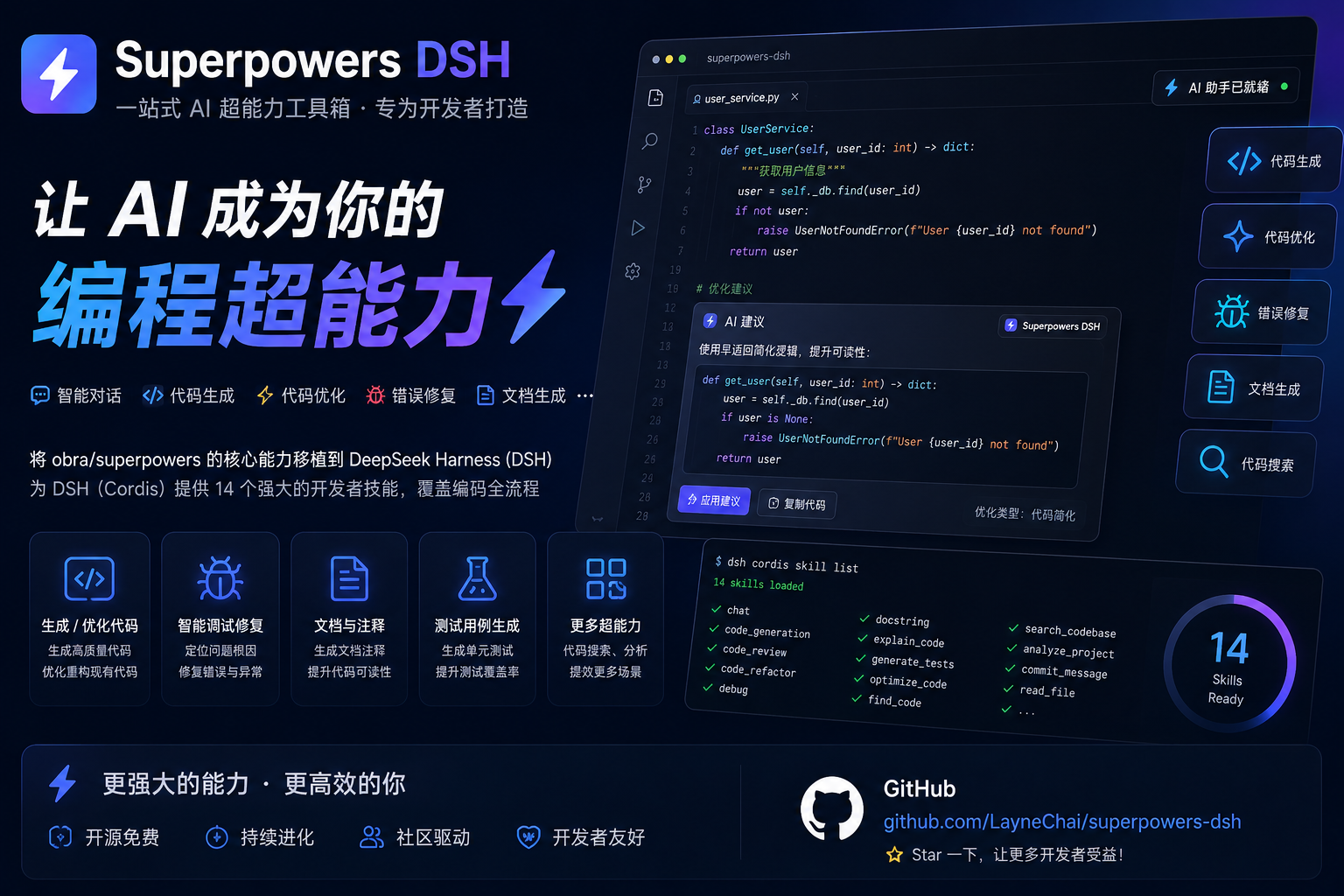
为 DeepSeek Harness (DSH) 打造的 Superpowers 插件包:把 obra/superpowers 的核心技能 (Claude-Code 技能库:TDD、调试、规划、协作模式)移植到 DSH 的 Cordis 插件架构上。
插件会向 ctx.skills 注册表的 host 层 注册一个技能提供者,因此每个
agent preset 的作用域链都会合并这些技能。技能正文随包分发
(skills/<name>/SKILL.md),通过 import.meta.url 定位——这是包的
组装事实,不需要任何用户配置。
在 DeepSeek Harness 中安装与使用
这是 DeepSeek Harness 的插件包。安装后会把下面的 14 个技能注册进
host 技能注册表,你 profile 里的每个 agent 会话都能在技能目录中看到它们,
并可用 skill 工具加载。
最简单:一条命令
不需要先全局安装 dsh,在任意目录执行:
npx @deepseek-ai/dsh plugin --profile web add github:LayneChai/superpowers-dsh
装完后重启 npx @deepseek-ai/dsh web(或 dsh web),刷新浏览器即可。
最推荐:直接让 DeepSeek Harness 帮你安装
打开 DeepSeek Harness(Web 界面),新建对话,把下面这句话发给它:
帮我安装这个链接里边的插件:https://github.com/LayneChai/superpowers-dsh
Agent 会自动完成安装(dsh plugin --profile web add → 重启 profile →
验证技能注册),无需你手动敲任何命令。装完后你可以在对话里让它运行
dsh --profile web --dump-config,确认输出里有 superpowers-dsh 行。
从 npm 安装(推荐,一条命令)
包已发布到 npm,名为 superpowers-dsh(国内会自动同步到 npmmirror 镜像):
dsh plugin --profile web add superpowers-dsh
必须用
dsh plugin形式——直接npm install superpowers-dsh只会把包当 普通库装到当前目录,不会注册进任何 DeepSeek Harness profile,技能 永远不会被加载。
从 GitHub 安装
# 任意目录下执行
dsh plugin --profile web add https://github.com/LayneChai/superpowers-dsh.git
从 tarball 或本地文件夹安装
# tarball(例如 Release 里的 superpowers-dsh-0.1.0.tgz)
dsh plugin --profile web add C:\路径\to\superpowers-dsh-0.1.0.tgz

# 或解压后的插件文件夹(pnpm 以链接方式安装,改完重启即生效)
dsh plugin --profile web add C:\路径\to\superpowers-dsh
重启并验证
bundle 层在 profile 启动时挂载,所以需要重启 profile(停掉后重新运行
dsh web / npx @deepseek-ai/dsh web,再刷新浏览器)。确认层已组合:
dsh --profile web --dump-config # 必须出现 `superpowers-dsh` 行
之后技能会出现在 agent 技能目录中(using-superpowers 是入口技能),
可以用 skill 工具加载。
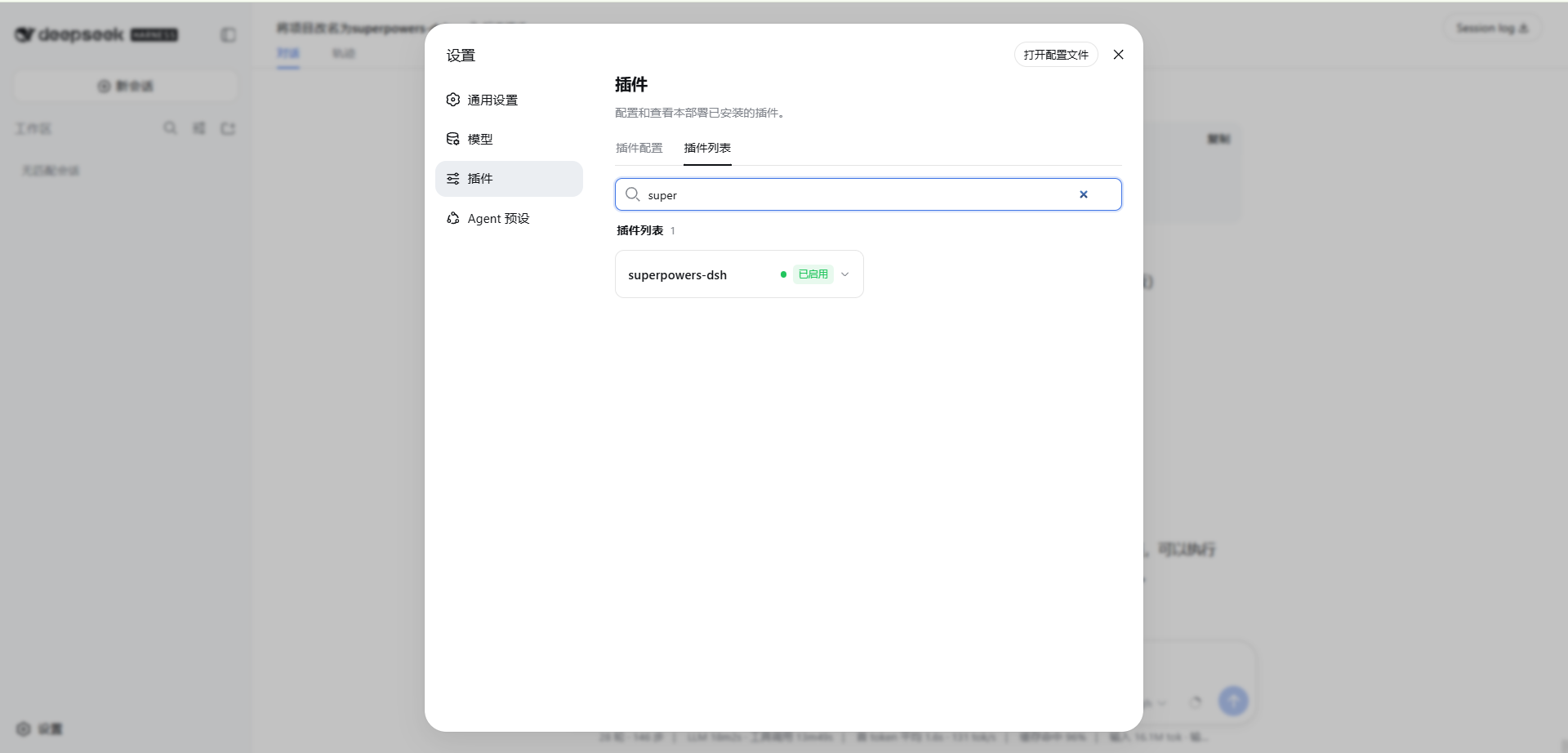
安装成功后的界面如下:
在其他 profile(headless / tui / 自定义)中使用
把 --profile 指向你实际运行的 profile:
dsh plugin --profile headless add superpowers-dsh
dsh --profile headless --dump-config
卸载
dsh plugin --profile web remove superpowers-dsh
# 卸载后同样需要重启 profile
注意事项
- 国内用户可以先把 npm 镜像设为 npmmirror,让
dsh plugin add superpowers-dsh更快:npm config set registry https://registry.npmmirror.com - 从文件夹或
file:规格安装的插件是链接安装(不是复制):修改该文件夹后, 下次重启 profile 生效 - 使用者不需要 npm 账号,也不需要 2FA——安装只是普通的包下载
技能列表
| 技能 | 用途 |
|---|---|
using-superpowers | 如何查找和使用技能;入口技能 |
brainstorming | 通过协作对话把想法变成设计 |
writing-plans | 根据规格编写全面的实施计划 |
executing-plans | 按书面计划执行,带评审检查点 |
subagent-driven-development | 每个任务派发全新子代理并评审 |
dispatching-parallel-agents | 把独立工作扇出到并行代理 |
systematic-debugging | 先找根因的调试纪律 |
test-driven-development | RED-GREEN-REFACTOR 实施循环 |
verification-before-completion | 声称成功前先拿出证据 |
requesting-code-review | 合并前获得严格评审 |
receiving-code-review | 核实反馈,而不是盲目照做 |
finishing-a-development-branch | 安全地整合已完成的工作 |
using-git-worktrees | 功能开发的隔离工作区 |
writing-skills | 以 TDD 方式编写并验证新技能 |
工作原理
- Bundle 层 ——
cordis.patch.yml在 dsh-base 层之上插入一行 (- id: superpowers-dsh, name: superpowers-dsh)。后面的层(profile 的cordis.patch.yml、--patch叠加)仍可按 id 定位这一行。 - 提供者 ——
lib/index.js调用ctx.skills.registerProvider(...), 注册一个提供者:list()扫描包内skills/目录,把每个<name>/SKILL.md作为候选, 从 YAML frontmatter 解析出name、description、whenToUse。get()按需读取候选技能正文,返回完整技能定义,resourceBase指向 技能所在目录,使相对引用(脚本、提示模板)可以正确解析。
- 零运行时依赖 —— 插件只使用 Node 内置模块,消费注入的
ctx.skills服务接口。
移植说明(对比上游 obra/superpowers)
- 去掉了命名空间前缀:
superpowers:brainstorming→brainstorming(DSH 技能用裸名称寻址)。 using-superpowers现在介绍 DSH 的skill工具,并指向skills/using-superpowers/references/dsh-tools.md——完整的 Claude-Code → DSH 工具映射(pwsh、subagent、workflow、goal...)。- 子代理引用映射到 DSH 的
subagent/subagent_fork工具。 brainstorming的视觉伴侣补充了 Windows 说明:Node 服务 (scripts/server.cjs)全平台可跑;.sh辅助脚本仅限 bash。
添加自己的技能
往包里放一个新的 skills/<kebab-name>/SKILL.md 即可——它必须以 YAML
frontmatter 开头(name + description,可选 whenToUse)。无需改任何
代码:list() 会自动发现它。
许可证
MIT。技能内容改编自 obra/superpowers(MIT),© Jesse Vincent 及贡献者。
Read the usage guide →
Install steps, key points, FAQ and compatibility for this plugin — auto-derived from indexed fields.
Listing badge

[](https://deepseek-plugin.org/plugins/LayneChai/superpowers-dsh)Paste this markdown into your GitHub README to link back to this listing. The badge only states the listing — not a security endorsement.