Wrap DeepSeek Harness in a full suite of fictional 2005-style ads: sidebar banners, in-conversation plugin recommendations, a "God of Fortune" spinner during reasoning, fake antivirus alerts, fake game posters, and benchmark popups. All can be individually disabled in settings.

- Language
- TypeScript
- License
- BSD-3-Clause
- Branch
- main
Install
$ dsh plugin --profile web add github:Nagi-ovo/dsh-adsRun the command above in your terminal to install this plugin via the dsh CLI. You can switch Profile in the top-right corner. New to dsh? Read the beginner tutorial
Install via your agent
Install the DeepSeek Harness plugin Nagi-ovo/dsh-ads for me: review the repository at https://github.com/Nagi-ovo/dsh-ads first, then run the install command and verify the plugin loads successfully.
Paste this instruction to the DSH Web GUI assistant — it will install and verify for you.
One-Line Description
dsh-ads dresses DeepSeek Harness in a complete set of fake ads, mimicking the look of 2005 Chinese portal sites and English web game popups. All seven ad slots are enabled by default, and each can be individually turned off in DSH's "Ads (Unofficial)" settings page. Ideal for users who want to play a joke or experience what it's like to have an "AI tool with embedded ads".
Core Features
- Insert banner/vertical ads in conversation sidebars; Chinese version uses web game/Cai Shen Whale style, English version uses fake antivirus/funny banners
- Insert a "Plugin Recommendation" in the conversation body every few turns; clicking jumps to the plugin's real GitHub repository
- Randomly pop up a "Cai Shen Whale" spinner during reasoning, pretending to draw V4 Pro while the model continues running in the background
- Timed image popups slide in from the bottom-right; a draggable, collapsible "Playful Blue Whale" fake game poster in the bottom-left
- A "Benchmark Center" popup at startup shows actual browser load time; national ranking is fabricated
- Fake antivirus alert (ShieldToast) can verify whether the current GitHub account has starred this plugin repository
Technical Implementation
- Language: TypeScript (browser-side React 18 + TSX, node-side pure TS), ESM modules
- Key Dependencies: @deepseek-ai/cordis ^4.0.1, @deepseek-ai/dsh-client-locale ^0.1.0-rc.6, @deepseek-ai/schemastery ^3.18.1, react ^18.2.0 (all peerDependencies)
- Architecture Pattern: Node-side injects via cordis bundle patch, declaring inject=['webServer'] to register two HTTP routes (/dsh-ads/registry.json, /dsh-ads/star-check.json); browser-side registers three mount points via dsh client slot — conversation.input.dock (overlay), conversation.chat.turnTail (in-conversation insertion), settings.section (standalone settings page)
- Entry Files: Node-side src/index.ts (exports apply/config/inject); browser-side src/client/index.tsx (exports apply/inject); build outputs are lib/index.js and lib/client.js respectively
Use Cases
People who want DSH to look like a 2005 Chinese portal site or English web game, or those who want to demo to their team "what it's like when AI tools are filled with ad slots". The real GitHub repository recommendations embedded in ads are suitable for free exposure of your own DSH plugins (just tag the repo with dsh-topic and push within two weeks); not suitable for daily users who prefer a clean working environment.
Prerequisites and Compatibility
| Dependency | Minimum Version | Description |
|---|---|---|
| DSH (cordis) | ^4.0.1 | Required for node-side bundle injection host |
| DSH client runtime | ^0.1.0-rc.6 | Required by ds bndle.client.inject declaration |
| DSH client locale | ^0.1.0-rc.6 | Required for language-aware ad slots |
| DSH schemastery | ^3.18.1 | Node-side runtime |
| React | ^18.2.0 | Browser-side UI dependency |
| Node | Recommended ≥22 | Source uses Node 22+ ESM syntax and built-in fetch; package.json doesn't hard-declare engines |
| Platform | Cross-platform | Only depends on browser and Node built-in APIs; no native modules required |
| Native modules | None | Only uses node:http / node:child_process built-in modules; no node-gyp compilation needed |
Installation
dsh plugin --profile web add github:Nagi-ovo/dsh-ads
Configuration Options
Node-side exposes via Config (written to DSH profile config), browser-side persists switches via "Ads (Unofficial)" settings page. Description column uses plain language, not底层 API paths.
| Config | Type | Description | Default |
|---|---|---|---|
| freshDays | number (days) | How many recent days a GitHub repo must have had a push to appear in the rotation; set to 0 or negative to show all public repos under the topic | 14 |
| cacheMinutes | number (minutes) | How often the plugin re-fetches the plugin list from GitHub; uses cached result if hit | 30 |
| Sidebar banner (gutter) | toggle | When off, banner/vertical ads in conversation left/right columns won't appear | on |
| In-conversation plugin recommendation (feed) | toggle | When off, "plugin recommendations" inserted between body text every few turns won't appear; this is the only ad with real repo links | on |
| Reasoning incentive ad (reward) | toggle | When off, the "V4 Pro lottery" spinner won't pop up during reasoning | on |
| Bottom-right popup (popup) | toggle | When off, timed image popups won't slide in | on |
| Benchmark center (speed) | toggle | When off, the "0.29s startup + national ranking" popup won't appear at startup | on |
| Security center (scare) | toggle | When off, fake antivirus alerts and "verify fix" button won't appear | on |
| Playful Blue Whale (poster) | toggle | When off, the draggable fake game poster in bottom-left won't appear | on |
| Sound effects (muted) | toggle | When off, the Web Audio synthesized "ding" sound when popups and posters appear won't play | on |
| Turn off all ads now (restores on refresh) | one-time button | Not written to storage; only hides all ad slots for this session | - |
FAQ
Q: Do I need to restart DSH to see the ads after installation?
A: Yes. The README clearly states "if dsh web is running, restart and refresh the page"; without restart, the "Ads (Unofficial)" entry won't appear in the settings panel, and the ad layer won't mount.
Q: Can these ads be turned off individually after installation?
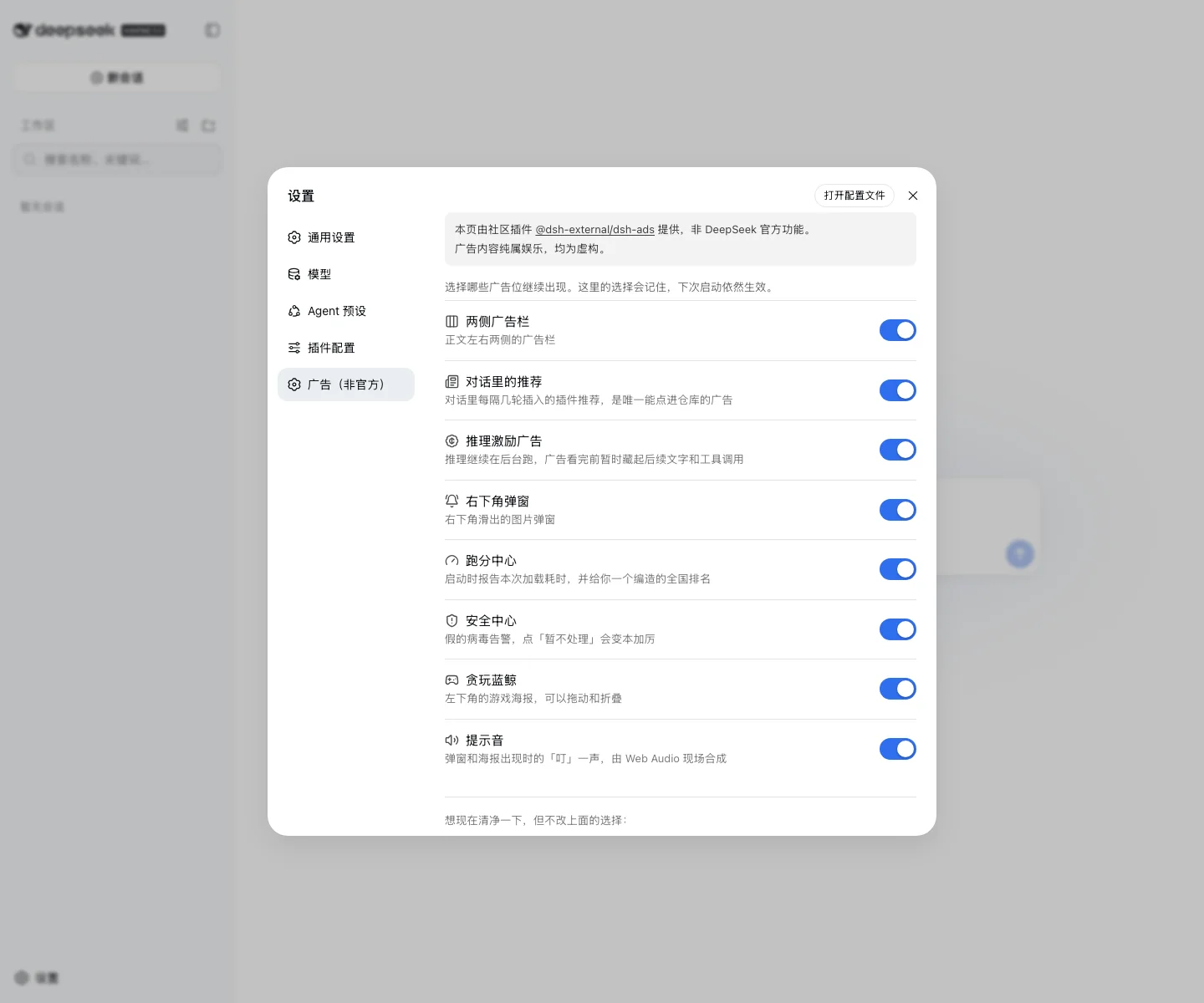
A: Yes. After installation, an "Ads (Unofficial)" tab will appear in the DSH settings panel, with independent switches for each ad type including sidebar banners, conversation recommendations, reasoning spinner, bottom-right popup, benchmark center, fake antivirus, Playful Blue Whale poster, and sound effects. Preferences are written to browser localStorage and persist on next startup.
Q: I want to turn everything off immediately without changing those individual switches—what do I do?
A: There's a "Turn off all ads now (restores on refresh)" button at the bottom of the settings page. It only takes effect for the current session and isn't persisted; after refreshing the page, it restores according to the individual switches above—this is intentional to avoid accidentally clearing long-term settings with one click.
Q: How are the clickable "plugin recommendations" that link to real repositories selected?
A: Node-side discovers via host-registered HTTP routes: first tries local gh CLI, then GITHUB_TOKEN/GH_TOKEN, finally falls back to anonymous GitHub API; searches GitHub for topic=dsh-plugin is:public archived:false repos, filters out archived/disabled/fork and itself, then filters by the standard of having a push within the last two weeks. Results are distributed by "least-seen-per-slug on this machine first", so each plugin gets rotated through once before repeating.
Q: Does the "V4 Pro spinner" during reasoning actually freeze the model?
A: No. The model continues generating in the background—the spinner just freezes the visible height of the current assistant row, hides all subsequent unfinished rows, and releases them all at once when the spinner ends. In the source code it just modifies maxHeight/overflow and hides rows that aren't data-chat-flow-kind=assistant-step; it doesn't actually interrupt the session.
Q: After installing, does this plugin read or write files on my machine?
A: No. Neither the README disclaimer nor the code contains any file scanning or reading/writing: node-side only calls gh CLI/anonymous API to query repos; all browser-side preferences (which ad slots are on, where the poster is dragged to) are only written to localStorage under dsh-ads:* keys, and data is cleared when the browser closes.
Q: Can this plugin be cleanly uninstalled?
A: Yes. Turning off all switches just makes it display nothing; the plugin itself remains, and the settings page explicitly states this. To fully remove, follow the normal DSH plugin uninstall process. If you want to immediately clear the localStorage keys, you can manually delete items starting with dsh-ads: in the browser developer tools.
Difficulty Level
Beginner — a complete set of ad slots runs immediately after default installation; the settings panel has 7 toggle switches that are simple on/off binary buttons; only need to touch GitHub topic or contrib/*.json when you want your own plugin to be exposed.
Known Issues and Limitations
- Node-side depends on host providing webServer capability; hosts without web server (TUI, ACP, headless) will have node-side features silently degrade; browser-side won't have ad layer either
- Browser-side ad layer only has complete assets for Chinese and English; other languages (locale !== 'en') fall back to Chinese assets
- When GitHub real-time discovery fails (no gh CLI, no token, rate limited, offline), uses local snapshot built from last pnpm catalog (CATALOG_SNAPSHOT); new repos won't be visible until next snapshot refresh
- In-conversation plugin recommendation (INLINE_EVERY_N_TURNS = 2) only checks seq parity to determine "does this turn have ads", so first two turns don't show ads (seq > 0 and seq % 2 === 0)
- On offline/failure, node-side cache and browser-side ledger only exist in memory; after page refresh, rotation starts from scratch
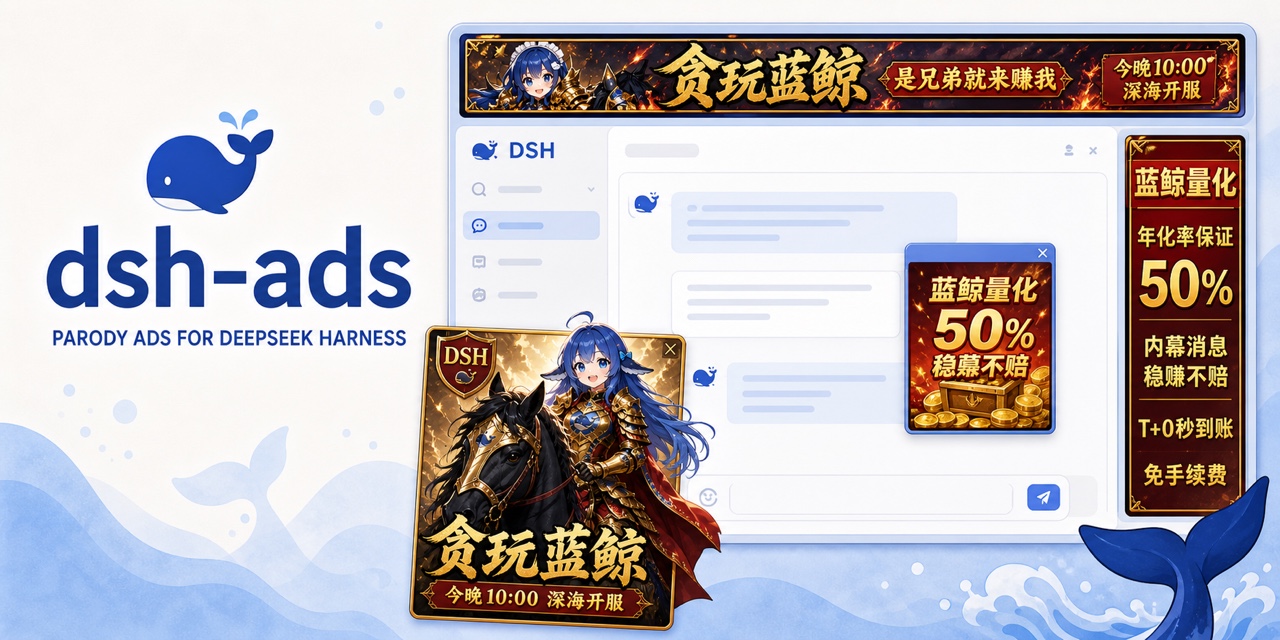
简体中文 | English
把 DeepSeek Harness 变成 2005 年门户网站。连 inference 都逃不过广告。
广告是假的,插件是真的,抽到 V4 Pro 的希望也是真的渺茫。
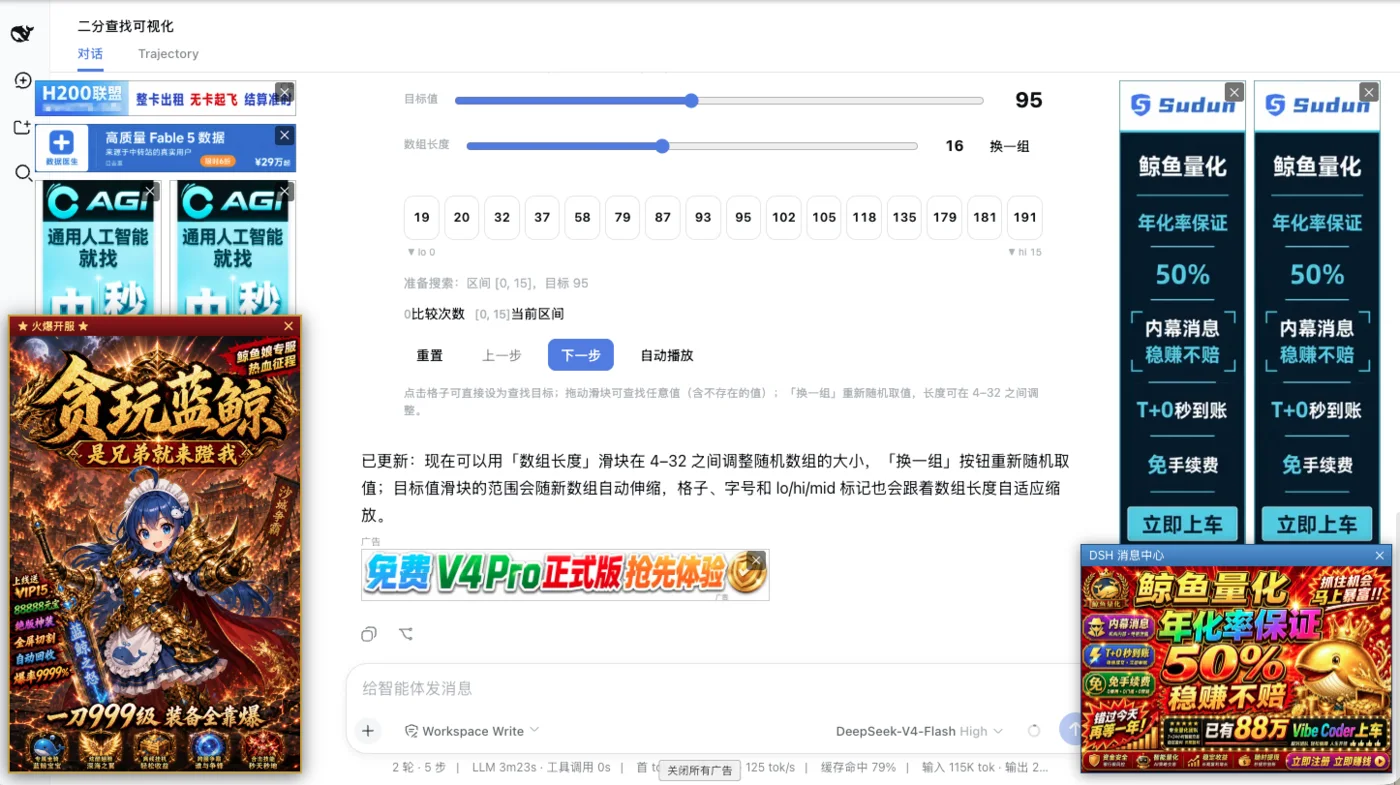
dsh-ads 会在侧栏、对话、推理中途和右下角塞入一整套虚构广告。它看起来会暂停 inference,实际上模型一直在后台工作,只是后续回答和工具调用要等广告结束才显示。
插件不会只拿自己开涮。GitHub 上带 dsh-plugin topic、且最近两周更新过的公开插件会进入推荐位,点击广告就能打开真实仓库。仓库换到个人账号或其他组织后仍能被发现。
两套互联网垃圾美学
切换 DSH 的「设置 → 语言」,当前页面会立即更换整套素材、文案和交互,不用刷新。中文模式主打页游、财神和「这次一定」,两张贪玩蓝鲸海报每 20 秒自动切换;English mode 则是 fake antivirus、weird tricks 和 actual gameplay*。
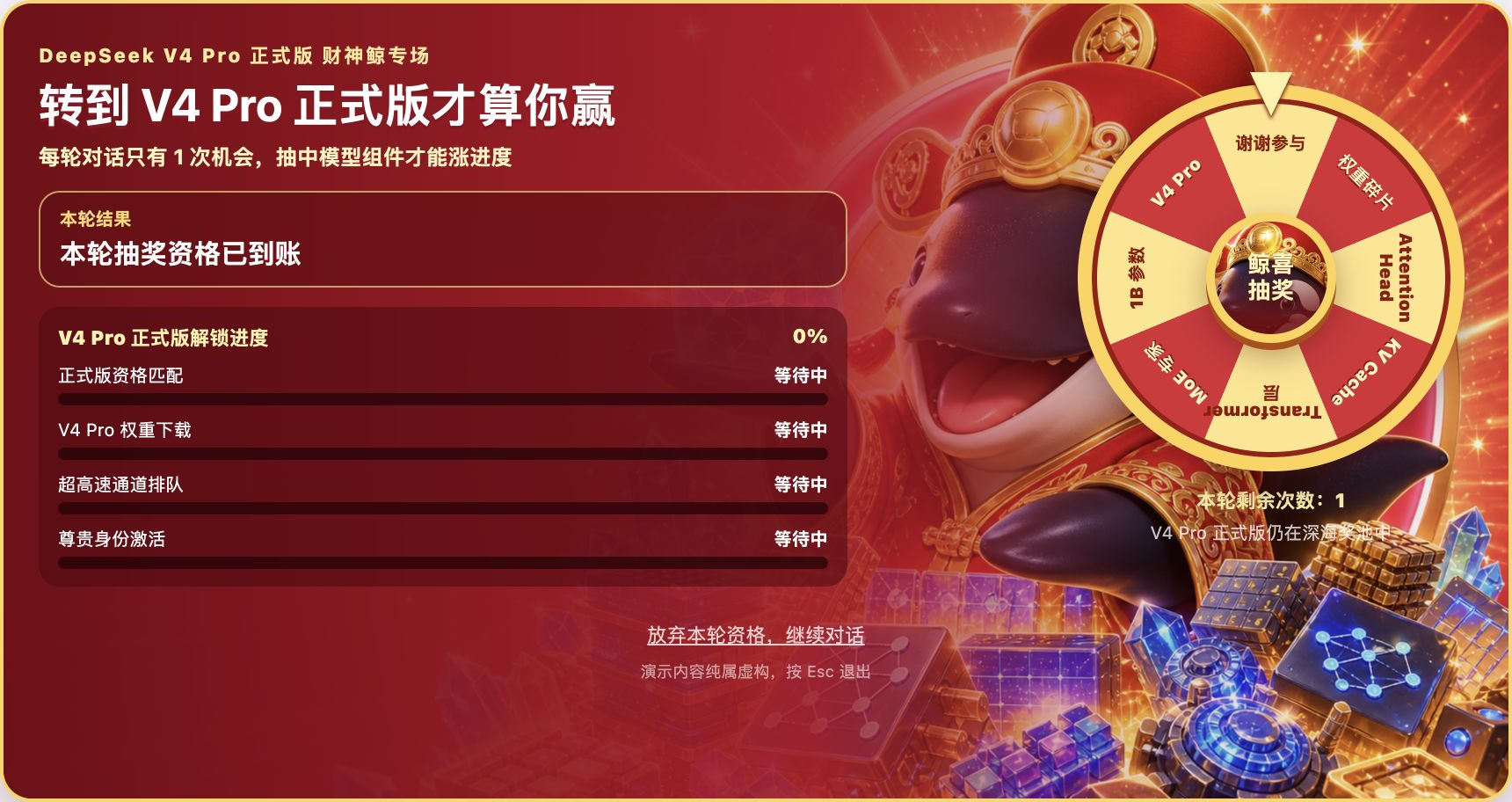
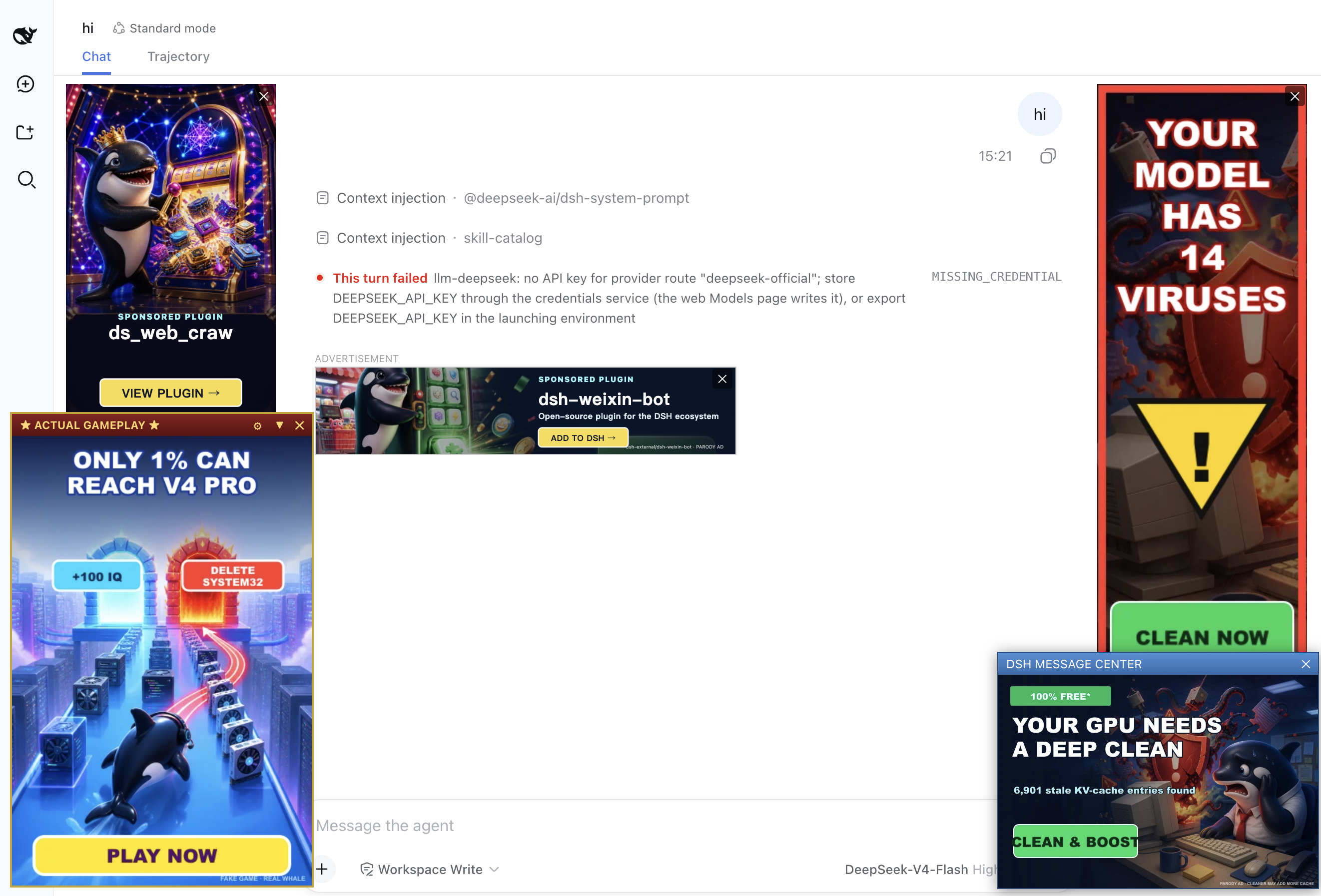
| 中文:贪玩蓝鲸 | English: actual gameplay* |
|---|---|
 |  |
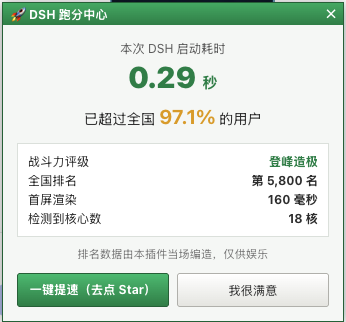
启动耗时是真测的,全国排名是编的。
安装
推荐直接从 GitHub 安装到 DSH 的 web profile:
dsh plugin --profile web add github:Nagi-ovo/dsh-ads
# 如果 dsh web 正在运行,重启后刷新页面
可以运行 dsh --profile web --dump-config 确认插件已经进入最终配置。需要修改源码时,克隆仓库并在仓库目录运行 dsh plugin --profile web add .;构建产物已经提交,不需要额外构建。使用社区 plugin-registry 的用户也可以从「设置 → 插件」安装。
每个广告位都能在「设置 → 广告(非官方)」里单独关闭,选择会保留到下次启动。
免费广告位
带 dsh-plugin topic 的公开插件会自动参与轮播。想指定自己的文案或图片,可以查看投稿说明并发 PR。曝光记录只保存在本机浏览器里。

同一个作者的 dsh-visualize 可以让模型直接在对话里画出交互界面。这条是整个 README 唯一正经的广告。
免责声明
本插件纯属娱乐,与 DeepSeek 以及任何真实公司、产品或服务均无关联。广告里的品牌、人物、域名、价格、病毒和承诺均为虚构。插件不会扫描、读取或修改机器上的文件。
「验证修复」只会在用户主动点击后查询一次 GitHub Star 状态,优先使用本机 gh 或 token,否则调用匿名公开 API。结果只保存在本机浏览器中。
Read the usage guide →
Install steps, key points, FAQ and compatibility for this plugin — auto-derived from indexed fields.
Listing badge

[](https://deepseek-plugin.org/plugins/Nagi-ovo/dsh-ads)Paste this markdown into your GitHub README to link back to this listing. The badge only states the listing — not a security endorsement.