A DSH Web desktop pet plugin that displays real-time answer progress, multi-session status cards, and model trajectories. Supports three built-in switchable themes: Blue Whale, Orange Cat, and Silver Gradient Cat.

- Language
- JavaScript
- License
- MIT
- Branch
- main
Install
$ dsh plugin --profile web add github:Nanki-nn/dsh-answer-petRun the command above in your terminal to install this plugin via the dsh CLI. You can switch Profile in the top-right corner. New to dsh? Read the beginner tutorial
Install via your agent
Install the DeepSeek Harness plugin Nanki-nn/dsh-answer-pet for me: review the repository at https://github.com/Nanki-nn/dsh-answer-pet first, then run the install command and verify the plugin loads successfully.
Paste this instruction to the DSH Web GUI assistant — it will install and verify for you.
One-Line Description
Adds a customizable desktop pet to DSH Web, displaying real-time model answer progress, tokens/rate, tool calls, and multi-session concurrency status.
Core Features
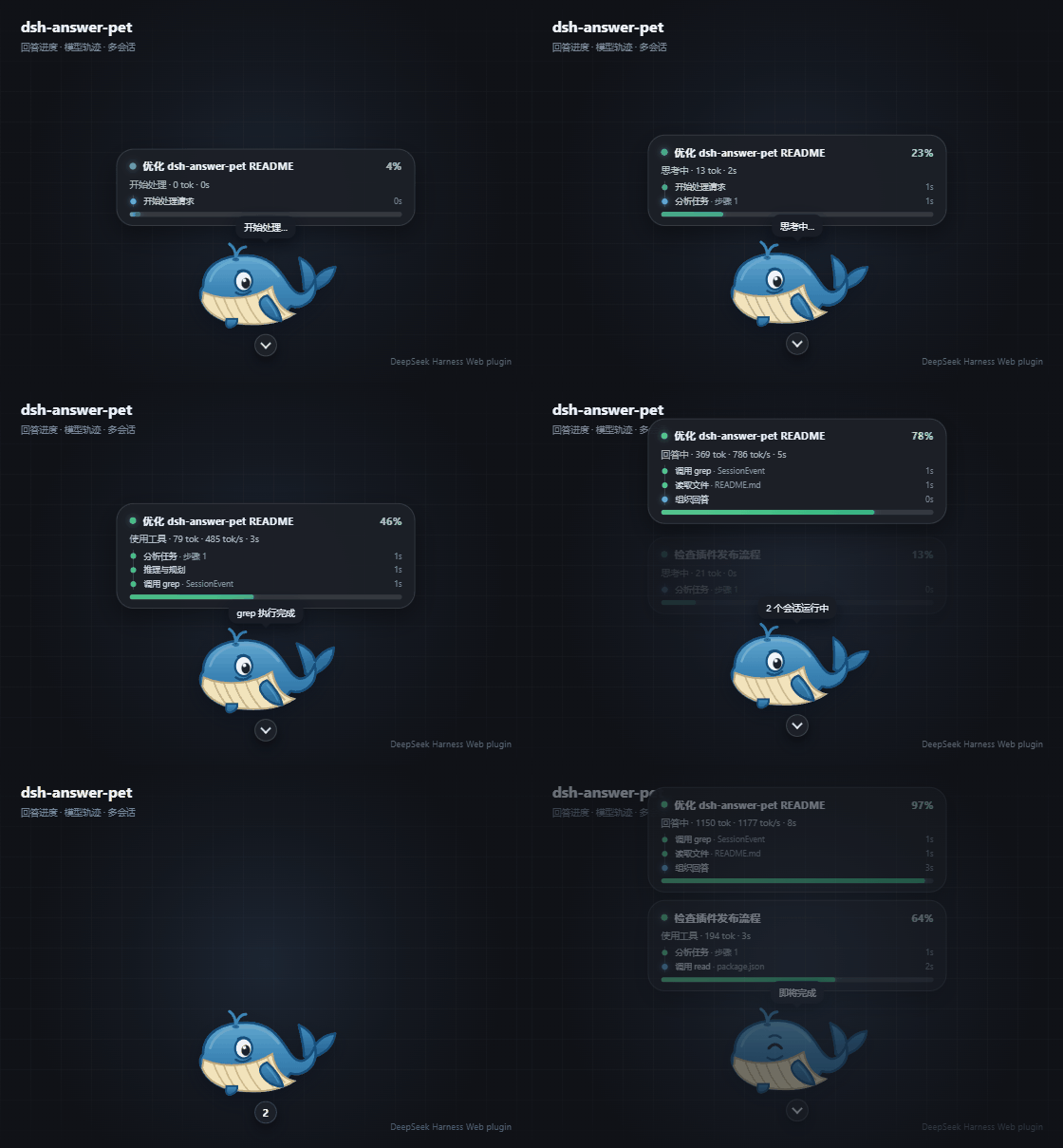
- Real-time answer progress display: Five stages (processing, thinking, output, tool call, complete), with the progress bar monotonically filling within the same turn.
- Multi-session concurrent display: Each running session shows an independent progress card, vertically arranged without interference.
- Model trace timeline: Each card displays the last 4 actions (task analysis, reasoning/planning, answer organization, tool call and results), with failed tools highlighted in red on the timeline.
- Swappable pet themes: Three built-in themes (Blue Whale, Orange Cat, Silver Shaded Cat based on declarative PetTheme v1 contract), unknown themes automatically fall back to default Blue Whale.
- Tool call privacy summary: Only extracts short descriptions from whitelist fields (
description / query / pattern / file_path / path / url), without exposing full commands or parameters. - Interactive experience: Pet is draggable, position saved in browser local storage; clicking the pet triggers a theme blink; status cards can be collapsed into count buttons.
- Polling + SSE dual channels: Smooth streaming tokens via 800ms polling updates, stage transitions pushed instantly via SSE to avoid EventSource overload.
Technical Implementation
- Language: JavaScript (ESM Node half + CommonJS client bundle)
- Key dependencies: schemastery (config schema validation), DSH host services (
session/eventevent source,webServerHTTP routing,settingsconfig access) - Architecture pattern: Official bundle plugin dual-half — Node half listens to
session/eventto fold progress/traces and exposes 3 HTTP endpoints viawebServer.register; Client half self-renders DOM with themes, zero platform module dependencies, polls viafetch+ subscribes data viaEventSource - Entry files: Node half
.dsh-plugin/index.mjs/ Client half.dsh-plugin/client.js(generated byscripts/build-client.mjsconcatenated in runtime → theme → core order)
Use Cases
When interacting with DSH Web daily, you want to intuitively see whether the model is thinking, how fast it's outputting, or which tool call is stuck—instead of staring at console logs. When developing in parallel or running batch tasks across multiple sessions, independent progress cards help you instantly identify which session is at which step.
Prerequisites & Compatibility
| Dependency | Min Version | Description |
|---|---|---|
| DSH Web | Not declared | Must install via dsh plugin --profile web add; must restart dsh web after modifying Node half or schema |
| Node.js | Not declared | This plugin doesn't declare engines; CONTRIBUTING suggests using Node 20+ for development, local build script uses import.meta.dirname |
| Operating System | Cross-platform | Runs on Web, no native module dependencies |
| Native Modules | None | Pure JS, zero native bindings |
Installation
dsh plugin --profile web add github:Nanki-nn/dsh-answer-pet
Configuration Options
Written in answer-pet section of <dshHome>/settings.yaml:
| Config | Type | Description | Default |
|---|---|---|---|
theme | String | Pet theme id,可选 blue-whale (default Blue Whale) / orange-cat (Orange Cat) / silver-shaded-cat (Silver Shaded Cat), unknown values fall back to Blue Whale | blue-whale |
size | Number | Pet height in pixels (48–200) | 96 |
corner | String | Docking corner,可选 br (bottom-right) / bl (bottom-left) / tr (top-right) / tl (top-left), dragging will detach from docking corner | br |
opacity | Number | Pet normal opacity (0.2–1) | 1 |
pollMs | Number | Status polling interval in milliseconds (200–5000), smaller = smoother but more traffic | 800 |
showBar | Boolean | Whether to show progress cards; set to false to never show expanded panel | true |
showBubble | Boolean | Whether to show status bubble above pet | true |
FAQ
Q: Pet not visible after installation?
A: First confirm installation with --profile web; then stop and restart the current dsh web process, then refresh the original Web page. Starting another Web service alone won't update the current page.
Q: Theme or config not taking effect after plugin upgrade?
A: The plugin's Node half listens to host events, config schema is injected by the server; you must restart dsh web after upgrade—refreshing the browser only updates client styles.
Q: Set theme but still showing Blue Whale?
A: Check if answer-pet.theme is one of blue-whale / orange-cat / silver-shaded-cat; unknown or misspelled IDs will safely fall back to default Blue Whale without errors.
Q: Why isn't progress the exact percentage from the model?
A: Most model interfaces don't report answer completion percentage. The plugin estimates using stage weights, token count, maxTokens and a saturation curve (1-exp(-out/600)), with real token usage overwriting the streaming estimate when available.
Q: Does the tool call panel leak commands or parameters?
A: No. Trace summaries only extract short descriptions from whitelist fields (description / query / pattern / file_path / path / url), compress whitespace and limit length—full commands or raw JSON are not displayed.
Q: How to restore pet's default docking corner?
A: Execute localStorage.removeItem('answer-pet:pos'); location.reload() in browser developer tools; if you also want to restore progress bar expanded state, add another line localStorage.removeItem('answer-pet:bar').
Q: Why not show number 0 when idle?
A: This is expected behavior. Count buttons only appear when status cards are collapsed and there's at least one running session—stays clean when idle.
Getting Started Difficulty
Beginner — One-line install command, config schema fields are intuitive and adjustable; no coding or source modification needed to use, problems usually resolved by restarting dsh web.
Known Issues & Limitations
- Progress is an estimate: Model interfaces typically don't return exact completion percentages; progress is calculated from token count and saturation curve, may deviate from actual remaining time.
- Upgrade requires restart: After modifying Node half or config schema, must restart
dsh webprocess—refreshing browser won't load new host logic and schema. - Dragging detaches from docking corner: After manually dragging the pet, the
cornerconfig no longer takes effect, new position saved in browserlocalStorage; deleteanswer-pet:posto restore default corner. - Themes limited to three choices: Currently only loads built-in themes validated through PetTheme v1 contract bundled with the plugin; no third-party arbitrary JavaScript execution or external SVG injection; to customize themes, develop per
docs/PET_THEME.mdand bundle internally.
DSH Web 可扩展回答状态宠物框架:宠物主题、多会话进度与模型执行轨迹。
dsh-answer-pet 是一个 DeepSeek Harness Web bundle 插件和可扩展回答状态宠物框架。核心负责会话进度、模型轨迹和状态卡;声明式 PetTheme v1 负责宠物 SVG、动画、宽高比和阶段文案。默认使用蓝鲸,也内置橘猫示例主题和高相似度银渐层猫主题。
功能
- 可扩展
PetTheme v1:宠物外观与回答进度核心解耦。 - 内置蓝鲸、橘猫和银渐层猫三个主题;银渐层猫使用构建时注入的可信内嵌 PNG,不加载外部图片资源。
- 实时显示开始处理、思考、输出、工具调用和完成状态;工具失败会在轨迹中标红。
- 显示输出 token、token/s、耗时、进度百分比和文本片段。
- 多会话并发时,每个运行中的会话显示一张独立进度卡。
- 卡片内展示最近模型轨迹:分析任务、推理与规划、组织回答、调用工具及运行结果。
- 工具轨迹显示工具名、安全短描述、运行/完成/失败状态和耗时,不展示完整命令或原始参数。
- 状态卡可折叠;折叠后仅在有运行会话时显示会话数量。
- 拖拽位置持久化;单击宠物只触发主题定义的眨眼表现。
- 轮询与 SSE 结合:流式数据平滑更新,阶段切换即时刷新。
- 支持主题、尺寸、停靠角、透明度、轮询间隔、进度卡和气泡配置。
宠物主题
| 主题 id | 名称 | 定位 |
|---|---|---|
blue-whale | 蓝鲸 | 默认主题,保持原有喷水、摆尾、眨眼和完成表情 |
orange-cat | 橘猫 | PetTheme v1 示例,包含摆尾、抬爪、说话和完成表情 |
silver-shaded-cat | 银渐层猫 | 去背景紧裁切原画 + 明显阶段动画:呼吸、眨眼、摇摆、说话、抬爪和完成跳跃 |
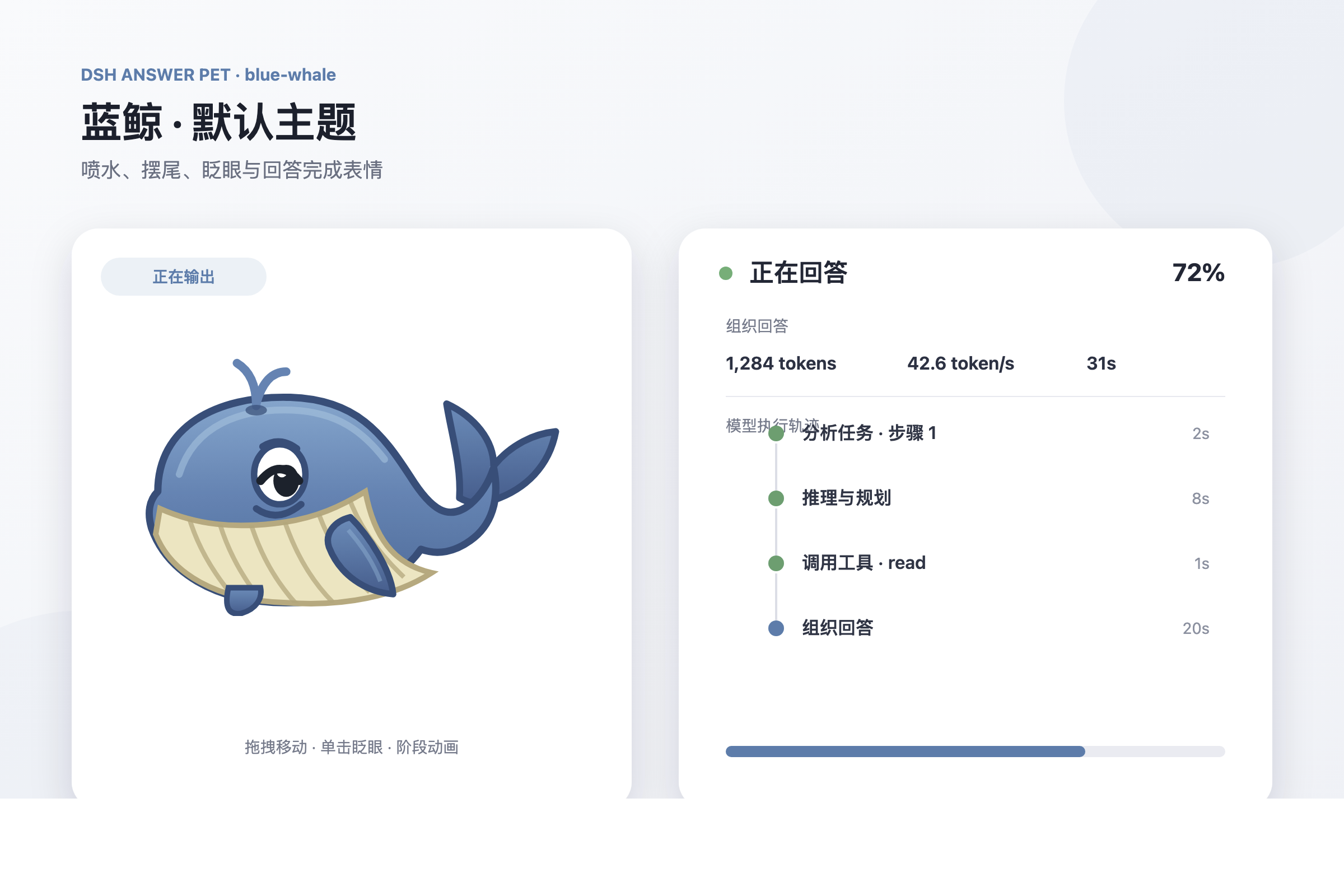
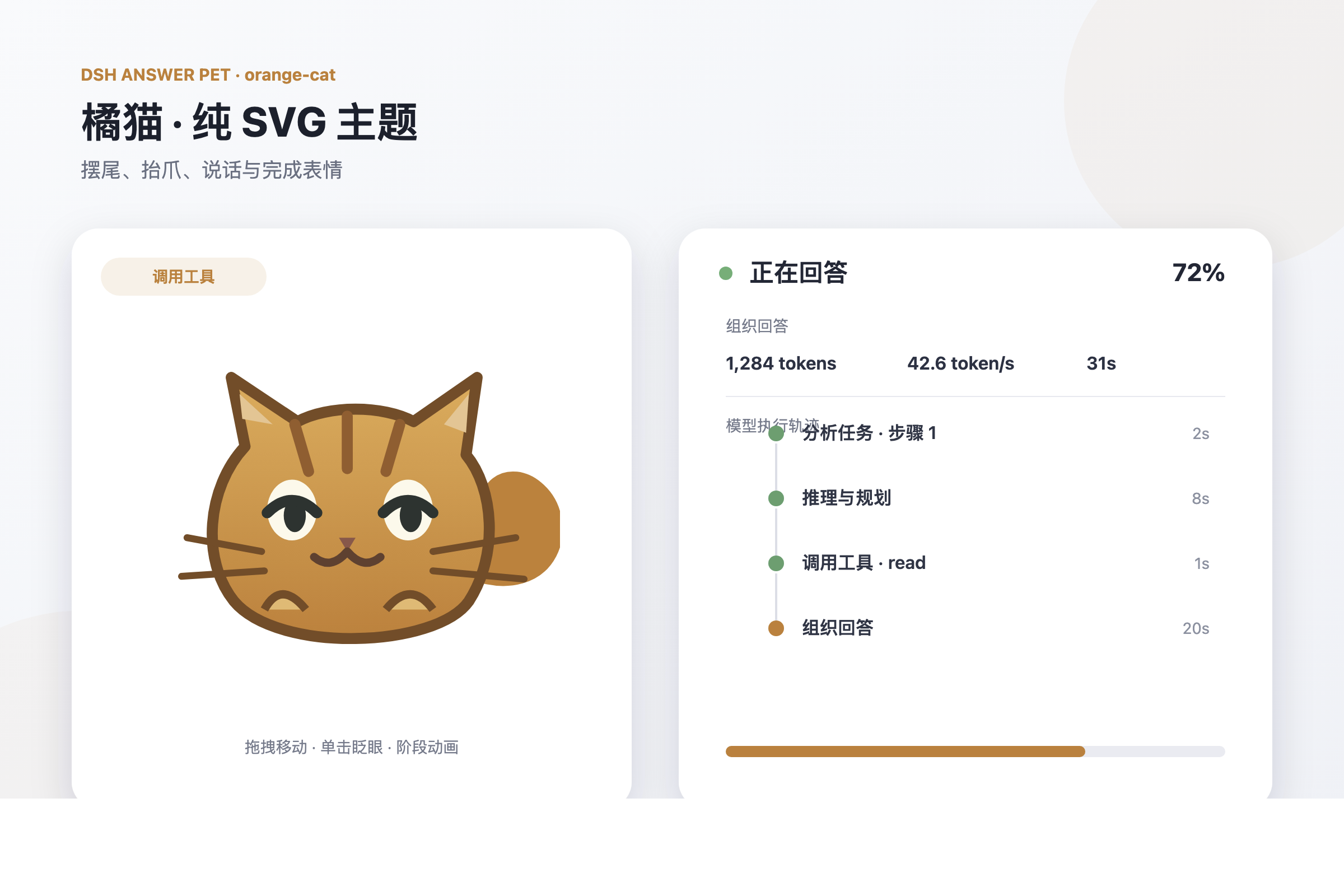
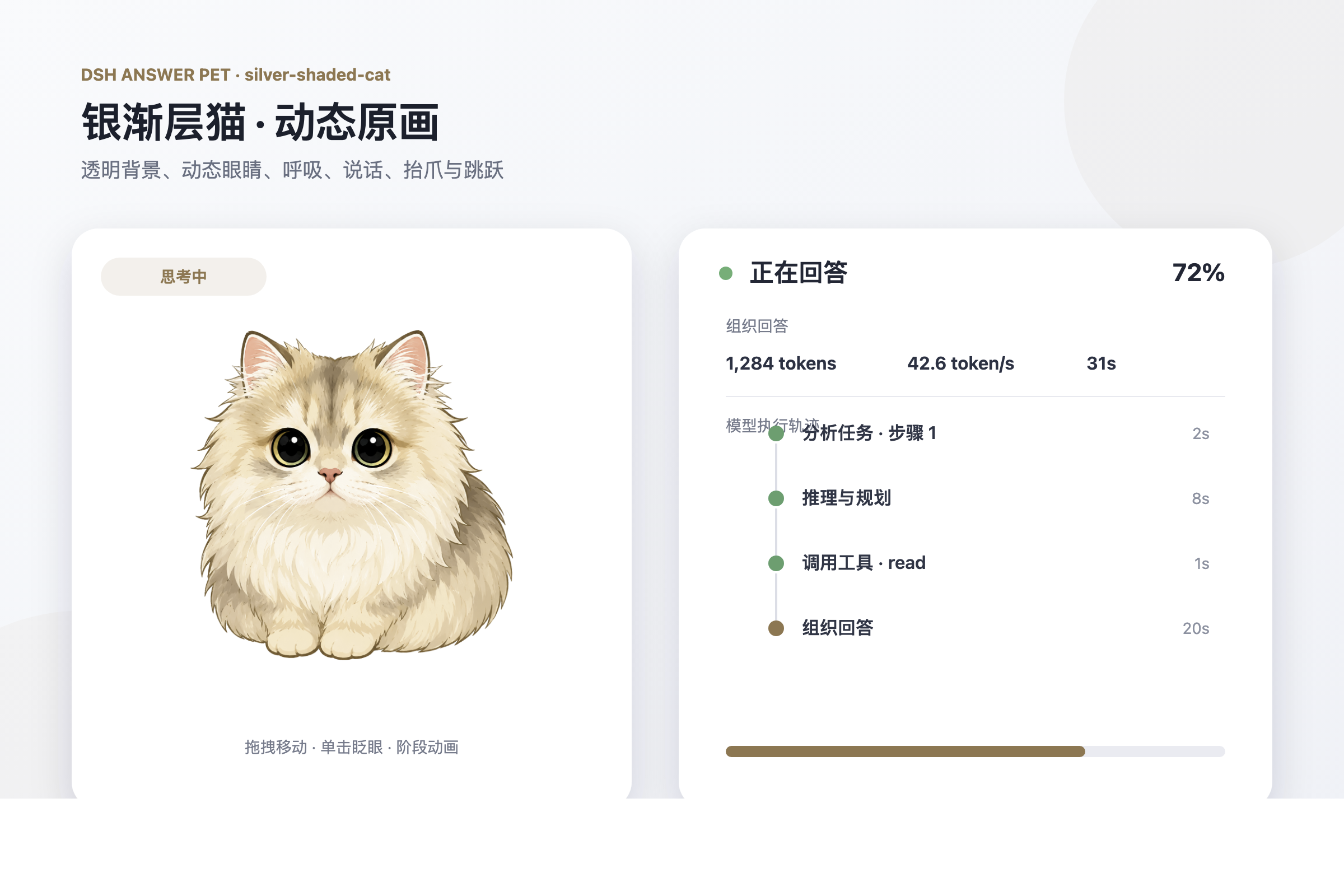
在配置中切换:
answer-pet:
  theme: silver-shaded-cat # blue-whale / orange-cat / silver-shaded-cat
主题更新会在下一次配置刷新时挂载。未知主题会安全回退到 blue-whale。
希望开发自己的宠物,请查看 PetTheme v1 开发指南。当前版本只加载随插件构建、通过契约校验的可信内置主题,不执行第三方任意 JavaScript,也不注入未经清理的外部 SVG。
安装
dsh plugin --profile web add github:Nanki-nn/dsh-answer-pet
安装后重启 dsh web,再刷新页面。升级插件时重复执行同一条安装命令即可。
模型轨迹和主题配置都由插件的 Node half 提供;从旧版本升级到
0.6.0后必须重启dsh web,仅刷新浏览器不会加载新的配置 schema。
回答进度
| 阶段 | 主题接口 | 状态卡 |
|---|---|---|
| 空闲 | idle 动画与文案 | 不显示运行会话卡与数量 |
turn/start | turn | 2% |
思考(step/start) | think | 5% → 10% |
输出(assistant/chunk) | stream | 10% → 90%,按 token 填充 |
工具(tool/call) | tool | 冻结当前进度并显示工具名 |
完成(turn/end) | done | 100% |
进度计算规则:
- 优先使用
assistant/chunk的usage数据;流式期间按文本长度估算。 - 有
maxTokens时按outputTokens / maxTokens填充。 - 没有
maxTokens时使用饱和曲线估算,避免进度长期停滞。 - 同一回合内进度单调不减。
- 输出速率使用 EMA 平滑估算。
状态卡结构
每个运行会话对应一张状态卡,包含:
- 标题行:运行状态圆点、会话标题、进度百分比。
- 统计行:当前阶段、输出 token、token/s 和已运行时间。
- 轨迹时间线:最近的模型动作、工具调用、状态和耗时。
- 进度条:同一回合内平滑、单调填充;模型输出时显示流动效果。
多个会话同时运行时,卡片按会话独立更新并纵向排列。没有运行会话时不显示状态卡,也不显示数量按钮。
模型执行轨迹
每张运行会话卡都会展示最近的模型动作,例如:
分析任务 · 步骤 1                  1s
推理与规划                         3s
调用 grep · SessionEvent           2s
组织回答                           5s
轨迹状态通过时间线圆点区分:
- 蓝色呼吸圆点:当前正在执行。
- 绿色圆点:动作或工具调用已完成。
- 红色圆点:工具调用失败。
可识别的轨迹包括:
- 开始处理请求。
- 进入模型步骤并分析任务。
- 生成 reasoning 内容时显示“推理与规划”。
- 生成正文时显示“组织回答”。
- 原生
tool/call/tool/result工具调用及结果。 run_code内部的tool/code-dispatch-start/tool/code-dispatch嵌套工具调用。
为避免轨迹区域过高,宿主最多保存最近 6 条,卡片显示最近 4 条。每个运行会话独立维护自己的轨迹。
参数与隐私
工具轨迹始终显示实际工具名,例如 read、grep、pwsh、web_search。参数区域只从以下白名单字段提取简短摘要:
descriptionquerypatternfile_pathpathurl
插件不会在轨迹面板中显示完整 Shell 命令、完整工具参数或原始 JSON;摘要会压缩空白并限制长度。
交互
- 拖拽宠物:移动宠物,位置保存在
localStorage。 - 单击宠物:触发主题的单次眨眼,不移动、不切换位置。
- 展开状态:运行中的会话在宠物上方显示为多张独立卡片。
- 收起状态:卡片隐藏;有运行会话时,宠物下方显示数量按钮。
- 点击数量按钮:重新展开会话卡片。
配置
在 <dshHome>/settings.yaml 的 answer-pet section 中配置:
answer-pet:
  theme: blue-whale # blue-whale / orange-cat / silver-shaded-cat
  size: 96          # 宠物高度 px(48–200)
  corner: br        # 停靠角:br / bl / tr / tl
  opacity: 1        # 透明度(0.2–1)
  pollMs: 800       # /state 轮询间隔
  showBar: true     # 显示会话进度卡
  showBubble: true  # 显示状态气泡
常见问题
安装后没有看到宠物
确认插件安装到了 Web profile:
dsh plugin --profile web add github:Nanki-nn/dsh-answer-pet
然后停止并重新启动当前的 dsh web 进程,再刷新原来的 Web GUI 页面。单独启动另一个 Web 服务不会更新当前页面。
能看到宠物,但没有模型轨迹
轨迹依赖 Node half 监听 session/event。更新插件后必须重启 dsh web;仅刷新页面只能更新浏览器端样式,无法加载新的宿主逻辑。
为什么设置主题后仍显示蓝鲸
确认 theme 是已安装的主题 id。当前内置 blue-whale、orange-cat 和 silver-shaded-cat;未知或无效 id 会回退到蓝鲸。升级后还需要重启 dsh web,让新的 settings schema 生效。
为什么空闲时不显示数字 0
这是预期行为。数量按钮只在状态卡已收起且至少有一个运行会话时显示;空闲时保持界面简洁。
如何恢复被拖动的默认位置
在当前 DSH Web 页面打开浏览器开发者工具并执行:
localStorage.removeItem('answer-pet:pos')
location.reload()
如需同时恢复状态卡的展开状态:
localStorage.removeItem('answer-pet:bar')
location.reload()
为什么进度不是模型提供的精确百分比
多数模型接口不会报告“回答完成百分比”。插件根据阶段、token、maxTokens 和饱和曲线估算进度;真实 token usage 到达后会覆盖流式估算值。
架构
.dsh-plugin/index.mjs:监听session/event,按会话维护进度与 title/running 元数据,提供/answer-pet/state、/answer-pet/events和/answer-pet/config。.dsh-plugin/src/progress.mjs:进度阶段机、token 填充和速率 EMA。.dsh-plugin/src/session-meta.mjs:从事件折叠会话标题和运行状态。.dsh-plugin/src/trace.mjs:折叠阶段与工具事件,生成有限长度、安全摘要的模型轨迹(宿主保留 6 条,客户端展示 4 条)。.dsh-plugin/client/themes/runtime.mjs:PetTheme v1 校验、注册、解析和蓝鲸回退。.dsh-plugin/client/themes/blue-whale.mjs:默认蓝鲸主题。.dsh-plugin/client/themes/orange-cat.mjs:橘猫示例主题和开发模板。.dsh-plugin/client/themes/silver-shaded-cat.mjs:去背景紧裁切原画与 SVG 状态动画覆盖层组成的银渐层猫主题。.dsh-plugin/client/index.mjs:主题无关的浏览器 DOM、状态卡、轨迹时间线和交互核心。.dsh-plugin/client.js:由构建脚本按运行时 → 主题 → 核心顺序生成的 DSH client bundle。docs/PET_THEME.md:主题契约、安全约束和开发流程。
本地开发
npm install
npm test
node scripts/build-client.mjs
node scripts/build-client.mjs --check
本地安装:
dsh plugin --profile web add "D:\AI\dsh\dsh-answer-pet"
客户端 bundle 修改后刷新页面生效;Node half 修改后需要重启 dsh web。
想报告问题、提交代码或新增宠物主题,请阅读 贡献指南。
License
MIT © Nanki-nn
Read the usage guide →
Install steps, key points, FAQ and compatibility for this plugin — auto-derived from indexed fields.
Listing badge

[](https://deepseek-plugin.org/plugins/Nanki-nn/dsh-answer-pet)Paste this markdown into your GitHub README to link back to this listing. The badge only states the listing — not a security endorsement.