The base package for the desktop version of DeepSeek Harness, providing core UI components.

- Language
- TypeScript
- License
- MIT
- Branch
- main
Install
$ dsh plugin --profile web add @deepseek-ai/dsh-baseRun the command above in your terminal to install this plugin via the dsh CLI. You can switch Profile in the top-right corner. New to dsh? Read the beginner tutorial
Install via your agent
Install the DeepSeek Harness plugin WJZ-P/deepseek-harness-desktop/harness/packages/bundle/base for me: review the repository at https://github.com/WJZ-P/deepseek-harness-desktop first, then run the install command and verify the plugin loads successfully.
Paste this instruction to the DSH Web GUI assistant — it will install and verify for you.
本文档对应
WJZ-P/deepseek-harness-desktop仓库中harness/packages/bundle/base子目录,是落地页/plugins/{owner}/{repo}中插件百科模块的内容来源。本目录是该桌面发行版内嵌的 dsh 共享核心 profile 组合包。
一句话定位
@deepseek-ai/dsh-base 是 DSH 的共享核心 profile 组合包,在空 profile 根上一次性插入 77 行基础插件,覆盖模型适配、Agent 会话、Typert RPC、工具、本地持久化、沙箱策略、设置/凭据、遥测等所有 profile 共享的部分,作为任何 profile 加载的第一层。
核心能力
- 在空 profile 根上注册模型适配、Agent 会话、Typert 类型注册与 RPC 网关、默认模型选择等核心服务
- 启用模型可见的工具目录:文件读写、字符串替换编辑、子代理、计划模式、Todo、目标、Web 搜索、bash/pwsh 等
- 挂载本地化数据平面:JSONL 会话持久化、SQLite 会话索引(默认内存、按需开启)、本地附件、凭据与设置文件
- 安装默认沙箱与权限策略:文件效果策略、bash/pwsh shell 栈(按平台自动二选一)、审批与权限预设
- 注册宿主级子代理与工作流能力:进程内 spawn/fork 子代理、worker-thread 工作流执行、目标多轮驱动
- 配置基础遥测与会话检查点:默认关闭的 OTLP 日志上送、按模型请求的检查点持久化、上下文溢出保护
技术实现
- 语言: TypeScript(ESM,
src/index.ts仅export {},包内代码只用于注册 invariant 配套) - 关键依赖:
@deepseek-ai/cordis(peer,宿主运行时)、@deepseek-ai/dsh-llm(模型能力面)、@deepseek-ai/dsh-session(会话核心)、@deepseek-ai/dsh-sandbox-local(沙箱);dependencies中还包含约 78 个工作区包,覆盖工具、设置、凭据、子代理、工作流等所有下层组件 - 架构模式: 组合包(profile bundle)——
cordis.patch.yml通过 manifest 字段dsh.bundle.patch暴露给 profile 组合器,由组合器按顺序读出 77 行insert并应用到空 profile 根;包自身不注册 Service,而是提供一份"行清单" - 入口文件:
src/index.ts(无运行时导出)+src/invariant.ts(空实现,仅注册包名以满足 invariant 配套规则)+ 实质载荷cordis.patch.yml
适用场景
任何要在自己机器上跑 DSH agent 的用户,都会在第一步遇到这个 bundle:它是 --profile web、--profile headless 等所有 profile 的公共地基。当用户希望直接获得 DeepSeek 模型调用、本地会话存档、按平台自动选择 bash/pwsh、默认文件沙箱保护等基础能力,而不需要再为每个 profile 重复拼装这些组件时,把它装进 profile 即可。
前置依赖与兼容性
| 依赖 | 最低版本 | 说明 |
|---|---|---|
| DSH | 0.1.0-rc.5 | 该包自身版本即为 0.1.0-rc.5;peerDependencies 声明 @deepseek-ai/dsh-invariants 与 @deepseek-ai/cordis 需在宿主中可用,与上游 0.1.0-rc.5 同周期发布 |
| Node | ^22.19.0 || >=24.0.0 | 来自上层 monorepo harness/package.json 的 engines.node;本包 tsconfig.json 通过 tsconfig.base.json 间接继承 |
| 平台 | macOS / Windows / Linux | 同一份 patch 文件跨平台工作;shell 栈按 process.platform 自动启用 bash(POSIX)或 pwsh(Windows),不依赖平台分支 patch |
| 原生模块 | 无 | 该包本身未声明原生依赖;下层 @deepseek-ai/dsh-sandbox-local 在 Windows 上挂载 @deepseek-ai/dsh-sandbox-windows-acl 实现受限令牌 runner,是组合行为而非本包声明 |
安装方式
dsh plugin --profile web add github:WJZ-P/deepseek-harness-desktop/harness/packages/bundle/base
配置项
本 bundle 本身没有面向用户暴露的独立 config。它在 cordis.patch.yml 中给下游约 77 个插件行写入了默认 config,这是 profile 组合器读取的静态声明,不通过 dsh 命令行或 settings 文件直接覆盖。若要改这些行的值,请在更上层的 profile cordis.patch.yml 或 bundle 层按 id 整体替换该行。下面列出 patch 中设置的关键默认值(仅供查阅,不是用户配置入口):
| 默认值所属行 | 默认值 | 含义(人话) |
|---|---|---|
agent-default-model.provider | deepseek-official | 默认模型提供方 |
agent-default-model.model | deepseek-v4-flash | 默认模型 ID |
session-title.fallbackMaxWords | 5 | 会话标题回退词数上限 |
session-title-llm.timeoutMs | 60000 | LLM 生成标题超时(毫秒) |
session-persistence-jsonl.root | dshHomePath('sessions') | JSONL 会话日志根目录 |
session-query-sqlite.openAt | never | 全文本搜索默认关闭;SQLite 不打开,精确读与会话谱系查询仍可用 |
session-telemetry-otel.mode | process.env.DSH_TELEMETRY_MODE || 'DISABLED' | 遥测模式(FULL / FEEDBACK_ONLY / DISABLED) |
sandbox-policy.mode | process.env.DSH_PERMISSION_MODE ?? 'workspace-write' | 默认文件沙箱模式(仅写工作区) |
bash-sandbox.disabled | process.platform === 'win32' | bash 沙箱在 Windows 上关闭 |
pwsh-sandbox.disabled | process.platform !== 'win32' | pwsh 沙箱在非 Windows 上关闭 |
approval.policy | 跟随 DSH_PERMISSION_MODE,danger-full-access 时设为 never,否则 ask | 用户审批默认行为 |
permission.presets | read-only / workspace-write / danger-full-access | 权限预设集合 |
tool-web.fetch | false | 关闭模型驱动的 Web 抓取(保留搜索) |
tool-web.searchTimeoutMs | 60000 | DeepSeek 搜索超时(毫秒) |
skill-badge.disabled | true | 技能徽章默认关闭 |
system-prompt.persona | '' | 不绑定特定 persona,由后续 bundle 注入 |
常见问题
Q: 装上这个 bundle 之后是否会自动获得 DeepSeek 联网搜索能力?
A: 是。patch 注册了 DeepSeek 官方搜索路由,复用 Models 页管理的同一个 API Key,超时 60 秒;但不提供 Web 抓取(tool-web.fetch 默认关闭)。
Q: Windows 上跑这个 bundle 需要额外装什么吗?
A: 不需要。bash 与 pwsh 两套 shell 栈在同一份 patch 内按平台互斥挂载,Windows 自动启用 pwsh 沙箱与 pwsh 工具。如果你更希望直接执行不受沙盒约束的本地 PowerShell,需在自己的 cordis.patch.yml 中完整覆盖:禁用 pwsh 行并重新启用 bash 行(两者注册同一个 bash 服务,配方不全会在加载时报错)。
Q: 默认是否会上送遥测数据?
A: 不上送。session-telemetry-otel 默认 mode: 'DISABLED'。要开启需设置环境变量 DSH_TELEMETRY_MODE=FULL 或 FEEDBACK_ONLY,端点用 DSH_TELEMETRY_OTLP_URL 覆盖;非空的 DSH_TELEMETRY_DISABLED 也会反向强制关闭。
Q: 我想换默认模型,应该改这个 bundle 的 patch 还是改 settings?
A: 改 settings。llm-deepseek: 或 llm-pi-ai: 段写在 $DSH_HOME/settings.yaml 中即可热更新,不需要重新打 bundle;Web 的 Models 页面写的就是这个文档。
Q: 装上后会不会把 Codex / Claude Code provider 也装上?
A: 不会。该 bundle 的 package.json 与 patch 都明确不依赖、不挂载 @deepseek-ai/dsh-subagent-codex 与 @deepseek-ai/dsh-subagent-claude-code;要使用需另装对应的 Profile 包。
Q: 默认的"工作区内可写"沙箱到底管什么?
A: 写入被限制在当前工作目录与该会话的临时子目录;只读模式不授予任何写入权限。Windows 上文件效果通过 ACL 受限令牌 runner 强制,权限切换器和审批服务按相同语义工作。
Q: 我的 profile 写了 cordis.patch.yml,会不会和这个 bundle 冲突?
A: 不会冲突,但会按 id 整体替换该行的 config。bundle 与你的 patch 没有深度合并;如果你的覆盖里没重述某个字段,新值由 bundle 默认决定;升级 bundle 版本时,自定义覆盖仍按 id 命中整行。
上手难度
入门 — 这是 profile 必备的地基层,无需阅读源码即可使用;如需定制只需在更上层写一行 cordis.patch.yml 按 id 替换默认值。
已知问题与限制
- 整行 config 替换:patch 用同一行 id 命中即整行覆盖,没有深度合并层;profile 覆盖必须重述该行希望保留的全部字段,否则会被 bundle 默认值覆盖
- Windows 临时目录授权是按会话的私有子目录:
workspace-write把可写范围限制在工作区 + 该会话自己的 temp 子目录(形如<temp>\dsh-<hash>,受限子进程的TMP/TEMP被改写);read-only不授予任何临时目录写入权限
🐋 DeepSeek Harness Desktop
把完整 DeepSeek Harness 装进轻巧的 Tauri 桌面壳。
不捆绑 Chromium,不另造业务内核,解压即可使用 ฅ( ̳• ·̫ • ̳ฅ)


下载最新版本 · 架构说明 · Harness 上游记录
📦 下载与使用
前往 GitHub Releases,选择与你的平台对应的文件:
| 平台 | 发行格式 | 使用方式 |
|---|---|---|
| Windows x64 | Portable ZIP | 解压后双击 DeepSeek Harness.exe |
| Linux x64 | AppImage | 添加执行权限后直接运行 |
| Debian / Ubuntu x64 | DEB | 使用系统包管理器安装 |
| macOS Apple Silicon | DMG | 适用于 M 系列芯片 |
| macOS Intel | DMG | 适用于 Intel 芯片 |
[!TIP] 资源就在身边啦 (。•̀ᴗ-)✧ Windows portable ZIP 内已经放入展开后的
runtime/harness/。把整个 ZIP 解压一次后,应用会直接读取 EXE 旁边的运行时,不再二次解压,也不会复制一份到 AppData;源码入口、前端资源与生产依赖都能在当前文件夹中直接找到。
Windows 便携版无需另外安装 Node.js,也无需准备 Harness 源码目录。请保持 DeepSeek Harness.exe 与 runtime/ 在同一个目录中。
[!NOTE] 当前发行包没有商业代码签名或 Apple notarization。Windows SmartScreen 或 macOS“隐私与安全”可能要求用户额外确认。
✨ 为什么是这个桌面端
| 特性 | 实现 |
|---|---|
| 🪶 轻量 | 使用系统 WebView;Windows 是 WebView2,macOS 是 WKWebView,Linux 是 WebKitGTK,不随应用捆绑 Chromium。 |
| 🧩 能力完整 | 继续使用 Harness 的 Agent、会话、工具、插件、Typert RPC 与 Cordis profile,没有第二套业务内核。 |
| 📦 真正便携 | 各平台发行包内置匹配平台的 Node.js 与完整生产运行时,用户不需要手动配置开发环境。 |
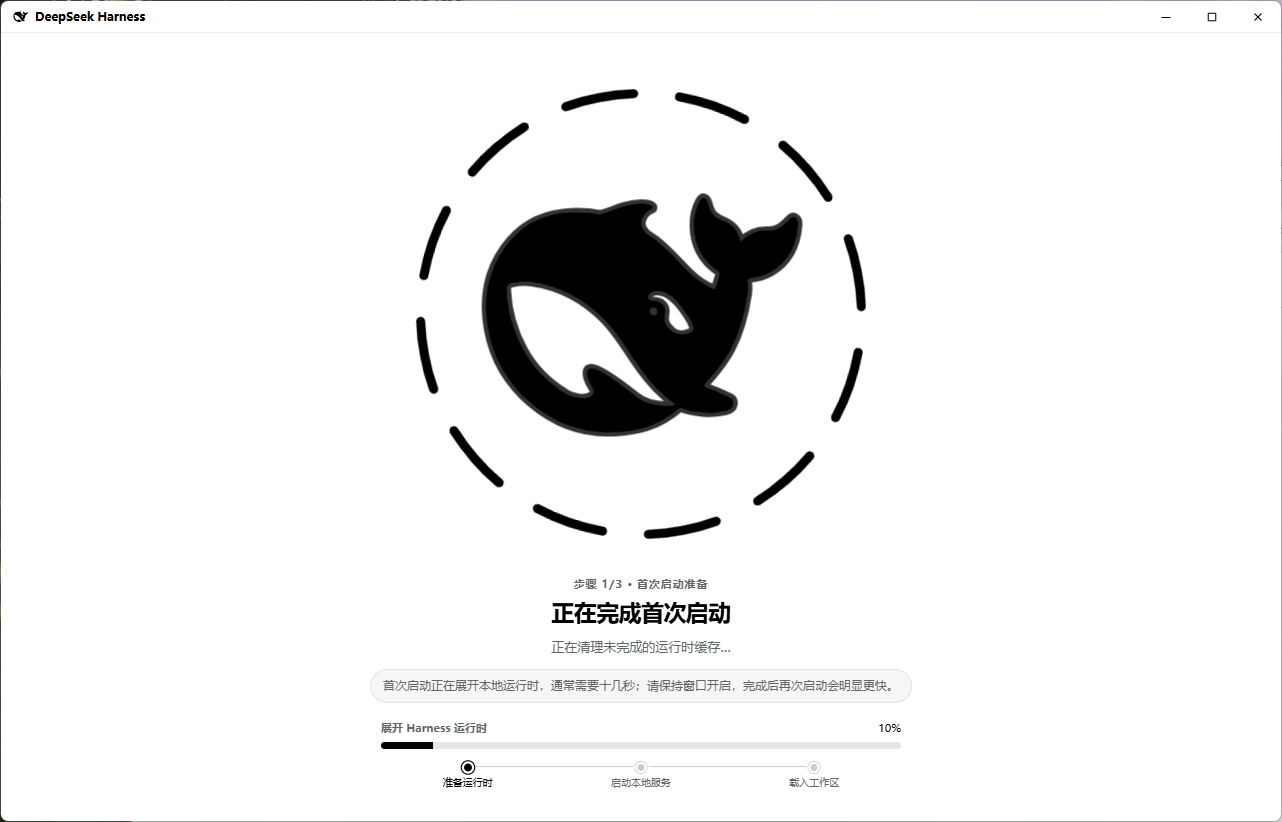
| 🐋 启动有反馈 | 启动页按“读取便携运行时 → 启动本地服务 → 载入工作区”展示真实阶段,不用再等待 AppData 解压。 |
| 🎨 原生体验 | 32px 自绘标题栏、深浅主题同步、优雅的鲸鱼加载动画,并抑制后台控制台闪窗。 |
| 🖼️ 拖入附件 | 图片继续走 Harness 原生预览与历史画廊;其他文件由独立、可安装的 DSH 插件提供拖放、输入卡片、历史卡片与下载。 |
| 🔍 源码完整 | harness/ 由本仓库直接跟踪,不是 Git 子模块;普通 clone 就能获得完整源码。 |
一句话概括:Tauri 负责把窗口做得轻巧漂亮,Harness 继续负责真正的工作。 ₍^. .^₎⟆
🚀 快速开始
环境要求
- Node.js
^22.19.0 || >=24.0.0 - pnpm
- Rust stable toolchain
- Windows:Microsoft C++ Build Tools 与 WebView2
- macOS:Xcode Command Line Tools
- Linux:WebKitGTK 4.1、Ayatana AppIndicator、RSVG 与 XDO 开发包
克隆并运行
git clone https://github.com/WJZ-P/deepseek-harness-desktop.git
cd deepseek-harness-desktop
pnpm install
pnpm tauri dev
harness/ 已直接包含在仓库中,无需初始化 Git submodule。两个通用插件是独立仓库,桌面项目通过 external-plugins.json 锁定其提交,并在首次开发运行时自动准备到已忽略的 plugins/ 工作区。Tauri 的 beforeDevCommand 会依次:
- 校验 Harness 关键源码;
- 根据
harness/pnpm-lock.yaml准备依赖; - 在产物缺失或落后时构建 Harness CLI 与 Web UI;
- 获取、安装并构建锁定版本的外部插件;
- 启动 Vite,再由 Tauri 启动 Harness Host。
也可以提前执行:
pnpm run harness:prepare
pnpm run plugin:sync
Vite 开发地址固定为 http://localhost:821,HMR 使用端口 822。Harness Host 使用操作系统分配的随机回环端口,避免与其他开发软件冲突。
如果 Node.js 不在 GUI 进程可见的 PATH 中,可以用 DSH_DESKTOP_NODE 指定绝对路径;DEEPSEEK_HARNESS_ROOT 可临时指向其他 Harness checkout。
🗂️ 仓库结构
deepseek-harness-desktop/
├─ desktop-plugins/ # 仅由桌面封装携带的 Cordis 集成
├─ docs/assets/     # README Banner 等项目图片
├─ external-plugins.json # 外部插件仓库与提交锁
├─ harness/         # 本仓库直接跟踪的完整 DeepSeek Harness 源码
├─ plugins/         # 本地外部插件 checkout;整个目录由父仓库忽略
├─ scripts/         # Harness 准备、发行构建与验证脚本
├─ src/             # 桌面外壳、自绘标题栏与启动/错误页
├─ src-tauri/       # Rust 窗口、便携运行时定位与进程监督器
├─ app-icon.svg     # 应用图标源文件
└─ package.json
上游地址、导入提交与许可证记录见 HARNESS_UPSTREAM.md。
🧩 低侵入插件边界
桌面专属桥与桌面预装的通用插件都没有继续散落进 harness/ 业务包,而是通过启动时的 Cordis --patch 覆盖层装入。可复用插件各自拥有独立仓库、锁文件、CI 与发布边界;桌面仓库只记录来源和精确提交:
desktop-bridge:在 Host 返回 HTML 时注入深浅主题同步桥,并为显式file://开发挂载保留dsh.client兼容适配;桌面预装的标准插件会同时进入运行时的包解析面,并以各自package.json包名挂载,因此插件清单展示稳定名称、浏览器 bundle 使用 Harness 官方/plugins发现链路,公开插件无需携带 Tauri 分支;dsh-attachment:标准 DSH bundle,同时声明dsh.bundle与 Webdsh.client,既可由桌面封装携带,也可通过dsh plugin --profile web add dsh-attachment从 npm 安装到原生 DSH;它沿用 Harness 已有的图片拖放/粘贴链路,只接管普通文件与文件夹。拖入一个文件夹只生成一个附件卡片,并以完整目录树的形式复制到工作区;同时提供流式上传/下载、输入区附件卡片与持久历史卡片。插件本身不设置文件数量或单文件字节上限,也不额外占用输入栏按钮;dsh-model-capability:标准 DSH bundle;在新增或编辑 pi-ai 模型时提供 Input Modalities 选择,可明确声明继承默认值、文本、图片或文本加图片,并可通过dsh plugin --profile web add dsh-model-capability从 npm 独立安装到原生 DSH;- 普通文件会保存到 Harness 数据目录,并在消息真正进入模型步骤前复制到工作区
.deepseek-harness/attachments/,模型拿到的是可直接读取的工作区路径; harness/内只保留通用的 输入附件栏 slot 与 模型行字段 slot;浏览器 bundle 直接使用 Harness 官方dsh.client发现链路,具体 UI、存储和消息关联逻辑留在独立插件仓库与desktop-plugins/。以后同步上游时,冲突面依旧很小喵~
🧭 架构
flowchart LR
  A["Tauri desktop process"] -->|"spawn and supervise"| B["Harness CLI / lib/bin.js"]
  B --> C["Cordis web profile"]
  C --> D["Host API and session log"]
  C --> E["Harness client plugin graph"]
  H["Desktop Cordis plugins"] -->|"runtime --patch"| C
  H -->|"standard dsh.client bundle"| E
  A -->|"mount after readiness"| F["Persistent desktop shell"]
  E --> G["Harness iframe"]
  F --> G
  G -->|"HTTP POST and WebSocket"| C
- 开发模式直接从
harness/apps/cli/lib/bin.js启动。 - 发行模式直接从应用资源目录的
runtime/harness/执行lib/bin.js web --patch <desktop-overlay> --host 127.0.0.1 --port 0,不创建 AppData 运行时副本。 - Rust 进程读取
dsh web:就绪行,仅接受127.0.0.1随机端口,再交给桌面 WebView 加载。 - WebView 继续复用现有 Host fence、
/api传输和两条 WebSocket 下行流。 - 关闭窗口或应用时,桌面层会回收整个 Node 子进程树。
- 启动页跟随系统深浅主题;Harness 载入后,通过受控主题桥实时跟随应用内 Appearance 设置。
更完整的设计说明见 ARCHITECTURE.md。
🛠️ 常用命令
| 命令 | 用途 |
|---|---|
pnpm tauri dev | 启动 Harness 与 Tauri 开发环境 |
pnpm run harness:prepare | 校验、安装并按需构建 Harness |
pnpm run plugin:sync | 按 external-plugins.json 准备外部插件 checkout 与依赖 |
pnpm run plugin:test | 构建并测试桌面桥及锁定版本的外部插件 |
pnpm run check | 校验 Harness 源码完整性、TypeScript 与 Rust |
pnpm run build:frontend | 只构建桌面启动外壳,不生成原生发行包 |
pnpm run build | 构建当前平台的完整自包含发行包 |
pnpm run test:release | 在 Windows 上真实启动并冒烟测试 portable ZIP |
pnpm run verify:release-artifacts | 校验平台产物及 SHA-256 |
🏗️ 构建发行包
请在目标操作系统的原生环境中运行:
pnpm install
pnpm run build
pnpm run verify:release-artifacts
构建流程会依次准备 Harness、同步并构建锁定提交的外部插件、生成并校验生产依赖闭包、内置当前平台 Node.js、执行随机回环端口 HTTP 冒烟,再把展开后的生产运行时作为 Tauri resource 编译并打包。Windows portable ZIP 中会保留可直接浏览的 runtime/harness/ 原始目录结构。
| 平台 | Release 资产命名 |
|---|---|
| Windows x64 | DeepSeek-Harness-Desktop-<version>-windows-x64-portable.zip |
| Linux x64 | DeepSeek-Harness-Desktop-<version>-linux-x64.AppImage、.deb |
| macOS Apple Silicon | DeepSeek-Harness-Desktop-<version>-macos-arm64.dmg |
| macOS Intel | DeepSeek-Harness-Desktop-<version>-macos-x64.dmg |
每个资产都会附带独立的 .sha256 文件。Linux 与 macOS 的 Node/Harness 目录作为 Tauri resource 放入原生包;Windows 则使用无需安装的 portable ZIP,并从 EXE 相邻目录直接启动运行时。
Windows 的完整便携版冒烟测试会确认展开目录直启、没有新增 AppData 运行时副本、内置 Node、主题桥、附件浏览器插件、随机回环 HTTP、WebView 连接与进程树回收:
pnpm run test:release
🤖 GitHub Actions 发布
.github/workflows/release.yml 会在推送 v* tag 时并行使用 Windows x64、Ubuntu 22.04 x64、macOS arm64 与 macOS Intel runner。
流水线会先验证 tag、package.json、Tauri 配置和 Cargo 版本一致,再构建并验证所有平台产物;只有矩阵任务全部成功后,publish job 才会一次性更新 GitHub Release。
- Release 显示名称直接使用 tag,例如
v1.0.1; - 已存在的同名 Release 会覆盖旧资产;
- 构建不需要额外密钥,发布权限来自仓库的
GITHUB_TOKEN; - 单个平台构建最长运行 90 分钟。
正式版本确认可用后,再创建与应用版本一致的 v* tag。稳稳发布,一次成功 (๑•̀ㅂ•́)و✧
🌱 更新 Harness
harness/ 是从明确上游提交导入的源码快照。更新时应整体导入一个确认过的上游提交,并在同一改动中更新 HARNESS_UPSTREAM.md 的提交号。
harness/ 保持普通 Git 文件;node_modules/、Harness 的 lib/ / dist/、desktop-plugins/*/lib/ 以及整个本地 plugins/ 工作区都在忽略范围内。公共插件的变更应提交到各自仓库,再同步更新 external-plugins.json 的提交锁。
更新后至少运行:
pnpm run harness:prepare
pnpm run build:frontend
cargo test --manifest-path src-tauri/Cargo.toml
cargo check --manifest-path src-tauri/Cargo.toml
pnpm run build
pnpm run test:release
提交或推送前,还可以单独确认关键 Harness 文件确实由 desktop 仓库跟踪:
pnpm run harness:verify-source
该检查会拒绝 160000 gitlink、缺失的关键源文件或明显不完整的源码树;pnpm run check 也会自动执行它。
🎨 主题与图标
- 图标源文件:
app-icon.svg - Tauri 平台图标:
src-tauri/icons/ - 浅色鲸鱼:
src/assets/whale-icon-light.svg - 深色鲸鱼:
src/assets/whale-icon-dark.svg
深色鲸鱼使用 --dsw-alias-label-primary,回退值为 #F9FAFB / rgb(249, 250, 251)。更新图标源文件后可以重新生成平台图标:
pnpm tauri icon app-icon.svg
📄 源码与分发边界
- 源码仓库保留完整
harness/,供审计、本地开发与二次构建; - Release 资产携带从仓库源码生成的展开式生产运行时,而不是开发依赖树;Windows 用户可以直接浏览 EXE 旁边的
runtime/harness/; - Windows 使用 portable ZIP,Linux 提供 AppImage 与 DEB,macOS 提供 ad-hoc 签名的 DMG;
- 桌面层与 Harness 上游的许可信息分别见
LICENSE和HARNESS_UPSTREAM.md。
🤝 社区支持
本项目支持 Linux Do 社区。欢迎大家前往社区交流技术、分享经验,一起友善地探索更多有趣的可能~ (。•̀ᴗ-)✧
愿这只小鲸鱼轻轻巧巧,也能把事情认真做好~
ʚ(。˃ ᵕ ˂ )ɞ
Read the usage guide →
Install steps, key points, FAQ and compatibility for this plugin — auto-derived from indexed fields.
Listing badge

[](https://deepseek-plugin.org/plugins/WJZ-P/deepseek-harness-desktop/harness/packages/bundle/base)Paste this markdown into your GitHub README to link back to this listing. The badge only states the listing — not a security endorsement.