Integrate the tools and skills catalog from the Polaris platform into DeepSeek Harness, and enforce the permitted tool policies declared in skills during the current DSH turn execution.

- Language
- Python
- License
- Apache-2.0
- Branch
- main
Install
$ dsh plugin --profile web add github:ZJU-REAL/Polaris#path:integrations/deepseek-harnessRun the command above in your terminal to install this plugin via the dsh CLI. You can switch Profile in the top-right corner. New to dsh? Read the beginner tutorial
Install via your agent
Install the DeepSeek Harness plugin ZJU-REAL/Polaris/integrations/deepseek-harness for me: review the repository at https://github.com/ZJU-REAL/Polaris first, then run the install command and verify the plugin loads successfully.
Paste this instruction to the DSH Web GUI assistant — it will install and verify for you.
One-Sentence Positioning
This is a connector plugin that integrates the Polaris platform into DeepSeek Harness (DSH). It pulls Polaris backend's MCP tool list into DSH on one side, and injects Polaris assistant skills into DSH as native skills (rather than MCP tools) on the other side, and enforces the "allowed-tools" policy declared by each skill into the current DSH turn.
Core Capabilities
- Connect to Polaris
/mcpthrough DSH's official MCP client, inject Polaris tools (likesearch_papers) into DSH tool directory withmcp__polaris__*namespace - As a native skill provider, regularly pulls the Polaris skill directory and registers Polaris assistant skills into DSH's native skill system
- Registers
polaris_skill_resourcetool to read skill declaration attachment content on demand (only paths explicitly listed by the skill are readable) - Based on Polaris skills loaded in the current turn, hides Polaris tools outside its
allowed-toolswhitelist at the tool layer, and performs guard interception on tools discovered later in the turn - When multiple skills are loaded in the same turn, automatically takes the intersection of their allowed tools lists, only tightening rather than loosening
- When tokens expire (401/403) or permissions are downgraded, automatically clears cache and marks DSH skill discovery as invalid, achieving fail-close
Technical Implementation
- Language: TypeScript (ESM,
tsconfig.jsonbuilds todist/) - Key dependencies:
@deepseek-ai/dsh-mcp-client(official MCP bridge),@deepseek-ai/schemastery(config schema),zod(runtime data structure validation),@deepseek-ai/cordis(host injection) - Architecture pattern: Dual-adapter bundle.
cordis.patch.ymlinserts two services into the host at startup:polaris-mcp(via official MCP client) andpolaris-skills(native provider from this plugin). The plugin then tracks turn state through Cordis hooks (tools/post-execute,agent/pre-step,tools/change,agent/disposed,agent/error,agent/turn-stopping) - Entry point:
integrations/deepseek-harness/src/index.ts(apply(ctx, config)is the plugin activation entry)
Use Cases
Users who have deployed a Polaris instance and want DSH to both call Polaris's exposed MCP tools and leverage Polaris's assistant skills to uniformly manage team prompts and triggering rules. It treats skills as native first-class citizens in DSH, avoiding the misregistration issue where skills are misplaced as MCP tools; simultaneously, through the allowed-tools policy, individual skills can declare their own tool whitelist, preserving Polaris tools while preventing privilege escalation.
Prerequisites & Compatibility
| Dependency | Minimum Version | Description |
|---|---|---|
| DeepSeek Harness | 0.1.0-rc.6 | Plugin peerDependencies declares cordis, dsh-agent, dsh-session, dsh-skill, dsh-tools all as ^0.1.0-rc.6 |
| Node.js | >=20 | engines.node field; required for local bundle building |
| Platform | Cross-platform | No os / cpu restrictions declared |
| Native modules | None | Dependencies are pure JS/TS packages, no node-gyp modules |
| Polaris backend | Database migration 8ff89f7fcdeb | Otherwise /api/integrations/deepseek-harness/v1/skills* endpoints unavailable |
Installation
dsh plugin --profile web add github:ZJU-REAL/Polaris/integrations/deepseek-harness
Configuration Options
Environment variables are read by cordis.patch.yml when the plugin is injected, and the patch line also accepts same-name config field overrides.
| Config | Type | Description | Default |
|---|---|---|---|
POLARIS_BASE_URL | Environment variable / string | Polaris service root address, automatically strips trailing slash and appends /mcp | http://127.0.0.1:8000 |
POLARIS_DSH_TOKEN | Environment variable / string | Integration token plaintext, created via /api/integration-tokens, scopes require at least skills:read and mcp:read | empty |
POLARIS_DSH_TOOL_PROFILE | Environment variable / string | Backend MCP profile; dsh-readonly-v1 is read-only, dsh-full-v1 additionally exposes remember (and only when account has Buddy memory enabled) | dsh-readonly-v1 |
baseUrl | Field (override env) | Same as POLARIS_BASE_URL, used to bypass environment variables for direct passing | Required |
token | Field (override env) | Same as POLARIS_DSH_TOKEN, marked as secret field by schemastery | Required |
serverName | String | MCP namespace, must match official client row | polaris |
refreshIntervalMs | Number, ≥1000 | Skill directory polling interval | 30000 |
requestTimeoutMs | Number, ≥1 | Polaris single discovery request timeout | 10000 |
failOnStartupError | Boolean | Whether to interrupt DSH startup if skill discovery fails at startup | false |
allowedToolsMode | Enum | Skill allowed-tools policy enforcement strength: enforce hides and intercepts violating tools; advisory only logs warnings; off completely disables policy | enforce |
userSkillRank | Number | DSH candidate ranking for user-scoped Polaris skills | 340 |
builtinSkillRank | Number | DSH candidate ranking for builtin-scoped Polaris skills | 360 |
FAQ
Q: What environment variables must be set after installation?
A: At minimum POLARIS_BASE_URL and POLARIS_DSH_TOKEN, otherwise the plugin will throw an error immediately during client construction due to empty token. If using dsh-full-v1 profile, the backend account also needs Buddy memory enabled, otherwise the remember tool won't appear in the discovery list.
Q: How do I grant permissions for the integration token?
A: Use the current logged-in JWT to call POST /api/integration-tokens, select scopes. skills:read is used for skill discovery and reading, mcp:read is used for connecting to /mcp, mcp:write is used to open write tool profile. The token plaintext only appears once in the creation response; the Polaris backend only stores SHA-256 hash, so it must be recreated if lost. Created token scopes cannot be edited, only revoked and recreated.
Q: How do I verify the plugin is active?
A: Run dsh --profile web --dump-config before DSH profile startup; the config should show both polaris-mcp and polaris-skills lines; after startup, DSH's tool directory should contain tools like mcp__polaris__search_papers, and Polaris backend's skill_load won't appear as an MCP tool (it's carried by DSH's native skill tool).
Q: How do I write allowed-tools in skills correctly?
A: Must be Polaris original tool names (like search_papers), not DSH namespace forms like mcp__polaris__search_papers; when multiple Polaris skills load in the same turn, their allowed lists automatically take intersection, won't expand the tool set, nor restrict non-Polaris DSH tools; allowed-tools: null means no additional restrictions.
Q: What happens when token is revoked or account is downgraded to read-only?
A: Skill discovery encountering 401 or 403 will immediately clear cached skill directory and mark DSH discovery as invalid; if next request still doesn't recover, it will directly reject; after backend downgrades account to read-only, even if token declares write scope, it will be rejected on next request at /mcp, not just the browser session affected.
Q: How to choose between the three allowedToolsMode modes?
A: Default enforce hides violating Polaris tools from tool directory and synchronously intercepts newly discovered tools in the turn; advisory only logs without interception, suitable for troubleshooting before going live; off completely disables policy, turns off the entire policy controller, suitable for reducing event loop overhead when Polaris backend hasn't declared any policies.
Difficulty Level
Advanced — requires preparing database migration and integration token on Polaris backend first, understanding the relationship between DSH profile, cordis patch and environment variables, and being able to distinguish between enforce/advisory/off three policy strengths to avoid misinterception.
Known Issues & Limitations
- Polaris backend must apply migration
8ff89f7fcdeb, otherwise skill-related endpoints are unavailable - Integration token
scopescannot be edited after creation, can only be recreated viaDELETE /api/integration-tokens/{id};serverNamemust match official MCP client row, otherwise policy matching will fail - Skill attachment paths reject empty segments,
.and..segments on client side (src/client.ts:84), preventing undeclared path bypass validation to redirect requests - When Polaris account is read-only, even if token declares
mcp:write, it will be rejected on/mcp; the only write tool indsh-full-v1,remember, only appears in discovery and call lists after account enables Buddy memory - No TODO / FIXME / HACK comments in source code, no explicitly marked bugs currently identified

Autonomous, end-to-end AI research: from literature to a reviewed paper.
Powered by a long-running agent core that plans, executes, and self-verifies its own work, turning every task into a resumable, auditable, human-gated run.






English · 简体中文
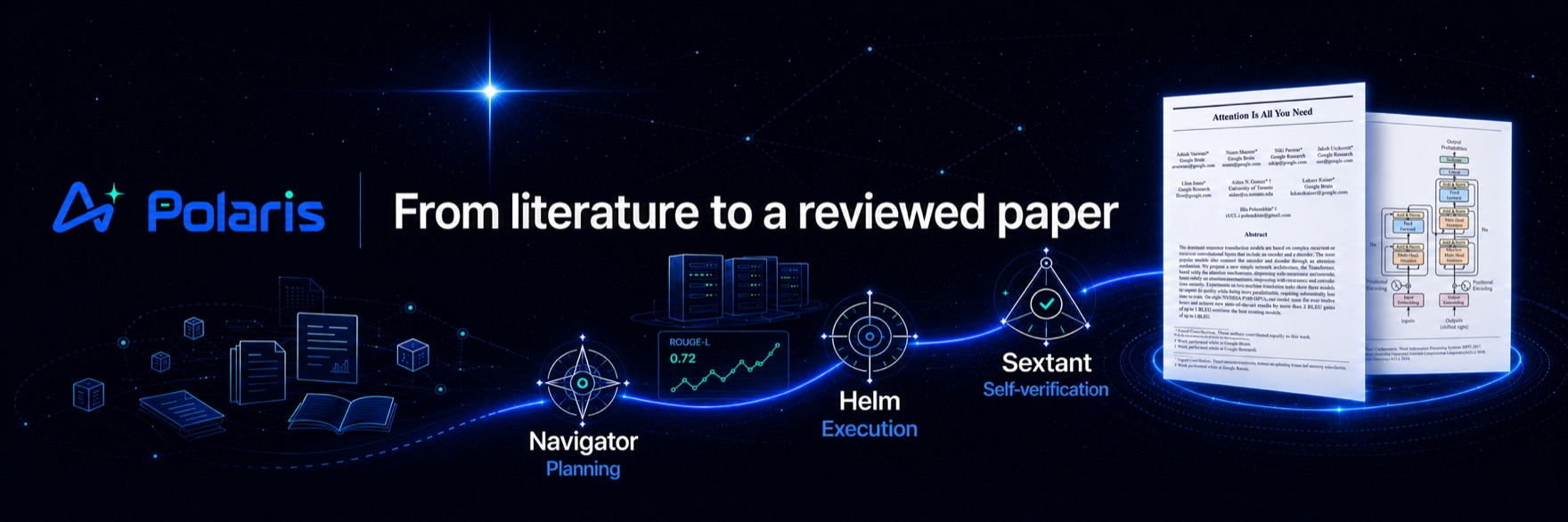
Polaris runs the entire research lifecycle as a single web application: literature survey, idea generation, idea review, experiment building on real GPU servers, LaTeX paper writing, and paper review. It is built for a research lab, with multi-user access, RBAC, and invite-code registration, and it treats every long task as a Voyage: a persisted, resumable, human-gated agent run that can span hours or days without losing state.
[!NOTE] Polaris is not a chatbot wrapper. The heavy lifting (crawling, parsing, deduplication, metric parsing, citation matching) is deterministic code. LLMs are reserved for the judgement calls: scoring, synthesis, drafting, and review. This split keeps runs cheap, reproducible, and auditable.
Demo
A 2-minute tour of the platform: the six-stage pipeline, the Voyage agent core, a real experiment run, and PolarisBuddy.
https://github.com/user-attachments/assets/388972c1-7ffa-45f2-94c4-07f388379ba2
Try it live
A guest account on a running instance, for looking around: sign in at
http://101.37.174.109:8080 with the username guest and the password zjuguest123.
The account is for demonstration only: it is read-only and cannot call any model. It reaches every screen, the admin views included, but nothing it does changes state — creating, editing, deleting and uploading are all refused, and no LLM call will run, whether from chat, compilation or the assistant. Lab members' details and the registration codes are hidden from it as well. It is there to show what the platform looks like, not to do work on it.
The research pipeline
Polaris models research as six stages. Each stage produces durable artifacts that the next stage consumes, and every hand-off can pause at a human approval gate.
flowchart LR
    L["Literature<br/>Research Wiki"]
    I["Idea<br/>Idea Forge"]
    R["Idea Review<br/>Elo debate"]
    X["Experiment<br/>GPU / SSH"]
    W["Paper Writing<br/>LaTeX"]
    V["Paper Review<br/>Citation check"]
    S(["Submission"])

    L --> I --> R
    R -->|promotion gate| X
    X --> W --> V
    V -->|submission gate| S

    classDef stage fill:#eaf1ff,stroke:#2f6bff,stroke-width:1px,color:#10233f;
    classDef gate fill:#fff3e0,stroke:#f59e0b,stroke-width:1px,color:#5b3b00;
    class L,I,R,X,W,V stage;
    class S gate;
| Stage | What Polaris actually does |
|---|---|
| Literature | The Research Wiki ingests papers from OpenAlex, Semantic Scholar, and arXiv. Cold start snowballs citations from anchor papers and scores relevance against the direction library's inclusion config — statement, goals, scope and exclusions, written through a structured AI interview — then extracts full text (PyMuPDF) and compiles a cross-linked wiki page (TL;DR, method, reusable ideas, concept backlinks). There is one wiki per paper, shared platform-wide: the compile prompt carries no library statement or rubric, so the same paper never reads differently depending on where you opened it, and a concept is promoted only once two papers cite it. New arXiv work arrives through the daily feed, the single entry point libraries sync from; incremental sync with watermark resume, pgvector semantic search, research digests, and Obsidian vault sync. |
| Idea | Idea Forge runs multi-signal gap analysis over the knowledge base (concept co-occurrence holes, extracted paper limitations, trend velocity, survey gaps) to drive retrieval-planned idea generation. Ideas are scored on four axes (novelty, feasibility, operability, impact), deduplicated semantically, and funneled to a candidate pool. A deep Research Proposal builder then hardens the winner with a plan-execute-verify loop. |
| Idea Review | Configurable-persona reviewer agents debate pairwise; a judge produces an Elo tournament ranking. Lab members join the discussion live over WebSocket, and their comments enter the agent context as first-class input. |
| Experiment | The Experiment Lab uses per-user, Fernet-encrypted SSH credentials to reach the lab's GPU servers. An experiment Voyage asks intake questions first, plans the study, passes a compute-budget check, writes code, runs a smoke test, launches runs with streamed logs and live metric curves, then auto-iterates: parse metrics, reflect, then improve, debug, or stop — repairing failures under a time budget rather than a fixed retry count. It keeps a file-based memory it reads and writes across steps, and when it is genuinely stuck it asks the user instead of failing. A console gives each run a task map and a terminal you can talk to mid-stream. Figures are generated and VLM-checked. |
| Paper Writing | The Paper Writer opens a multi-file LaTeX project (NeurIPS, ICLR, ACL templates) with a CodeMirror 6 editor, real-time collaborative editing (CRDT), and server-side tectonic compilation to a live PDF preview. An agent drafts section by section, but experiment numbers may only come from real ExperimentRun metrics and citations must map to real knowledge-base entries. One click refreshes the references and wires the bibliography into the main TeX file. |
| Paper Review | Line-by-line citation verification (existence: exact, minor, or fabricated; support: supported, partial, or unsupported) plus deterministic fact-checking of every number against the experiment record, then multi-perspective top-venue reviewer agents and a meta-review. A fabricated citation forces a non-pass. |
The Voyage agent core
Research tasks are long-running by nature: a cold-start literature backfill takes hours, an experiment runs for days. Polaris's central abstraction is that every complex task is a Voyage: a resumable, auditable run driven by a persisted three-part loop.
| Component | Role |
|---|---|
| Navigator | Planning. Decomposes a goal into a step plan with sub-goals, dependencies, and budget. In loop mode it edits the plan incrementally as evidence arrives, rather than replanning from scratch. |
| Helm | Execution. Runs a single step (LLM calls, tool calls, SSH remote ops, literature-API queries) and returns an observation. |
| Sextant | Self-verification. Checks each step against structured acceptance criteria (exit code, artifact exists, schema valid, metric threshold, count, LLM rubric). Deterministic checks run first; failures feed diagnostics back to Navigator, and repeated failure escalates to a human gate. |
[!IMPORTANT] A Voyage is backed by a persistent state machine (
planning -> executing -> verifying -> ...). If a worker crashes mid-run, the Voyage resumes from its last checkpoint after a health check. Budgets are attached to the run and auto-pause it when exceeded; every plan, action, and verdict is retained and replayable in the UI.
Not every task needs the full cognitive loop. A shared Runtime shell (state machine, checkpointing, gates, budget, cancellation, event streaming) serves all task kinds, while the Brain (the full plan-execute-verify loop) activates only for open-ended kinds such as experiments. Predictable pipelines (wiki compile, idea review, paper drafting) run on fixed templates instead of being over-orchestrated.
Key features
- Research Wiki, "compile, don't retrieve." LLMs read papers and compile a persistent, cross-linked
knowledge base up front, instead of doing on-demand RAG at query time. One wiki per paper, shared
platform-wide. Research digests, and Obsidian vault sync with
[[wikilinks]]and frontmatter. - One content pool, four collections. Every paper is stored exactly once; direction libraries, topic shelves, personal libraries, and the daily feed are membership layers over that pool. Libraries are decoupled from topics (many-to-many), own their own inclusion config, and come with governance: curators, monthly budgets, duplicate merge, user-created libraries under admin approval, and a recycle bin that stays out of search.
- Daily arXiv feed. A lab-wide feed of each day's new papers, with likes and one-click collection into any library you can write to. It is also the single arXiv entry point: libraries sync from the pool instead of querying arXiv themselves, on an admin-configurable schedule.
- Idea Forge. Signal-driven gap analysis, four-axis scoring, semantic dedup, and a deep Research-Proposal builder with novelty double-checking against the library and external sources.
- Multi-agent and human review. Persona reviewer agents debate to an Elo ranking; humans join live and are injected into the agent context, not bolted on afterward.
- Experiment Lab over SSH. Agents write and run code on real GPU servers, iterate on metrics, and collect logs and figures, under gated remote writes, command allow/deny lists, full audit, and triple budget caps (total, per-run, concurrency). A run keeps a file-based memory across steps, repairs itself under a time budget, and pauses to ask you a question rather than dying; its console shows a task map and a terminal you can talk to while it runs.
- Paper Writer. Online multi-file LaTeX with collaborative CRDT editing and server-side tectonic compilation; agent drafting bound to real metrics and real citations, plus one-click reference refresh wired into the main TeX file.
- Paper Review with citation verification. Existence and support are checked per citation against the library, Semantic Scholar, and OpenAlex; numbers are fact-checked against the experiment record.
- PolarisBuddy, an in-app assistant. A global companion that rides along on every page: a Claude
Code-style multi-turn tool loop (streamed over SSE, with tool cards and inline figures) over the same
read-only tool layer, in
chat,plan(research-only, propose before acting), andgoal(loop toward an objective) modes. It runs the same Navigator / Helm / Sextant split as a Voyage, so its steps are verified rather than merely produced, and it can hand work to subagents. Its greeting is stitched from real SQL counts rather than the model, it searches every library you can see, and it carries page context and persistent per-user memory. It is off unless the account may call a model. - Skills, in two layers. Agent behavior is packaged as data, not code. Voyage skills are
versionable, composable
guidance,rubric,persona, andworkflowpacks injected at named points into agent prompts, enabled globally, with a publish-approve-install-rate marketplace; each Voyage snapshots the skills it used for reproducibility. Agent skills take the SKILL.md shape with three-level progressive disclosure — a one-line description in the catalog, the body fetched byskill_loadas a tool result, attachments read on demand — so the model decides what to load and the prompt prefix stays cacheable. - MCP tool layer. A single registry of read-only tools (literature, knowledge, project state, manuscripts, external search) is exposed both internally to the agent loop and externally as an MCP server (Streamable HTTP and stdio) for Claude Code, Codex, and Cursor, with a self-check and try-it playground. Project-isolated and strictly read-only.
- Real-time everywhere. SSE for agent streaming and Voyage progress; WebSocket for review discussions, approval notifications, experiment log tracking, and collaborative editing.
- Multi-user and RBAC. JWT auth (fastapi-users), invite-code registration, role-based access, and per-call token/cost accounting attributed to user, project, and voyage. Library and paper views are counted into a 7-day heat list, so the lab can see what people are actually reading.
- LLM abstraction and model routing. All model calls go through one layer; a DB-backed routing table maps each research stage to a provider, a model, and a reasoning-effort level (cheap models for scoring, strong models for debate and drafting). Admins set the global routes and users may override their own. The built-in fake provider is structurally disabled in production — setting the flag by mistake cannot turn it on.
Tech stack
| Layer | Technology |
|---|---|
| Frontend | React 18 + TypeScript 5 + Vite 5, TanStack Query for all server state, CodeMirror 6, Yjs (CRDT), react-pdf, KaTeX |
| Desktop | Electron shell (macOS / Windows / Linux) that reuses the web bundle over an app:// protocol; all heavy state stays on the remote server |
| Backend | FastAPI (fully async) + SQLAlchemy 2 + Alembic + fastapi-users (JWT) |
| Task queue | ARQ (Redis broker); every long task runs off the request thread |
| Data | PostgreSQL 16 with pgvector (embedding spaces isolated per model, so vectors never mix) + Redis 7 |
| Remote execution | asyncssh to GPU servers; SSH keys encrypted at rest with Fernet |
| LaTeX | tectonic, server-side, with a cached macro volume |
| LLM | Multi-provider abstraction (OpenAI-compatible and Anthropic) with a DB model-routing table |
| Deployment | Docker Compose (postgres, redis, api, worker, frontend) |
Desktop client
Polaris ships as a desktop app for macOS, Windows, and Linux. Download the installer from
Releases — .dmg / .zip (macOS, universal),
.exe / portable .zip (Windows), .AppImage / .deb (Linux), built by CI on every v* tag. The
app checks for updates and applies them without a restart where it can.
The builds are neither signed nor notarized, so each platform needs to be told once that the app is
safe to run: on macOS xattr -dr com.apple.quarantine /Applications/Polaris.app (or right-click →
Open); on Windows choose More info → Run anyway past SmartScreen; on Linux the AppImage needs
libnss3 libgtk-3-0 libasound2, and --no-sandbox under Ubuntu 24.04+ AppArmor. On first run the app
asks for your lab's Polaris server address and validates it against /api/health; the server must
whitelist the desktop origin, since the page is served from app://polaris and every request is
cross-origin.
The Electron shell (src/desktop/) is a shell plus a small local process, not an offline build:
Postgres, Redis, the worker, and all LLM calls stay on the remote server, and the renderer talks to it
directly. To build it yourself:
make desktop-deps           # install the shell's dependencies (once)
make desktop-dev            # build the frontend and run the shell (app:// protocol)
make desktop-dist           # package an unsigned installer for the current platform
See docs/desktop.md for the process model, the IPC contract, and packaging notes.
Quick start
[!TIP] Docker Compose is the recommended way to run Polaris, in development and in production. It needs only Docker and Docker Compose installed, with no local Python, Node, or database. See docs/deployment.md for production deployment.
cp .env.example .env        # set provider keys and secrets
make dev                    # full stack via docker compose, hot reload
- Frontend: http://localhost:5173
- Backend API docs: http://localhost:8000/docs
Local development without Docker (falls back to SQLite):
make backend-dev            # venv + uvicorn on :8000
make frontend-dev           # npm install + vite dev on :5173
Common tasks:
make migrate                # alembic upgrade head
make test                   # backend pytest + frontend build
make lint                   # ruff check + tsc --noEmit
Docker deployment
Deploy from pre-built images on Docker Hub (tricktreat/polaris-{api,worker,frontend}, published by
CI on every v* tag) — no local build needed:
cp .env.example .env        # set POLARIS_ENV=prod, POLARIS_IMAGE_TAG, secrets, and an LLM key
docker compose --env-file .env -f docker/docker-compose.yml pull
docker compose --env-file .env -f docker/docker-compose.yml up -d
docker compose -f docker/docker-compose.yml exec api alembic upgrade head   # required on first run
The frontend is served at http://<host>:8080. The worker container is required (it runs all long
tasks), and the first-run migration is mandatory (Postgres tables are not auto-created). Pass
--env-file .env so Compose reads POLARIS_IMAGE_TAG (default latest) / POLARIS_IMAGE_PREFIX
(default tricktreat) from the repo-root .env.
For building locally instead, bind mounts, backups, and restricted networks, see docs/deployment.md.
Documentation
Full documentation lives in docs/:
- Getting started: install, configure, and run Polaris
- Architecture: system design and the Voyage agent core
- Concepts: the research pipeline, Voyage, skills, and MCP tools
- Deployment: production deployment with Docker Compose
- Desktop: the Electron shell — process model, IPC contract, and packaging
- Configuration: environment variables and settings
- Development: local workflow and conventions
Repository layout
src/
  backend/       FastAPI app (package: app) and ARQ worker (package: worker)
    app/
      api/         thin routers
      services/    business logic (ingest, wiki, ideas, review, experiments, manuscripts, ...)
      models/      SQLAlchemy models
      agents/voyage/  the Voyage engine (navigator, helm, sextant, tool loop, per-domain actions)
      core/        config, db, queue (ARQ), events (SSE), llm/ abstraction
      tools/, mcp/ read-only tool registry and the external MCP server
  frontend/      React + Vite (src/features/ has one folder per product area)
  desktop/       Electron shell that wraps the web bundle (macOS / Windows / Linux)
docker/          Dockerfiles and compose (base, dev override, prod overlay)
docs/            English project documentation
Design principles
- Strict layering. Thin routers call services; services hold the business logic and never import the web framework; models sit underneath.
- Deterministic vs. judgemental split. Deterministic work (crawling, parsing, dedup) is plain code or worker tasks; only judgement calls reach an LLM.
- One LLM boundary. All model calls go through a single abstraction layer, and model choice comes from a database routing table rather than being hard-coded.
See docs/architecture.md for the full design.
Contributing
See CONTRIBUTING.md. In short: one feature is one branch is one pull request, branched
from the latest origin/main, with English conventional-commit messages, and main stays a read-only
fast-forward mirror of origin/main.
License
Licensed under the Apache License, Version 2.0. See LICENSE for the full text.
Read the usage guide →
Install steps, key points, FAQ and compatibility for this plugin — auto-derived from indexed fields.
Listing badge

[](https://deepseek-plugin.org/plugins/ZJU-REAL/Polaris/integrations/deepseek-harness)Paste this markdown into your GitHub README to link back to this listing. The badge only states the listing — not a security endorsement.