Provides image recognition, visual inspection, and image generation capabilities for DeepSeek Harness, and automatically registers configurable vision models.

- Language
- Python
- License
- MIT
- Branch
- main
Install
$ dsh plugin --profile web add github:akqwpeter-prog/dsh-media-skillsRun the command above in your terminal to install this plugin via the dsh CLI. You can switch Profile in the top-right corner. New to dsh? Read the beginner tutorial
Install via your agent
Install the DeepSeek Harness plugin akqwpeter-prog/dsh-media-skills for me: review the repository at https://github.com/MJorgin/dsh-media-skills first, then run the install command and verify the plugin loads successfully.
Paste this instruction to the DSH Web GUI assistant — it will install and verify for you.
One-Line Positioning
This plugin integrates image reading, visual inspection, and image generation into DeepSeek Harness. Visual models can be used in the model selector, and in adapted hosts, images can be converted to text for pure text models. Users need to prepare their own API Keys.
Core Capabilities
- Read local images and screenshots, summarize content, extract text, and organize layout and object relationships.
- Inspect visual anomalies in interface screenshots such as text overlapping, content overflow, element misalignment, color scheme issues, and watermarks.
- Output structured results composed of summaries, complete OCR, reading order, object relationships, and uncertainty for easy downstream processing.
- Automatically scale and batch process multiple images, with up to 5 images per image reading request to avoid exceeding service limits.
- Call SenseNova or SiliconFlow to generate illustrations, avatars, backgrounds, and banners, and save them to specified files.
- Register Zhipu (智谱) and SenseNova (商汤) vision model routes, and perform failover in the order of Zhipu, SiliconFlow, SenseNova, Gemini, and custom services when configured with keys.
Technical Implementation
- Language: JavaScript ESM + Python 3
- Key Dependencies: Python 3 standard library, Pillow image processing library, Node.js standard library, OpenAI-compatible service interfaces
- Architecture Pattern: Cordis plugin entry registers skill providers and fills in missing model routes; skills load local description files and then call Python scripts to process or generate images
- Entry File:
index.js
Use Cases
Suitable for users who need to view screenshots, verify page layouts, extract text from images, or generate assets in chat. Daily single-image Q&A can directly use visual models; batch inspection, scripted processing, and having pure text models understand images are better suited for the image reading skill or patched image embedding pipeline.
Prerequisites & Compatibility
| Dependency | Minimum Version | Description |
|---|---|---|
| DeepSeek Harness | 0.1.0-rc.7~0.1.0-rc.8 (full image embedding) | Skills and model routes do not declare minimum DSH version; auto-transcription in pure text sessions requires host and client patches applied to corresponding version source code |
| Node.js | Not declared | Entry uses ESM and reads Node.js built-in fs and URL modules; repository has no npm runtime dependencies |
| Python 3 | Not declared | Both skill scripts are launched via python3; README badge marks 3.9+ but dependencies do not enforce this version |
| Pillow | Not declared | Image reading script dynamically imports Pillow when processing JPEG compression; missing it will prompt manual installation when running vision-review diagnostic commands |
| Service Provider API & Network | N/A | Requires accessible image reading service and corresponding API Key at minimum; image generation additionally needs image generation service Key |
| Platform | Cross-platform | No OS or CPU limits declared, no native modules required; actual runtime still depends on DSH host, Python, and network environment |
Installation
dsh plugin --profile web add github:akqwpeter-prog/dsh-media-skills
Configuration Options
| Configuration | Type | Description | Default |
|---|---|---|---|
GLM_API_KEY | Secret (string) | Access credential for Zhipu image reading service; cannot use this route when not configured | Not configured |
SENSENOVA_API_KEY | Secret (string) | Prioritized for image generation, also usable when primary image reading route fails | Not configured |
SILICONFLOW_API_KEY | Secret (string) | Used for image generation and participates in failover when primary image reading route fails | Not configured |
GEMINI_API_KEY | Secret (string) | Attempts Gemini image reading after Zhipu or other backup services fail | Not configured |
SENSENOVA_VISION_MODEL | Model name (string) | Overrides the model used for SenseNova image reading | sensenova-6.8-flash-lite |
SILICONFLOW_VISION_MODEL | Model name (string) | Overrides the model used for SiliconFlow image reading | Qwen/Qwen3-VL-8B-Instruct |
GEMINI_MODEL | Model name (string) | Overrides the model used for Gemini image reading | gemini-3.6-flash |
GEMINI_PROXY | Proxy address (string) | Used only for Gemini network access; falls back to system HTTPS_PROXY when not set | Not explicitly set |
VISION_FALLBACKS | JSON array | Adds custom image reading services; each item provides service address and model, optionally with key variable name, output limit, and structured output toggle | [] |
Scripts prioritize reading keys from environment variables, then from ~/.dsh/secrets/media-tools.env, and finally compatibly read from ~/.codex/secrets/media-tools.env. The plugin does not write keys to the repository; vision model routes use variables of the same name from DSH credential store.
FAQ
Q: Is additional configuration required after installation?
A: Yes. At minimum, Zhipu API Key is required for image reading; SenseNova or SiliconFlow API Key is also needed for image generation; other services can be used as needed for failover. Keys should be placed in environment variables or local credential files, not written to the repository.
Q: Can pure text models directly embed images?
A: This can be implemented in adapted DSH hosts. The repository only provides model routes and image reading/generation skills; direct image embedding also requires applying matching host and client patches to the source code of DSH 0.1.0-rc.7 or rc.8, otherwise pure text sessions may continue to reject images.
Q: Where are images saved?
A: Image reading scripts do not save input images to the repository or specified output directory. During direct image embedding, the host keeps the original image in the session attachment library; generated images are only written to the target path provided by the caller.
Q: Who are images sent to?
A: Images are sent to the current image reading service; generation tasks are sent to SenseNova or SiliconFlow. Requests to Google's free services may have their data used to improve their products; service provider terms should be confirmed before processing IDs, internal materials, or customer screenshots.
Q: Does it support macOS, Windows, and Linux?
A: The plugin has no OS or CPU limitations and no native modules. The system needs to be able to run DSH, Python 3, and Pillow, and access the selected services; other limitations come from the DSH host machine.
Q: What to do when getting error 1210 or exceeding input/output limits?
A: Zhipu image reading service requires single output not exceeding 1024, and combined input and output not exceeding 16384. The plugin is configured with these limits; for long sessions, create a new one and retry, and confirm that auto-registered model configurations have not been changed to higher output limits.
Q: How to troubleshoot when image reading service is unavailable?
A: Run the vision-review script's --doctor option to check Python, Pillow, key connectivity, and each service. You can also configure a second vision service or add custom routes via VISION_FALLBACKS.
Q: How to uninstall?
A: Run dsh plugin --profile web remove dsh-media-skills. The plugin does not actively delete model entries written to DSH settings; when no longer needed, manually delete the corresponding model configuration and restart DSH.
Difficulty Level
Advanced — Skill invocation itself is simple, but full image embedding capability requires preparing API Keys, understanding DSH model settings, and manually applying host and client patches to the corresponding version source code.
Known Issues & Limitations
- Direct image embedding auto-transcription is not in the plugin code and still relies on DSH's visual transcription patch; repository-provided patches have only been verified for rc.7 and rc.8, and patches from different versions cannot be mixed.
- Zhipu's single image reading request can process up to 5 images at most; the script splits more images into multiple batches, but Zhipu's output limit is 1024, and combined input and output limit is 16384.
- The repository does not declare Python dependencies and does not automatically install Pillow; without Pillow, image reading cannot complete image compression.
- When auto-registering model routes, it only fills in Zhipu and SenseNova configurations when the corresponding routes do not exist, does not write API Keys, and does not configure SiliconFlow or Gemini routes for users.
- The accompanying DSH patch documentation notes that the image projection logic still lacks unit tests; existing evidence mainly comes from patch round-trip checks and type checking of specified packages.
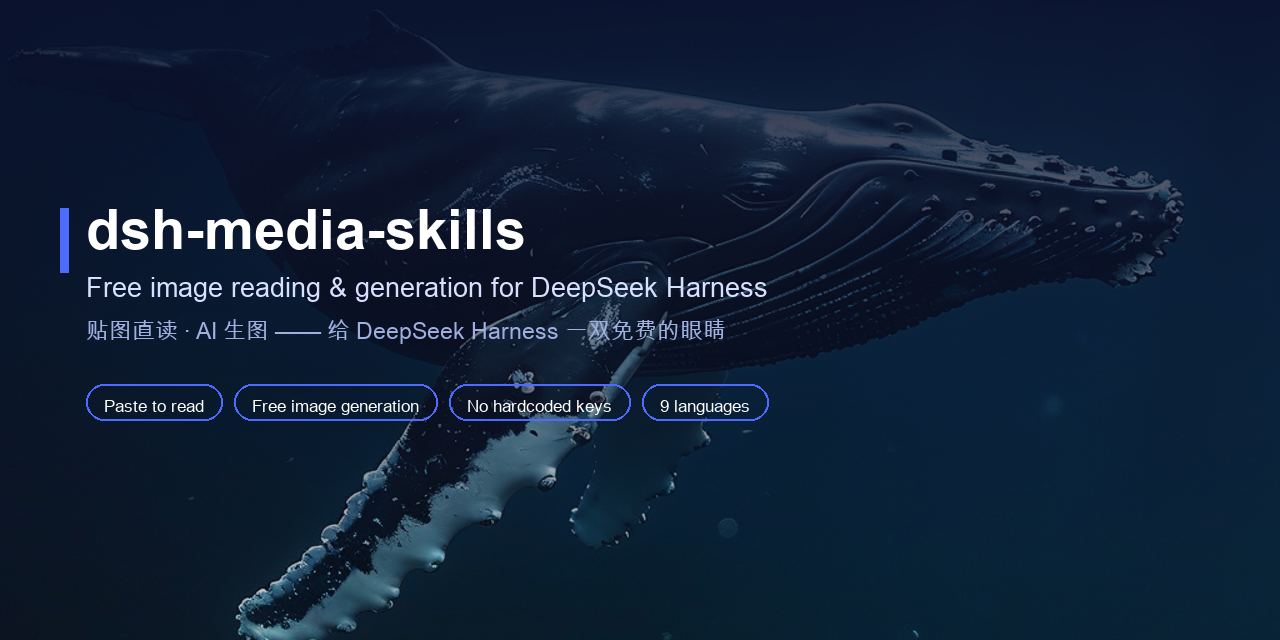
🎨 dsh-media-skills
Give DeepSeek Harness eyes — and a brush. Read images in any chat, generate new ones, all with free models.








DeepSeek Harness is brilliant at reasoning — but a text-only model can't see the image you just dragged into the chat. This bundle fixes that with two free skills, a free vision model route, and a vision engine failover chain:
- 📎 Paste to read — paste, drag, or pick an image in any session; the free vision model turns it into text your current model understands. (Powered by the DeepSeek Harness core auto-description path — see docs/HARNESS_PATCH_EN.md; this bundle contributes the vision model route and the skill it relies on.)
- 👁️
vision-review— analyze images and screenshots, catch UI visual bugs, detect watermarks, turn images into text. - 🎨
media-tools— generate illustrations, avatars, backgrounds and banners with a free, watermark-free model. - 🔀 Engine failover — GLM-4V-Flash → SiliconFlow Qwen3-VL → Google Gemini (AI Studio) → any OpenAI-compatible endpoint, with ModLens-style structured evidence output.
No hardcoded keys, no paid API, no file saving, no session switching.
Why · Quick start · See it in action · Usage · Keys & privacy · FAQ · Examples
English · 简体中文 · 繁體中文 · 日本語 · 한국어 · Español · Deutsch · Português · Русский
🤔 Why
Most DSH vision plugins only read images — and many push you through a shared third-party endpoint. dsh-media-skills takes a different stance:
| This bundle | Typical vision-only plugin | |
|---|---|---|
| Read images for free | ✅ Zhipu GLM-4V-Flash | ✅ |
| Generate images for free | ✅ SiliconFlow Kolors | ❌ usually absent |
| Auto model route in the picker | ✅ installed automatically | sometimes |
| Keys committed to the repo | ❌ never — keys stay local | ⚠️ often required |
| Docs in multiple languages | ✅ 9 languages | ❌ usually English only |
| Privacy | ✅ you choose the provider; images only go to your provider | shared free endpoints can see your images |
Why bring your own free key instead of a built-in anonymous endpoint? Privacy and reliability. Your images go only to the provider you choose, under your account and your rate limits — no shared third-party service in the middle.
✨ What you get
| Capability | What it does | Model | Cost |
|---|---|---|---|
| 🖼️ Paste-image reading | In a text-only session, paste, drag, or pick (add-image button, restored by the client-ux patches) an image into the composer; it is described by the vision model (GLM-4V-Flash with SiliconFlow Qwen3-VL failover, 15s per route) and handed to the current model as text beside a live thumbnail. (Harness-core feature on rc.7/rc.8: requires the api-proxy admission patch + the rc.8 client-ux patch — see docs/HARNESS_PATCH.md / HARNESS_PATCH_EN.md, patch files included for rc.7 and rc.8; this bundle supplies the vision route + skill it depends on) | GLM-4V-Flash + Qwen3-VL | Free |
| 🧠 Vision model route | 「智谱 GLM-4V-Flash(视觉)」 appears in the model selector automatically — pick it for a new conversation and talk about images directly | Zhipu GLM-4V-Flash | Free |
👁️ vision-review | Analyze / recognize / describe images & screenshots; catch UI visual bugs (overlap, overflow, misalignment); detect watermarks/logos; turn images into text. Optional --structured mode returns ModLens-style evidence JSON (summary, full OCR, reading-order layout, entities/relations, uncertainty). Engine failover chain: GLM-4V-Flash → SiliconFlow Qwen3-VL / Google Gemini (auto-join with free keys) → any OpenAI-compatible endpoint | GLM-4V-Flash + Qwen3-VL + Gemini | Free |
🎨 media-tools | Generate images, illustrations, avatars, backgrounds, banners | SiliconFlow Kolors | Free, no watermark |
⚡ Quick start
dsh plugin --profile <name> add github:MJorgin/dsh-media-skills
-
Get two free keys (~2 minutes, no payment):
- Zhipu — open.bigmodel.cn → API Keys (
glm-4v-flashis free) - SiliconFlow — siliconflow.cn → API Keys (Kolors is free)
- (optional third) Google Gemini — aistudio.google.com → Get API key; joins the vision failover chain automatically
- Zhipu — open.bigmodel.cn → API Keys (
-
Add them in the Web GUI (Settings → Models → the zhipu-vision provider's API Key field), or use the credentials file:
# ~/.dsh/.credentials.yaml (chmod 600) GLM_API_KEY: <your key> -
Restart
dsh web, then hard-refresh (Cmd+Shift+R).
Verify: the model selector shows 智谱 GLM-4V-Flash(视觉). If your Harness build supports paste-image reading, the input bar also has a 📎 Add image button — paste an image in any session and it arrives as a text description.
Full walkthrough and troubleshooting: docs/SETUP_VISION_EN.md.
📸 See it in action
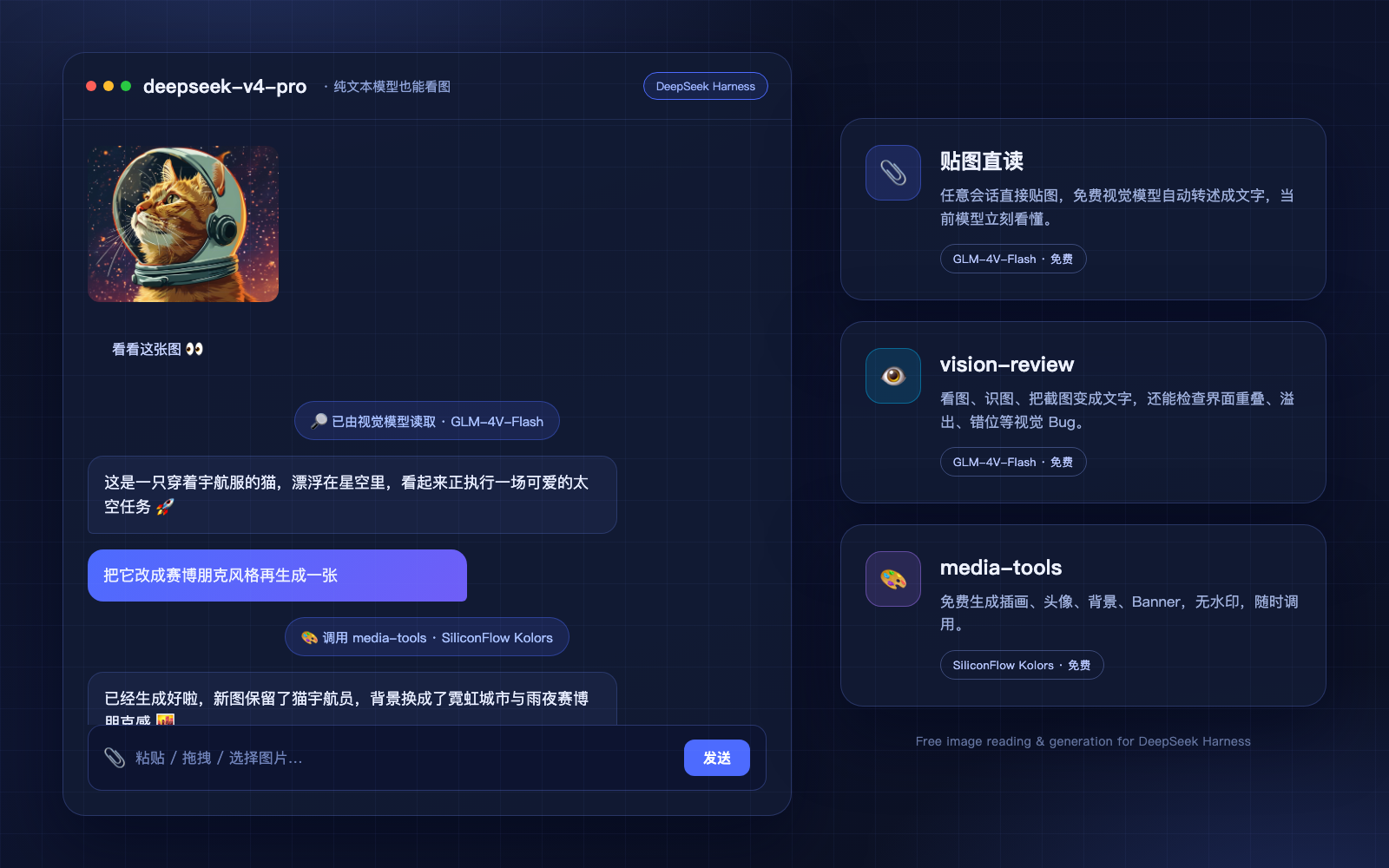
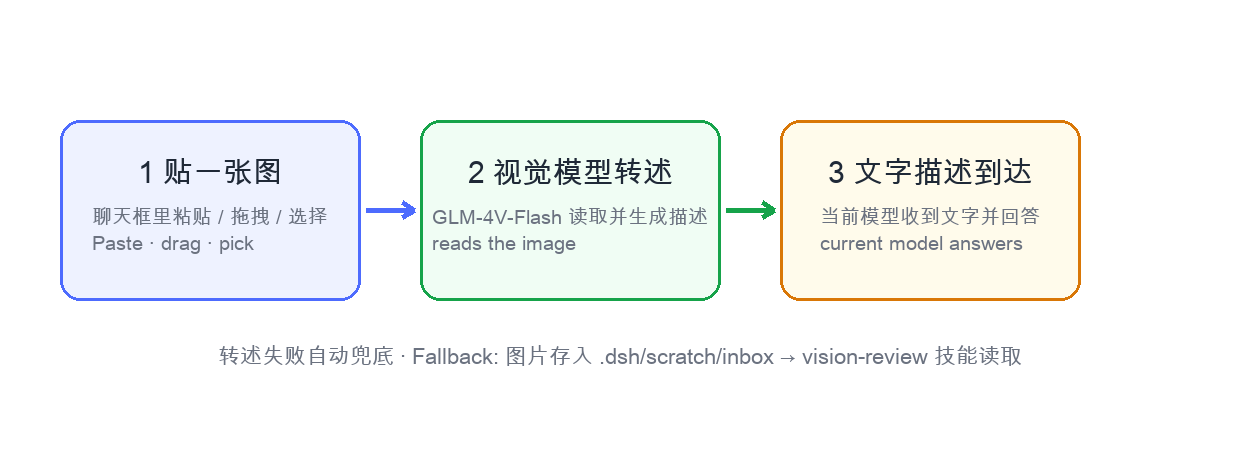
Paste an image in a text-only session → the free vision model describes it → your model answers. The same bundle also generates new images on demand.
How it works in one picture:
🚀 Usage
Three ways to read images:
| Way | How | When |
|---|---|---|
| A. Paste directly (recommended) | In any session, click the 📎 button / drag / paste an image and send | Everyday image questions — no file saving, no model switching |
| B. Vision model session | New conversation, pick 智谱 GLM-4V-Flash(视觉), paste images and chat | Multi-turn image conversations, native read_image |
| C. Files + skill | Put the image in the workspace and say “read this image with vision-review” | Batch review, scripted workflows |
Descriptions follow your message language (Chinese message → Chinese description; English message → English description; no text → Chinese).
Also just say:
- “Look at this image / check this screenshot for visual bugs” →
vision-review - “Generate an image of …” →
media-tools
🔑 Keys & privacy
Keys are never stored in this repo. Skill scripts read, in order: environment variables → ~/.dsh/secrets/media-tools.env → ~/.codex/secrets/media-tools.env (legacy fallback). The vision model route reads GLM_API_KEY from DSH's credential store.
Where to get the keys (all free): Zhipu — open.bigmodel.cn → API Keys (glm-4v-flash). SiliconFlow — siliconflow.cn → API Keys (Kolors). Google (optional, joins the vision failover chain automatically) — aistudio.google.com → Get API key.
# ~/.dsh/secrets/media-tools.env (chmod 600, one KEY=value per line)
GLM_API_KEY=...
SILICONFLOW_API_KEY=...
GEMINI_API_KEY=...   # optional
Your images are sent only to the provider you configure — never to this repo, never to a shared anonymous endpoint.
Privacy note on Gemini: Google's free-tier key comes with data-use terms — requests may be used to improve Google products. For sensitive images (IDs, internal docs, customer data), prefer the direct domestic engines (Zhipu / SiliconFlow).
❓ FAQ
Does paste-image reading require a DeepSeek Harness core patch?
The auto-describe pipeline lives in the Harness core (api-proxy image-admission logic; see docs/HARNESS_PATCH_EN.md). This bundle ships the model route + skills: the vision model works on any DSH build, but paste-image reading requires a Harness build with that core support — see FAQ Q1 in docs/SETUP_VISION_EN.md.
Why not just use a built-in free endpoint with no key at all? We prefer to let you own the route: your images go to the provider you pick, under your rate limits, with no shared middleman. The keys are free and take about two minutes to create.
Is media-tools really free?
Yes — SiliconFlow Kolors is free and watermark-free. If a model is temporarily disabled, the skill lists available models and you can switch.
🎁 Examples
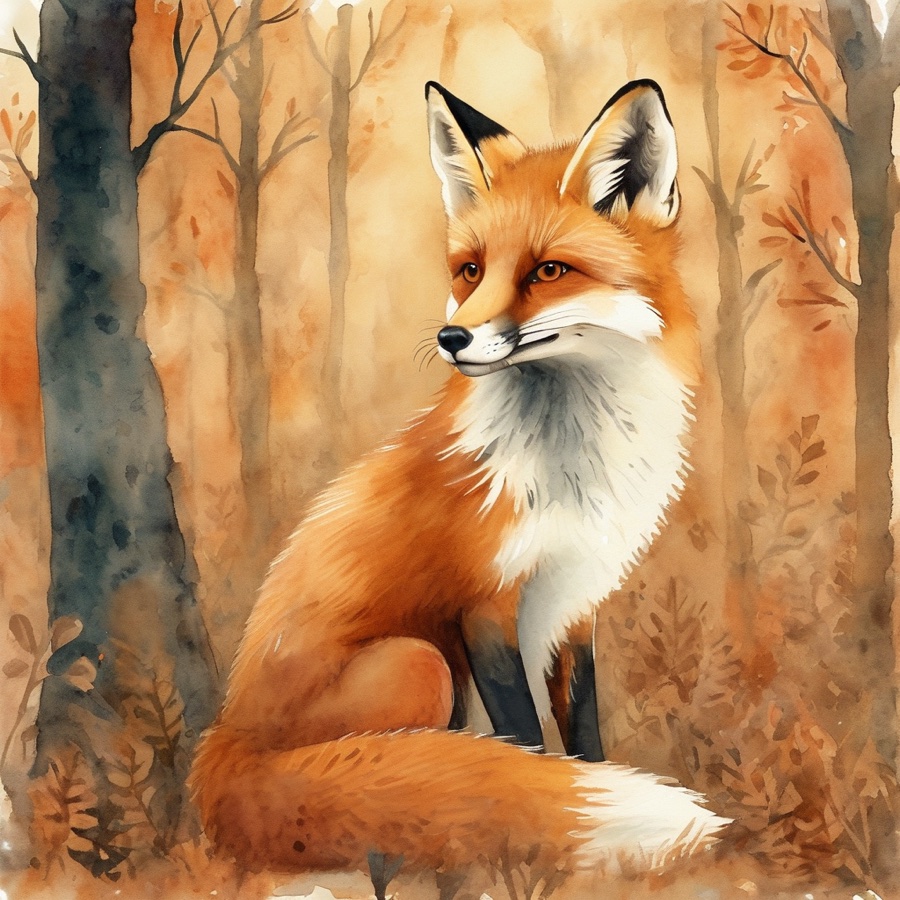
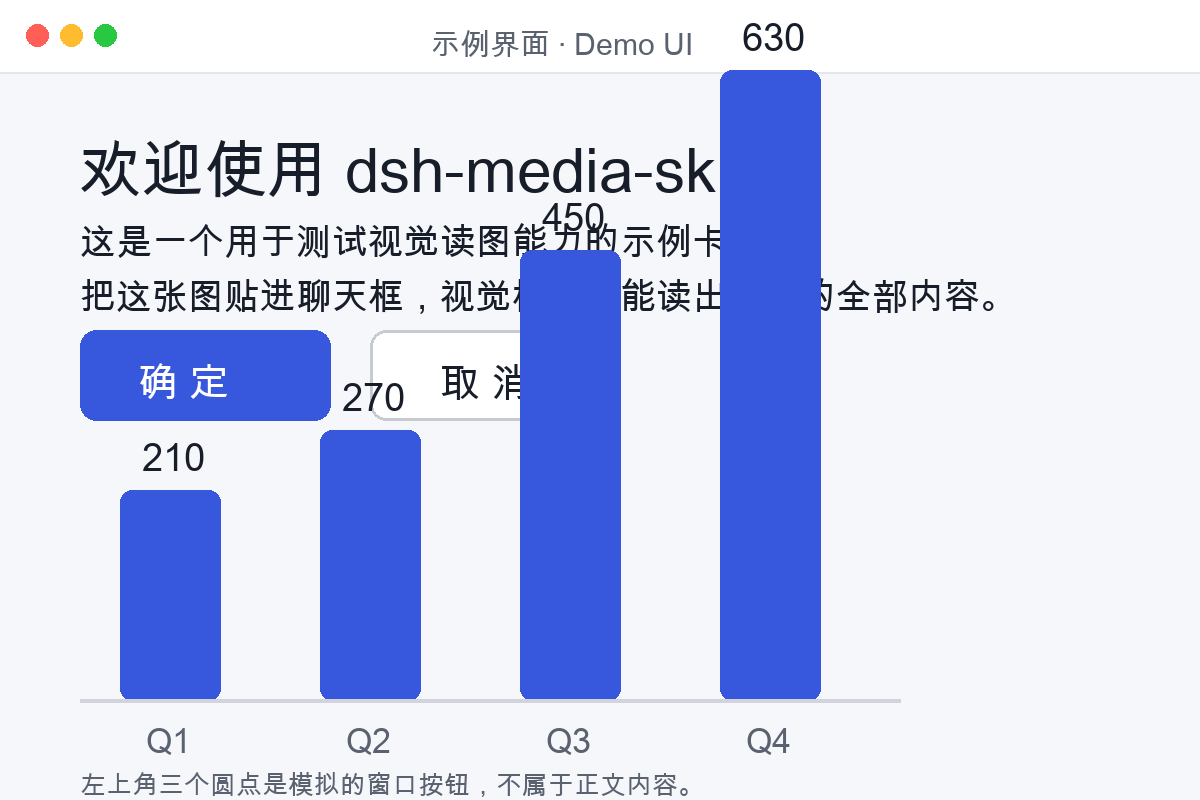
Sample material to try instantly — 6 AI-generated images with their prompts, plus a purpose-built vision test card (title, buttons, bar-chart values) for checking reading accuracy:

🗺️ Layout
dsh-media-skills/
├── package.json           # dsh.bundle manifest
├── cordis.patch.yml       # plugin layer
├── index.js               # registers skills + seeds the zhipu-vision model route
├── skills/
│   ├── vision-review/     # image reading
│   └── media-tools/       # image generation
├── examples/              # sample images + vision test card
├── docs/
│   ├── screenshots/       # demo mockup & how-it-works diagram
│   ├── SETUP_VISION_EN.md # detailed setup guide (English)
│   ├── SETUP_VISION.md    # 详细配置指南(中文)
│   ├── HARNESS_PATCH_EN.md# core patch notes (English)
│   ├── HARNESS_PATCH.md   # 本体补丁说明(中文)
│   ├── COMPARE_MODLENS.md # 与 ModLens 的对比/共存(中文)
│   └── lang/              # READMEs in 9 languages
├── scripts/make-banner.py # regenerates docs/social-preview.png
└── docs/social-preview.png
🧩 Using ModLens alongside?
Both this bundle and ModLens give text-only models vision. Installed together they do not conflict: ModLens intercepts pastes first (path → modlens_read_image tool), and this bundle's api-proxy fallback handles anything it doesn't take over. See docs/COMPARE_MODLENS.md (中文) for the full comparison, the paste routing order, and how to point ModLens at the same free Zhipu endpoint.
🤝 Join the DSH plugin ecosystem
DeepSeek Harness developer preview is still in its testing phase for Harness developers; core plugins and base APIs will keep iterating. We look forward to exploring the upper limits of intelligence together with developers worldwide, on top of open-source, open, reusable, and composable infrastructure.
- dsh-plugin topic
- Quickstart
- DeepSeek Harness repo
- dsh-agent-conductor — 同作者的指挥家:在 DSH 里派活给 11 种外部 agent CLI(Codex / Claude Code / TraeCode…)
This repo is tagged
dsh-pluginand listed in the awesome-dsh-plugin curated list. PRs, issues and translations are welcome.
📄 License
Read the usage guide →
Install steps, key points, FAQ and compatibility for this plugin — auto-derived from indexed fields.
Listing badge

[](https://deepseek-plugin.org/plugins/akqwpeter-prog/dsh-media-skills)Paste this markdown into your GitHub README to link back to this listing. The badge only states the listing — not a security endorsement.