把 Reactive Resume 的 MCP 工具集接入 DeepSeek Harness,让 AI 直接读取、修改和锁定用户的在线简历与求职申请。

- 语言
- TypeScript
- License
- MIT
- 分支
- main
安装
$ dsh plugin --profile web add dsh-plugin-reactive-resume在终端中运行以上命令,通过 dsh CLI 安装此插件。可在右上角切换 Profile。 第一次用 dsh?看这篇新手教程
对话式安装
帮我安装 DeepSeek Harness 插件 amruthpillai/reactive-resume/packages/dsh-plugin:先查看仓库 https://github.com/amruthpillai/reactive-resume 确认安全性,然后执行安装命令并验证插件加载成功。
把这段指令粘贴给 DSH Web GUI 里的助手,由它代你完成安装与验证。
一句话定位
把在线简历服务 Reactive Resume 的 MCP 工具集接进 DeepSeek Harness,让 AI 能像操作文件一样读取、修改、锁定和跟踪用户的简历与求职申请。配套一段系统提示教学,告诉模型怎么正确写简历数据,避免常见的 patch 路径错误。
核心能力
- 通过 streamable-http 桥接 Reactive Resume 的 MCP 端点,把 28+ 个简历与求职工具暴露给模型
- 注入专用的系统提示章节,规范模型编辑简历的流程(先列 ID 再读、按 RFC 6902 patch、UUID-keyed 条目、锁定状态)
- 读取并转发用户 API Key,默认走官方托管地址
https://rxresu.me,也支持自托管实例 - 未配置 API Key 时只打印警告、不挂载工具,保证 profile 仍可启动
- 在插件层自定义工具命名空间(
serverName),避免多个 Reactive Resume 实例的工具名冲突
技术实现
- 语言: TypeScript(ESM,TypeScript 7)
- 关键依赖:
@deepseek-ai/cordis(插件宿主框架)、@deepseek-ai/dsh-mcp-client(MCP 桥接)、@deepseek-ai/dsh-system-prompt(系统提示注入)、@deepseek-ai/schemastery(配置 schema 校验) - 架构模式: Cordis bundle patch 声明式注入——
cordis.patch.yml在安装时插入一行reactive-resume,插件apply(ctx, config)钩子在 Harness 启动时调用ctx.plugin()挂载 MCP 客户端,并通过ctx.systemPrompt.section()追加 prompt - 入口文件:
src/index.ts(apply函数 +Configschema +name/inject导出)
适用场景
用户已经在用 Reactive Resume 管理在线简历,并希望 DeepSeek Harness 里的对话能直接读取、修改、批量更新简历或求职申请。痛点是:手动改简历字段名、复制工作经历描述很费劲,而让模型直接操作数据又怕它猜错 UUID、踩坑锁定状态——这个插件把工具和操作规约一起交给模型。
前置依赖与兼容性
| 依赖 | 最低版本 | 说明 |
|---|---|---|
| Node.js | ^22.19.0 || >=24.0.0 | 来自 package.json#engines |
| @deepseek-ai/cordis | ^4.0.1 | 宿主框架,peerDependency |
| @deepseek-ai/dsh-mcp-client | ^0.1.0-rc.6 | MCP 桥接客户端 |
| @deepseek-ai/dsh-system-prompt | ^0.1.0-rc.6 | 系统提示注入接口 |
| @deepseek-ai/schemastery | ^3.18.1 | 配置 schema 校验 |
| 平台 | 跨平台 | 无原生模块依赖 |
| 原生模块 | 无 | 纯 JS 实现 |
安装方式
dsh plugin --profile web add github:amruthpillai/reactive-resume/packages/dsh-plugin
配置项
| 配置 | 类型 | 说明 | 默认值 |
|---|---|---|---|
apiKey | 字符串 | 从 <url>/dashboard/settings/api-keys 申请的 API Key;空字符串表示不挂载工具,仅打警告 | '' |
url | 字符串 | Reactive Resume 实例的根地址;自托管时改成你自己的地址 | https://rxresu.me |
serverName | 字符串 | 工具命名空间前缀,工具在模型那边会变成 mcp__<serverName>__<工具名>;只允许字母数字下划线连字符、最长 32 字符 | resume |
toolCallTimeoutMs | 数字 | 单次工具调用超时(毫秒) | 60000 |
常见问题
Q: 安装后必须立刻配置 apiKey 吗?
A: 不需要。源码里 apply 函数检测到空 apiKey 时只打印警告并直接返回,不会调用 ctx.plugin(),所以未配置状态下 profile 仍然能正常启动,模型也不会看到 Reactive Resume 工具。
Q: 能自托管 Reactive Resume 然后接入吗?
A: 可以。把 url 配置改成自托管实例地址(例如 http://localhost:3000),插件会自动去掉尾部斜杠并拼上 /mcp 端点,记得在自托管实例上也生成 API Key。
Q: 能不能只暴露部分工具,不全部给 AI 用?
A: 不能。Harness 的 ctx.tools.restrict() 只能在 agent 上下文中调用,而插件 apply 拿到的是插件级 context,所以裁剪工具集目前无法实现——所有 Reactive Resume 发布的工具都会暴露给模型。
Q: serverName 这个字段是干嘛的?改了会怎样?
A: 它是工具的命名空间前缀,模型实际看到的工具名是 mcp__<serverName>__<rawName>。默认是 resume。如果你想同时接入官方版和自托管版两个实例,把它们的 serverName 改成不同值(如 resume-hosted / resume-self)就能避免重名冲突。
Q: 插件往系统提示里写了什么?
A: 它在 ctx.systemPrompt.section() 里追加一段「Reactive Resume」章节,涵盖:编辑前先 list_resumes 再 read_resume、用 RFC 6902 JSON Patch 而不是覆盖写、section 条目是带 UUID id 的对象数组、锁定的简历要先 unlock_resume、删除动作必须用户明确授权等规约。
Q: 工具调用超时了会怎样?
A: 默认单次调用 60 秒(toolCallTimeoutMs: 60000),超时由 dsh-mcp-client 处理。如果你的网络或简历特别大,可以在 profile 的 cordis.patch.yml 里调大这个值。
上手难度
入门 — 配置只有一个必填项(apiKey),其他都有默认值,普通用户拿到 API Key 就能用。
已知问题与限制
- 工具集无法在插件层裁剪,所有 Reactive Resume 发布的工具都会暴露给模型(src/index.ts:23-30)
- 未配置 apiKey 时只 warn 不挂载,但 warn 消息没有关闭开关(src/index.ts:44)
serverName长度上限 32 字符且只允许[A-Za-z0-9_-],超出或含非法字符会在 schema 校验阶段抛错(src/config.ts:4 / src/config.ts:28-32)- 插件直接通过
failOnStartupError: true让 MCP 启动失败会冒泡到宿主,启动期网络抖动会让 profile 启动失败(src/index.ts:56)
Reactive Resume
Reactive Resume is a free and open-source resume builder that simplifies the process of creating, updating, and sharing your resume.






Reactive Resume makes building resumes straightforward. Pick a template, fill in your details, and export to PDF—no account required for basic use. For those who want more control, the entire application can be self-hosted on your own infrastructure.
Built with privacy as a core principle, Reactive Resume gives you complete ownership of your data. The codebase is fully open-source under the MIT license, with no tracking, no ads, and no hidden costs.
Sponsors
Reactive Resume stays free, open-source, and independent because companies choose to support the work behind it. Thank you to every sponsor who helps fund hosting, maintenance, and continued development for the community.

Atlas Cloud supports Reactive Resume as a project sponsor. Atlas Cloud provides a unified AI platform for developers, with access to hundreds of models for chat, image generation, video generation, media processing, and GPU cloud workloads through one API key, one endpoint, and one billing account.
If your company would like to sponsor Reactive Resume, email [email protected].
Features
Resume Building
- Real-time preview as you type
- Multiple export formats (PDF, JSON, DOCX)
- Drag-and-drop section ordering
- Custom sections for any content type
- Rich text editor with formatting support
Templates
- Professionally designed templates
- A4 and Letter size support
- Customizable colors, fonts, and spacing
- Structured Style Rules for section and text styling
Privacy & Control
- Self-host on your own infrastructure
- No tracking or analytics by default
- Full data export at any time
- Delete your data permanently with one click
Extras
- AI integration (OpenAI, Google Gemini, Anthropic Claude)
- Multi-language support
- Share resumes via unique links
- Import from JSON Resume format
- Dark mode support
- Passkey and two-factor authentication
Templates
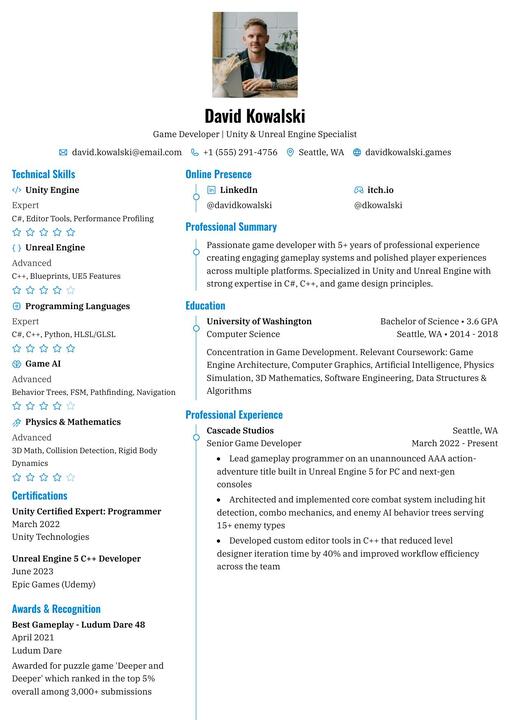
Azurill |
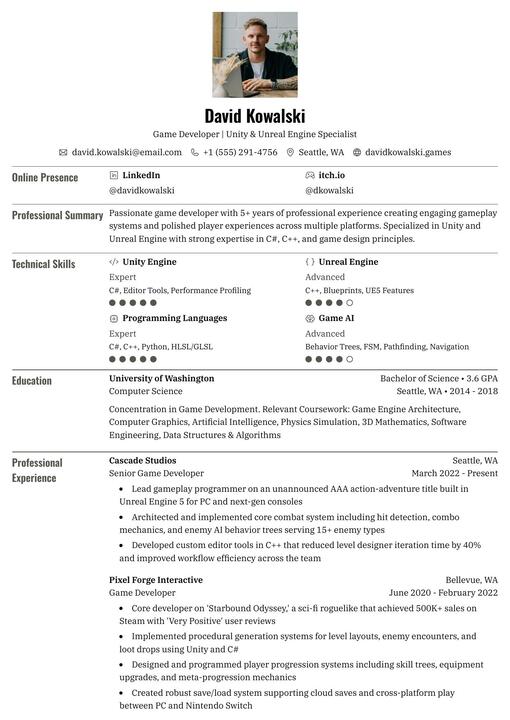
Bronzor |
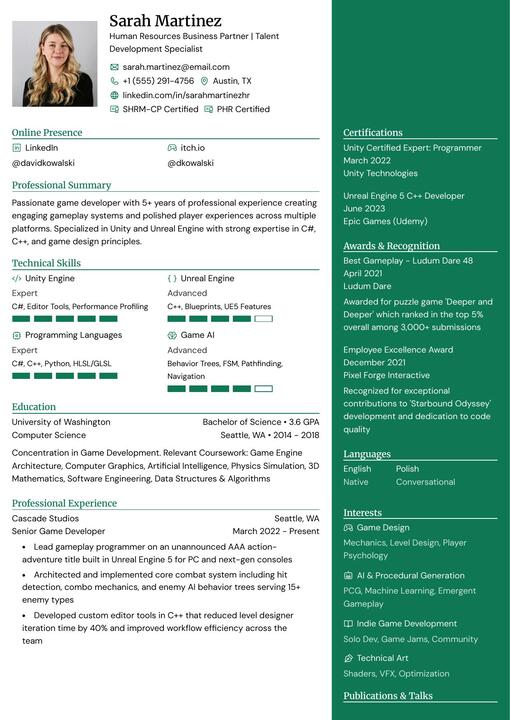
Chikorita |
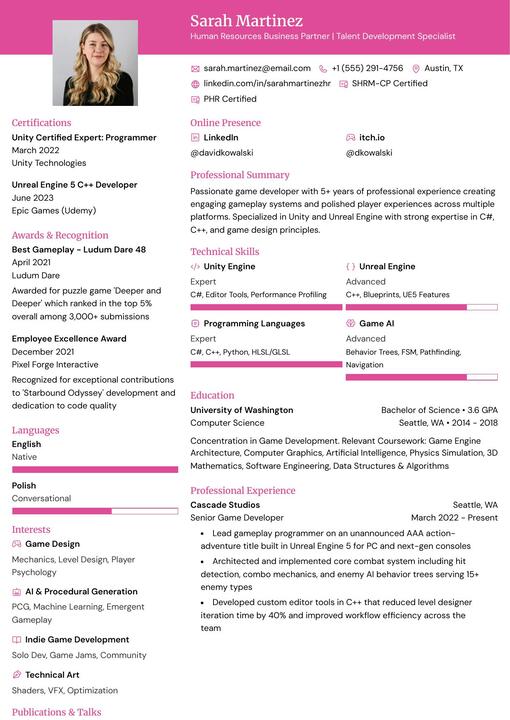
Ditto |
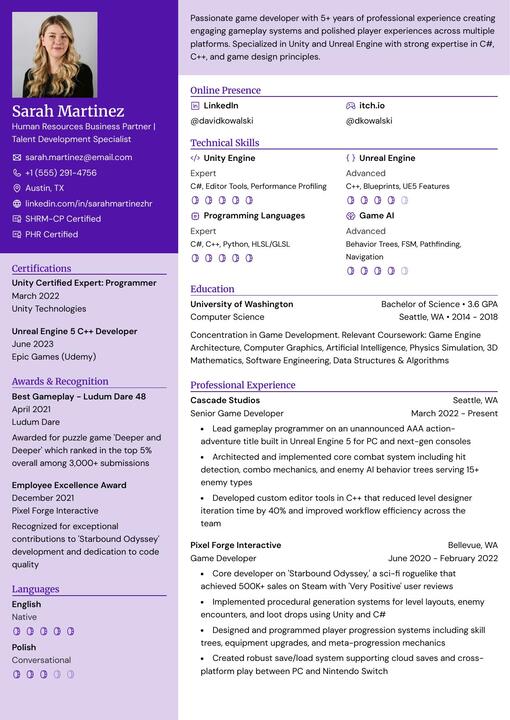
Gengar |
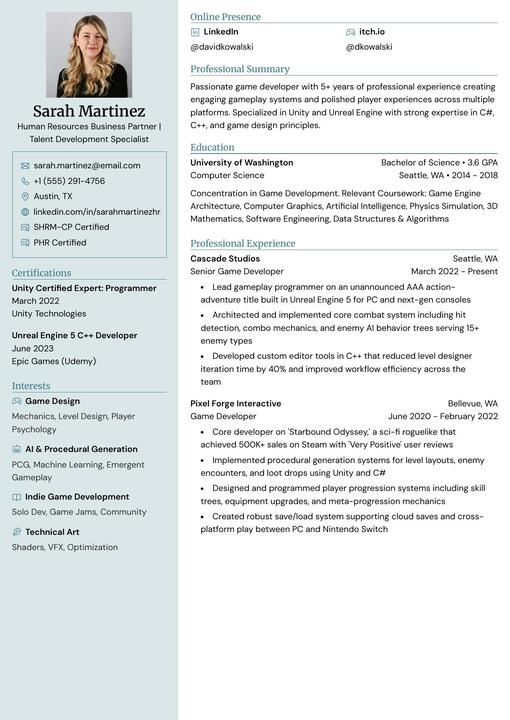
Glalie |
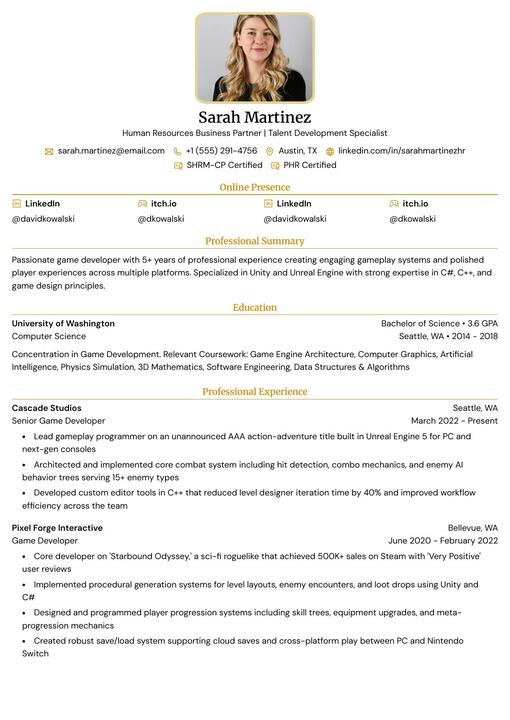
Kakuna |
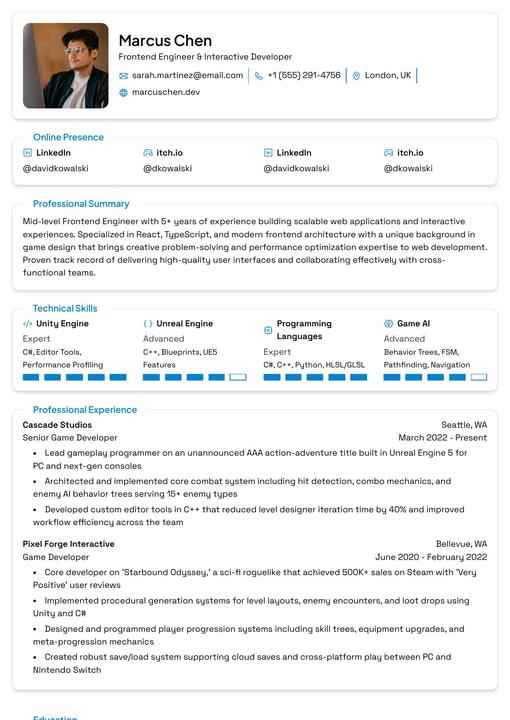
Lapras |
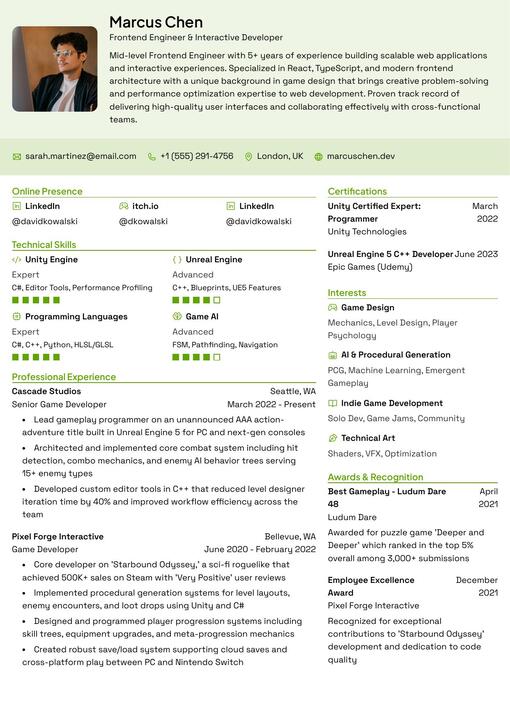
Leafish |
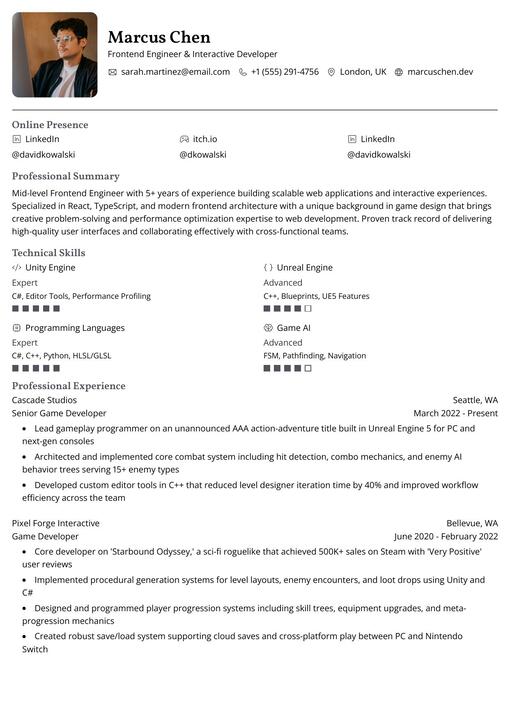
Onyx |
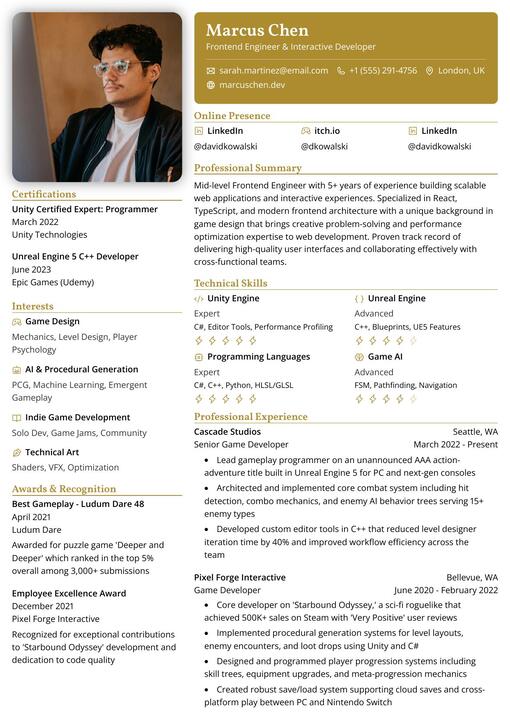
Pikachu |
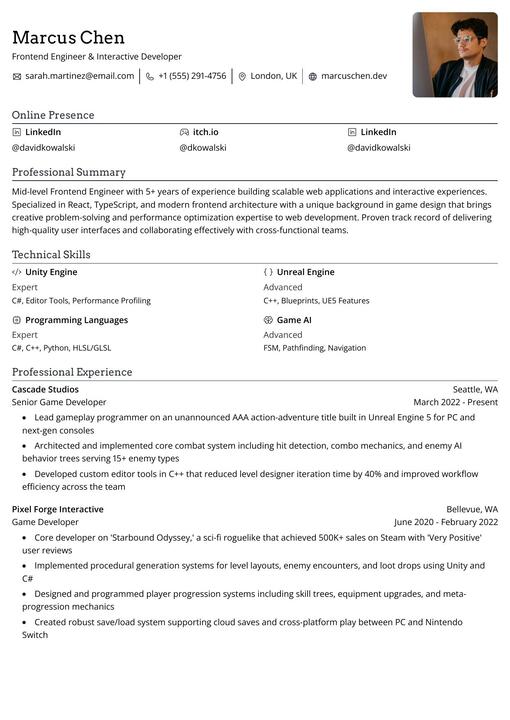
Rhyhorn |
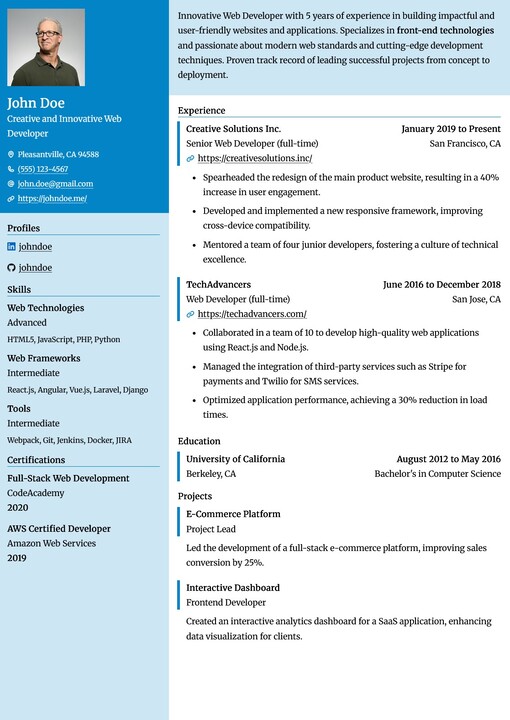
Ditgar |
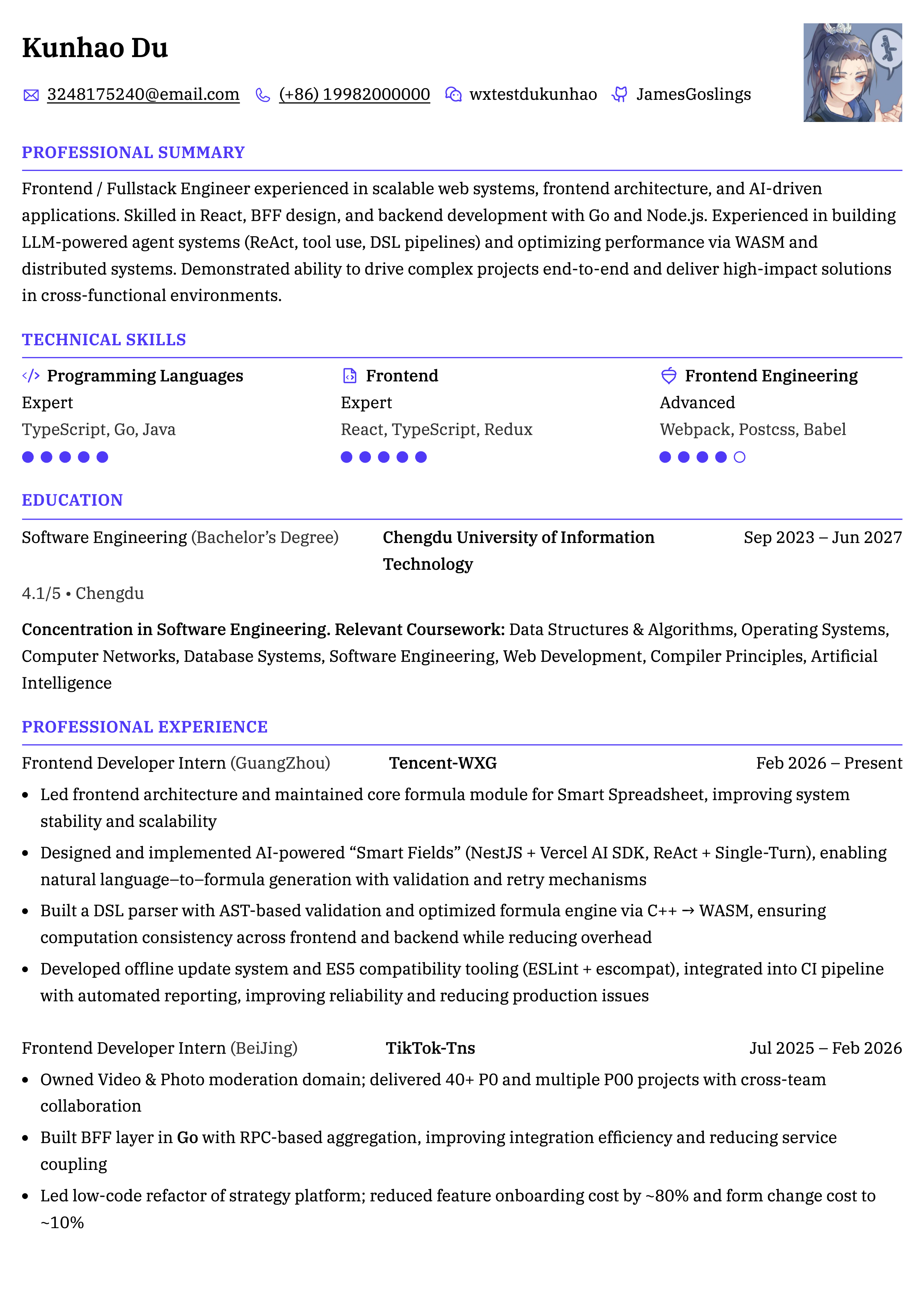
Meowth |
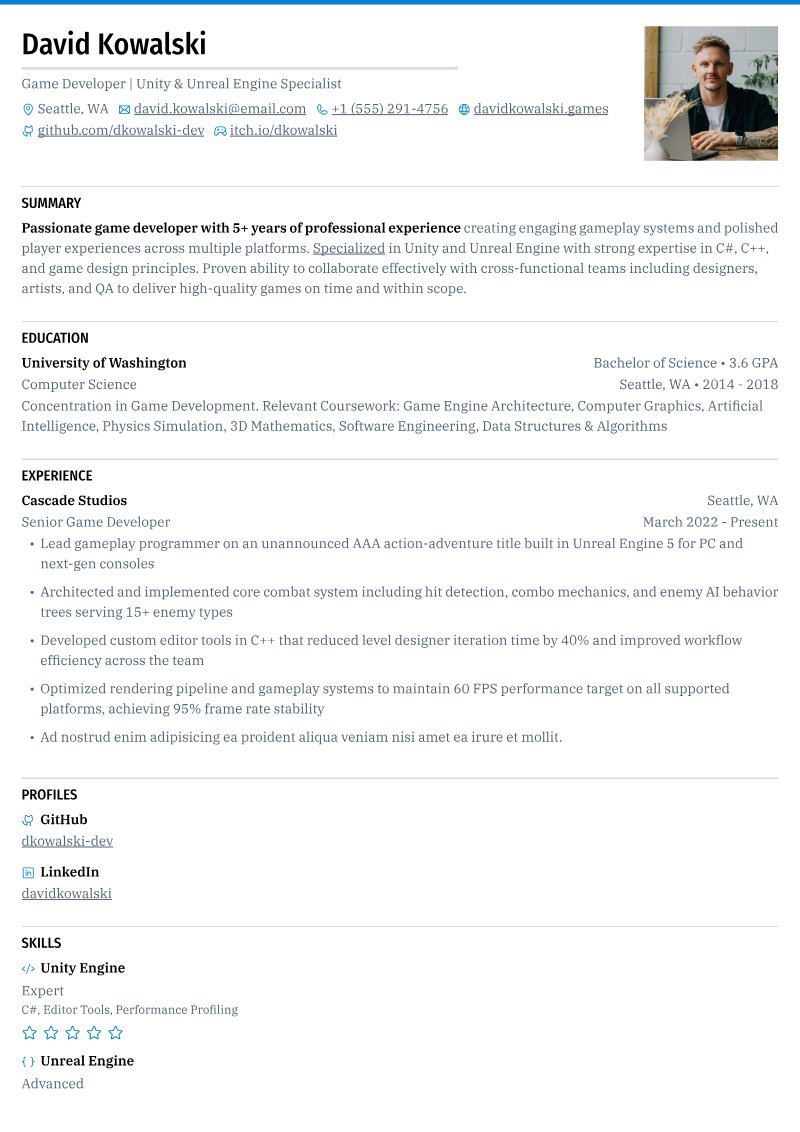
Scizor |
Quick Start
The quickest way to run Reactive Resume locally:
# Clone the repository
git clone --depth=1  https://github.com/amruthpillai/reactive-resume.git
cd reactive-resume

# Start all services
docker compose up -d

# Access the app
open http://localhost:3000

For detailed setup instructions, environment configuration, and self-hosting guides, see the documentation.
Tech Stack
| Category | Technology |
|---|---|
| Framework | TanStack Start (React 19, Vite) |
| Runtime | Node.js |
| Language | TypeScript |
| Database | PostgreSQL with Drizzle ORM |
| API | ORPC (Type-safe RPC) |
| Auth | Better Auth |
| Styling | Tailwind CSS |
| UI Components | Base UI + shadcn-style package |
| State Management | Zustand + TanStack Query |
Documentation
Comprehensive guides are available at docs.rxresu.me:
| Guide | Description |
|---|---|
| Getting Started | First-time setup and basic usage |
| Self-Hosting | Deploy on your own server |
| Development Setup | Local development environment |
| Project Architecture | Codebase structure and patterns |
| Exporting Your Resume | PDF and JSON export options |
Self-Hosting
Reactive Resume can be self-hosted using Docker. The stack includes:
- PostgreSQL — Database for storing user data and resumes
- SeaweedFS (optional) — S3-compatible storage for file uploads
From v5.1.0 onwards — PDF generation now runs entirely client-side via
@react-pdf/renderer. New deployments no longer require Browserless, Chromium, or any external print service as a dependency. ThePRINTER_*andBROWSERLESS_*environment variables are no longer read and can be removed from your.env.
Pull the latest image from Docker Hub or GitHub Container Registry:
# Docker Hub
docker pull amruthpillai/reactive-resume:latest

# GitHub Container Registry
docker pull ghcr.io/amruthpillai/reactive-resume:latest
See the self-hosting guide for complete instructions.
Support
Reactive Resume is and always will be free and open-source. If it has helped you land a job or saved you time, please consider supporting continued development:


Other ways to support:
- Star this repository
- Report reproducible bugs and suggest actionable features
- Help other users in GitHub Discussions
- Improve documentation
- Help with translations
Star History
Contributing
Contributions make open-source thrive. Whether fixing a typo or adding a feature, all contributions are welcome.
- Fork the repository
- Create a feature branch (
git checkout -b feature/amazing-feature) - Commit your changes (
git commit -m 'Add amazing feature') - Push to the branch (
git push origin feature/amazing-feature) - Open a Pull Request
See the development setup guide for detailed instructions on how to set up the project locally.
Maintainers review the status: needs triage queue
weekly. Triaged bugs become status: confirmed; feature proposals become status: accepted; reports that need details become
status: needs info.
License
MIT — do whatever you want with it.
查看使用指南 →
该插件的安装步骤、关键要点、FAQ 与兼容性说明(基于已收录字段派生)。
收录徽章

[](https://deepseek-plugin.org/plugins/amruthpillai/reactive-resume/packages/dsh-plugin)把这段 markdown 粘贴到你的 GitHub README,链接回本插件详情页。徽章只声明已被本站收录,不代表安全认证。