A smoke test fixture for plugin install/uninstall bundled with the deepseek-harness-desktop repository. Only used by the verify-tauri script to verify the dsh plugin chain. Not a user-facing utility plugin.

- Language
- JavaScript
- License
- MIT
- Branch
- main
Install
$ dsh plugin --profile web add github:chokwinlee/deepseek-harness-desktop#path:test/fixtures/sample-pluginRun the command above in your terminal to install this plugin via the dsh CLI. You can switch Profile in the top-right corner. New to dsh? Read the beginner tutorial
Install via your agent
Install the DeepSeek Harness plugin chokwinlee/deepseek-harness-desktop/test/fixtures/sample-plugin for me: review the repository at https://github.com/chokwinlee/deepseek-harness-desktop first, then run the install command and verify the plugin loads successfully.
Paste this instruction to the DSH Web GUI assistant — it will install and verify for you.
One-Line Pitch
This is the "plugin smoke test sample" bundled with the deepseek-harness-desktop repository, used only by scripts/verify-tauri.sh to verify that the dsh plugin add/remove workflow functions correctly in a packaged Tauri application. It is not a practical plugin for end users.
Core Capabilities
- Provides a valid npm package structure that can be recognized by
dsh plugin --profile web add, allowing the script to complete the installation path - Uses an empty
cordis.patch.yml(content[]) so the install/uninstall process doesn't modify host behavior, enabling "addable/removable" loop assertions - Reused by
verify-tauri.shto verify that thedshcommand can correctly read/write the profile manifest in the packaged Tauri application
Technical Implementation
- Language: JSON / YAML manifests (no runtime code)
- Key Dependencies: None (its own
dependenciesis empty; only referenced by other npm packages vialink:) - Architecture Pattern: Uses
dsh.bundle.patchto point to a cordis patch with an empty array[], achieving zero-intrusion injection into the host - Entry Point: None (the fixture doesn't provide any code entry point)
Use Cases
Only maintainers of the deepseek-harness-desktop project will use this when modifying plugin loading logic or running macOS packaging verification: executing scripts/verify-tauri.sh will temporarily install link:<this directory> into an isolated DSH_HOME, verifying that dependencies and dsh.profile.bundles are correctly written and then removed. Ordinary users won't gain any benefit from installing it.
Prerequisites & Compatibility
| Dependency | Minimum Version | Notes |
|---|---|---|
| DSH | Not Declared | sample-plugin/package.json doesn't declare engines or peerDependencies |
| Node | Not Declared | Same as above |
| Platform | Cross-Platform | Fixture has no platform-specific code; its consuming script verify-tauri.sh only validates on macOS |
| Native Modules | None | Doesn't depend on any native modules |
Installation
dsh plugin --profile web add github:chokwinlee/deepseek-harness-desktop/test/fixtures/sample-plugin
This command has no meaning for real users — after installation it doesn't add any functionality; it just adds one dependency entry and one bundle item to the profile manifest.
Configuration
This plugin requires no additional configuration (cordis.patch.yml contains an empty array; installation behavior is entirely determined by the host defaults).
FAQ
Q: What does this plugin do?
A: It has no practical functionality for end users. It's just a standard test sample used by deepseek-harness-desktop project's scripts/verify-tauri.sh to verify the dsh plugin add/remove command chain. It doesn't inject any patches.
Q: What changes will happen to my DSH after installation?
A: No visible changes. The cordis.patch.yml content is an empty array [] and won't inject any modifications into the host. It only adds one item to the dependencies and dsh.profile.bundles lists in ~/.dsh/profiles/web/package.json.
Q: verify-tauri.sh uses link: instead of github: for installation — is there a difference?
A: Yes. link: uses local path resolution and is used for CI smoke testing; github: pulls from the remote repository. Both will ultimately write the fixture to the profile manifest, providing the same verification result, but only the link: form will be automatically executed by verify-tauri.sh.
Q: Can this fixture run independently outside the repository?
A: No. It depends on test/fixtures/fake-dsh.mjs from the same repository along with the FAKE_DSH_MODE=plugin-install-ready environment variable to simulate the "plugin installation successful" path. Using it separately without that script will lack the test target.
Q: Can it be kept in production long-term?
A: Not recommended. The package.json has private:true and has no business capabilities; keeping it will only add a useless dependency entry to the profile manifest. verify-tauri.sh will immediately remove it after running tests.
Difficulty Level
Beginner — because there's "nothing to get started with": no configuration, no entry point, no patch. It's purely a manifest consumed by scripts.
Known Issues & Limitations
package.jsonhasprivate:true, so npm's public registry won't include it; must be accessed viagithub:orlink:pathscordis.patch.ymlis an empty array[]and doesn't inject any capabilities into the host- Only consumed in the
scripts/verify-tauri.shsmoke test chain; without the accompanyingfake-dsh.mjs, it cannot complete end-to-end assertions - Has no
engines/peerDependenciesfield declarations, providing no guarantee of safe loading on arbitrary DSH versions - Installing it outside the repository won't cause errors, but also won't provide any functionality
DSH Desktop
A compact, self-contained desktop host for the official DeepSeek Harness experience.
Download · Highlights · Development · Contributing
English · 简体中文


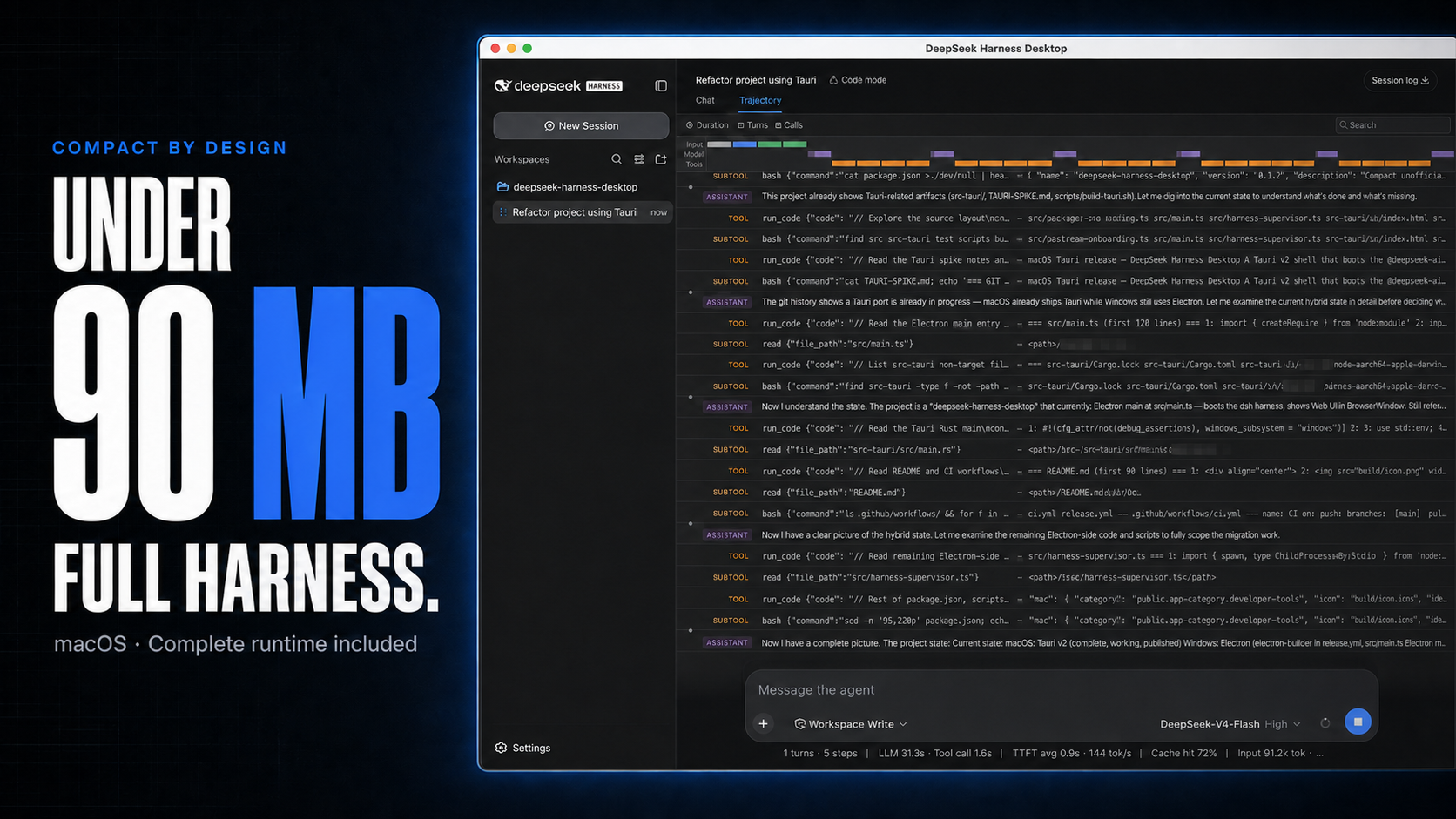
macOS downloads under 90 MB, with the complete Harness rc.8 runtime included.
DSH Desktop runs the official DeepSeek Harness Web UI and runtime in a desktop window. This build is aligned with @deepseek-ai/[email protected] and shows that bundled Harness version in the sidebar. The app manages the local Harness process automatically, so users do not need to install Node.js or start dsh web themselves.
[!IMPORTANT] This is an independent community project, not an official DeepSeek AI product. DeepSeek Harness is a developer preview and may introduce breaking changes.
Highlights
- Multimodal sessions — paste or attach images and send them through the normal Harness conversation flow when the selected provider and model declare image input support. Image messages remain visible in session history.
- Usage at a glance on macOS — see today and seven-day token totals, estimated cost, active task count, and aggregate running throughput without leaving the current session.
- Compact macOS package — stays under 90 MB while bundling the complete Harness runtime, using Tauri and the system WKWebView instead of shipping Chromium.
- Visible runtime alignment — the sidebar identifies both the Desktop release and its bundled Harness version, such as
DSH Desktop v0.3.0 · Harness rc.8. - Ready to run — includes everything needed to start Harness, with no separate Node.js installation or terminal command. The app starts and stops the local runtime automatically.
Cost figures are estimates derived from local token logs and available public model prices. Unmatched models stay visibly unpriced rather than being counted as free.
Multimodal and usage insights
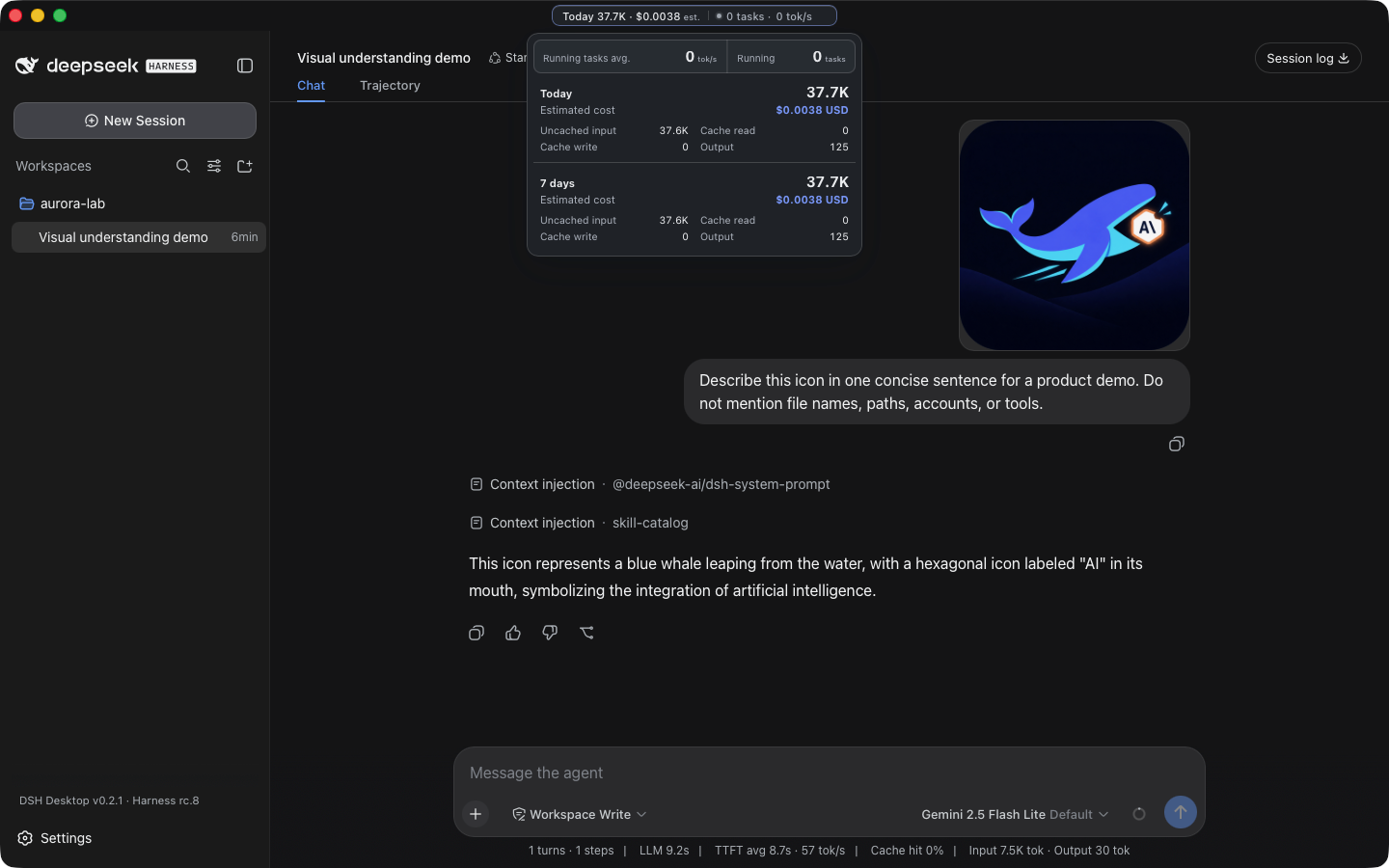
A real Harness rc.8 image-input session with live token and cost insights, using google/gemini-2.5-flash-lite through OpenRouter.
The compact title-bar summary stays visible while you work. Open it for input, output, cache, cost, and live-throughput details. Usage is calculated locally from Harness session history, with estimated costs based on available public model prices.
Download
Installers are published on the latest GitHub Release.
| Platform | Architecture | File |
|---|---|---|
| macOS | Apple Silicon | mac-arm64.dmg |
| macOS | Intel | mac-x64.dmg |
| Windows 10/11 | x64 installer | win-x64.exe |
| Windows 10/11 | x64 portable | win-x64.zip |
Releases also include ZIP archives and SHA256SUMS.txt for integrity verification. Download installers from this repository's GitHub Releases page.
Quick start
- Install and open DSH Desktop.
- Open Settings → Models and configure a provider and API key.
- Add or select a workspace.
- Start a Harness session.
- Paste or attach an image when the selected model supports image input.
Configuration, workspaces, and sessions live in the same DSH_HOME used by the official CLI (~/.dsh by default).
Plugins and recovery
On macOS, open Settings → Plugins → Install & manage. The installer accepts an npm package, github:owner/repo, a public GitHub HTTPS URL, or a full command such as:
dsh plugin --profile web add github:owner/repo
Desktop parses supported install commands without running pasted text through a shell, then checks that Harness restarts successfully. If startup fails, it restores the previous plugin configuration. Third-party plugins run code on the local machine, so review their source and publisher before installation.
Architecture
Desktop shell → loopback-only dsh web → official Harness UI/runtime
       └────── shared DSH_HOME for settings, sessions, and plugins
The project does not fork or reimplement the Harness agent runtime. The shell owns desktop packaging, process lifecycle, navigation boundaries, recovery, native integration, and release verification.
Development
Node.js 22.19 or newer is required.
git clone https://github.com/chokwinlee/deepseek-harness-desktop.git
cd deepseek-harness-desktop
npm ci
npm test
npm start
Build the macOS Tauri release with npm run build:mac; build the Windows Electron release with npm run dist. Packaging changes should also pass the real packaged-runtime checks in the release workflow.
Project
- Read CONTRIBUTING.md before opening a pull request.
- Report vulnerabilities through the process in SECURITY.md.
- Product and UI decisions follow PRODUCT.md.
- The desktop host is MIT licensed. Harness and bundled dependencies retain their own licenses; see THIRD_PARTY_NOTICES.md.
Read the usage guide →
Install steps, key points, FAQ and compatibility for this plugin — auto-derived from indexed fields.
Listing badge

[](https://deepseek-plugin.org/plugins/chokwinlee/deepseek-harness-desktop/test/fixtures/sample-plugin)Paste this markdown into your GitHub README to link back to this listing. The badge only states the listing — not a security endorsement.