Adds 1-4 pixel kitten skins to the DSH Web interface while preserving the original UI. Kittens are draggable, can change outfits, and respond to interactions.

- Language
- TypeScript
- License
- MIT
- Branch
- main
Install
$ dsh plugin --profile web add --allow-build=dskin github:dancingmemory/dskinRun the command above in your terminal to install this plugin via the dsh CLI. You can switch Profile in the top-right corner. New to dsh? Read the beginner tutorial
Install via your agent
Install the DeepSeek Harness plugin dancingmemory/dskin for me: review the repository at https://github.com/dancingmemory/dskin first, then run the install command and verify the plugin loads successfully.
Paste this instruction to the DSH Web GUI assistant — it will install and verify for you.
One-Line Description
Overlays a cartoon pixel kitten skin on the DeepSeek Harness (DSH) web interface, with zero modifications to the original interface; kittens walk at the bottom of the screen, meet and play, can be dragged, and even hang from the top.
Core Features
- Randomly generates 1~4 pixel kittens at the screen bottom (Orange / White / Black / Calico), quantity adjustable, individual breed changeable
- Kittens interact with each other: stop when they meet, face each other and hop, then scatter; click on a single kitten to make it jump
- Mouse can drag kittens to any position; dragging to the top edge makes the kitten hang upside down without falling, pulling it down makes it land
- Hovering over kittens shows a heart ♥; selected kittens display a ★ on their head, automatically deselected after 10 seconds
- 🐾 button in bottom right opens panel to add/remove quantity, random outfit change, toggle mute; occasionally kittens show random quotes (from 1000+ Chinese proverbs)
- Built-in upgrade check: reads GitHub releases in background every 6 hours, prompts one-click upgrade page when new version found
Technical Implementation
- Language: TypeScript
- Key Dependencies: @deepseek-ai/cordis (peer types), CSS Modules (scoped styling), Web Audio API (meow synthesis)
- Architecture Pattern: Follows dsh.client client plugin contract, exports
apply(ctx), all DOM writes recovered viactx.effectdisposer on unmount; cordis.patch.yml inserts ui-skin-dskin line into web graph - Entry Files: src/index.ts (host-side empty implementation) + src/client/index.ts (browser main logic
apply(ctx))
Use Cases
Users who want to add companionship to DSH Web pages that are kept open for long periods; people who don't want to modify the interface layout but want a bit of "pleasant" detail. Not suitable for users pursuing serious productivity or wanting DSH to run lighter—multiple kittens continuously occupy requestAnimationFrame.
Prerequisites & Compatibility
| Dependency | Minimum Version | Description |
|---|---|---|
| DSH | Not declared | Follows dsh.client contract, no dsh version constraint in package.json |
| Node | Not declared | No engines declared, follows current DSH CLI requirements |
| Platform | Cross-platform | Runs only in DSH Web browser side; all capabilities based on browser DOM / Web Audio |
| Native Modules | None | No node-gyp dependencies, no system-level compilation |
Installation
dsh plugin --profile web add --allow-build=dskin github:dancingmemory/dskin
Configuration
This plugin requires no extra configuration. All user preferences (cat quantity, individual breeds, mute status, preferred cat type) are automatically written to browser localStorage, managed internally by the plugin:
- Quantity & breeds: key
dskin-cats, saves{ count, types[] } - Preferred cat type: key
dskin-kitten, saves currently selected cat type id - Mute toggle: key
dskin-sound,"1"= on,"0"= off
FAQ
Q: No changes after installation?
A: The plugin is loaded according to dsh.client contract and must be installed to web profile and restarted dsh web to be injected; if using pnpm ≥ 10 and first installation fails, add allowBuilds: dskin: true to ~/.dsh/profiles/web/pnpm-workspace.yaml and re-run the installation command.
Q: Will kittens block interface operations?
A: No. CSS explicitly limits the activity zone to the screen bottom (bottom: 4px, 160px high home zone), all kittens have fixed highest z-index but are small in size, don't consume events, clicks pass through to original UI.
Q: Can it be restored to original after uninstall?
A: Yes. After dsh plugin --profile web remove dskin and restarting dsh web, the ctx.effect disposer will clean up the data-dsh-dskin attribute on body, all DOM nodes, and CSS Modules styles.
Q: Will this affect DSH's conversations with large models?
A: No. The plugin does not inject cordis services, does not send cordis events, does not read or forward chat content; the only external network request is reading api.github.com/repos/dancingmemory/dskin/releases/latest every 6 hours to check for new versions, falling back to raw package.json on failure.
Q: Meow sounds are annoying, how to turn off?
A: Click the 🐾 button in bottom right to open panel, click 🔊 meow to switch to 🔇 mute, status written to dskin-sound for permanent effect. Sound is synthesized in real-time using Web Audio, no audio files, no network traffic.
Q: Can more kitten breeds be added?
A: Current version (1.0.17) has 4 built-in kitten breeds; to add more, increase frame data in source code src/client/mascots.ts and add to KITTENS array, then rebuild.
Q: Kittens stuck and not moving?
A: Code has a stuck watchdog (auto-return to bottom edge fix after 4 seconds with no movement), normally won't truly freeze; if browser tab goes to background or power saving mode, requestAnimationFrame gets throttled, kittens will naturally recover after returning.
Difficulty Level
Beginner — one command to install, zero configuration, all interactions through bottom right 🐾 panel, regular users can use directly.
Known Issues & Limitations
- pnpm ≥ 10 may refuse to execute build scripts for git dependencies on first install, need to manually write
allowBuilds: dskin: trueto profile'spnpm-workspace.yaml(README.md:103-104) - Dragging kittens to extreme top of screen enters hanging "hang" state; source code comments (src/client/index.ts:586-600) specially handle fallback for release position too low, but user experience edge case still exists where users mistakenly think kitten is "stuck"
- Hanging kittens occasionally need to be dragged down more than 40px to unlock (
UNHANG_DRAG = 40, src/client/index.ts:121) - Browser must support Web Audio API for sound; when unsupported or muted, meow automatically degrades to no operation
- Upgrade prompt depends on GitHub API accessibility; check silently fails when network is restricted or GitHub rate-limited, does not affect main functionality
- When localStorage is disabled (privacy mode / enterprise policy), cat quantity and breed selection won't persist across sessions, but current session functionality works normally
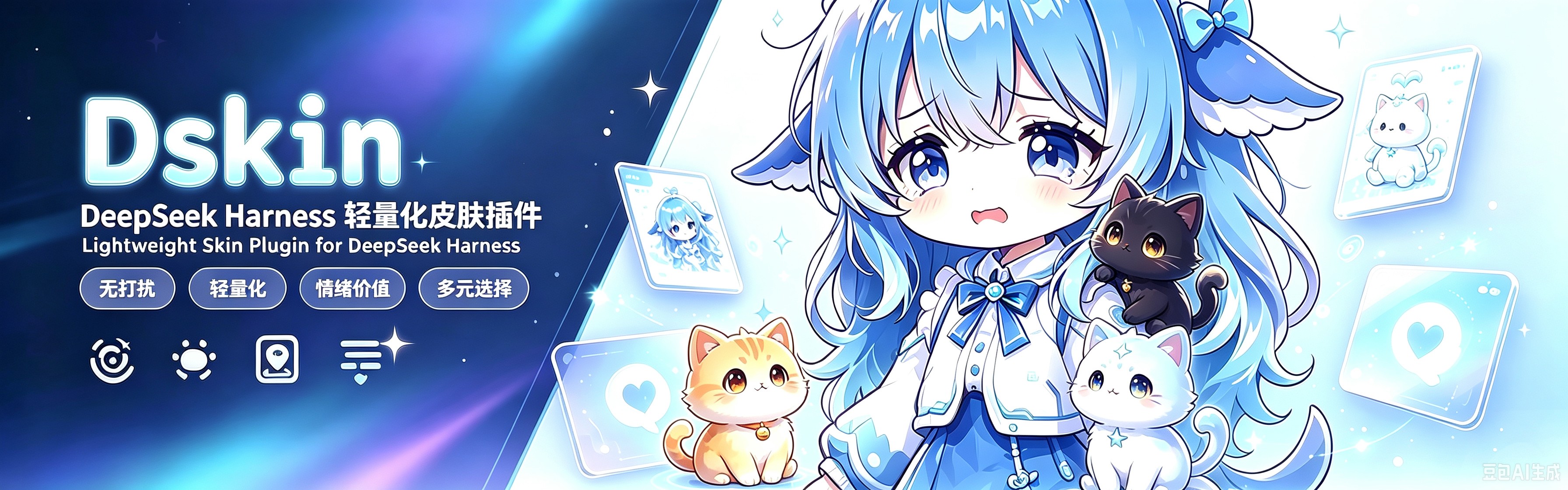


🐱 DSKIN · 像素小猫派对
DeepSeek Harness(DSH)专用卡通像素皮肤插件
A cartoon pixel kitten plugin made exclusively for the DeepSeek Harness (DSH) Web GUI





界面零改动,只养猫。 DSKIN 不加外框、不改背景、不动布局——页面底边住着 1~4 只像素小猫(数量可调、品种可换),它们散步、玩耍、可以被你抓住拖来拖去。
纯皮肤插件:不注入服务、不发事件、不触碰模型请求。遵循官方
dsh.client客户端插件契约,可热插拔、可卸载,卸载后完整还原。
✨ 特性 / Features
| 🐱 1~4 随机小猫 | 每次刷新随机出现 1~4 只(大橘 / 小白 / 玄猫 / 花猫),可手动加减 |
| 🤝 猫咪互动 | 相遇会面对面玩耍、蹦跳,然后各自散开;点击一只,它跳起来 |
| 🎨 每只独立换装 | 面板里点一只小猫(选中),再点品种,只改那一只 |
| 🖐️ 可拖拽 + 挂顶 | 抓住小猫到处拖;拖到屏幕顶边会倒挂住不落,再抓住拉下来即可 |
| 💕 摸猫冒爱心 | 鼠标停在猫身上,它会开心蹦跶并冒出 ♥ |
| 🐾 爪爪面板 | 右下角 🐾:− N + 加减小猫数量,品种按钮给选中的小猫换装,全部记住 |
| 📏 不挡视线 | 活动区限定在屏幕底部,无外框无背景,界面完全原生 |
🐱 四只小猫 · 特写 / Kitten Close-ups
四只可切换的像素小猫(DSKIN 在 DSH Web 中实装):
| 🐱 大橘 | 🐱 小白 |
|---|---|
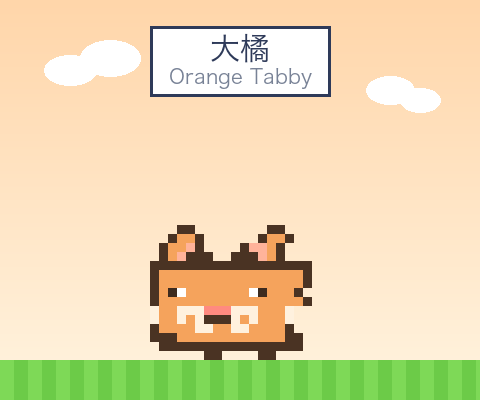 | 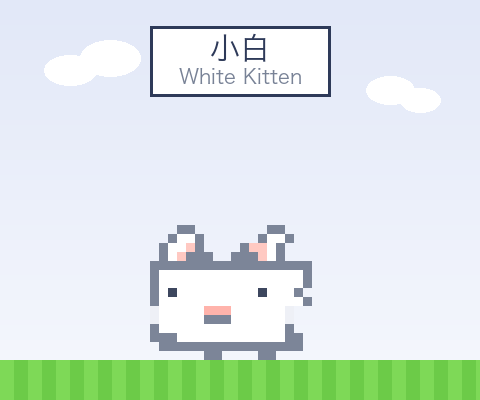 |
| 🐱 玄猫 | 🐱 花猫 |
|---|---|
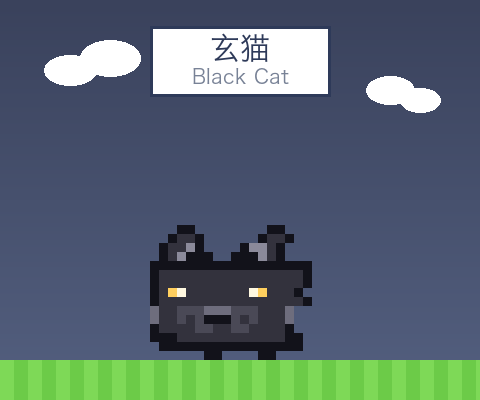 | 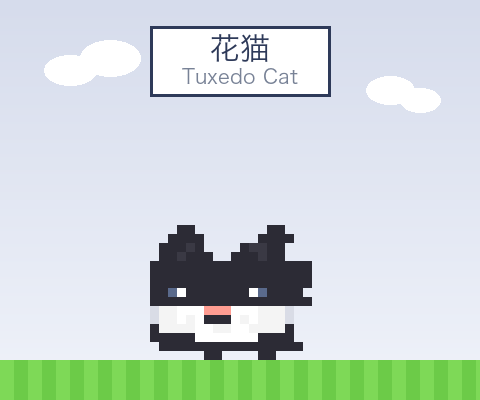 |
🎮 玩法 / Play
- 看它们玩:小猫在屏幕底部散步、眨眼、到边转身;两只靠近时会停下来面对面蹦跳,然后散开。
- 拖拽:按住小猫拖到任意位置——它会在半空挣扎(摇摆 + "!" 气泡);拖到屏幕顶边会倒挂住,松手也不会掉下来,抓住拉下来才回地面。
- 摸:鼠标悬停在猫身上,它开心蹦跶并冒爱心 ♥。
- 点击:猫跳一下。
- 切换品种:右下角 🐾 面板——先点一只小猫选中,再点品种按钮只给那只换装;
− +可以加减小猫数量。
🤖 一键安装(丢给 AI)/ One-Click Install (hand to your AI)
复制下面这句话,发给你的 AI 助手(例如 opencode / Claude / 或 DSH 自带的智能体):
请给我的 DSH 安装 https://github.com/dancingmemory/dskin 插件,并在插件工具中显示。
AI 应该按以下步骤执行:
# 1. 安装插件(写入 web profile)
dsh plugin --profile web add github:dancingmemory/dskin

# 2. 若 pnpm ≥ 10 提示构建脚本被阻止,把下面内容追加到
#    ~/.dsh/profiles/web/pnpm-workspace.yaml 后重跑第 1 步
#    allowBuilds:
#      dskin: true

# 3. 重启 web 服务,插件进入加载图谱
dsh web

# 4. 验证:设置 → 插件 中应看到 dskin(ui-skin-dskin),
#    页面右下角出现 🐾 爪爪按钮,屏幕底边有小猫散步
📦 安装 / Install
要求:DeepSeek Harness dsh CLI(或 npx @deepseek-ai/dsh)。
# GitHub 安装(推荐)
dsh plugin --profile web add github:dancingmemory/dskin

# 源码安装
git clone https://github.com/dancingmemory/dskin.git
cd dskin && pnpm install
dsh plugin --profile web add .
pnpm ≥ 10 首次安装 git 依赖可能拒绝执行构建脚本,dsh 会提示你把
allowBuilds: dskin: true写进 profile 的pnpm-workspace.yaml,重跑即可。
🚀 使用 / Usage
dsh web # 安装后重启,让新插件行进入加载图谱
打开 http://127.0.0.1:3080,小猫已经在你屏幕底边等你了。
还原:dsh plugin --profile web remove dskin 再重启。
🔒 安全边界 / Privacy & Scope
DSKIN 只在你自己的 DSH Web 应用页面内运行(默认 http://127.0.0.1:3080):
- 不是浏览器扩展:不会在其他网站运行,不修改任何网页、主页、搜索引擎或浏览器设置
- 不收集数据:无统计、无追踪、无第三方脚本;只读/写 DSH 页面自己的 localStorage(猫咪配置)
- 唯一的联网请求:每 6 小时一次只读检查 GitHub 是否有新版本;升级按钮仅在点击后才打开 GitHub
- 卸载即还原:
dsh plugin --profile web remove dskin+ 重启,页面完整还原
🔍 发现 / Discoverability
本仓库已打上官方 dsh-plugin 主题标签,可在
github.com/topics/dsh-plugin 下被索引到,
另带 dsh / deepseek-harness / pixel-art 等标签。
⭐ Star 趋势 / Star History
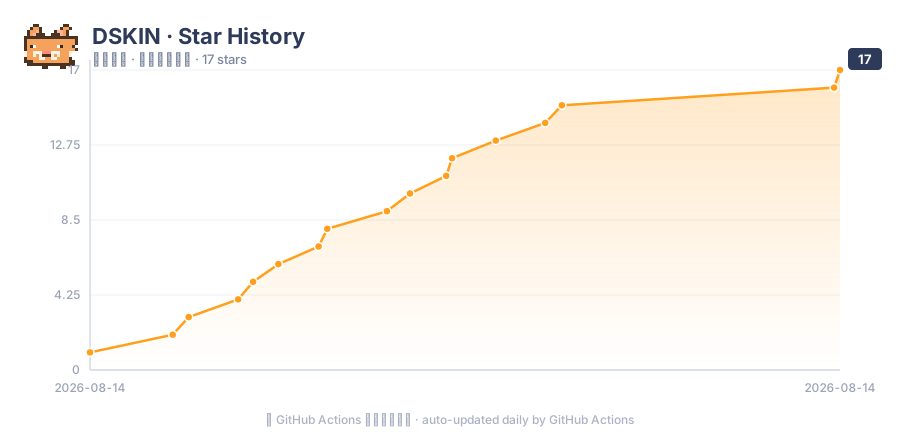
图表由 GitHub Actions 每日自动重绘并提交到本仓库(脚本
scripts/gen-star-chart.py), 随 ⭐ 增长实时更新。 The chart is regenerated daily by GitHub Actions (scripts/gen-star-chart.py) and auto-committed, so it tracks the ⭐ count automatically.
喜欢 DSKIN?点个 ⭐ 支持一下。 Like DSKIN? Hit ⭐ and help the curve grow.
🛠️ 开发 / Development
pnpm install   # 安装依赖 + prepare 自动构建
pnpm build     # tsdown: lib/index.js (host) + lib/client.js (browser bundle)
pnpm test      # vitest: apply/dispose/拖拽 契约测试
├── package.json          # dsh.bundle 补丁 + dsh.client 清单(官方插件契约)
├── cordis.patch.yml      # 向 web 图谱插入 ui-skin-dskin 行
├── skin.json             # 皮肤元数据
├── tsdown.shared.ts      # 官方 clientBundle 构建预设的独立移植(自包含)
├── web-platform.ts       # 官方平台模块表(bundle external 判定)
├── src/client/
│   ├── index.ts          # apply(ctx) + 小猫状态机(idle/walk/互动/拖拽/回巢)
│   ├── mascots.ts        # 4 只小猫 × 4 帧像素 SVG(scripts/gen-mascots.mjs 生成)
│   └── dskin.module.css  # 样式,全部作用域于 body[data-dsh-dskin]
├── tests/apply.spec.ts   # 契约测试
├── assets/               # banner / logo / 实拍截图
└── scripts/              # 猫帧 / 预览图 / 宣传图生成器
皮肤契约(官方标准):纯呈现层;样式全部挂在 body[data-dsh-dskin];
apply(ctx) 写什么就在 ctx.effect disposer 里收回什么;CSS Modules 由加载器
注入/移除;不携带静态资源(小猫为内联 SVG)。
📄 许可 / License
MIT License。Logo 与小猫像素画为原创;参考了 DeepSeek 鲸鱼吉祥物形象。
Read the usage guide →
Install steps, key points, FAQ and compatibility for this plugin — auto-derived from indexed fields.
Listing badge

[](https://deepseek-plugin.org/plugins/dancingmemory/dskin)Paste this markdown into your GitHub README to link back to this listing. The badge only states the listing — not a security endorsement.