Provides cross-session persistent memory for DeepSeek Harness using SQLite + editable Markdown dual mirroring, with automatic background deduplication, merging, and session summarization.

- Language
- JavaScript
- License
- MIT
- Branch
- main
Install
$ dsh plugin --profile web add @modusensus/dsh-mnemeRun the command above in your terminal to install this plugin via the dsh CLI. You can switch Profile in the top-right corner. New to dsh? Read the beginner tutorial
Install via your agent
Install the DeepSeek Harness plugin modusensus/dsh-mneme for me: review the repository at https://github.com/modusensus/dsh-mneme first, then run the install command and verify the plugin loads successfully.
Paste this instruction to the DSH Web GUI assistant — it will install and verify for you.
One-Sentence Pitch
Give DeepSeek Harness cross-session persistent memory — let the AI keep what it learned about your preferences, projects, decisions in this conversation, and automatically bring them back into the system prompt for new sessions.
Core Capabilities
- Auto-write and deduplication merge: The model stores memories via
memory_savetool; entries with the same title merge automatically with version history preserved (content_history) - Auto-inject: At session start, high-importance memories are injected into the system prompt so the AI sees what you said before
- Background autoDream auto-organization: After memory count or word count thresholds are met, async LLM arbitration triggers (keep / merge / archive / conflict / update); the memory bank gets more refined over time
- Editable Markdown mirror: Preferences, projects, decisions, history, and overview each land in separate
.mdfiles, with human edits taking priority for write-back - Fully optional semantic search: Beyond keywords, add BM25 + vector retrieval + cross-encoder reranking; three-way retrieval fusion with adaptive thresholds
- Session summary + short-term hot memory: Session end automatically extracts key points; the last 5 conversation turns in current session are injected as rolling hot memory blocks
- Entity memory + Wiki-Link + Tag system: Extract named entities and timeline attributes from memories; supports
[[bidirectional links]]and#tags(disabled by default, enable as needed)
Technical Implementation
- Language: JavaScript (Node.js ESM,
type: module) - Key Dependencies: @deepseek-ai/cordis (DI container), @deepseek-ai/dsh-tools (model tool registration), @deepseek-ai/schemastery (config Schema), @deepseek-ai/transformers (optional, local vector/reranking)
- Architecture Pattern: Cordis
apply(ctx, config)injection into several host hooks:tools/systemPrompt/webServer/llm/commands; default config written to DSH profile viacordis.patch.ymlbundle for zero-config startup; background maintenance via two pipelines:createDreamSchedulerthreshold-based scheduling +createSleepScheduleridle-based scheduling - Entry Point: dsh-mneme/lib/index.js (published artifact), development source at dsh-mneme/src/index.js
Use Cases
This plugin solves the problem when you want DSH to remember your project background, coding habits, and past decisions like a long-term coworker — instead of re-explaining everything every new session. It's suited for medium-to-long-term users: those who work with AI for several hours daily and need a retrievable knowledge base accumulating over time. It's not suitable for one-off Q&A or chat-and-go scenarios. With semantic search enabled, the AI can also recall things with natural language like "that thing we talked about last time," allowing you to continue projects across days without restating context.
Prerequisites & Compatibility
| Dependency | Minimum Version | Description |
|---|---|---|
| DeepSeek Harness (DSH) | >= 0.1.0-rc.6 | Same-version peer dependency with @deepseek-ai/dsh-host-webserver |
| Node.js | >= 24.0.0 | Relies on node:sqlite built-in module (badge shown in README) |
| Platform | Cross-platform | Runs via DSH web profile; OS-agnostic |
| Native Module | node:sqlite | Built into Node, no third-party native compilation needed |
Installation
dsh plugin --profile web add github:modusensus/dsh-mneme
Configuration Options
Default behavior works out of the box, all listed in schema with no hard requirements. Below are the most commonly adjusted items; modify in DSH Settings → Memory Settings as needed, or override in ~/.dsh/profiles/web/cordis.patch.yml with id: dsh-mneme section.
| Config | Type | Description | Default |
|---|---|---|---|
memoryDir | string | Memory storage directory (SQLite database + Markdown mirror) | ~/.dsh/memory |
autoInject | boolean | Auto-inject high-importance memories into system prompt on new session | true |
autoSummarize | boolean | Auto-extract summary and store on session end | true |
maxInjectedItems | integer 1-20 | Max memories to inject per session | 5 |
importanceThreshold | integer 1-5 | Minimum importance required for injection | 3 |
autoDream | boolean | Background auto-organization switch (dedupe / merge / archive / arbitrate) | true |
dreamThresholdCount | integer 1-1000 | Memory count threshold to trigger organization | 10 |
dreamDelayMs | integer 0-60000 | Debounce delay for organization run (milliseconds) | 2000 |
dreamReasoningEffort | enum | Reasoning models need off to disable reasoning, otherwise output will have empty body | none |
embedProvider | enum | openai / local (ONNX offline) / ollama | openai |
sessionLifecycleEnabled | boolean | When enabled, deleting a session soft-hides its memories (recoverable); default off to preserve legacy behavior | false |
entityExtractionEnabled | boolean | When enabled, auto-extract entities / properties / relations from new memories | false |
apiToken | string | When set, write API and vector key API require Bearer auth; empty means open | empty |
FAQ
Q: I installed the plugin but have no memory available. Do I need to feed it conversation content first?
A: No need. When you open a new session, the AI will see existing memories; new facts are written by the AI itself via the memory_save tool — no manual calls required.
Q: Where is data stored? Will it sync to the cloud?
A: Only on the machine running DSH, at path ~/.dsh/memory/. SQLite main database and Markdown mirror are together; no remote upload. Just copy the directory to back up.
Q: If I delete the conversation window, does the memory go away too?
A: By default no — memories and conversation windows are separate; deleting a session doesn't affect saved memories. With sessionLifecycleEnabled enabled, deleting a session becomes soft-hide (you can still see and recover via memory_list with include_archived).
Q: How do I let the AI search with natural language like "that thing we talked about last time"?
A: Go to Settings → Memory → Toolbar and switch to "Semantic"; this enables vector retrieval. Background is keyword + BM25 + vector three-way fusion with query-length-adaptive thresholds.
Q: My embedding service is unreachable — will vectors cause errors?
A: No. Embedding failures automatically fall back to keyword search; local ONNX model download failures just log warnings and degrade to keyword search — main flow works normally.
Q: Why does a deleted memory still show up in search?
A: You might be using memory_forget or memory_archive — these suppress injection and archive respectively, both recoverable. To physically delete, explicitly use memory_delete, either by id or by query description.
Q: How do I completely disable this plugin?
A: Remove the bundle from DSH profile: dsh plugin --profile web remove @modusensus/dsh-mneme. Data stays on disk; reinstall to restore.
Learning Curve
Beginner — default config works out of the box; most users don't need to change any settings. Only when preparing to enable optional features like vector search / Sleep Mode / entity extraction do you need to check the config options.
Known Issues & Limitations
- Reasoning models (e.g., deepseek-v4-flash / DeepSeek-R1) will burn the entire token budget on reasoning with autoDream default parameters, resulting in empty body (common log:
no json array in llm output). Fix: explicitly set bothdreamReasoningEffortandsleepReasoningEfforttooff; these default tononeto preserve existing behavior. - Rerank reranking is disabled by default (
rerankEnabled=false) because initialization loadsonnxruntime-node; to use it, you must explicitly enable it and accept model download + first-inference latency. - Database is single-file SQLite (
node:sqlitesynchronous API), doesn't support concurrent multi-process writes; DSH runs single-process hosting, multi-instance sharing will conflict. - LLM routing goes through
agentDefaultModel, no independent key: by default consumes main conversation token budget; when budget is tight, manually setdreamProvider/dreamModel/summarizeProviderto point to lightweight models. - Advanced features (entity extraction, Wiki-Link, Tag weighting, Sleep, Session lifecycle) are disabled by default — conservative enabling to avoid breaking existing behavior; consult config docs before first use.
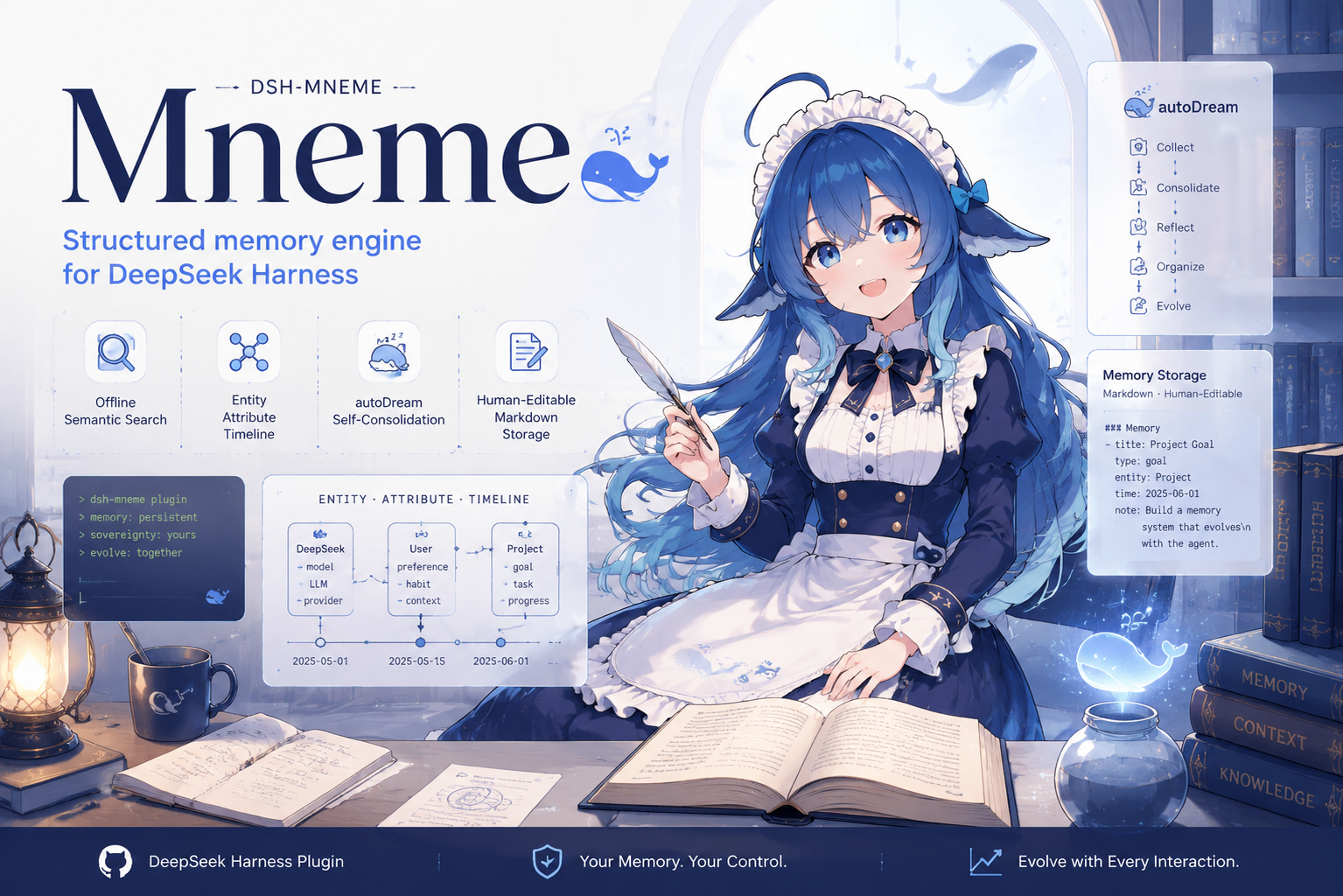
dsh-mneme






🇨🇳 dsh-mneme(中文)
记忆基因 · 让记忆自我进化 —— 从文本仓库到结构化知识库,记忆不再只是存储,而是会生长。
dsh-mneme 是一个 DeepSeek Harness (DSH) 插件,为 Agent 提供持久的跨会话记忆能力。Mneme(Μνήμη)——希腊记忆女神 Mnemosyne 之名,掌管记忆与梦境,正如 autoDream 在后台巩固记忆。
它能解决什么问题
每次新开对话,AI 都像第一次认识你?
dsh-mneme 给 DeepSeek Harness 装上跨会话记忆。 你聊过的项目、提过的偏好、做过的决定,AI 都记得——即使关掉了窗口,下次打开还在。
三个典型场景
| 场景 | 没装插件 | 装了插件 |
|---|---|---|
| 周一聊完项目需求,周三继续 | "能再描述一下你的项目吗?" | "你指的是上周提到的博客重构吗?当时你说想用 Astro。" |
| 告诉 AI 你的编码习惯 | 每轮都要重复交代 | 一次设定,长期生效 |
| 整理大量资料后关窗口 | 资料丢了 | 自动归档,随时检索找回 |
核心特性
- 跨会话记忆 — 对话中 AI 自动记录关键信息,新会话自动注入相关记忆
- 自动整理 — 后台自动去重、合并、归档,记忆库越用越精炼
- 删对话 ≠ 删记忆 — 删除聊天窗口不会丢掉已保存的记忆(可配置)
- 你的数据你做主 — 所有记忆以 Markdown 格式存于本地,随时打开查看和编辑
- 完全离线 — 默认无需 API Key,所有处理在本地完成
安装
# 安装插件(自动注册 bundle 层)
dsh plugin --profile web add @modusensus/dsh-mneme
dsh web
需要 Node 24+(
node:sqlite)。完整安装 / 配置 / 架构见 插件文档。
快速配置(可选)
装完即用,以下按需开启:
| 需求 | 配置项 | 默认值 | 改法 |
|---|---|---|---|
| 完全离线运行 | embedProvider | openai | 改为 local |
| 删除对话时保留记忆 | sessionLifecycleEnabled | false | 改为 true |
| 让 AI 自动提取结构化信息 | entityExtractionEnabled | false | 改为 true |
在 DSH 设置面板 → 记忆库设置 中修改。完整配置说明见 配置文档。
隐私承诺
- 数据只存在你的电脑本地,不上传任何服务器
- 记忆是 Markdown 文件,人类可读、可手工编辑
- 默认零网络依赖,不需要 API Key
- 无遥测、无分析、无远程日志
文档
| 文档 | 路径 |
|---|---|
| 插件完整文档(功能 / 安装 / 配置 / 架构) | dsh-mneme/README.md |
| 实体结构化设计 | dsh-mneme/docs/ENTITIES.md |
| 语义架构 | dsh-mneme/docs/SEMANTIC.md |
| 本地模型部署指南 | dsh-mneme/docs/LOCAL_MODEL.md |
| v0.1 迁移说明 | dsh-mneme/docs/MIGRATION.md |
| 版本历史 | CHANGELOG.md |
| 安全策略 | SECURITY.md |
🗺️ 路线图
🧬 基因(v0.3.0)→ 🛡️ 审计加固(v0.3.6–0.3.9)→ 💤 睡眠维护(v0.4.0)→ 🕸️ 召回融合与图谱(v0.5.0)→ ✨ 自进化(v0.6.0)→ 🔮 兴趣漂移 + 跨 workspace(v0.7.0+)
| 版本 | 主题 | 状态 |
|---|---|---|
| v0.3.0 | 记忆基因:entities/attrs/relations 三表 + 时间轴 | ✅ |
| v0.4.0 | Sleep Mode:空闲四阶段深度维护 | ✅ |
| v0.5.0 | 召回融合与记忆可视化:BM25 + 图谱 + 热记忆 | ✅ |
| v0.6.0 | 会话生命周期:删会话 ≠ 删记忆 | ✅ |
| v0.7.0+ | 兴趣漂移 + 跨 workspace | 🚧 远期 |
🧪 本地开发
cd dsh-mneme
npm install
npm test          # 628 个测试
npm run stress    # 三轴线压测
npm run sync      # src → lib 同步
📜 License
MIT
🇬🇧 dsh-mneme (English)
Memory Genome · Let memory evolve — from text warehouse to structured knowledge base. Memory is no longer just stored; it grows.
dsh-mneme is a DeepSeek Harness (DSH) plugin providing persistent cross-session memory. Mneme (Μνήμη) — named after Mnemosyne, the Greek goddess of memory and dreams, mirroring how autoDream consolidates memories in the background.
What it does
Every time you start a new chat, the AI acts like it's never met you?
dsh-mneme gives DeepSeek Harness cross-session memory. Projects you've discussed, preferences you've mentioned, decisions you've made — the AI remembers them even after you close the window.
Three typical scenarios
| Scenario | Without plugin | With plugin |
|---|---|---|
| Continue a project discussion from Monday on Wednesday | "Can you describe your project again?" | "You mean the blog refactor from last week? You mentioned wanting to use Astro." |
| Tell the AI your coding habits | Repeat every session | Set once, remember forever |
| Close window after organizing research | Notes are lost | Auto-archived, retrievable anytime |
Core Features
- Cross-session memory — AI automatically records key info during chats; new sessions inject relevant memories
- Auto-consolidation — Background deduplication, merging, and archival; the memory store refines itself over time
- Delete session ≠ delete memories — Closing a chat window doesn't lose saved memories (configurable)
- Your data, your control — All memories stored as local Markdown files, human-readable and editable
- Fully offline — Zero API Key needed by default; all processing happens locally
Install
dsh plugin --profile web add @modusensus/dsh-mneme
dsh web
Requires Node 24+ (
node:sqlite). Full install / config / architecture docs in the plugin README.
Quick Config (Optional)
Works out of the box. Enable these as needed:
| Need | Config key | Default | Change |
|---|---|---|---|
| Fully offline | embedProvider | openai | Change to local |
| Keep memories when deleting sessions | sessionLifecycleEnabled | false | Change to true |
| Structured entity extraction | entityExtractionEnabled | false | Change to true |
Change in DSH Settings Panel → Memory Settings. Full config docs here.
Privacy
- Data stays on your machine only, never uploaded
- Memories are Markdown files, human-readable and editable
- Zero network dependency by default, no API Key required
- No telemetry, no analytics, no remote logging
Docs
| Doc | Path |
|---|---|
| Full plugin docs | dsh-mneme/README.md |
| Entity structure design | dsh-mneme/docs/ENTITIES.md |
| Semantic architecture | dsh-mneme/docs/SEMANTIC.md |
| Local model guide | dsh-mneme/docs/LOCAL_MODEL.md |
| v0.1 migration | dsh-mneme/docs/MIGRATION.md |
| Changelog | CHANGELOG.md |
| Security | SECURITY.md |
🗺️ Roadmap
🧬 Gene (v0.3.0) → 🛡️ Audit hardening (v0.3.6–0.3.9) → 💤 Sleep maintenance (v0.4.0) → 🕸️ Recall fusion & graph (v0.5.0) → ✨ Self-evolve (v0.6.0) → 🔮 Interest drift + cross-workspace (v0.7.0+)
| Version | Theme | Status |
|---|---|---|
| v0.3.0 | Memory genome: entities/attrs/relations + timeline | ✅ |
| v0.4.0 | Sleep Mode: idle 4-phase deep maintenance | ✅ |
| v0.5.0 | Recall fusion & visualization: BM25 + graph + hot memory | ✅ |
| v0.6.0 | Session lifecycle: delete session ≠ delete memories | ✅ |
| v0.7.0+ | Interest drift + cross-workspace | 🚧 Long-term |
🧪 Local Development
cd dsh-mneme
npm install
npm test          # 628 tests
npm run stress    # three-axis stress test
npm run sync      # src → lib sync
📜 License
MIT
Read the usage guide →
Install steps, key points, FAQ and compatibility for this plugin — auto-derived from indexed fields.
Listing badge

[](https://deepseek-plugin.org/plugins/modusensus/dsh-mneme)Paste this markdown into your GitHub README to link back to this listing. The badge only states the listing — not a security endorsement.