Bring DeepSeek Harness to mobile browsers and Android apps, securely access your computer's sessions and workspaces via home or office LAN, with support for on-demand mobile interface customization and extending computer capabilities.

- Language
- TypeScript
- License
- Apache-2.0
- Branch
- main
Install
$ dsh plugin --profile web add dsh-mobileRun the command above in your terminal to install this plugin via the dsh CLI. You can switch Profile in the top-right corner. New to dsh? Read the beginner tutorial
Install via your agent
Install the DeepSeek Harness plugin saya-ch/dsh-mobile for me: review the repository at https://github.com/saya-ch/dsh-mobile first, then run the install command and verify the plugin loads successfully.
Paste this instruction to the DSH Web GUI assistant — it will install and verify for you.
One-Line Positioning
Bring DeepSeek Harness from your computer to mobile browsers or Android Apps, continuing to use the same sessions, workspaces, messages, and tools over a protected LAN; no DSH source code modifications, no public network exposure.
Core Capabilities
- Continue computer work on mobile: Same sessions, workspaces, messages, and tools sync in real-time; computer runs only DSH frontend, mobile is just another client
- Three device pairing methods: QR code, pairing link, one-time key; device trust persists after successful pairing, app reopen won't require re-entry
- Automatic LAN discovery and adaptation: Listen for DNS-SD/mDNS and periodic UDP announcements (default 3 second interval), typically auto-recovers after Wi-Fi, hotspot, or IP changes
- Independent HTTPS and certificate pinning: Self-signed CA only binds fingerprint when distributing Android App; mobile browsers need manual trust on first use
- Session-level loopback proxy and device/session authorization: Device tokens only store SHA-256 digest; pairing/session/active request limits are adjustable; paired devices have equal权限 to computer DSH
- Dialogue-driven mobile customization: In DSH session,
/mobile <request>lets agent directly modifymobile.css,mobile.jsor extension directories under$DSH_HOME/mobile-access/, taking effect on mobile within seconds - Mobile Extensions mechanism: Write
host.mjs(computer Node.js permissions) +mobile.js/css(mobile scripts) in extra local directories; mobile usesapi.host.invoke()/api.host.fetch()to call computer capabilities (file R/W, command execution, etc.)
Technical Implementation
- Language: TypeScript (compiles to ESM
.mjs, also produces Client-side browser bundle formobile-layout.js); companion Android App is Kotlin WebView thin shell - Key Dependencies:
@deepseek-ai/cordis(Cordis host container),@deepseek-ai/schemastery(config and extension manifest schema),bonjour-service(mDNS / DNS-SD service publication),qrcode(generate pairing QR code SVG),selfsigned(self-signed CA and server certificates) - Architecture Pattern: Three-layer facet — Host face (
src/plugin.tsregisters Cordis plugin, mounts loopback management routes/mobile-access/...on WebServer and paired external HTTPS gateway at/api/mobile-access/...; depends onwebServer+commands) + Client face (src/client.ts+src/mobile-layout.ts, injected immediately when DSHwebprofile starts with platform=web, replaces desktop layout module with mobile version) + Android App (same HTTPS URL, WebView in App exposesdshMobileBridge for controlled native capabilities like file picker, camera scan, share, clipboard, notifications) - Entry File:
src/plugin.ts:39withname='dsh-mobile',inject=['webServer','commands'],apply(ctx, config); works withsrc/index.tsexposing all sub-modules (includingMobileAccessGateway,AccessController,MobileAccessService,assertSupportedDshVersion,parseGatewayConfig, etc.); Client entry points aresrc/mobile-layout.tsandsrc/client.ts
Use Cases
Install and use when you need to continue using DeepSeek Harness from your computer on the sofa at home, when switching from Wi-Fi to mobile hotspot, or when traveling to hotel/office LANs, and want to advance tasks in the same session and workspace. Common setup: computer always runs DSH Web, mobile scans QR code once to pair, then opens Android App or browser anytime; paired devices can execute tools, read/write workspace files, call local scripts on computer for automation.
Prerequisites & Compatibility
| Dependency | Min Version | Description |
|---|---|---|
DSH Host (@deepseek-ai/dsh-host-webserver) | 0.1.0-rc.5 / 0.1.0-rc.6 / 0.1.0-rc.7 | assertSupportedDshVersion enforces validation of this range on startup; fails directly if not passed; no fallback startup |
@deepseek-ai/dsh-commands | 0.1.0-rc.6 or 0.1.0-rc.7 | Provides /mobile <request> dialogue command, depends on its ctx.commands.register |
@deepseek-ai/dsh-llm | 0.1.0-rc.6 or 0.1.0-rc.7 | /mobile calling agent.steer needs its createUserMessage and boundContextSummary |
| React | ^18.2.0 | Only peer for Client face (used for createElement rendering bridge UI) |
| Node.js | ^22.19.0 or >=24.0.0 | engines field in package.json:66 |
| Platform (host) | macOS / Windows / Linux | Cross-platform; selfsigned/bonjour-service/qrcode are pure JS with no native modules; setup on Windows adds two extra inbound firewall rules for LocalSubnet only via PowerShell |
| Android App | Android (Kotlin WebView) | Only supported mobile native App; get APK via GitHub Release; pairing uses fixed CA in App and device token encrypted with Android Keystore |
Installation
dsh plugin --profile web add github:saya-ch/dsh-mobile
After installation, you must run
dsh plugin --profile web exec dsh-mobile setupto complete the first-time self-signed CA + LAN selection; then restart DSH, and you can generate keys/QR codes from the "Mobile Access" card in the bottom-left corner.
Configuration Options
| Config | Type | Description | Default |
|---|---|---|---|
setupFile | Hidden field | Managed config file absolute path written by setup command; used for automatic network adapter following | Default $DSH_HOME/mobile-access/setup.json in cordis.patch.yml |
listenHost / listenPort | String / Port | LAN listen address; numeric port only; mutually exclusive with publicOrigin | 127.0.0.1 / 3443 |
upstreamOrigin | String | DSH Web listening source that loopback proxy bridges to, must be loopback HTTP with port | http://127.0.0.1:3080 |
publicOrigin / publicAuthorities | String array | External HTTPS hostname set for device side; non-loopback listen requires explicit values | None (setting publicOrigin disables listenPort/publicAuthorities) |
allowedCidrs | CIDR array | Client subnets allowed for direct connection; required for non-loopback listen | Loopback default 127.0.0.0/8, ::1/128 |
stateFile | Path | Device registry persistence file (only stores token digest and revocation timestamp) | Required |
controlFile | Hidden field | On/off status file for DSH plugin card | $DSH_HOME/mobile-access/control.json |
customCssFile / customScriptFile | Path | Optional custom mobile.css / mobile.js for mobile, takes effect on save | Default located at $DSH_HOME/mobile-access/ |
mobileLayoutFile | Hidden field | Browser bundle injected into mobile by Host face | Default ./mobile-layout.js |
instanceId | SHA-256 | Stable installation identifier for LAN discovery/binding CA; not an auth secret | Default SHA-256 of stateFile path |
pairingCaFile | Path | CA certificate absolute path distributed to Android installer and bound with fingerprint; must be self-signed CA for instanceId | Auto-written by managed setup |
initiallyEnabled | Boolean | Controls plugin toggle on first launch (overridden by plugin card persistence) | false |
tls | Sub-object | Server TLS source: mode: 'provided' (self-provided cert/key, optional intermediate CA) or mode: 'disabled' (loopback only) | Auto-signed by managed setup |
pairingTtlMs / deviceTtlMs / sessionTtlMs | Milliseconds | Pairing code, device token, session validity period | 120000 / 90 days / 8 hours |
maxDevices / maxSessions / maxConnections / maxActiveRequests / maxWebSockets | Integer | Concurrency and persistence resource limits | 32 / 64 / 64 / 32 / 16 |
maxBodyBytes / upstreamTimeoutMs | Bytes / Milliseconds | Single loopback proxy request body limit / upstream loopback proxy timeout | 160 MiB / 30000 |
rateLimitWindowMs / maxPairingAttempts / maxRateLimitKeys | Integer | Rate limit window, pairing failure limit, rate limit key table limit | 60000 / 8 / 256 |
Note: The "hidden fields" in the table above (
stateFile,controlFile,setupFile,customCssFile,customScriptFile,mobileLayoutFile,pairingCaFile) are marked as hidden in the Schema by default and don't need manual editing by regular users; plugin market installation +dsh-mobile setupone command generates defaults. If adjustment is needed, mainly modify theconfig:sub-key of themobile-accessline incordis.patch.yml, or usesetup --address <IP> --port <port>to redirectsetupFile.
FAQ
Q: I don't see the "Mobile Access" card in the UI after installation?
A: First confirm you've run dsh plugin --profile web exec dsh-mobile setup to write $DSH_HOME/mobile-access/setup.json, and have restarted DSH; if still not showing, check if DSH Host version is in the whitelist 0.1.0-rc.5/rc.6/rc.7; the plugin throws errors directly on incompatibility instead of starting in degraded mode, and startup logs will show unsupported DeepSeek Harness version ....
Q: First access from mobile browser shows certificate not trusted?
A: This is expected behavior. The LAN gateway uses self-signed HTTPS; you need to manually trust this device certificate in the mobile browser, or use the Android App (the App's private trust store automatically accepts that CA and won't write to system trust store).
Q: Auto-discovery can't find my computer, QR code pairing doesn't work?
A: First explicitly bind IP on computer with dsh plugin --profile web exec dsh-mobile setup --address 192.168.x.x; if multiple NIC addresses aren't on the same subnet, you can also point to https://IP:port for manual connection; on Windows, setup adds inbound firewall rules only for LocalSubnet by default—review if blocked by firewall.
Q: Device credentials lost, or lending a used phone to someone else—how to revoke?
A: Paired devices have full operation permissions on computer DSH and must be treated as fully trusted. On loss/transfer, delete the device from the computer plugin card (deletion immediately invalidates it); if needed, run dsh plugin --profile web exec dsh-mobile purge --yes to clear all data under $DSH_HOME/mobile-access/ and rotate all tokens.
Q: mobile.css / mobile.js changes not taking effect?
A: Mobile pulls the saved version within 5 seconds—confirm the file was actually written to $DSH_HOME/mobile-access/, not redirected to read-only/isolated location by the system; also, mobile.js must mount to root using window.dshMobile.register(({ root }) => { ... }) form, otherwise the plugin runtime won't invoke it.
Q: Why does the plugin refuse to start when my computer has a different DSH version?
A: See src/compatibility.ts — the plugin forcibly restricts to 3 verified DSH versions; failure immediately exits to avoid "barely usable" state when desktop page or layout contracts have changed. After upgrading DSH Host, please also upgrade dsh-mobile.
Q: How to distinguish between multiple computers on the same network?
A: Each computer automatically gets a stable instanceId (from SHA-256 of stateFile path); after Android App QR scan or LAN scan, it matches the same computer using this ID, won't mix up same-named instances across multiple computers; you can also see the current instanceId in the "Mobile Access" card.
Q: Does uninstalling dsh-mobile leave data behind?
A: Yes. remove only exits the process without touching $DSH_HOME/mobile-access/ (certificates, device registry, control state, custom files, extensions are all there); to completely clear certificates, devices, and custom files, first run dsh plugin --profile web exec dsh-mobile purge --yes, then remove. On Windows, purge also removes the two firewall rules added during setup.
Learning Curve
Advanced — installation + setup itself is just two commands, but safe usage requires understanding the security model "paired devices are fully trusted, shouldn't be exposed to public network, must be revoked on loss"; to leverage /mobile customization and extension capabilities requires familiarity with $DSH_HOME/mobile-access/ directory conventions and host.mjs local user permission boundaries; multi-NIC/firewall scenarios require knowing how to use setup --address for explicit binding.
Known Issues & Limitations
- Alpha phase: only latest prerelease maintained; early alphas don't receive security fixes (
SECURITY.md:5-7) - iOS client unreleased: only Android App in Release scope; iOS remains local experiment, not entering build or Release (
README.md:24,apps/mobile/README.zh-CN.md:7) - Mobile gateway must relax CSP: DSH upstream HTML carries inline JS, uses
new Functionto revive Schemastery callbacks, dynamic styles—so gateway CSP currently includesscript-src 'self' 'unsafe-inline' 'unsafe-eval'andstyle-src 'self' 'unsafe-inline'; other directives still tightened to HTTPS-only, but script injection risk not zeroed (SECURITY.md:30-32), depends on upstream DSH introducing nonce / stable hash / external bootstrap resources before tightening - Forced DSH version whitelist:
src/compatibility.ts:2-6only includes0.1.0-rc.5/rc.6/rc.7, other versions fail on startup; after upgrading DSH, dsh-mobile must be upgraded simultaneously - When depending on
0.0.0.0intranet listen,publicAuthoritiesmust be explicitly provided: cannot use loopback defaults; and oncepublicOriginis set, TLS must remainmode: 'provided', cannot be disabled (src/config.ts:211,238-240) - Self-signed CA must be individually distributed to Android in LAN: Android App only trusts CA bound to its own
instanceIdfingerprint, doesn't call Android system trust store; browsers need manual trust (SECURITY.md:19-22) - Device registry uses temporary file atomic rename write, file size limit 1 MiB, device limit default 32 (
src/storage.ts:89,302); cannot bypassJsonDeviceStorefor direct multi-instance writes mobile-accessmust be writable aftersetupto$DSH_HOME/mobile-access/; read-only filesystem/unwritable HOME causes setup to throw; when multiple profiles coexist, their independentstateFileandcontrolFilepaths are injected viacordis.patch.yml

DSH Mobile
在手机上安全、实时地使用电脑中的 DeepSeek Harness。





能做什么 · 快速开始 · 扩展与自定义 · English
Alpha 版本,当前原生 App 仅支持 Android;iOS 客户端仍为未发布的本地开发实验,不进入构建与 Release。本项目为 DeepSeek Harness 社区插件。
DSH Mobile 是一个 DeepSeek Harness 插件,让手机浏览器或 Android App 在受保护的局域网内连接电脑,继续使用同一份会话、工作区、消息和工具。它只作为移动入口接入,不修改 DeepSeek Harness 源码。
移动访问使用独立的 HTTPS 与证书固定,只有配对过的设备能通过校验接入。
它还能在 DSH 对话里用 /mobile <需求> 定制手机端。
能做什么
- 在手机上继续电脑端的工作:同一份会话、工作区、消息和工具,实时同步。
- 用对话定制手机端:直接在 DSH 对话里改手机页面的布局、交互和功能,几秒内刷新。
- 专属触屏布局:会话抽屉、工具详情、设置和输入栏都按手机重新组织。
- 自动发现、无需重新配对:切换 Wi-Fi、热点或 IP 后通常自动恢复。
- 三种配对方式:扫码、配对链接、密钥。
配对设备被视为完全信任,可以操作电脑上的 DSH;建议只在可信的家庭、办公局域网或可信 VPN 中使用。
快速开始
已经安装 dsh 命令:
dsh plugin --profile web add dsh-mobile@alpha
dsh plugin --profile web exec dsh-mobile setup
dsh --profile web
直接使用 DeepSeek Harness 源码:
corepack enable; pnpm install
pnpm dsh plugin --profile web add dsh-mobile@alpha
pnpm dsh plugin --profile web exec dsh-mobile setup
pnpm dsh --profile web
也可以通过插件市场安装(可选):
dsh plugin --profile web add dshmarket
重启 DSH 后,在 设置 → 插件市场 里搜索 dsh-mobile,一键安装即可。
启动后,在 DeepSeek Harness 左下角打开“移动访问”,然后:
- 点击“生成并复制密钥”或“复制配对链接”,面板会显示配对二维码。
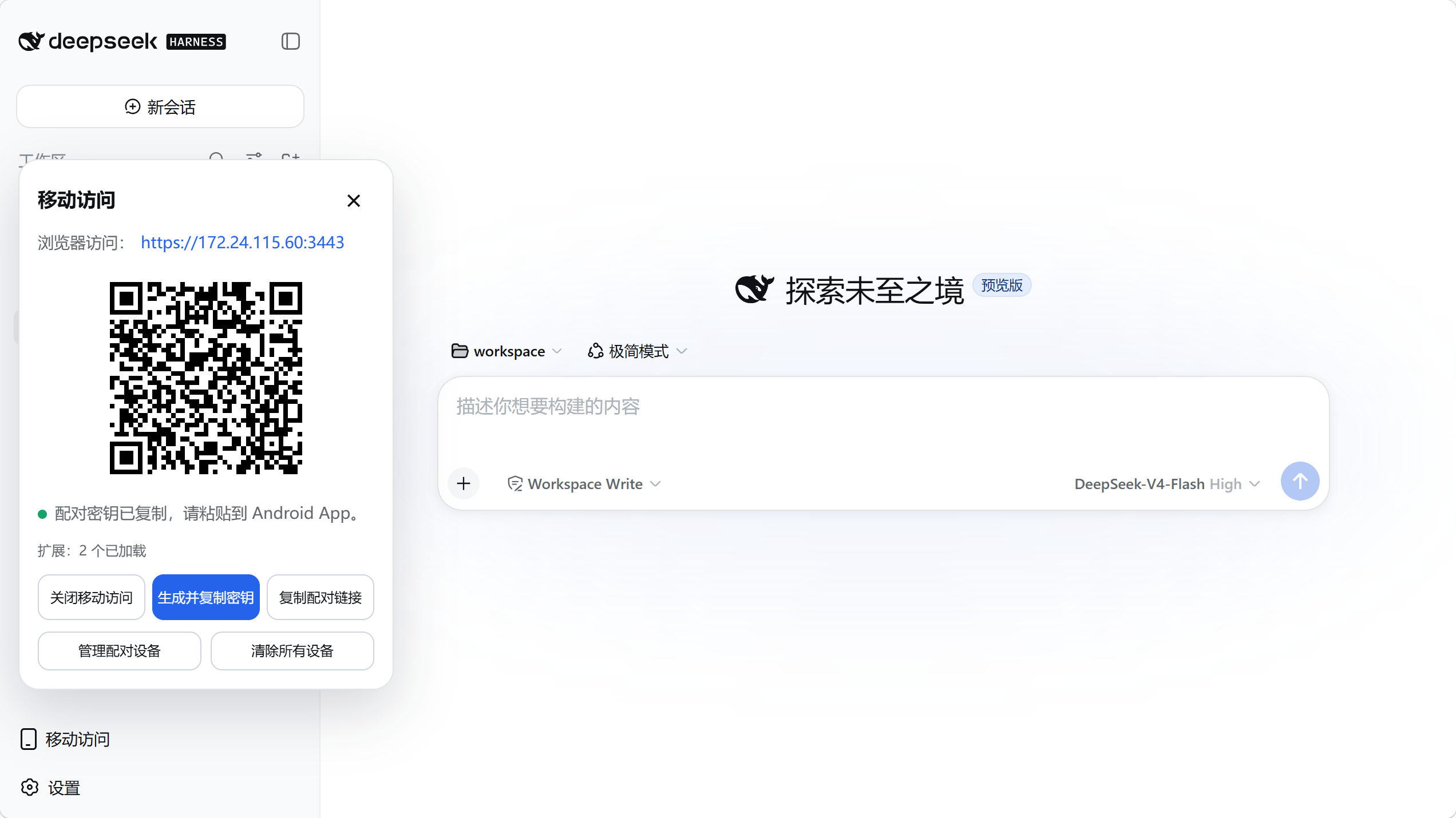
- Android App 点击“扫码配对”,把手机对准电脑屏幕上的二维码即可;也可以点击“扫描”选择电脑后粘贴密钥或配对链接。
- 配对完成后会建立持久设备信任,以后打开 App 无需重复输入。
setup 会自动选择并记住当前局域网,切换 Wi-Fi、热点或 IP 后通常自动恢复;仅在自动选择失败时使用 --address 192.168.x.x。设置、证书、设备和自定义文件保存在 $DSH_HOME/mobile-access/。
扩展与自定义
在 DSH 对话里输入 /mobile <需求>,DSH 会直接修改手机端的文件,几秒内生效。例如:
/mobile 把手机端做成老式终端的样子,让消息像终端输出一样逐行滚动
也可以让手机端调用电脑端的能力,比如实时读取电脑状态:
/mobile 为手机端添加赛博朋克风格的电脑监控面板,实时显示电脑的 CPU、内存和磁盘占用
/mobile 把需求交给 DSH 对话中的 agent,由它直接修改本机 $DSH_HOME/mobile-access/ 下的文件,保存后手机端自动生效。改动分两类:界面和交互在 mobile.css/mobile.js;需要电脑能力时用 extensions/ 下的扩展,其 host.mjs 以本机用户权限在电脑上运行。不修改 DeepSeek Harness 源码。
示例的实际效果:
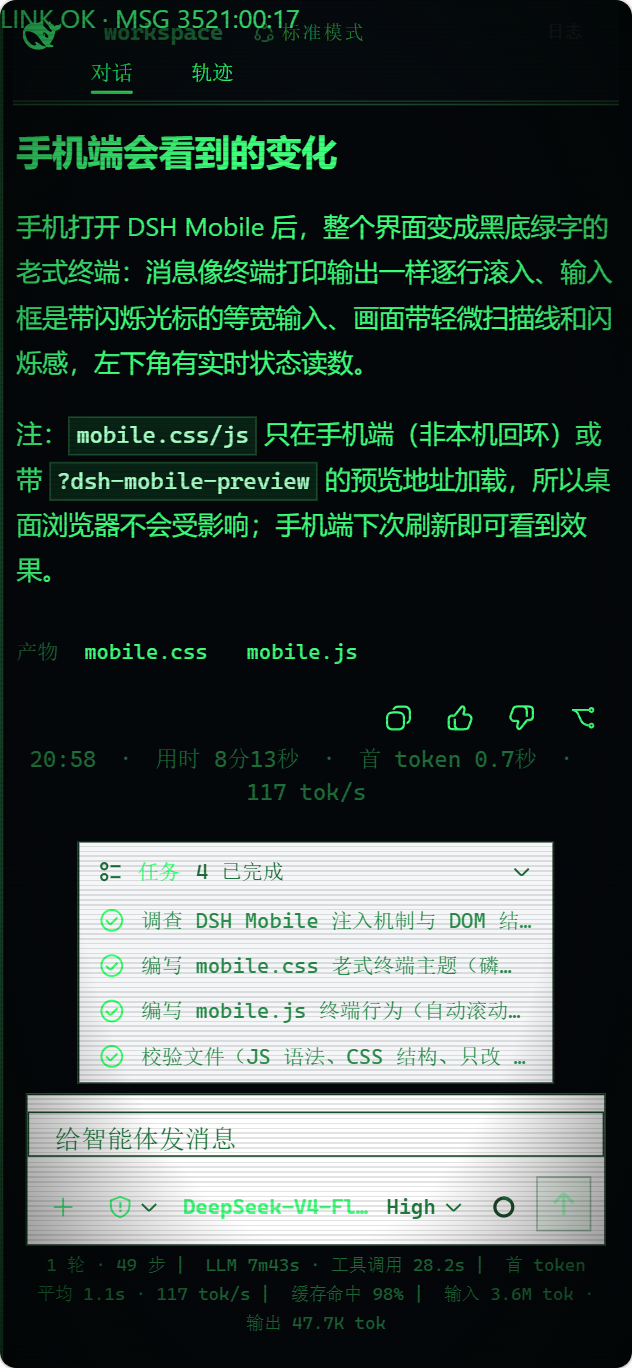
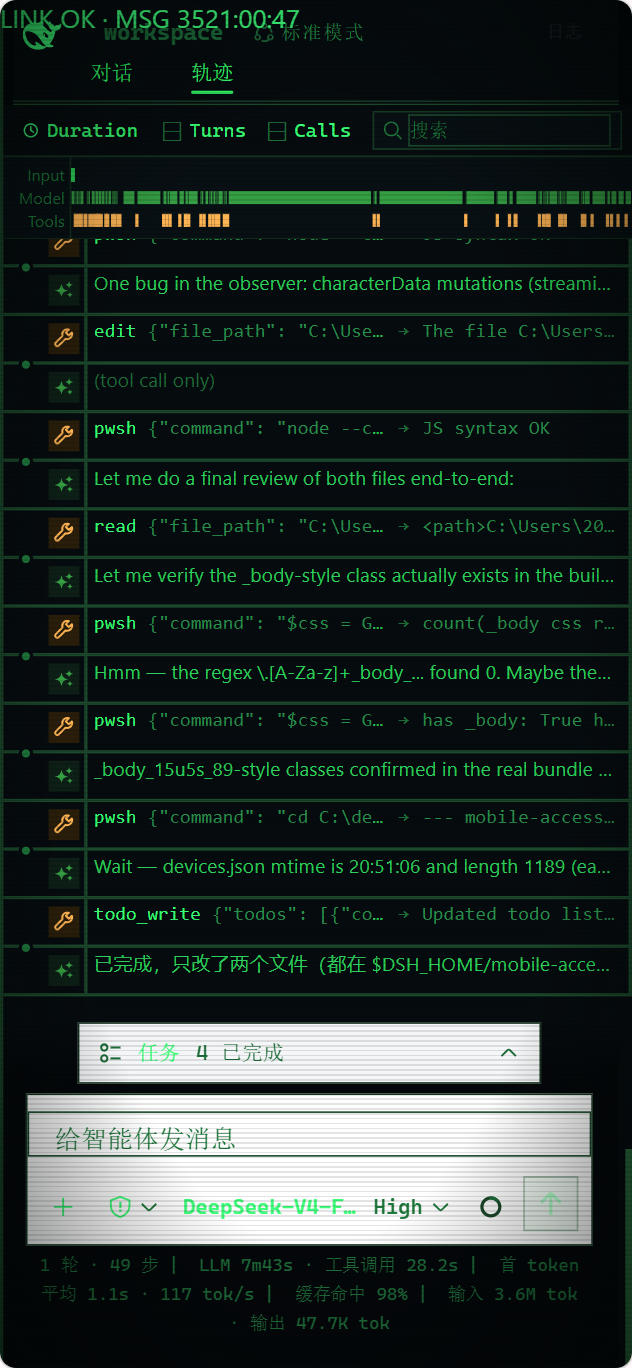
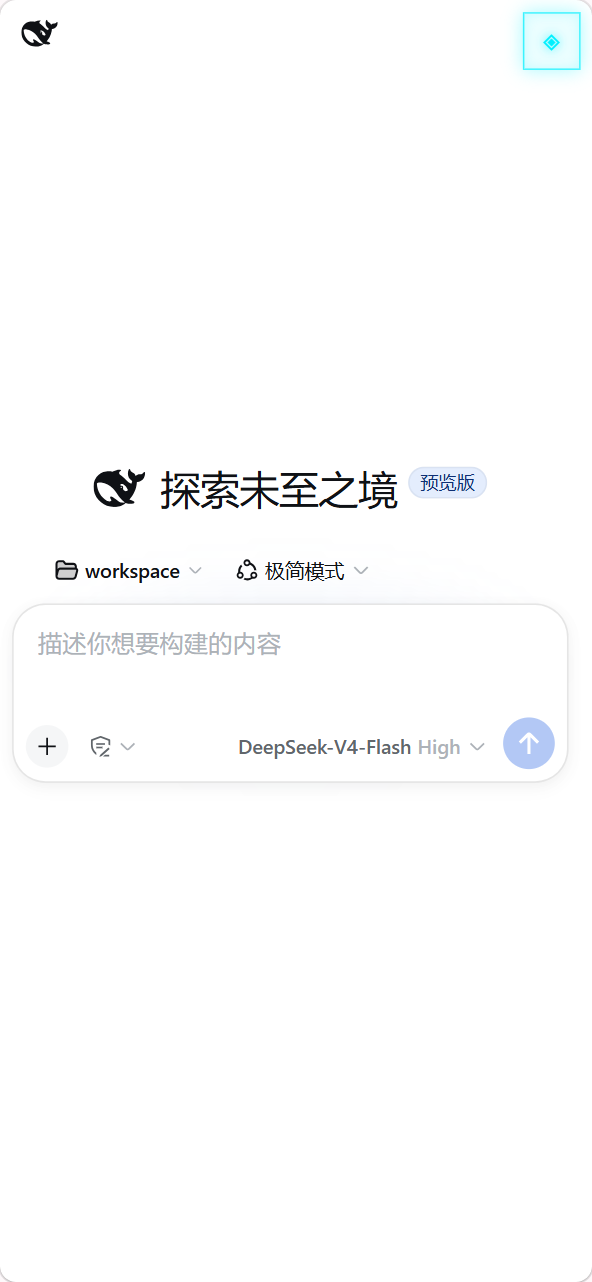
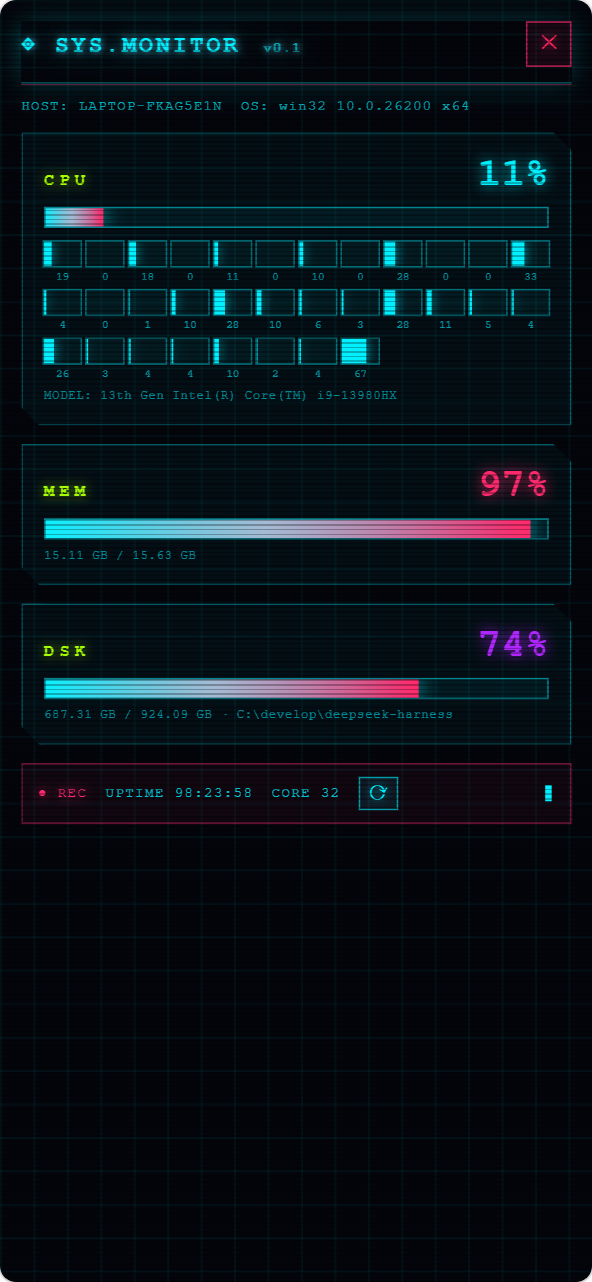
App 与手机浏览器
| 方式 | 适合场景 | 说明 |
|---|---|---|
| Android App | 日常使用 | 自动发现;App 内保存私有证书信任,无需在浏览器手动信任证书 |
| 手机浏览器 | 临时或跨平台访问 | 打开“移动访问”卡片显示的 HTTPS 地址;首次连接需在浏览器手动信任该证书 |
Android App 只是 Kotlin WebView 薄壳,不内置另一份网页;手机浏览器访问的是同一页面。需要排查兼容性时,可在浏览器地址后追加 ?frontend=stock,临时回到旧的桌面页面适配模式。
工作原理
flowchart LR
  Phone["Android App / 手机浏览器"] -->|"HTTPS + 设备会话"| Gateway["DSH Mobile 网关"]
  Gateway -->|"回环代理"| DSH["原生 DSH Web 与 Host"]
  DSH -->|"同一工作区、会话和事件流"| Phone
插件包含三层:Host face 负责发现、配对、HTTPS、回环代理和扩展注册表;Client face 提供独立的移动布局与扩展 SDK;Android App 提供受限的原生 Bridge。DeepSeek Harness 的源码和 3080 桌面页面都不会被修改,安装和卸载完全通过插件机制完成。
安全
- 仅在可信家庭、办公局域网或可信 VPN 中使用,不要转发到公网。
- 配对设备拥有控制电脑端 DeepSeek Harness 的能力,应视为完全可信设备;丢失手机后应在电脑端撤销设备。
- 移动网关开启时才监听局域网;关闭后 DeepSeek Harness 仍正常在电脑本机运行。
完整说明见 SECURITY.md。
兼容性
| DSH Mobile | 已验证的 DeepSeek Harness |
|---|---|
0.1.0-alpha.35 | 0.1.0-rc.5、0.1.0-rc.6、0.1.0-rc.7 |
插件启动时会检查 DSH Host 版本和移动布局所需的前端依赖,遇到未经验证的版本会直接报错而不是带病启动;CI 也会持续跟踪 DSH 主分支的布局契约。升级 DSH 后如遇兼容提示,请先升级 DSH Mobile。
卸载
dsh plugin --profile web remove dsh-mobile
同时清除插件数据:
dsh plugin --profile web exec dsh-mobile purge --yes
dsh plugin --profile web remove dsh-mobile
源码模式把上述 dsh 换成 pnpm dsh。
开发
npm ci
npm run verify
Android 构建见 App 文档。
Apache-2.0,详见 LICENSE。
Read the usage guide →
Install steps, key points, FAQ and compatibility for this plugin — auto-derived from indexed fields.
Listing badge

[](https://deepseek-plugin.org/plugins/saya-ch/dsh-mobile)Paste this markdown into your GitHub README to link back to this listing. The badge only states the listing — not a security endorsement.