DSH Browser-Side One-Click Launch Bundle: Sets up Web host, API gateway, browser plugin registry, model prompts, and auto browser launch.
ⓘ This plugin is a sub-package of the whitelonng/dshcode monorepo — stars and activity count the whole repository.

- Language
- TypeScript
- License
- MIT
- Branch
- master
Install
$ dsh plugin --profile web add @deepseek-ai/dsh-web-appRun the command above in your terminal to install this plugin via the dsh CLI. You can switch Profile in the top-right corner. New to dsh? Read the beginner tutorial
Install via your agent
Install the DeepSeek Harness plugin whitelonng/dshcode/packages/bundle/web-app for me: review the repository at https://github.com/whitelonng/dshcode first, then run the install command and verify the plugin loads successfully.
Paste this instruction to the DSH Web GUI assistant — it will install and verify for you.
One-Line Positioning
An out-of-the-box bundle for DSH browser-side, featuring Web service, API gateway, browser plugin registry, model context prompts, and default browser launch capability all in one package. A single dsh --profile web command in the terminal pulls up the complete web-based DSH.
Core Features
- One-click browser-side DSH startup: When starting with
dsh --profile web, mounts all Web host entries (HTTP service, API gateway, Session projection cache, local storage) and displays the access address - Auto-open default browser: After the service port is ready, calls the system default browser to open
http://127.0.0.1:3080, no manual link copying needed - Model context prompts: Registers
app:web-surfaceprompt segment, telling the model the user is using the local Web interface and update conventions - Bash variable exposure: Exposes
DSH_WEB_URLenvironment variable in the managed Shell environment for script access to current Web entry - Trusted host whitelist: Pass
--trusted-hostmultiple times to add allowed hosts or domains to the browser's API trust fence - Community plugin hosting: Treats optional community products like GenUI, Annotation, Web-UI as browser plugins, with deployment toggles manageable in Settings
Technical Implementation
- Language: TypeScript (ESM)
- Key dependencies:
@deepseek-ai/cordis,@deepseek-ai/dsh-host-webserver,@deepseek-ai/dsh-host-frontend-static,@deepseek-ai/dsh-app-boot,commander,open - Architecture pattern: Cordis function plugin + Bundle Patch:
src/index.tsexports function plugin format withname/inject/Config/apply;cordis.patch.ymlis a patch list layered on top of dsh-base, declaring host entries to insert or override one by one - Entry files:
src/index.ts(runtime glue plugin),src/startup.ts(CLI argument parsing),cordis.patch.yml(host assembly manifest)
Use Cases
Regular users who just installed DSH and want to chat with the model in the browser just need to run dsh --profile web. If you want to access the local Web interface from a LAN phone or other terminal, add the remote host to the whitelist via --trusted-host. If you only want pure CLI interaction, you can choose the dsh-headless bundle; this package is not CLI-friendly and must be used with the Web side.
Prerequisites & Compatibility
| Dependency | Minimum Version | Description |
|---|---|---|
| DSH | Not declared | This bundle does not declare DSH version requirements in its own package.json |
| Node | >= 22.19.0 | Root package.json declares `^22.19.0 |
| Platform | Cross-platform | Works on macOS / Windows / Linux; default browser launch is handled uniformly by the open library, with extra wait for PowerShell child process exit code on Windows |
| Native modules | None | Does not depend on any napi / native compiled modules; runtime only uses Node built-in modules and pure JS dependencies |
Installation
dsh plugin --profile web add github:whitelonng/dshcode/packages/bundle/web-app
Configuration Options
| Config | Type | Description | Default |
|---|---|---|---|
openBrowser | boolean | Whether to auto-open default browser after service is ready; automatically disabled when starting remotely via SSH | true |
printUrl | boolean | Whether to print access line like dsh web: http://... in terminal (including LAN address) | true |
surfaceContext | boolean | Whether to register app:web-surface prompt segment and DSH_WEB_URL environment variable; can be disabled in non-interactive layers | true |
trustedHosts | string[] | Trusted host list passed via --trusted-host, concatenated to the API trust fence | [] |
--host | string | Bind address; explicitly rejects 0.0.0.0 (for security reasons) | Falls back to 127.0.0.1 when not specified |
--port | number | Listening port; 0 lets the system assign a free port | Falls back to 3080 when not specified |
--no-open | boolean | Disable auto-open browser behavior after startup | --open |
FAQ
Q: Console shows frontend dist not built at startup, how to handle?
A: This bundle only serves pre-built frontend dist to the browser. You need to run pnpm run build in the repository root first to generate the frontend artifacts, then start dsh --profile web. There is no fallback logic to serve directly from source code.
Q: I want my LAN phone to access dsh web, how to configure?
A: Default binds to 127.0.0.1:3080, external cannot connect directly. This package deliberately does not support --host 0.0.0.0. You need to use a reverse proxy or tunnel, then add the peer host to the API trust whitelist via --trusted-host http://your-proxy.local.
Q: What do I need to do after installing to dsh to enable it?
A: This bundle is a Web profile layer plugin. Please start dsh with dsh --profile web after installation; the headless profile with the same name will not mount it and will fall back to CLI interaction.
Q: Is there a switch to disable auto-opening browser on every startup?
A: Yes. Simply add --no-open at startup; the plugin also automatically skips this step during remote SSH login to avoid popping up a local browser on the server.
Q: How to uninstall or disable this bundle?
A: This bundle belongs to the Web profile layer. Removing the entire dsh --profile web startup method disables it; to replace with another Web surface implementation, override the web-runtime line in your own profile patch without modifying this package's code.
Q: Why doesn't the browser auto-refresh after I modify frontend code?
A: The client plugin HMR channel is idle by default. Hot reload only takes effect when running pnpm run dev:web simultaneously to watch for client bundle rebuilds; changes to apps/web shell or other regular packages require rebuilding artifacts and manually refreshing the page.
Difficulty Level
Beginner — works with a single command; all tunable parameters have reasonable defaults; ordinary users can complete startup without reading source code. You only need to glance at startup parameters when you need to customize the hosting host or binding port.
Known Issues & Limitations
- Frontend dist must be built first: The bundle locates pre-built artifacts via
require.resolve; unbuilt state refuses to start with an error, suggestingpnpm run build - LAN address sampled only at startup: After network card changes, it won't rebroadcast; the printed LAN URL and trust fence remain consistent
- Community plugin switches require restart: Settings page only persists desired state, not hot-swapping mounted external plugins; restart dsh after switching for changes to take effect
- Web shared HMR not yet enabled: The
hmrline incordis.patch.ymlis set todisabled, with source comments marking it to be re-enabled after reload lifecycle testing is complete (cordis.patch.yml:21) - Does not support binding to all network interfaces:
--host 0.0.0.0is actively rejected at CLI parsing stage; CLI has not yet implemented safe all-interface exposure - Temporary tools calling mode switch: The
toolsline incordis.patch.ymlreads environment variableDSH_TOOLS_MODE(native/code/both); this environment variable entry will be removed after Web UI provides per-session selection
English | 中文
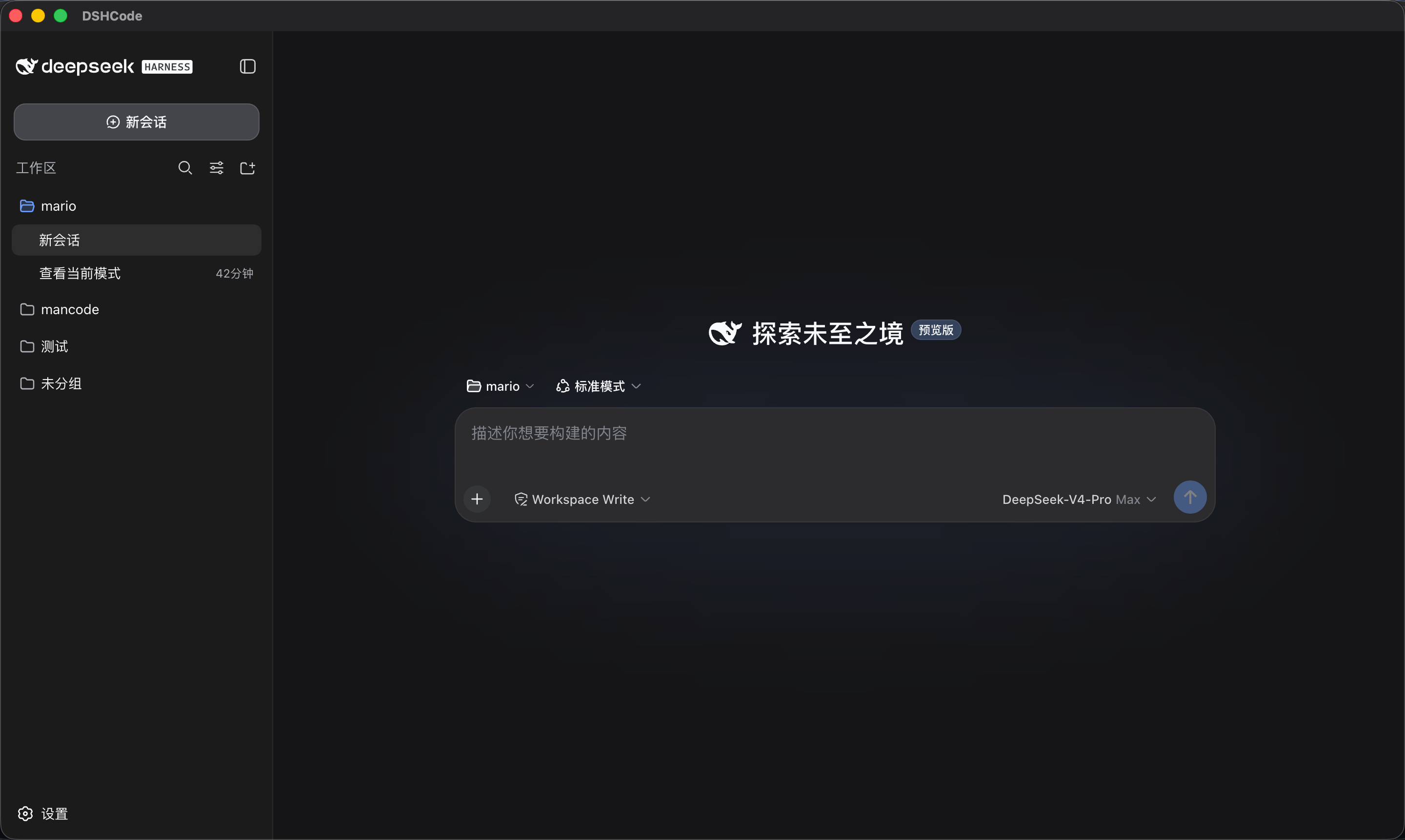
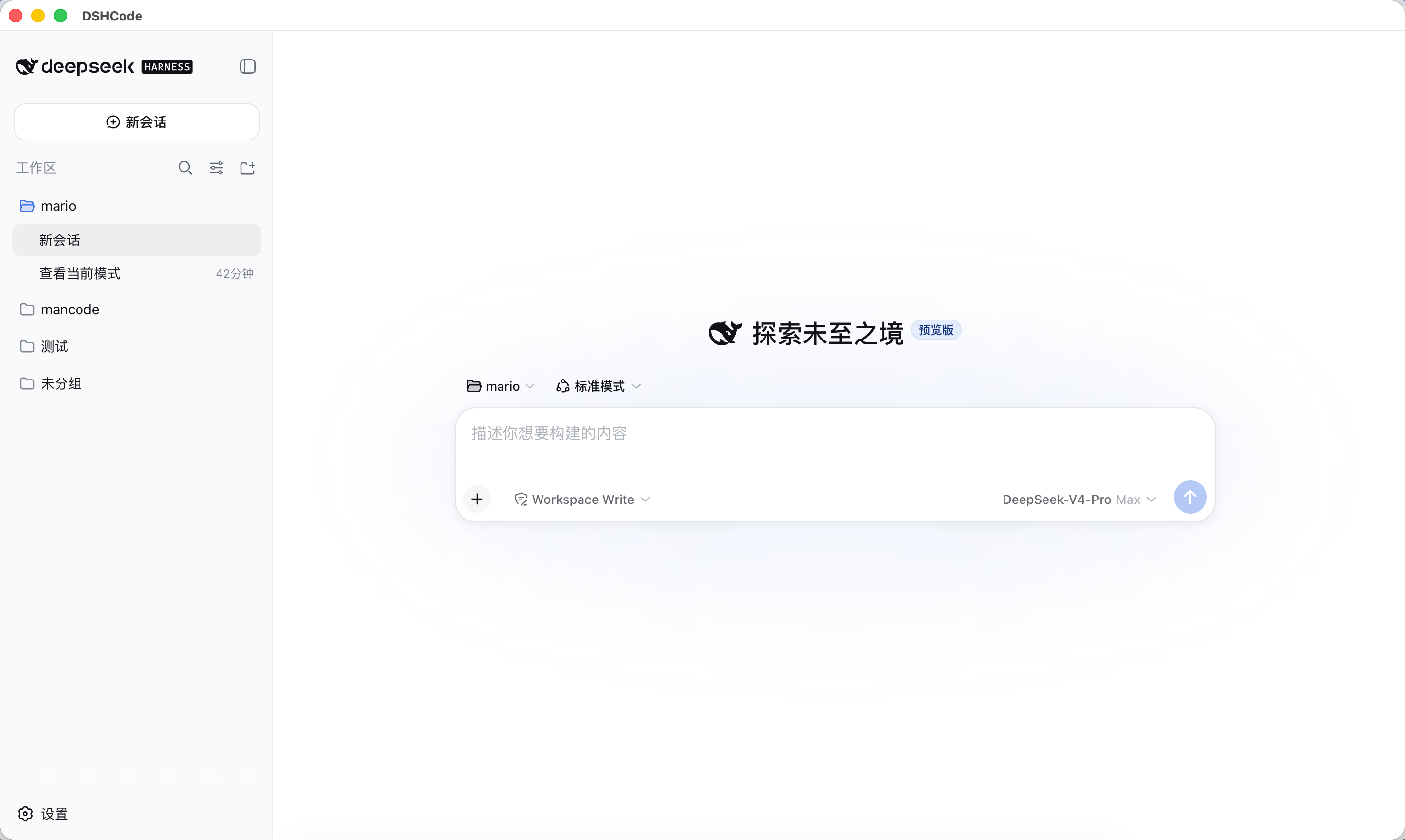
DSHCode 是一款面向 macOS 和 Windows 的免费开源桌面 AI Agent 应用。它将 DeepSeek 官方开源项目 DeepSeek Harness 的 Web UI 与插件运行时打包成一个可直接安装的 Electron 应用——无需 Node.js、无需终端、无需命令行。





功能特性
DSHCode 继承了 DeepSeek Harness 的完整能力,并加上了开箱即用的桌面体验。
Agent 核心 — 插件化框架,内置 bash、文件系统、网页搜索/抓取、终端、LSP 与子进程工具;支持沙箱隔离与逐操作审批提示。
交互式 UI — 内联渲染的 GenUI 卡片:图表、表格、测验、3D 场景、示意图、表单与进度视图。
Skills 技能 — 可安装的技能目录,为 Agent 提供专项工作流——研究、文档写作、视觉工具等。
编排能力 — Subagent 并行委派,以及可跨多个 Agent 分阶段并行展开的 Workflow。
长任务 — 执行前先审查再批准的 Plan 模式、跨轮次持续进行的 Goal 目标、可恢复的会话。
模型体验 — 通过官方 API 使用 DeepSeek 模型;会话日志完整记录模型所见内容,任何一次运行都可被重建。
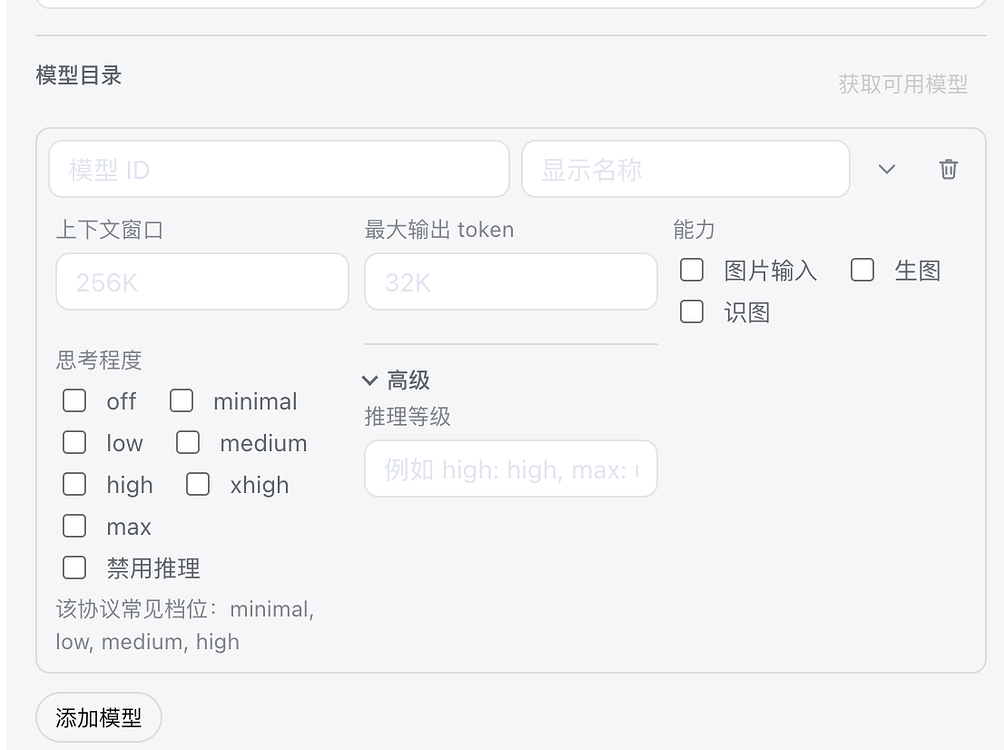
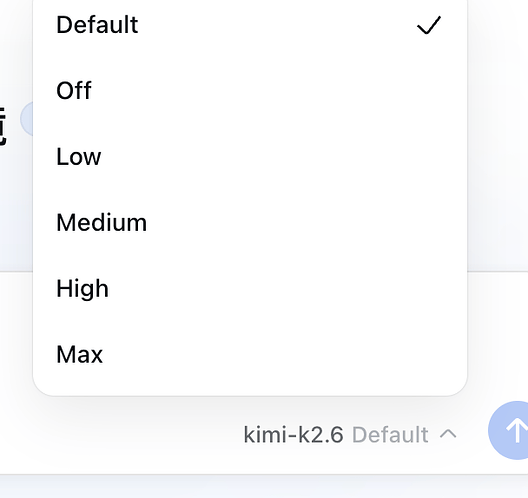
模型控制 — 按供应商调节推理强度(关闭到最高)、最大输出 token 数,以及图像输入、图像生成与图像识别等多模态能力开关。
个性化 — 主题与皮肤合集、选区批注工作流、命令快捷键、中英双语界面。
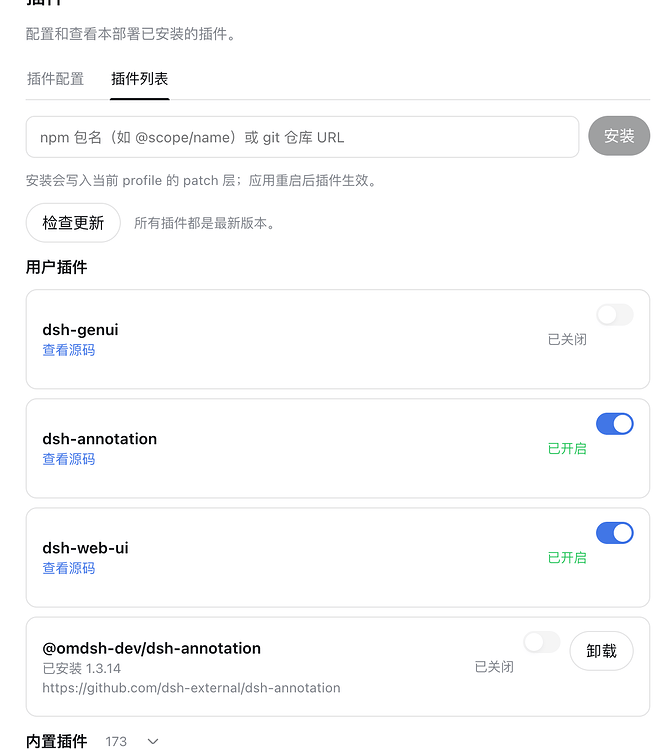
插件管理 — 从 npm 或 Git 仓库安装插件、检查更新,并可逐个启用或禁用。
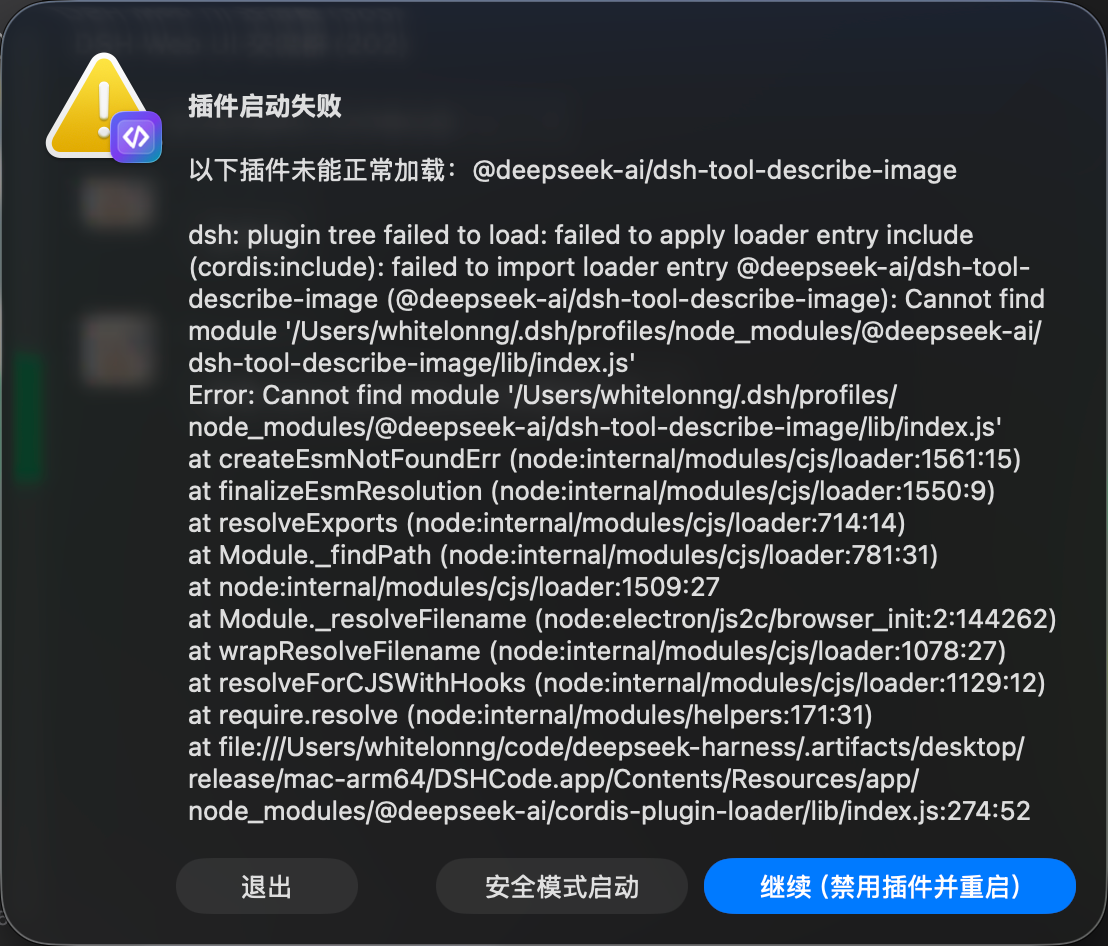
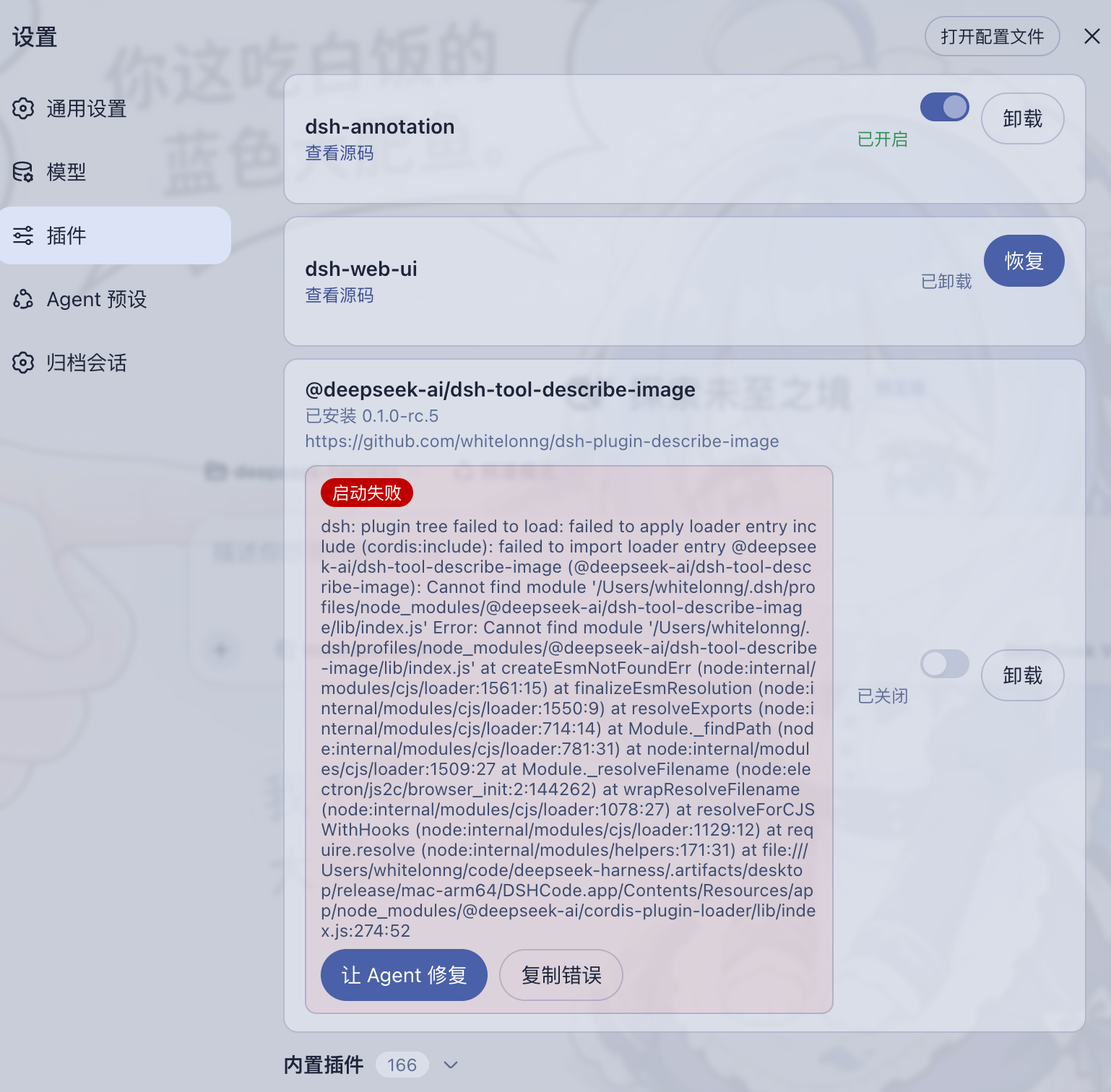
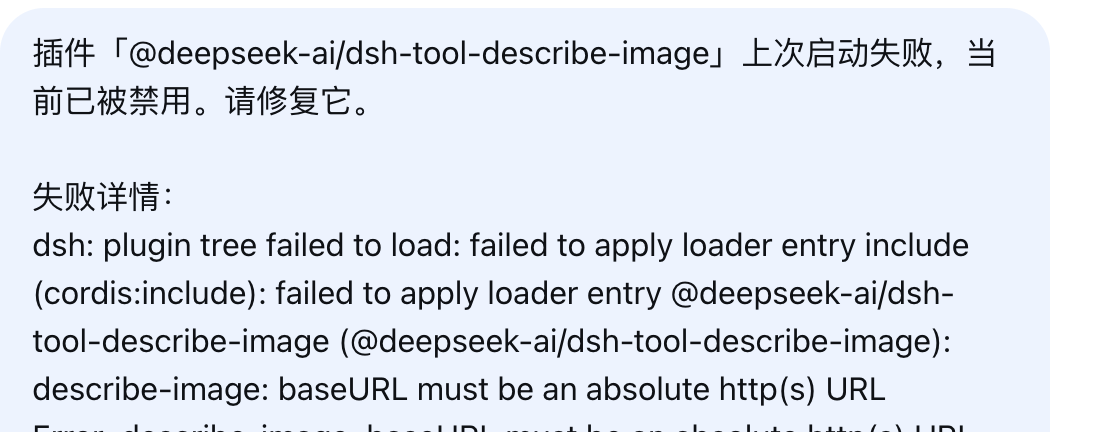
故障恢复 — 加载失败的插件会连同诊断信息一起报告:可禁用该插件、以安全模式启动,或让 Agent 携带失败上下文自动修复。
归档管理 — 搜索已归档会话,可恢复或彻底删除。
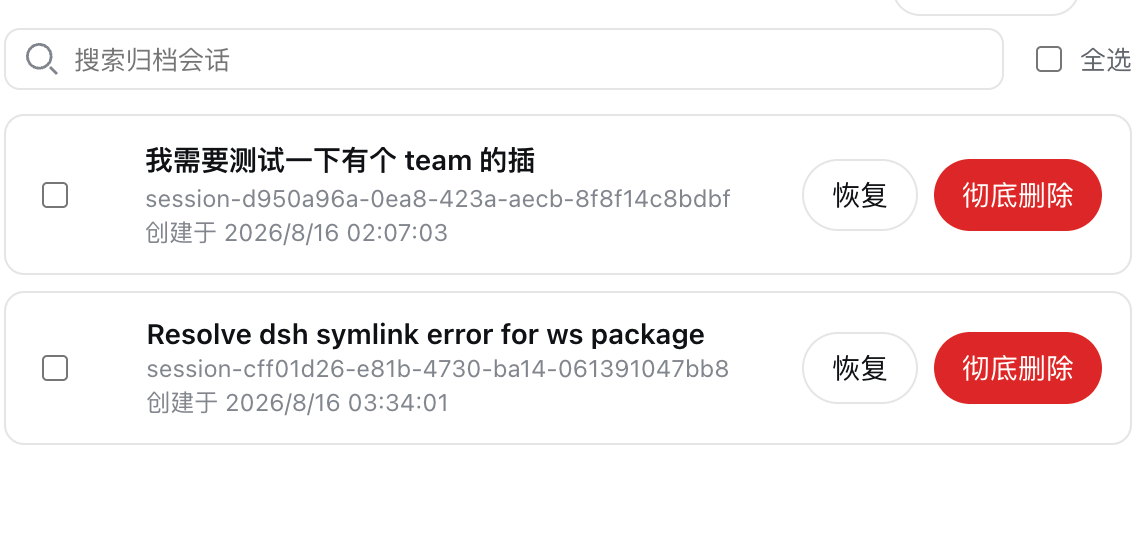
可扩展 — 安装新能力无需改动应用本体。
桌面集成 — 托盘图标、系统通知、单实例运行、加固的 Electron 窗口。
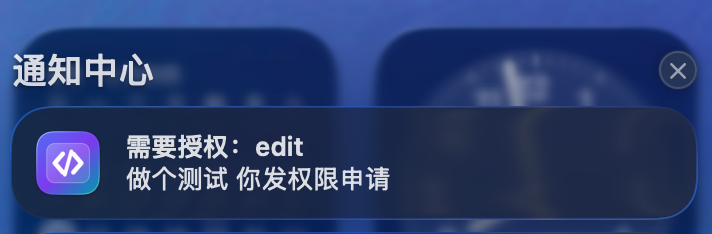
详见 Web UI 指南 的操作讲解,以及桌面应用指南中的架构、平台目标与当前限制。
下载
| 平台 | 安装包 |
|---|---|
| macOS Apple Silicon | DSHCode-*-macos-arm64.dmg |
| macOS Intel | DSHCode-*-macos-x64.dmg |
| Windows x64 | DSHCode-*-win-x64.exe |
每个版本都会随安装包发布 SHA-256 校验和(SHA256SUMS.txt)。
预览版安装包尚未进行代码签名或公证,因此 macOS Gatekeeper 与 Windows SmartScreen 可能在首次启动前发出警告。软件本身是安全的;警告只是因为二进制文件缺少付费签名证书:
- macOS:在访达中右键点击应用并选择打开,然后在弹窗中确认。或者在终端执行一次
xattr -cr /Applications/DSHCode.app。 - Windows:在 SmartScreen 弹窗中点击更多信息,然后选择仍要运行。
快速开始
安装 DSHCode 安装包后,从 macOS“应用程序”文件夹或 Windows“开始”菜单打开 DSHCode。应用会自行启动和停止内置 Web profile;安装版用户无需运行终端命令。
从源码运行
开发者仍可从仓库源码运行上游 Web 入口:
git clone https://github.com/whitelonng/dshcode.git
cd dshcode
pnpm install
pnpm run build
pnpm dsh web
命令会打印本地 Web UI 地址。详见 Web UI 指南。
桌面应用
打开 DSHCode 时,应用会启动内置的 Harness Web profile,并在经过安全加固的 Electron 窗口中显示。桌面外壳刻意保持精简;产品行为和 Web UI 仍由上游包提供,因此后续可以继续集成上游更新,而不必维护第二套界面。
本地服务与端口
应用每次启动时都会在 Electron 主进程内启动一个 HTTP 服务。该服务只绑定 127.0.0.1,并让操作系统分配一个可用的临时端口,因此不会占用固定端口,通常也不会与其他本地服务冲突。DSHCode 只允许一个应用实例,只加载其自身的精确回环地址;进程退出前会先释放 Harness 树,所以关闭应用也会停止服务并释放端口。
构建桌面安装包
git clone https://github.com/whitelonng/dshcode.git
cd dshcode
pnpm install
pnpm run desktop:dist
构建产物写入 .artifacts/desktop/release/。名为 Desktop 的 GitHub Actions 工作流会构建 macOS Apple Silicon、macOS Intel 和 Windows x64 安装包;desktop-v* tag 会把完整构建矩阵及 SHA-256 校验和发布到 GitHub Releases。
常见问题
DSHCode 是什么?
DSHCode 是一款免费、开源的桌面应用,把 DeepSeek 的插件化 AI Agent 框架 DeepSeek Harness 变成可直接安装的 macOS 与 Windows 应用,并提供图形化的对话与工作区界面。
DSHCode 是 DeepSeek 官方软件吗?
不是。DSHCode 是独立的社区项目。它保留上游包名、版权、架构、文档和 upstream Git 远程地址,以便正确归属来源并继续合并上游变更;但除非 DeepSeek 明确授权,它不代表 DeepSeek 官方发行、背书或认证。
需要 Node.js 或终端吗?
不需要。安装版用户得到的是普通应用;Node.js、CLI 与终端只在从源码运行或自行构建安装包时才需要。
为什么 macOS/Windows 会弹出安全警告?
预览版安装包尚未进行代码签名或公证。这是签名证书的成本问题,不是安全问题;一次性打开步骤见下载一节。
需要 API Key 吗?
需要。DSHCode 通过官方 API 运行 DeepSeek 模型;在应用设置中配置一次即可。
DSHCode 可以扩展吗?
可以。内置插件安装器可在不改动应用本体的前提下添加新能力;安全模式可以禁用导致崩溃的插件,保证应用仍能正常启动。
项目定位
DeepSeek Harness(dsh)是由 DeepSeek AI 开发的官方开源插件式 agent harness(智能体框架)。DSHCode 作为桌面端配套发行版参与其插件生态,并使用 dsh-plugin 和 deepseekharness-plugin 仓库标签便于检索。
DSHCode 是独立的社区项目。除非 DeepSeek 明确授权,否则它不代表 DeepSeek 官方发行、背书或认证。
开发
请先阅读开发指南、架构文档和桌面应用指南。面向 agent:请遵循 AGENTS.md。
致谢
- LINUX DO — 本项目也在 LINUX DO 社区持续分享与交流。
- dsh-genui — 为内置生成式 UI 能力提供插件实现。
- dsh-annotation — 为内置文本批注流程提供插件实现。
- dsh-web-ui — 为内置 Web UI 功能与皮肤集合提供插件实现。
许可证与品牌
源码继续使用上游 MIT 许可证。再次分发时必须保留 DeepSeek 的版权与许可声明;内置第三方软件及其许可证见 THIRD_PARTY_NOTICES.md,桌面安装包会同时附带这两个文件。
MIT 软件许可证本身不等于获得 DeepSeek 商标或 Logo 的 DSHCode 品牌使用许可。DeepSeek 的用户协议(中文版)保留了这些品牌标识的相关权利。DSHCode 发行版使用独立应用图标;内嵌 Harness 界面保留的上游身份标识及官方 powered by dsh 署名只用于说明兼容关系,不代表官方背书。
Read the usage guide →
Install steps, key points, FAQ and compatibility for this plugin — auto-derived from indexed fields.
Listing badge

[](https://deepseek-plugin.org/plugins/whitelonng/dshcode/packages/bundle/web-app)Paste this markdown into your GitHub README to link back to this listing. The badge only states the listing — not a security endorsement.