让 DSH 智能体把当前对话整理成 Markdown,导出为锤子便签保存到便签服务或生成便签长图。

- 语言
- TypeScript
- 分支
- main
安装
$ dsh plugin --profile web add @zhaoolee/dsh-notes在终端中运行以上命令,通过 dsh CLI 安装此插件。可在右上角切换 Profile。 第一次用 dsh?看这篇新手教程
对话式安装
帮我安装 DeepSeek Harness 插件 zhaoolee/notes:先查看仓库 https://github.com/zhaoolee/notes 确认安全性,然后执行安装命令并验证插件加载成功。
把这段指令粘贴给 DSH Web GUI 里的助手,由它代你完成安装与验证。
一句话定位
让 DeepSeek Harness 智能体把当前对话整理成 Markdown,导出为锤子便签——配置了便签服务时直接写入云端工作区,未配置时回退到演示服务器生成便签长图。
核心能力
- 把对话内容整理为 Markdown,调用后新建或更新一张锤子便签
- 支持按
note_id更新已有便签;更新时未显式传入的分类、加星、置顶属性保留原值 - 未配置便签服务时回退到默认演示服务器,渲染锤子便签长图 PNG 并保存到本地
- 支持分类(folder)、加星(starred)、置顶(pinned)等便签元数据写入
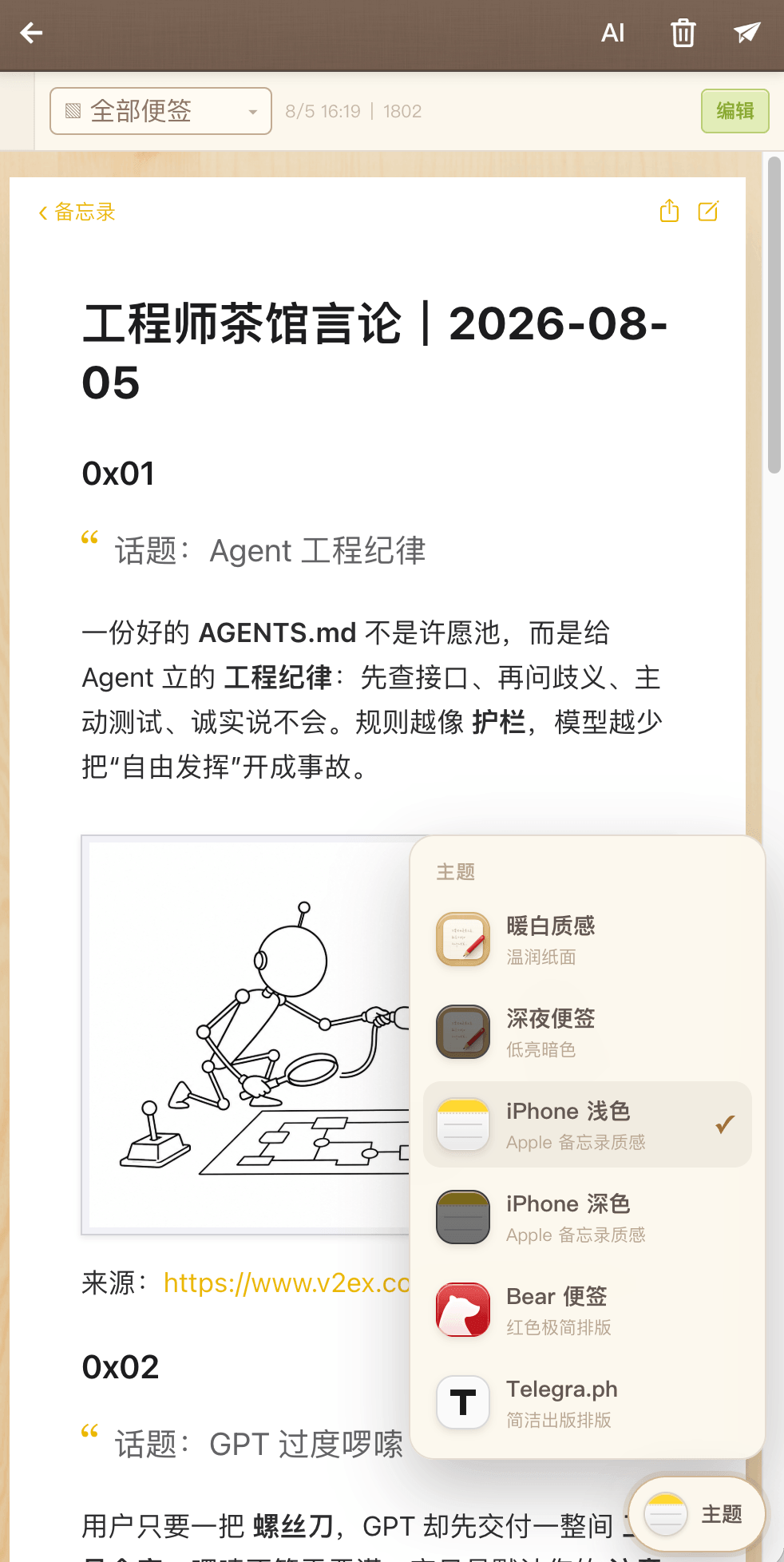
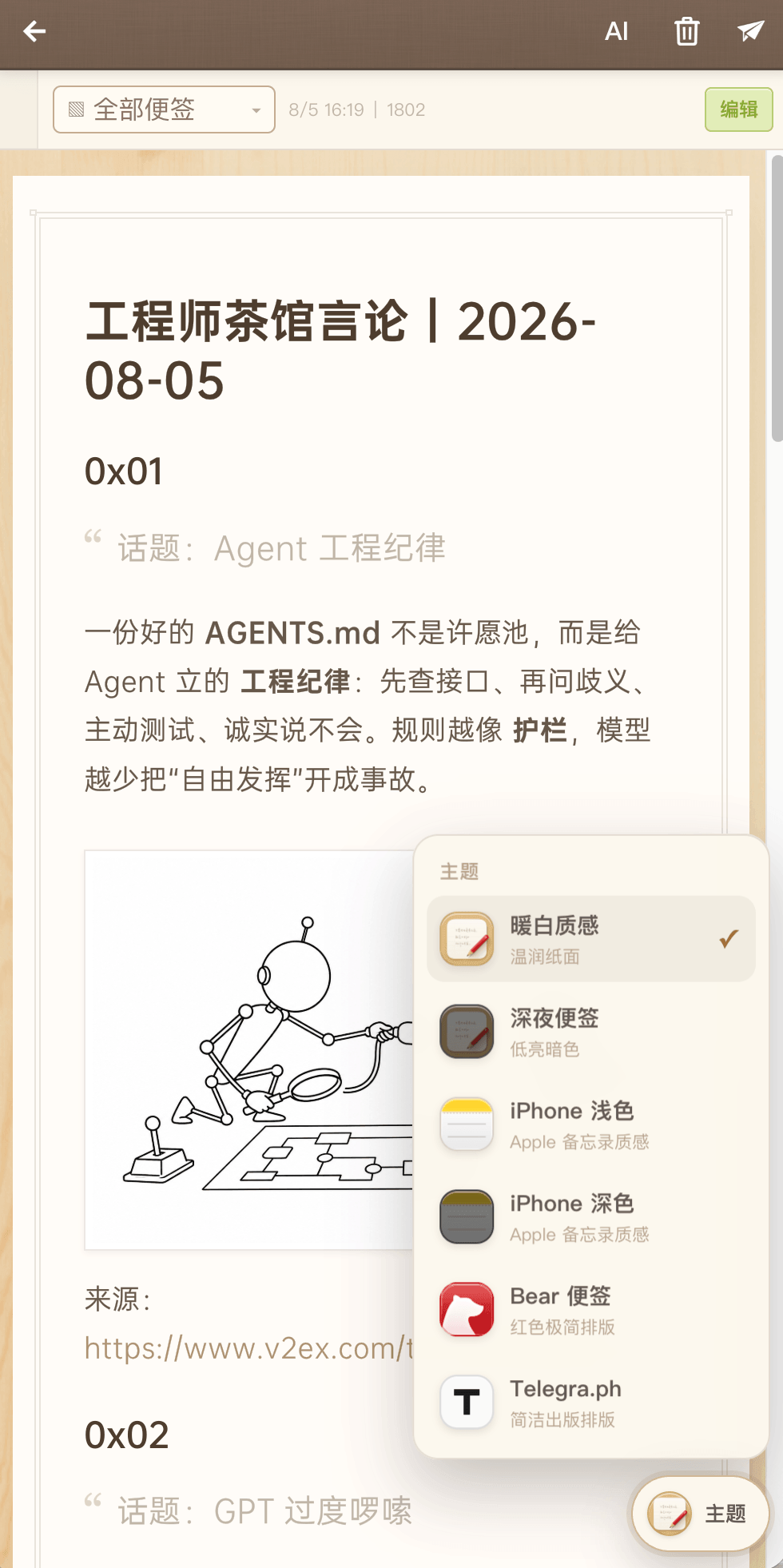
- 图片模式支持六种便签主题(暖白纸感、深夜便签、iPhone 备忘录深浅、Bear 极简、Telegra.ph)
- 处理工作区并发冲突:写入时若服务端 409 会自动重读并最多重试 4 次
技术实现
- 语言: TypeScript(编译到 ES Module)
- 关键依赖:
@deepseek-ai/dsh-tools、@deepseek-ai/cordis、@deepseek-ai/schemastery、Node 内置node:fetch/node:fs/node:crypto - 架构模式: 通过
cordis.patch.yml在宿主 composition 中插入notes-export行,由apply(ctx, config)调用ctx.tools.register(defineTool(...))注册一个 Host 面工具;客户端只依赖 Node 内置能力,可脱离 DSH 独立测试 - 入口文件:
dsh-plugin/src/index.ts(注册工具);dsh-plugin/src/notes-client.ts(便签服务 API 客户端)
适用场景
智能体用户希望把当前对话或长内容沉淀到自己的锤子便签列表时使用;尤其适合把代码评审、调研总结、对话纪要一键存为便签。未配置便签服务时也可生成便签长图用于直接分享、贴到公众号或截图保存。
前置依赖与兼容性
| 依赖 | 最低版本 | 说明 |
|---|---|---|
| DSH 宿主运行时 | 0.1.0-rc.6+ | 插件通过 cordis.patch.yml 注入工具,要求 @deepseek-ai/dsh-tools ^0.1.0-rc.6 与 @deepseek-ai/cordis ^4.0.1(peerDependencies) |
| Node.js | 未声明 | 源码仅使用 node:crypto / node:fs/promises / node:os / node:path 等内置模块,未在 package.json 中声明 engines |
| 平台 | 跨平台 | 仅依赖 Node 内置 fetch,无原生模块 |
安装方式
dsh plugin --profile web add github:zhaoolee/notes
配置项
| 配置 | 类型 | 说明 | 默认值 |
|---|---|---|---|
baseUrl | 字符串 | 便签服务基础地址,例如 http://127.0.0.1:18080;未配置时回退到默认演示服务器(图片模式) | 无 |
token | 字符串 | 稳定 Bearer Token(notes_sk_v1. 开头),优先于用户名密码 | 无 |
username | 字符串 | 无 Token 时用于一次性向 /api/auth/skill-token 申请 Token | 无 |
password | 字符串 | 同上,与 username 配对 | 无 |
demoServer | 字符串 | 未配置 baseUrl 时回退的演示服务器 | https://notes.fangyuanxiaozhan.com |
配置优先级:插件 config > 进程环境变量
NOTES_API_*> 内置默认值。
常见问题
Q: 安装后智能体不会自动调用,还需要说什么?
A: 安装后重启目标 profile 让插件生效。智能体已注册 notes_export_conversation 工具,对用户说"把我们的对话导出成便签"或类似语句即可触发,工具会自动把对话整理成 Markdown 并调用。
Q: 什么都没配置,能直接用吗?
A: 可以。插件会自动回退到默认演示服务器 notes.fangyuanxiaozhan.com,把对话渲染成锤子便签长图 PNG 保存到本地;该模式不能写入便签列表,仅适合尝鲜或临时分享。
Q: 想把便签存到自己的服务上,怎么配?
A: 设置便签服务地址(NOTES_API_BASE_URL 或插件 config 的 baseUrl),并提供 Token 或用户名密码。智能体会把对话作为便签写入当前账号的云端工作区,新建或按 note_id 更新。配置了 baseUrl 但没给凭据会明确报错,不会静默降级到演示服务器。
Q: 工具返回的 action 有哪几种,分别什么意思?
A: created 表示新写了一篇便签;updated 表示按 note_id 更新了已有便签;exported-image 表示通过演示服务器渲染成了便签长图(图片模式),返回本地 PNG 路径而不是便签链接。
Q: 便签标题是怎么来的?
A: 取自 Markdown 全文第一行;插件会去掉标题符号、引用和列表标记,截断到 38 字以内。建议正文第一行用 # 标题 写标题。
Q: 支持哪些便签主题?
A: 图片模式支持 default、smartisan-dark、apple-notes、apple-notes-light、bear、telegraph 六种;写入模式的主题由便签服务侧决定,工具不修改主题。
Q: 0.1.0 版本能用吗?
A: 不建议。0.1.0 在 DSH 0.1.0-rc.6 首次调用时会因重复安装宿主运行时而中止会话;请使用 0.1.1 及以上版本(当前最新 0.1.2)。
Q: 如何彻底卸载?
A: 执行 dsh plugin --profile web remove @zhaoolee/dsh-notes,然后重启目标 profile;同时清理 NOTES_API_* 环境变量和插件 config 里的凭据。
上手难度
入门 — 不需要任何配置即可通过演示服务器生成便签长图;要写入自己的便签列表只需设置一个地址加凭据,普通对话用户也能完成。
已知问题与限制
- 未配置便签服务时,对话内容会发送到默认演示服务器
notes.fangyuanxiaozhan.com的匿名导出接口用于渲染图片;接口不留存到任何账号工作区,但敏感对话请先配置自己的便签服务 - 仅配置
baseUrl但未提供 Token 或用户名密码时,写入模式会明确报错,不会静默回退 - 写入模式下便签主题由便签服务侧决定,工具不修改主题;主题参数只对图片模式生效
- 仓库源码(
github:zhaoolee/notes)中插件版本为0.1.2;旧版0.1.0在 DSH0.1.0-rc.6首次调用时会因重复安装宿主工具运行时而中止会话,请避免使用 - 工作区并发冲突时自动重读最多 4 次;连续 4 次仍冲突会抛出"工作区在连续重试期间一直变化,请稍后再试"
- 回收站中的便签无法通过
note_id更新;接口会返回错误"回收站中的便签不能修改"
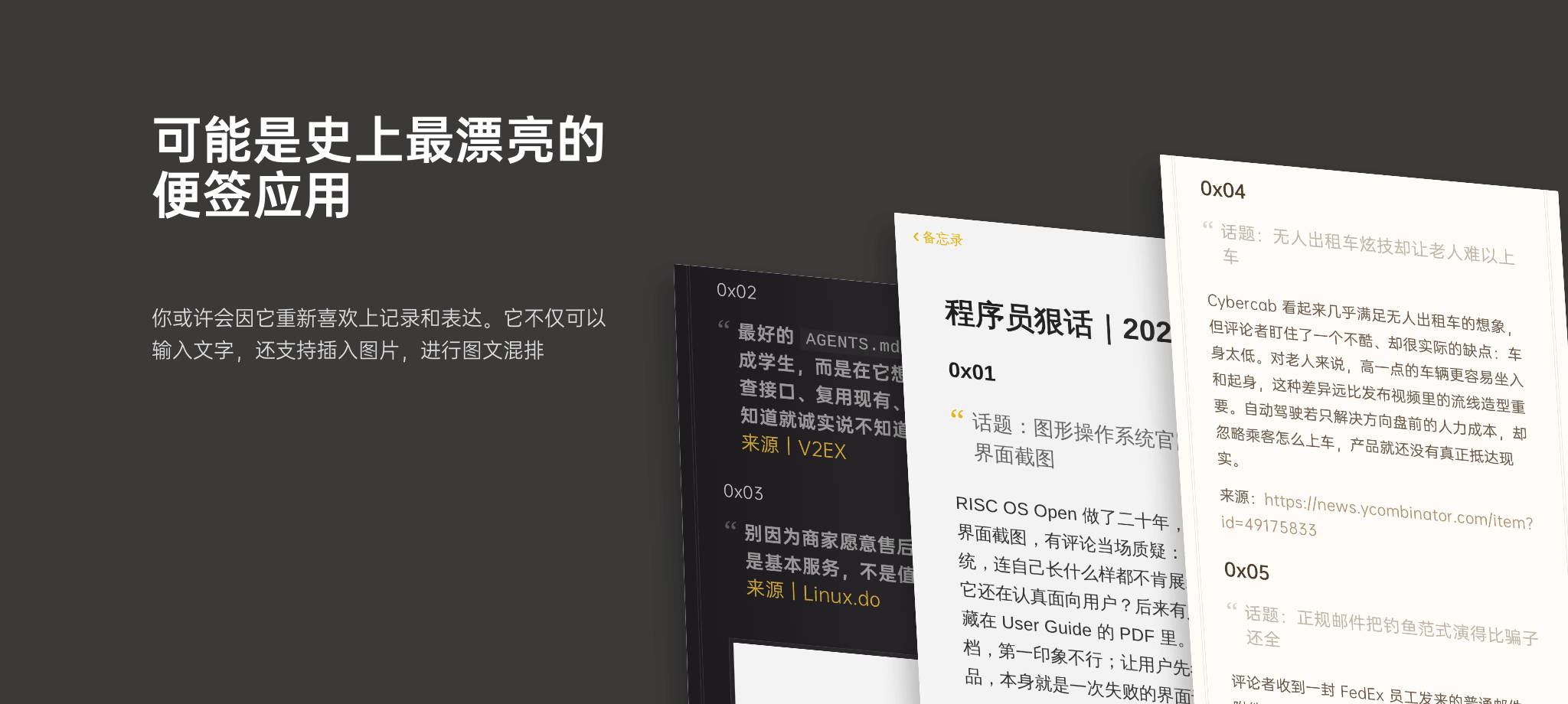
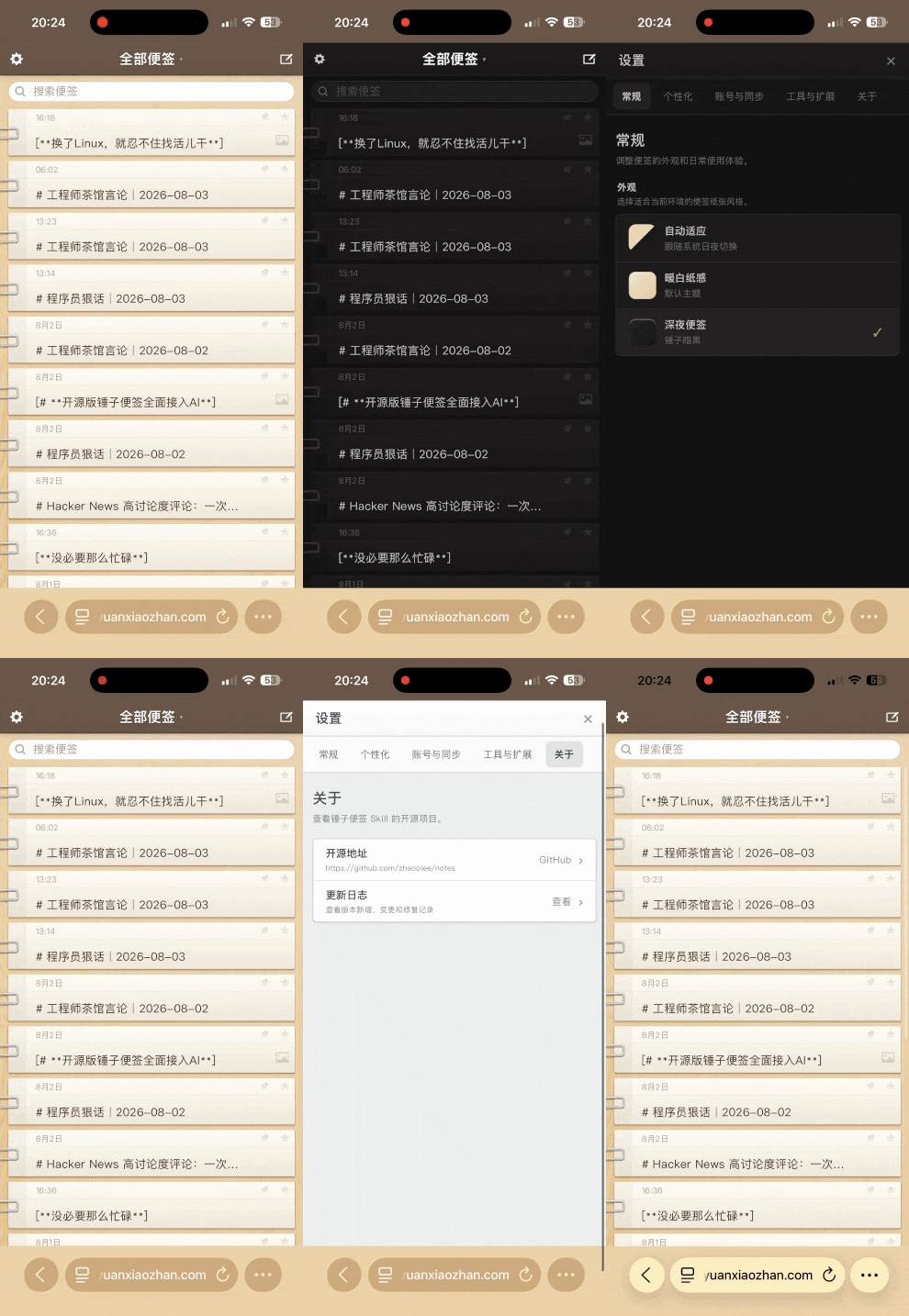
| 支持手机版 | 一键发送公众号 |
|---|---|
 | 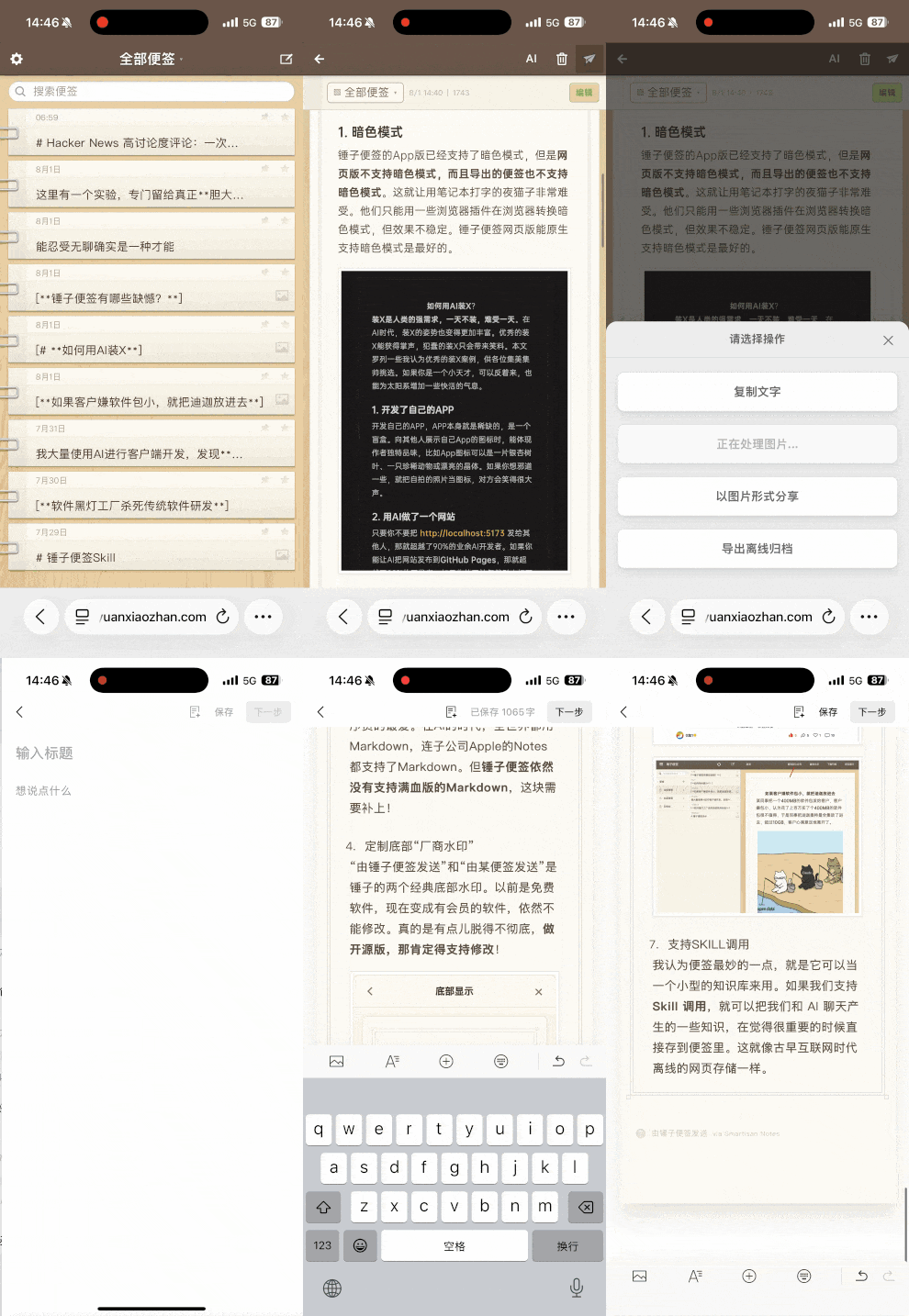 |
- 一个锤子便签风格的导出器,预览与图片导出支持暖白纸感、深夜便签、iPhone 备忘录深浅模式和 Bear 极简排版。
- 可用来分享与openclaw的对话记录。
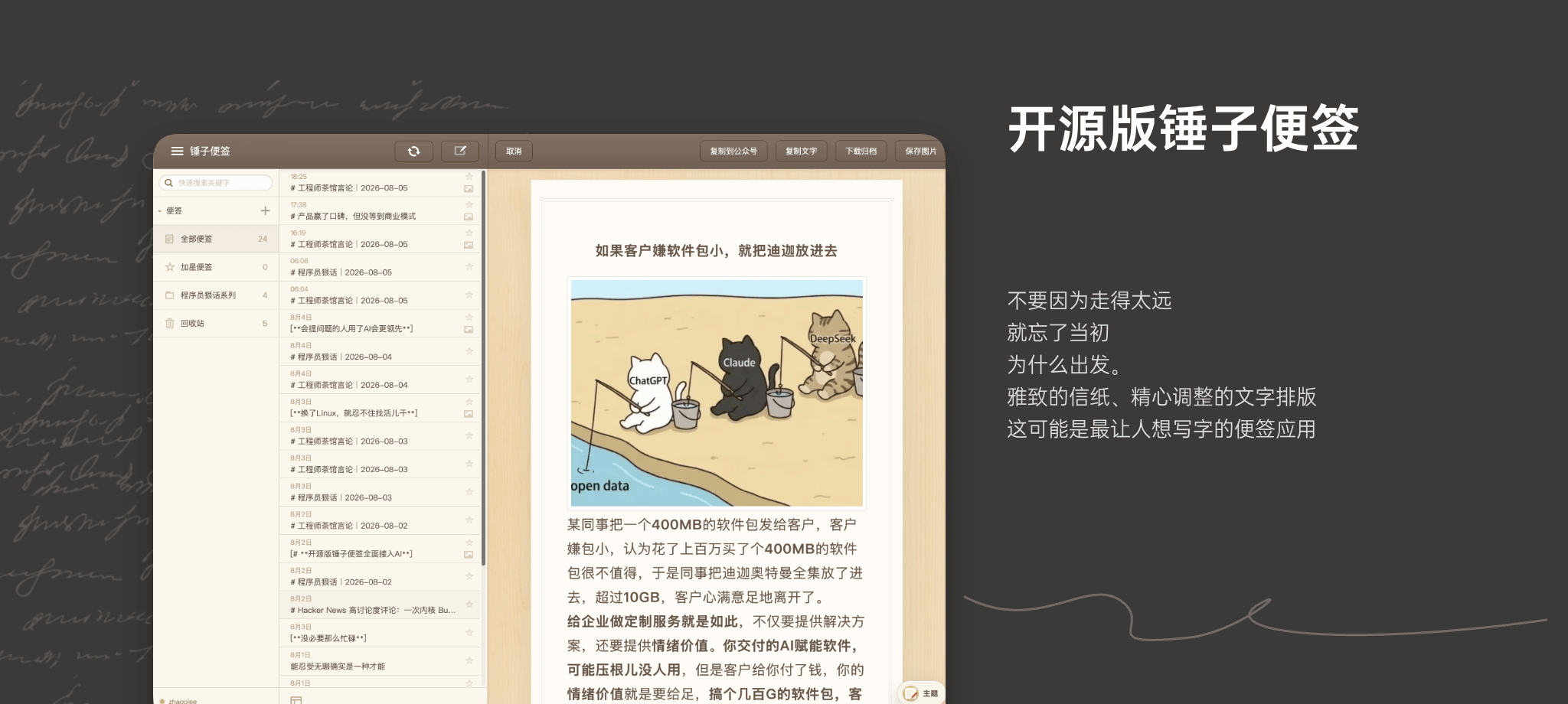
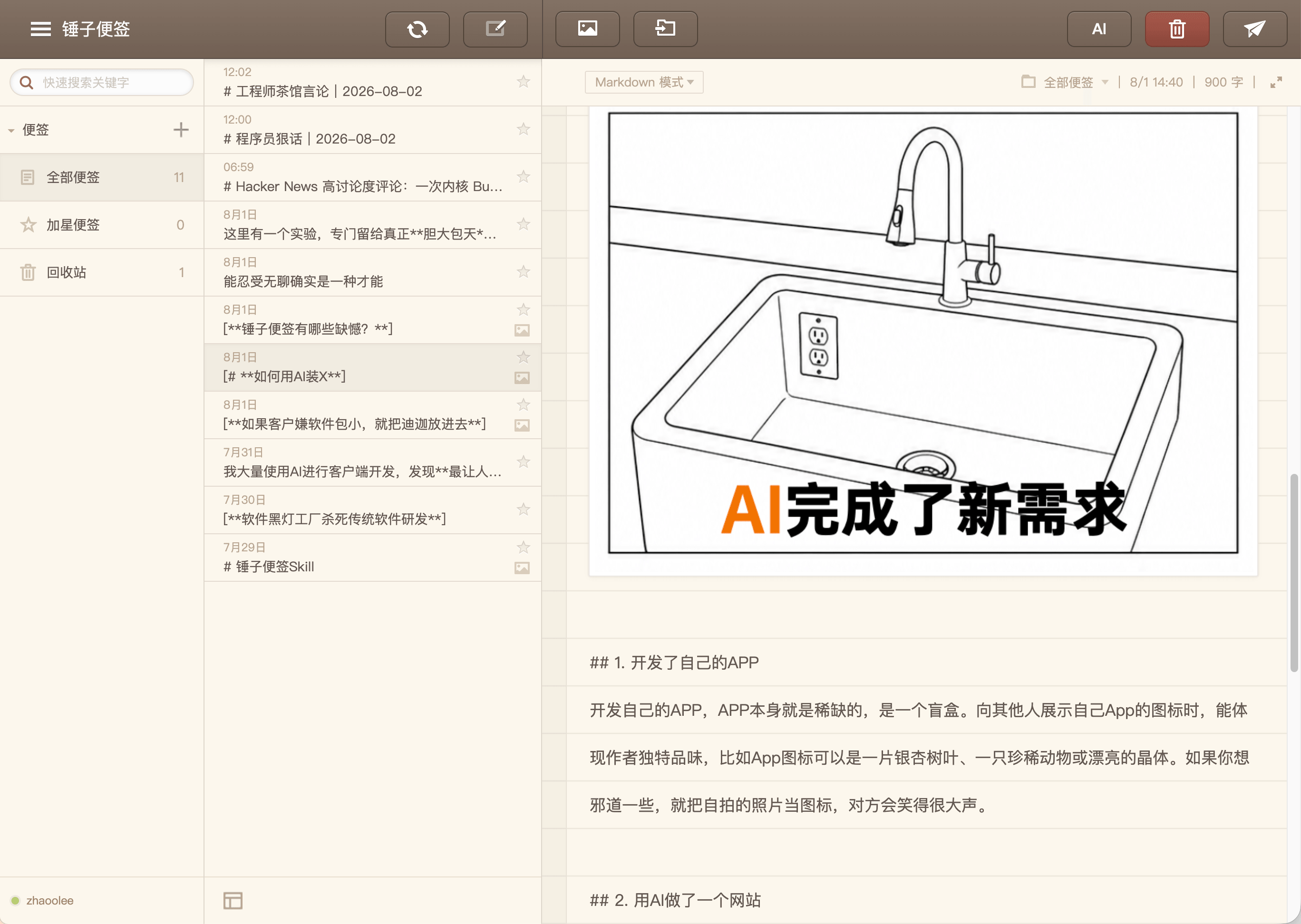
- 完美复刻锤子便签网页版和PC版,支持多便签,分类存储。
- 支持Docker一键私有化部署
- 纯WEB应用,无需安装任何App,打开即用
- 支持PC端和手机版,多端数据同步,支持公网部署
- 支持图片插入。
- 支持一键粘贴到公众号助手。
- 支持直接导出便签为图片,或复制为markdown格式进行分享。
- 自带浏览器持久化,关闭页面也不会丢失数据。
- 开源免费,可私有化部署。
- 工匠精神沁入AI,可以通过AI Skill直接调用工具,生成便签。
- 支持自定义底部标识(点击即可编辑)
- API原生封装支持Hermes Agent,OpenClaw直接通过skill驱动管理便签
- 支持 DeepSeek Harness(DSH),让智能体将对话导出为锤子便签。
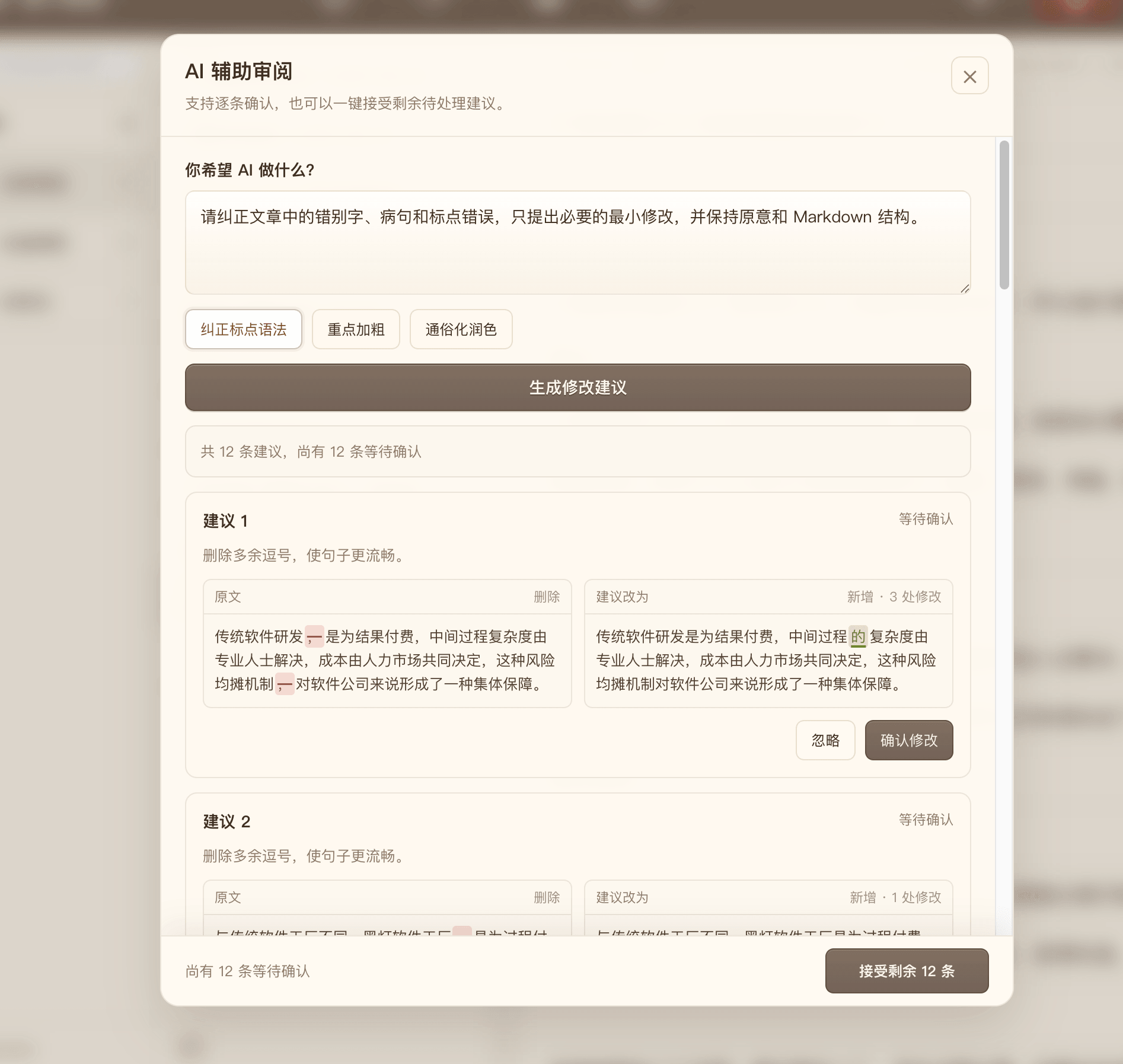
- 支持接入DeepSeek润色书写内容,语法标点检查,重点加粗,复杂概念通俗化释义。
- 支持一键下载包含图片的Markdown资源包
- 支持下载为html离线查看
通过DSH调用
可以在 DSH 的“插件市场”中搜索 notes 直接安装;源码仓库已经携带预编译产物,
无需开启 allowBuilds。也可以通过命令行安装 npm 版本:
dsh plugin --profile web add @zhaoolee/dsh-notes
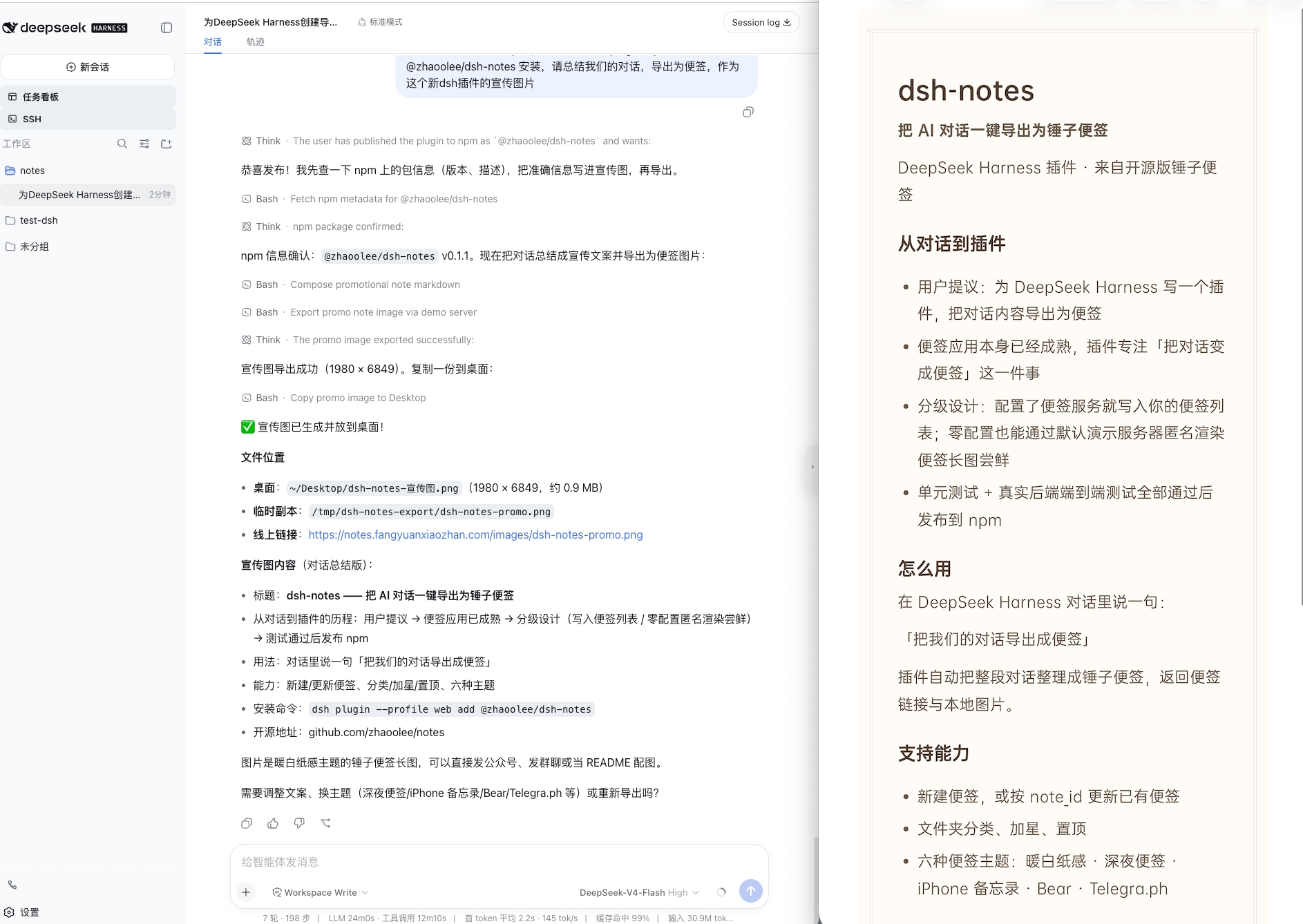
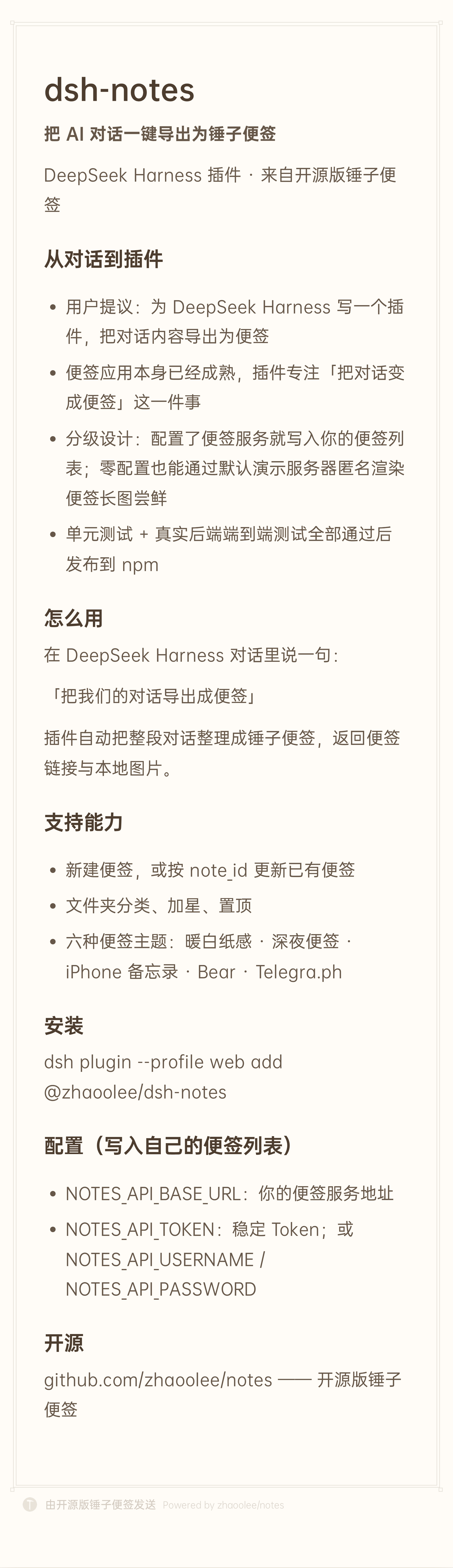
安装后请重启目标 profile,使插件生效。重启后,在 DeepSeek Harness 对话中说:把我们的对话导出成便签, 智能体会自动整理当前对话并调用插件生成便签。
| Deepseek Harness 生成分享便签 | 导出效果 |
|---|---|
 |  |
通过skill调用
clawhub地址 https://clawhub.ai/zhaoolee/notes-export-api
从clawhub安装 notes-export-api这个 skill,
联网获取最近一周 AI 相关的新闻,将新闻转化为 markdown 生成便签图片,把便签图片绝对路径返回给我,把图片往“下载”文件夹复制一份
支持自定义底部品牌标识(点击就能改)
只要你喜欢,可以把底部的「锤子便签」改成「凿子便签」或「榔头便签」
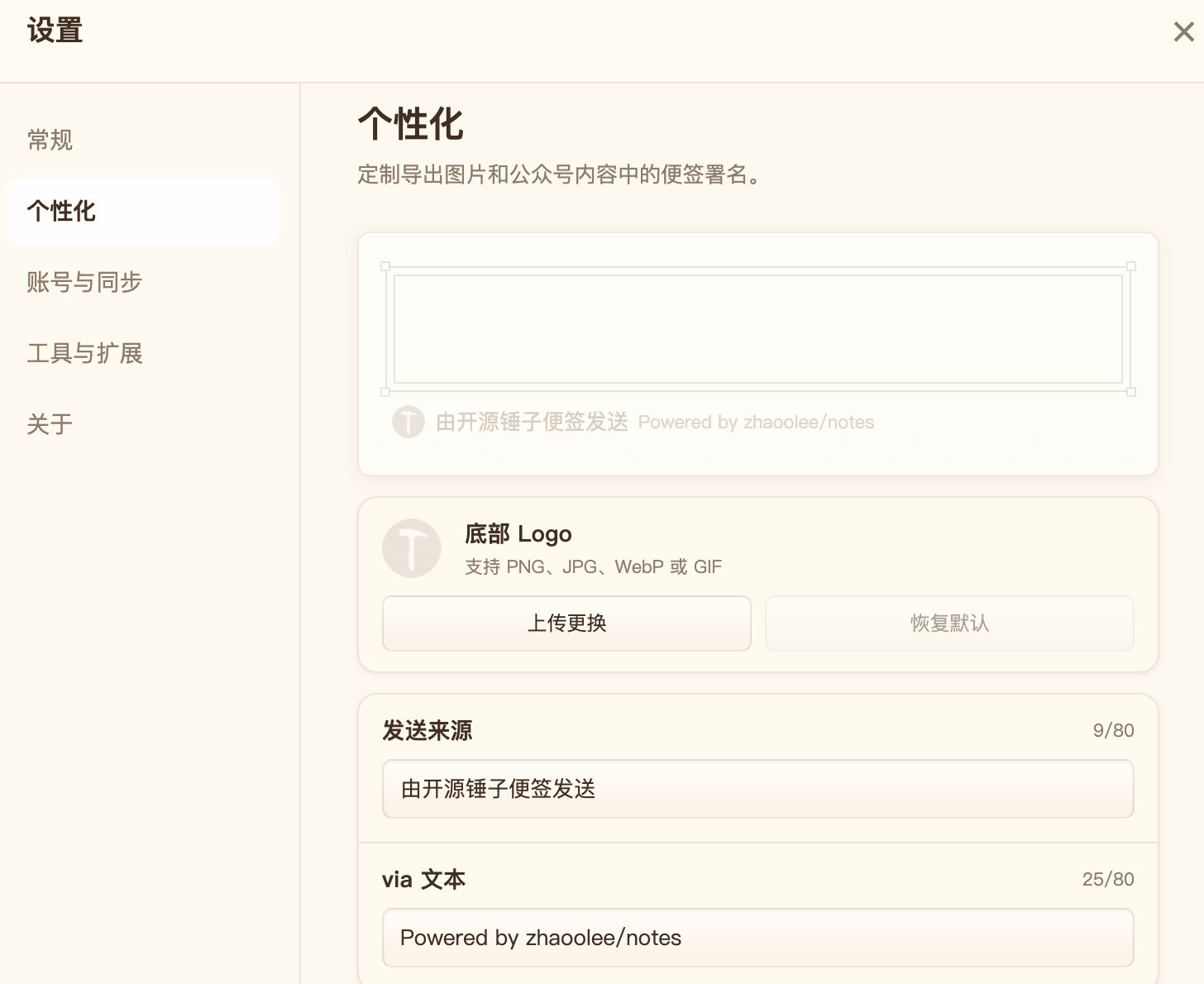
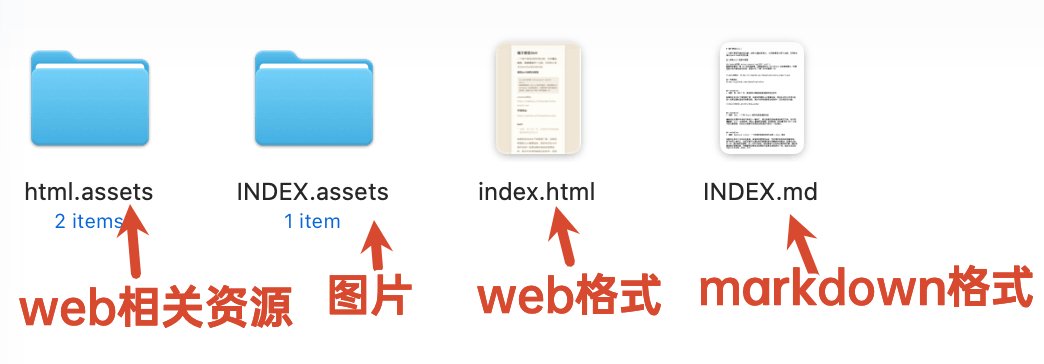
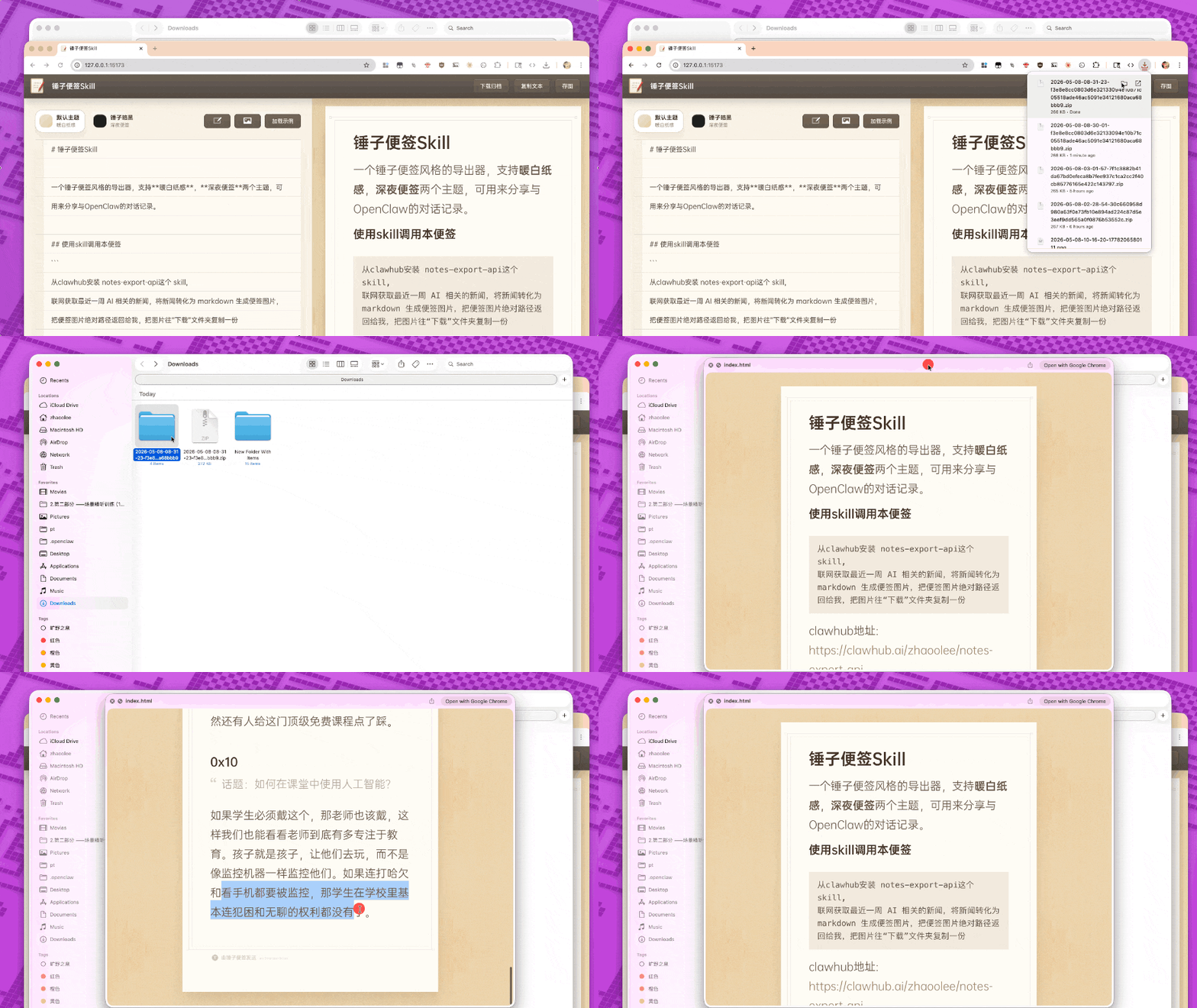
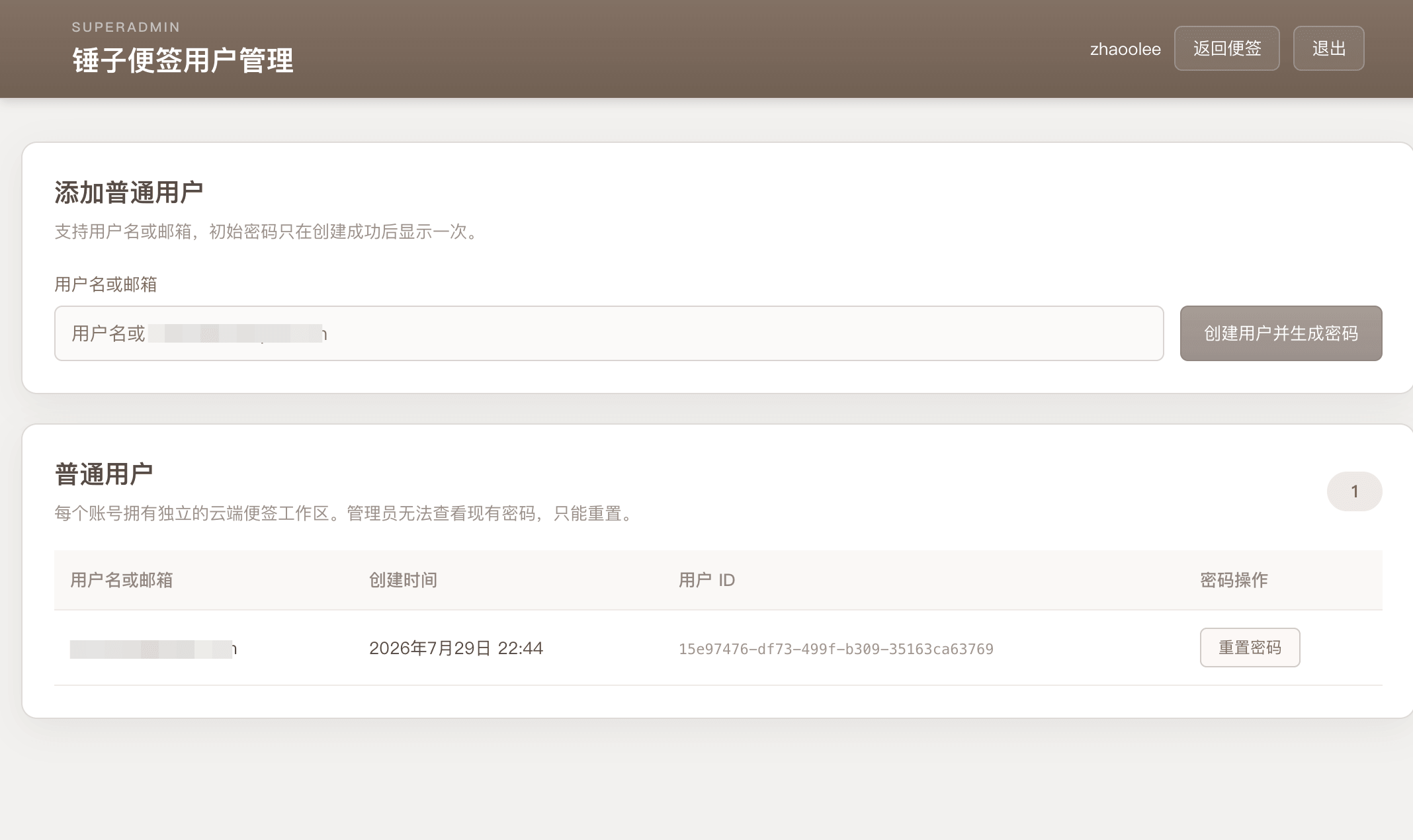
支持下载文章,包含网页,markdown以及管理的图片资源
支持接入DeepSeek,修正语法错误,重点加粗,通俗化润色
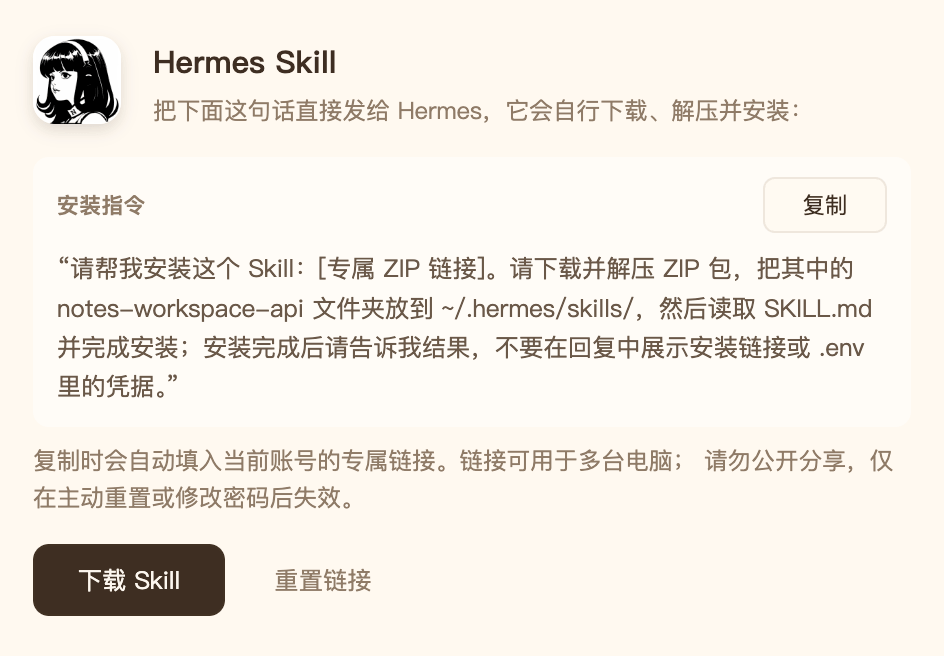
零配置,复制即可将权限导入hermes agent
登陆后,复制一行专属链接,粘贴给Hermes Agent或OpenClaw,即可获取包含登身份认证的skill包,实现人机协同
支持多用户隔离
可以给AI分配一个账号,人类分配一个账号,数据严格隔离
支持一键粘贴到公众号助手
在手机的网页写完,直接一键粘贴到公众号即可发送,文本格式和图片,统统自动处理好!
支持子公司和各类知名主题
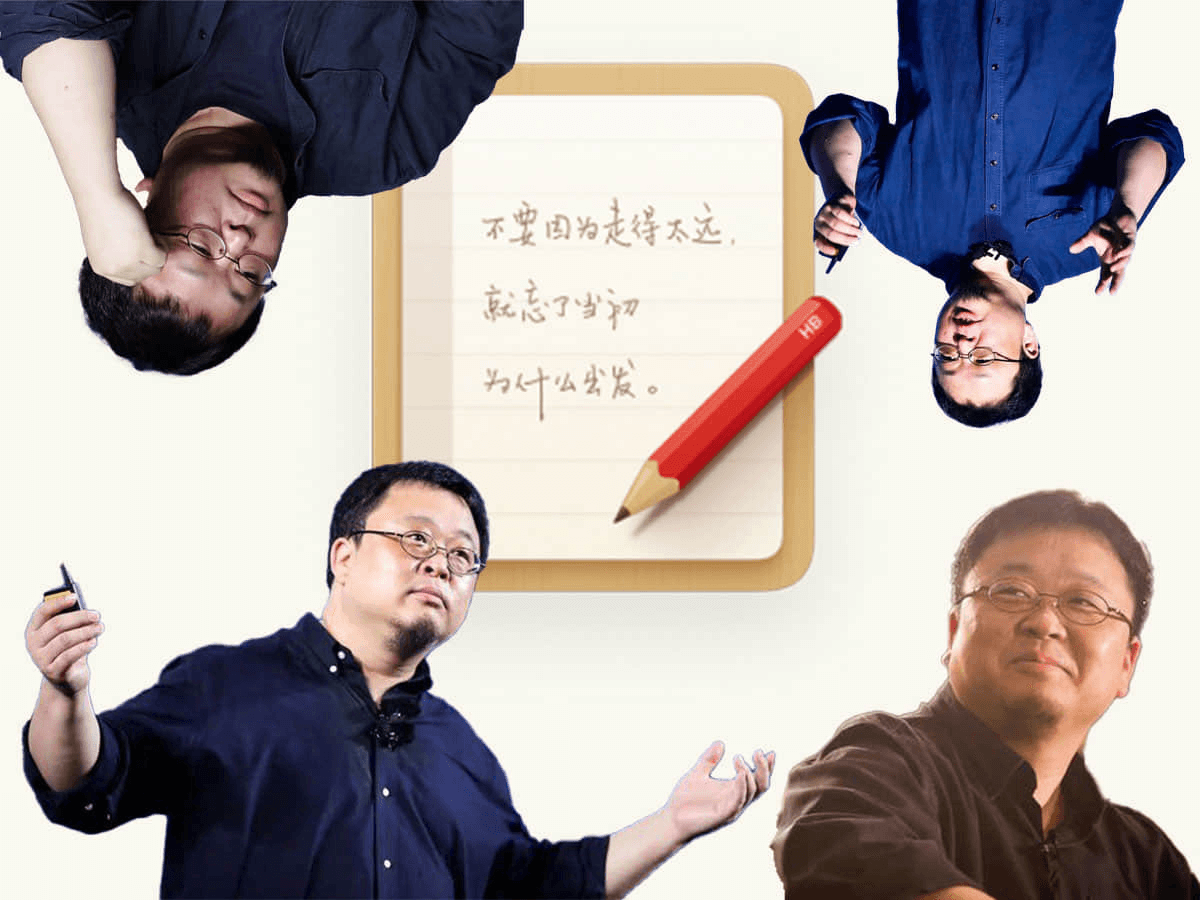
| 子公司主题 | 母公司主题 |
|---|---|
 |  |
网页版
| 暖白纸感 | 深夜便签 |
|---|---|
 |  |
 |  |
Skill 服务地址
便签管理和 PNG 导出统一使用 NOTES_API_BASE_URL,可写入
skills/notes-export-api/.env,或通过 --base-url 传入:
NOTES_API_BASE_URL=http://127.0.0.1:18080
认证及完整配置见 skills/notes-export-api/SKILL.md。
使用 Docker Hub 镜像部署
单镜像同时包含 Web 前端和后端服务,便签管理、图片导入和 PNG 导出均可在本地 运行。公众号复制和 AI 等可选功能需另行配置相应服务。
需要登录、多端同步或 Skill 工作区管理时,先复制 .env.example,并配置
SUPERADMIN、SUPERADMINPASSWORD 和高熵 SESSION_SECRET:
cp .env.example .env
mkdir -p ./storage/images ./storage/data

docker run -d \
  --restart unless-stopped \
  --name notes \
  -p 127.0.0.1:18080:3001 \
  --env-file .env \
  -v "$(pwd)/storage/images:/app/storage/images" \
  -v "$(pwd)/storage/data:/app/storage/data" \
  zhaoolee/notes:latest
启动后访问 http://127.0.0.1:18080。storage/images 保存图片和导出的 PNG,
storage/data 保存账号与云端工作区,两者都应持久化和备份。仅使用匿名编辑与导出
时可省略 --env-file .env;需要局域网访问时可将端口映射改为
-p 18080:3001,公网部署应使用 HTTPS 反向代理。
查看使用指南 →
该插件的安装步骤、关键要点、FAQ 与兼容性说明(基于已收录字段派生)。
收录徽章

[](https://deepseek-plugin.org/plugins/zhaoolee/notes)把这段 markdown 粘贴到你的 GitHub README,链接回本插件详情页。徽章只声明已被本站收录,不代表安全认证。