为 DSH 提供无需 WSL 的原生 Windows shell 与 Workspace Write 沙箱预设。沙箱会话使用 busybox-w32,非受限会话使用 Git Bash,并提供旧编码读取与安装诊断。

- 语言
- TypeScript
- License
- MIT
- 分支
- master
安装
$ dsh plugin --profile web add dsh-win32在终端中运行以上命令,通过 dsh CLI 安装此插件。可在右上角切换 Profile。 第一次用 dsh?看这篇新手教程
对话式安装
帮我安装 DeepSeek Harness 插件 sjh9714/dsh-win32:先查看仓库 https://github.com/sjh9714/dsh-win32 确认安全性,然后执行安装命令并验证插件加载成功。
把这段指令粘贴给 DSH Web GUI 里的助手,由它代你完成安装与验证。
Native Windows. No WSL.
One command. Workspace Write.
Run DSH Minimal mode on Windows with the sandboxed preset.
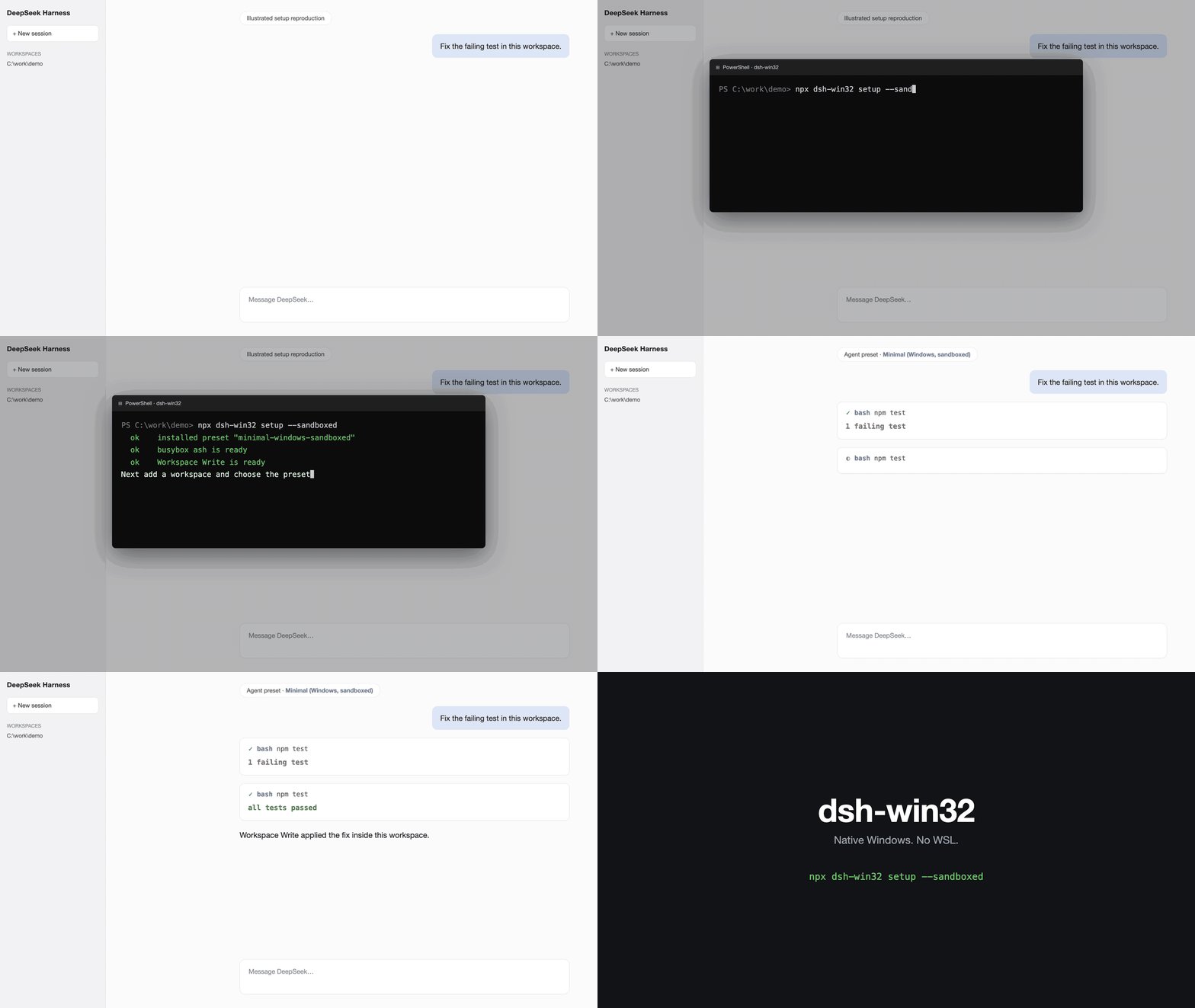
npx dsh-win32 setup --sandboxed
This preset uses busybox ash, so Git Bash and WSL are not required.




See it work
Illustrated installation reproduction. This is not a real capture.
Real Windows session.
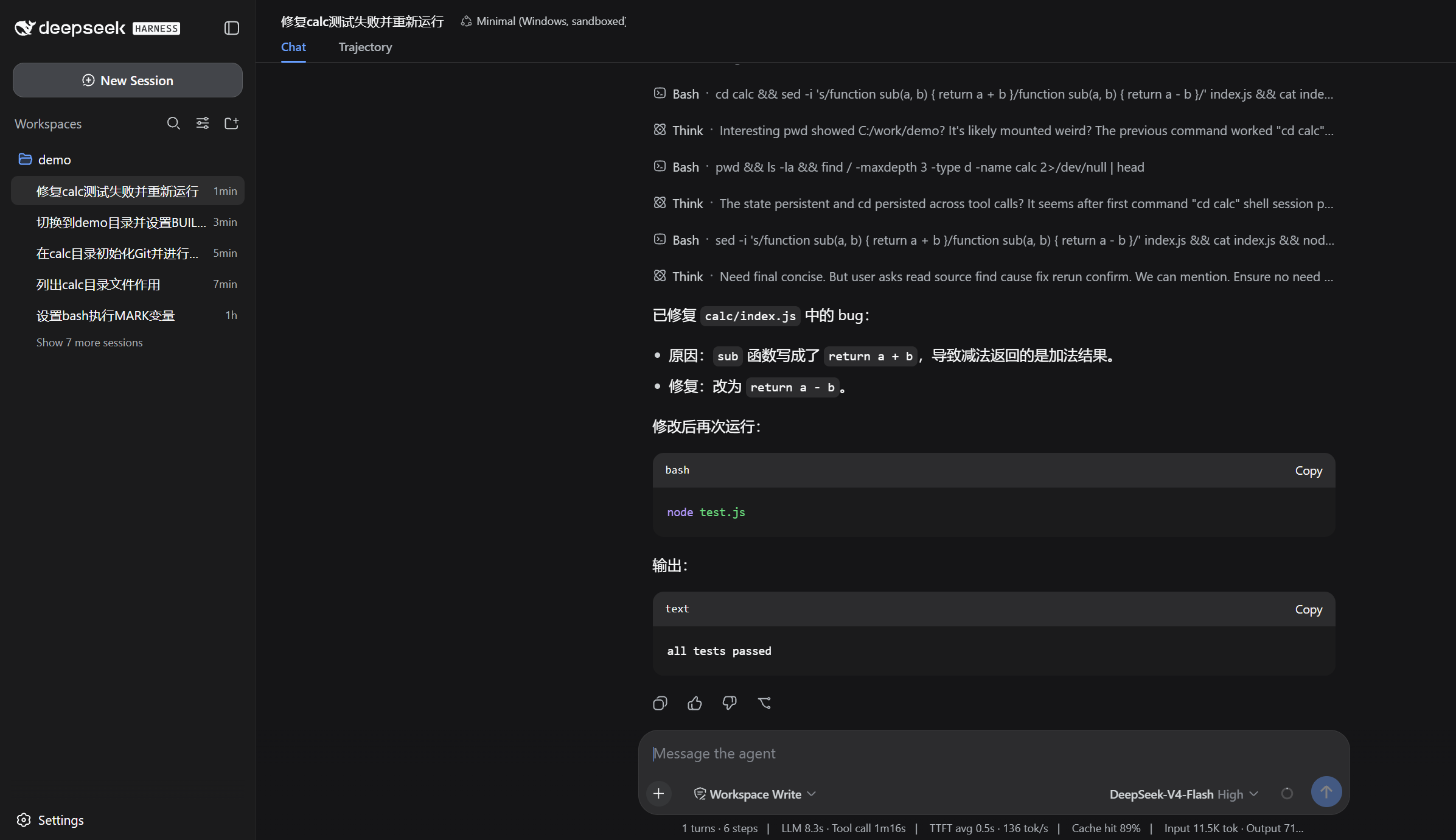
The real session runs a failing test, reads the source, applies a fix, and reruns it to all tests passed in Workspace Write.
Choose a preset
After setup, start DSH, add a workspace, and choose the preset.
- Minimal (Windows, sandboxed) uses busybox ash inside
Workspace Write. Install it withnpx dsh-win32 setup --sandboxed. - Minimal (Windows) uses Git Bash and needs
danger-full-access. Install it withnpx dsh-win32 setupafter installing Git for Windows.
Doctor
npx dsh-win32 doctor
doctor lists known Windows setup traps and their safe fixes. Use npx dsh-win32 fix for fixes it can apply safely.
Honest limits
- The sandboxed preset is ash, not Bash. It does not support arrays or
[[ ]]. - Legacy-encoded files are read automatically, but saving an edited file writes UTF-8.
- Treat
C:\tmpas outside the expected write fence until the upstream Windows path issue is fixed.
Read the Windows details, evidence, and complete limitations. Read the Chinese translation.
License
MIT. The preset composition mirrors the official Minimal preset with credit.
查看使用指南 →
该插件的安装步骤、关键要点、FAQ 与兼容性说明(基于已收录字段派生)。
收录徽章

[](https://deepseek-plugin.org/plugins/sjh9714/dsh-win32)把这段 markdown 粘贴到你的 GitHub README,链接回本插件详情页。徽章只声明已被本站收录,不代表安全认证。