Adds a visual design view to DeepSeek Harness, enabling direct generation and fine-tuning of non-presentation design works such as websites, posters, and info cards within the conversation.
ⓘ This plugin is a sub-package of the Devin-AXIS/iPolloWork monorepo — stars and activity count the whole repository.

- Language
- TypeScript
- License
- NOASSERTION
- Branch
- main
Install
$ dsh plugin --profile web add deepseek-idesignRun the command above in your terminal to install this plugin via the dsh CLI. You can switch Profile in the top-right corner. New to dsh? Read the beginner tutorial
Install via your agent
Install the DeepSeek Harness plugin Devin-AXIS/iPolloWork/external-plugins/deepseek-harness/design-studio for me: review the repository at https://github.com/Devin-AXIS/iPolloWork first, then run the install command and verify the plugin loads successfully.
Paste this instruction to the DSH Web GUI assistant — it will install and verify for you.
One-Sentence Pitch
iPolloWork Design Studio is a standalone visual design plugin released by iPolloWork for DeepSeek Harness. It brings the Design view directly into the Harness conversation, allowing AI to generate and modify real HTML/CSS project files within the workspace. You can also select elements on the canvas to fine-tune text, fonts, colors, spacing, and images.
Core Capabilities
- Appears as a native Design view in DeepSeek Harness conversations, alongside PPT and Video views in the tab bar
- Allows AI to fully generate or extensively modify designs through conversation, and writes changes to real files in the current workspace
- After selecting specific elements on the canvas, use Ask AI to trigger precise modification requests—the plugin only prepares a draft without automatically sending it
- Directly edit text, typography, colors, size, spacing, background, links, and images within the canvas, with support for desktop and mobile preview
- Provides global visual controls unified with the Design theme and design tokens
- Built-in Design template marketplace—browse covers and apply templates to the current project with one click, supports undo and file conflict detection
Technical Implementation
- Languages: TypeScript + React (frontend Vite build) + Node.js (server-side bridge)
- Key Dependencies:
@deepseek-ai/cordis(plugin injection and effects),@deepseek-ai/dsh-host-webserver(route registration),@deepseek-ai/dsh-workspace(workspace parsing),@deepseek-ai/dsh-client-runtime/@deepseek-ai/dsh-client-ui-conversation(frontend view slots) - Architecture Pattern: The server injects a plugin named
ipollowork-design-studioviacordis.patch.yml(plugin id), and registers a webServer route under the/ipollowork-designprefix during the apply phase; the client injects into the Harness Web side viaclient.injectin thedshmanifest, registering aconversation.viewslot in the conversation view to render a React component that hosts the Studio iframe - Entry Files:
src/index.ts(server registration and HTTP API),src/client.tsx(frontend Design view),studio/src/main.tsx(Studio internal React app)
Use Cases
Suitable for non-technical users who need to directly produce websites, app prototypes, posters, info cards, data reports, and magazine-style visual works within DeepSeek Harness workspaces. Pain point: Previously, you could only get一次性 images or screenshots in conversations and couldn't continue fine-tuning individual elements; this plugin keeps editable HTML/CSS projects in the workspace and allows alternating between direct canvas editing and selection-level AI modifications.
Prerequisites & Compatibility
| Dependency | Minimum Version | Description |
|---|---|---|
@deepseek-ai/dsh-client-runtime | >=0.0.1-rc.1 <0.2.0-0 | Client runtime, required for DSH Web side |
@deepseek-ai/dsh-client-ui-conversation | >=0.0.1-rc.1 <0.2.0-0 | Conversation view slot mechanism |
@deepseek-ai/dsh-host-webserver | >=0.0.1-rc.1 <0.2.0-0 | Host's HTTP route registration capability |
@deepseek-ai/dsh-workspace | >=0.0.1-rc.1 <0.2.0-0 | Workspace parsing (required for design file read/write) |
@deepseek-ai/cordis | ^4.0.1 | Injection and effects framework (optional at build time) |
react | ^18.2.0 | Studio frontend runtime |
| Node.js | Not declared | Plugin package.json has no engines; upper-layer DeepSeek Design documentation recommends ^22.19.0 or >=24.0.0 |
| Platform | Cross-platform | Only depends on host DSH's Web service, OS-agnostic |
Installation
dsh plugin --profile web add github:Devin-AXIS/iPolloWork/external-plugins/deepseek-harness/design-studio
Configuration
This plugin requires no user-level configuration. After installation, the plugin injects into the host with the identifier ipollowork-design-studio (cordis.patch.yml), automatically registers the Design view in the DSH Web side, and uses a 32-byte random token to protect iframe communication and API calls.
FAQ
Q: What is the relationship between deepseek-idesign and the iPolloWork main project?
A: deepseek-idesign is a standalone Design sub-plugin built and released by iPolloWork for DeepSeek Harness. Its package.json name is deepseek-idesign and only carries browser resources required for the Design view; it won't download or start the iPolloWork desktop client, nor will it pull in the PPT (deepseek-ippt) and Video (deepseek-ivideo) independent plugins together.
Q: Where are design files saved?
A: All files are directly written to the design/<sessionId>/ directory of the currently registered workspace in DeepSeek Harness, including index.html, design-tokens.css, manifest.json, brief.json, and other real editable files. There is no cloud-based closed canvas or exported screenshots. The plugin's API path prefix only accepts design/ paths (src/index.ts:75-77), and other directories won't be read or written.
Q: Will PPT or Video functionality be included after installation?
A: No. The Design template only shows templates with surface === "design" and category !== "slides" (src/index.ts:132-135). Slide templates are provided by the independent deepseek-ippt package, and Video Studio is provided by the independent deepseek-ivideo package—the three packages' project directories are isolated from each other.
Q: Does Ask AI automatically send messages?
A: No. Ask AI only organizes the current element, file path, styles, and modification requirements into a conversation draft filled into Harness's input box (src/client.tsx:32-43), which is then manually sent by the user after confirmation, preventing AI from automatically submitting and causing uncontrollable changes.
Q: Will multiple people editing simultaneously overwrite each other's work?
A: No. Studio writes with baseUpdatedAt attached; if a file has been modified since last load, the host returns a 409 conflict prompt for the user to reload (studio-host/src/http.ts:161-163); writes themselves use temporary files + rename for atomic replacement, avoiding half-written states.
Q: Why can't I see the publish to production environment feature?
A: This plugin's publishing capability is explicitly disabled: the Studio frontend's callStorage interface always returns { ok: false, error: "unsupported" } (studio/src/deepseek-client.ts:76-80), and DesignPanel's features.publish is also set to false (studio/src/main.tsx:38). Publishing is still handled by the iPolloWork desktop client.
Q: Is there a limit on individual file size?
A: Yes. Text files are capped at 20 MB (src/index.ts:60 / studio-host/src/http.ts:140, 155), and HTTP request body limit is also 20 MB; exceeding this returns a 413 error.
Q: How to uninstall?
A: Run dsh plugin --profile web remove deepseek-idesign. After uninstallation, the Design view will disappear from the conversation interface, but files in the workspace's design/<sessionId>/ won't be automatically deleted—please manually clean them up if no longer needed.
Learning Curve
Beginner — After installation, no configuration is needed. You can start creating by selecting the Design view in the conversation. AI generation, canvas fine-tuning, and Ask AI interactions can all be completed in the same interface—no coding or config file adjustments required.
Known Issues & Limitations
- Publishing to production environment is not supported: Publishing interface is explicitly disabled (studio/src/deepseek-client.ts:76-80), only for local editing and iteration; final products need to be exported via iPolloWork desktop client or other channels.
- Can only read/write
design/subdirectory: All APIs force path restriction todesign/prefix viasafeRelativePath(src/index.ts:75-77 / studio-host/src/http.ts:55-72); other workspace directories won't be accessed by the plugin. - Single file size limit of 20 MB: Both single file read and write are constrained by
MAX_TEXT_BYTES = 20 * 1024 * 1024(src/index.ts:60), exceeding returns 413. - Directory enumeration limit of 1000 items:
listFilesstops when traversing 1000 entries (src/index.ts:61, 191), large projects may not list all files. - Session ID format is restricted: Must match
^[A-Za-z0-9_-]{1,128}$(src/index.ts:62), session IDs that are too short or contain special characters return 400 directly. - Design templates and Slides templates are mutually exclusive: Template marketplace strictly distinguishes by
categoryfield—Design projects won't show slide templates (src/index.ts:132-135). - Cross-plugin templates don't interoperate: Installing only this package won't download templates from
deepseek-ipptordeepseek-ivideo(README.md:128 / external-plugins/deepseek-harness/README.md:56).







The enterprise-grade, local-first Agent Workbench for people and agent teams—one workspace for multiple agent engines, one unified system for plugins and Skills, multi-agent projects and tasks, and editable creation across code, documents, presentations, websites, design, and video.
https://github.com/user-attachments/assets/201b561a-22ec-4c8e-a4e8-f34172cf0aa3
iPolloWork is the unified workspace layer for the next agent-native way of working. It does not split projects or extensions by runtime: teams coordinate agents, tasks, schedules, plugins, Skills, tools, execution, and editable outputs from one control surface. Describe the outcome; agents plan and execute; your team reviews progress, approves actions, and keeps editing the result in the same place.
iPolloWork is not positioned as a replacement for a single coding agent. It connects Codex, DeepSeek Harness, OpenCode, and future agent runtimes through explicit compatibility boundaries while preserving the native strengths of each ecosystem. Coding is only the starting point: when the output is a deck, web page, visual design, or video, it remains editable instead of becoming a finished file or a chat transcript.
Join the official iPolloWork WeChat community
Scan with WeChat to join the official group for product updates and community discussions.

What makes it different
- One workbench across agent engines — use Codex, DeepSeek Harness, OpenCode, and future runtimes without rebuilding the project experience around each engine.
- One global extension system — install, enable, update, and uninstall portable plugins, Skills, agents, commands, services, and authorization once; optional engine-native bindings stay behind the same lifecycle.
- Project-native human-agent collaboration — give people and agents one shared project view for responsibilities, tasks, schedules, execution health, and results instead of scattering work across isolated chats.
- One editable production loop — move from code to documents, websites, presentations, design, and video while keeping text, images, layouts, timelines, and scenes editable after generation.
- Local and enterprise control — run locally, bring your own model or provider, review permissions and execution, and connect organization services only when a team needs them.
Agent runtime compatibility
OpenCode is the default local execution runtime today. DeepSeek Harness (DSH) is integrated as an optional peer runtime and subagent delegation target, while Codex connects through the ipollowork-ui-mcp control surface. MCP is the integration protocol for that path, not another agent engine alongside Codex, DSH, and OpenCode. These paths share the workbench without pretending that every runtime has the same native capabilities.
The collaboration model keeps iPolloWork as the project workspace: a task can delegate bounded work to DSH subagents when useful, then bring structured progress and results back into the same project. Each runtime retains its own agents, Skills, plugins, and execution model.
Run iPolloWork creative plugins directly in DeepSeek Harness
DeepSeek Harness users can install iPolloWork's native Design, PPT, and Video views into the DSH Web UI and start them from any project directory:


npx @deepseek-ai/dsh plugin --profile web add deepseek-idesign deepseek-ippt deepseek-ivideo
npx @deepseek-ai/dsh web
Open http://127.0.0.1:3080, start a conversation, and choose Design, PPT, or Video. If the dsh command is already installed, replace npx @deepseek-ai/dsh with dsh. DeepSeek Harness is currently a developer preview, so plugin compatibility follows its active release line.
Install iPolloWork
Download the desktop app
Official installers are published on GitHub Releases. If you prefer a manual download, choose the file that matches both your operating system and CPU:
| System | CPU | Installer to use |
|---|---|---|
| macOS | Apple Silicon (M-series) | ipollowork-mac-arm64-<version>.dmg |
| macOS | Intel | ipollowork-mac-x64-<version>.dmg |
| Windows | Intel/AMD 64-bit | ipollowork-win-x64-<version>.exe |
| Windows | ARM64 | ipollowork-win-arm64-<version>.exe |
| Linux | Intel/AMD 64-bit | ipollowork-linux-x64-<version>.AppImage |
| Linux | ARM64 | ipollowork-linux-arm64-<version>.AppImage |
The macOS .zip and Linux .tar.gz files are portable/update artifacts; most users should choose .dmg, .exe, or .AppImage. If the Releases page does not yet contain an installer for your system, run or package the app from source below.
Installation after downloading:
- macOS: open the
.dmg, then drag iPolloWork into Applications. - Windows: run the
.exeinstaller. A locally built, unsigned installer may trigger Microsoft Defender SmartScreen. - Linux: make the AppImage executable with
chmod +x ipollowork-*.AppImage, then run it. The.tar.gzpackage can be extracted and run without installation.
Requirements for source development and packaging
- Git
- Node.js 22 or newer
- pnpm 11, enabled through Corepack with
corepack enable - Bun 1.3.10 or newer, used to build the local Orchestrator sidecar
- macOS: Xcode Command Line Tools (
xcode-select --install) - Windows: Visual Studio 2022 Build Tools with Desktop development with C++ and the Windows SDK; use PowerShell or Command Prompt
- Linux: a standard Electron build environment with a C/C++ toolchain, Python 3,
pkg-config, and the desktop libraries required by Electron; the release build uses Ubuntu 22.04
OpenCode is downloaded and prepared as a separate sidecar during the first desktop build. iPolloWork does not fork or rewrite OpenCode, and OpenCode can continue to be upgraded independently.
Start from source
macOS and Linux
git clone https://github.com/Devin-AXIS/iPolloWork.git
cd iPolloWork
corepack enable
./ipollowork setup
./ipollowork dev
Windows PowerShell
git clone https://github.com/Devin-AXIS/iPolloWork.git
Set-Location iPolloWork
corepack enable
.\ipollowork.cmd setup
.\ipollowork.cmd dev
The setup command installs the locked workspace dependencies. The dev command prepares the OpenCode and Orchestrator sidecars, starts the UI, and opens the Electron desktop client. Development mode uses isolated iPolloWork/OpenCode state and does not overwrite the user's normal OpenCode configuration.
Development commands
| Purpose | macOS / Linux | Windows |
|---|---|---|
| Start desktop app | ./ipollowork dev | .\ipollowork.cmd dev |
| Start browser UI only | ./ipollowork dev:ui | .\ipollowork.cmd dev:ui |
| Connect local Cloud | ./ipollowork dev:cloud http://localhost:3100 | .\ipollowork.cmd dev:cloud http://localhost:3100 |
| Type checks and desktop tests | ./ipollowork check | .\ipollowork.cmd check |
| Production build | ./ipollowork build | .\ipollowork.cmd build |
Windows development builds do not register the production ipollowork://
handler automatically. When testing Cloud sign-in through an external browser,
use the repository's protocol switcher and restore the production handler when
you finish. See Windows protocol switching.
Build and package
There are three different build levels:
| Command | Result |
|---|---|
build | Compiles the production UI, server, Electron shell, and sidecars; does not create an installer |
package:dir | Creates the fastest unpacked desktop app for local verification; does not change the release version |
package | Runs checks, advances the client version, then creates native installer and portable/update artifacts for the current system and CPU without publishing them |
macOS and Linux
./ipollowork check
./ipollowork package:dir
./ipollowork package
Windows PowerShell
.\ipollowork.cmd check
.\ipollowork.cmd package:dir
.\ipollowork.cmd package
All outputs are written to apps/desktop/dist-electron/:
package is the local release command. It keeps the App, Desktop, Orchestrator, and Server versions in sync, and uses the sequence 0.1.0 through 0.99.0, then 1.0.0 (the source checkout starts at the unshipped baseline 0.0.0). Use ./ipollowork package --dry-run to inspect the next version, or --skip-check only when the checks have already passed. Local packaging never commits, tags, pushes, or publishes a release.
- macOS:
.dmg,.zip, and an unpacked.app - Windows: NSIS
.exeandwin-unpacked/ - Linux:
.AppImage,.tar.gz, andlinux-unpacked/
Local packaging targets the machine's current operating system and CPU architecture. Use the GitHub release workflow to produce the complete signed/notarized matrix for macOS ARM64/x64, Windows ARM64/x64, and Linux ARM64/x64. Local packages are unsigned unless the appropriate Apple or Windows signing credentials are supplied; they are suitable for development testing but should not be presented as official releases.
Connect to iPolloCloud
Start your local iPolloCloud control plane first, then run:
./ipollowork dev:cloud http://localhost:3100
This command creates an isolated development profile, points authentication and Cloud APIs at the supplied URL, and requires Cloud sign-in. It does not change the normal local iPolloWork profile. A remote or self-hosted Cloud URL works the same way:
./ipollowork dev:cloud https://cloud.example.com
Architecture boundary
Codex / MCP clients ── ipollowork-ui-mcp ──> iPolloWork desktop/UI
                                                   │
                                                   ├── local API ──> Engine Protocol ──> OpenCode (default)
                                                   │                               └──> DeepSeek Harness (optional)
                                                   └── optional account/control requests ──> iPolloCloud
- Agent execution, task state, and streaming are normalized at the shared engine boundary while engine-native behavior remains inside its adapter.
- Portable Skills, plugins, MCP servers, and project capabilities use one lifecycle; engine-specific enhancements stay optional.
- Codex compatibility currently uses the MCP control surface rather than claiming a native Codex engine adapter.
- iPolloCloud handles identity, organizations, entitlements, hosted worker lifecycle, administration, and commercial Apps.
- The Cloud connection is optional. Local iPolloWork works without an account or commercial service.
- OpenCode and DeepSeek Harness remain independent components and can continue to evolve without turning iPolloWork into a fork of either runtime.
Repository layout
apps/app— shared React user interfaceapps/desktop— Electron desktop shell and packagingapps/server— iPolloWork server APIapps/orchestrator— headless runtime orchestrationpackages— shared types, components, docs, and integrationsdocs— maintained engineering notes, platform guides, and generated reportsevals— executable product flows and validation toolingexamples— complete example plugin packagesexternal-plugins— independently released plugins for external agent hostspackaging— release and installer metadatascripts— development, build, audit, and release automationspecs— product and architecture specificationsvendor— pinned third-party source that is built as part of iPolloWork
Contributing
Read AGENTS.md, docs/governance.md, CONTRIBUTING.md, SECURITY.md, and
apps/app/src/react-app/ARCHITECTURE.md before making product changes. Run
the narrow relevant test first, followed by:
./ipollowork check
git diff --check
See CONTRIBUTING.md, CODE_OF_CONDUCT.md, and SECURITY.md for contribution, community, and security policies.
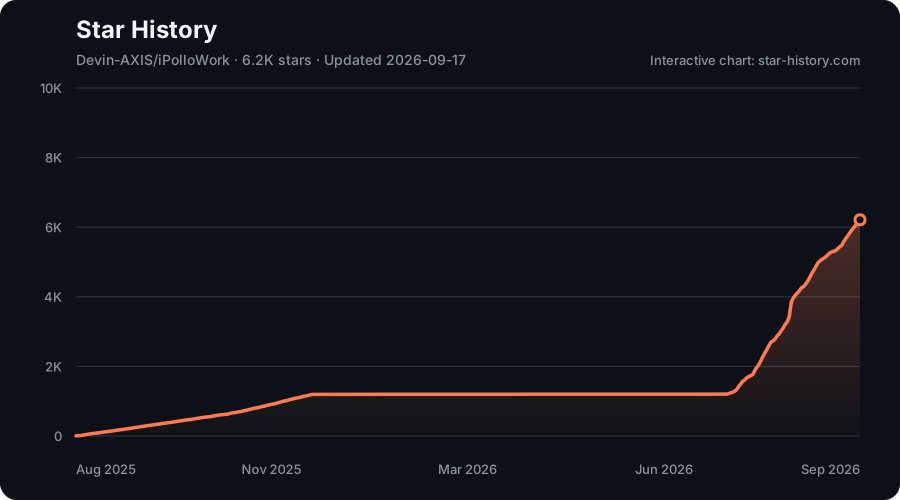
Star History
License
iPolloWork uses the iPolloWork Source Available License 1.0:
- Free only for individual personal self-use and for small internal use by fewer than three total users.
- Prior written authorization is required for any use by three or more users, regardless of whether the use is personal, internal, commercial, non-commercial, individual, or organizational.
- Prior written authorization is required for any sale, resale, paid service, SaaS, hosting, white-label distribution, marketplace use, or customer-facing use, regardless of whether it is done by an individual or a company.
- The iPolloWork name, logo, and product attribution must remain visible in user-facing frontend displays unless prior written authorization expressly permits different branding.
- Separately licensed third-party components and code previously released under MIT retain their original licenses and existing rights.
See LICENSE for the controlling terms and LICENSES/MIT.txt for the historical MIT notice. This is a source-available license, not an OSI-approved open-source license.
Read the usage guide →
Install steps, key points, FAQ and compatibility for this plugin — auto-derived from indexed fields.
Listing badge

[](https://deepseek-plugin.org/plugins/Devin-AXIS/iPolloWork/external-plugins/deepseek-harness/design-studio)Paste this markdown into your GitHub README to link back to this listing. The badge only states the listing — not a security endorsement.